
Welcome to the Spoke Developer API. This API allows you to connect Spoke Phone and Spoke Enlighten to your existing business systems in a variety of ways:
- Access the Spoke Unified Directory via the Directory endpoint. This endpoint provides comprehensive details about each Directory entry, including Availability. You can read more about the Spoke Directory and its core concepts here
- Upload customer, supplier and other CRM contacts into Spoke Phone via the Phonebooks and Contacts endpoint. Once integrated, these contacts become searchable in the Spoke mobile application external phonebook. Any new incoming calls from phone numbers that have matching details in the phonebook will automatically show enhanced caller ID details.
- Access detailed call logs via the Calls endpoint. You can extract this data for reporting, real-time analytics or even integrate them back into customer records in your CRM system.
- View Spoke User status via the Users endpoint, and build a custom dashboard to see who is available in real-time.
- Add SIP trunk extensions to the Spoke Unified Directory by managing your Spoke SIP Trunk integration via the Trunks endpoint. Integrating with this endpoint and its associated Trunk Devices, Trunk Users and Trunk Queues endpoints allows you to synchronise your legacy internal phone directory with Spoke, giving your Spoke users a unified view across your entire organisation.
- Subscribe to webhook events so that your systems can be notified when call and conversation related events occur on the Spoke platform.
- Send system generated SMS messages via the Conversations
/conversationMessagesendpoint. The messages will be automatically added to the user's conversations in the Spoke application. - Create Data Actions to customise your call workflows
- Automatically analyse calls and conversations using the Spoke Enlighten AI Content Analysis
/contentAnalysisendpoint.
If you have a Spoke account, you can access the Spoke Developer API via https://integration.spokephone.com. This production endpoint provides access to your live user data.
If you do not have a Spoke account, you have two options:
- If you have your own Twilio account and want to deploy Spoke into that account, enabling you to integrate Spoke with other Twilio applications, go to https://account.spokephone.com/twilio to create a free developer account.
- If you want use Spoke's services without needing your own Twilio account, go to https://account.spokephone.com/signup to sign up for trial account.
Either account will allow you to get started and provides access to full production functionality.
If you have requests, feedback or questions, please request to join the Spoke Phone Tech Community on Slack at https://spoke-phone-tech.slack.com
The Spoke API uses OAuth v2.0 client credentials flow to authenticate requests. You can manage your API access in the Spoke Account Portal at https://account.spokephone.com/login
To authenticate with the Spoke API you need to follow these steps:
- Create an API key
- Generate an Access Token
- Make Authenticated Requests
For more details on the OAuth 2.0 client credentials flow, see the overview at https://auth0.com/docs/flows/concepts/client-credentials
You must first login as an Administrator to your account in the Spoke Phone Account Portal at https://account.spokephone.com/login. Open the settings page, click Other, Developers, and add a new API key. This is a one time operation.

Once the "API key" is created, you will be provided with the necessary details (OAuth 2.0 Client ID, OAuth 2.0 client secret, Authentication service URL) needed to create an access token.
Once you have created an "API key", the next step is to obtain a bearer token from the Spoke Phone Auth Service at https://auth.spokephone.com/oauth/token. This step requires making an HTTP POST to the Authorization Service URL provided in the step above, with the request body containing an application/x-www-form-urlencoded string with the following fields:
| Field Name | Description |
|---|---|
client_id |
The client id from the Developer API |
client_secret |
The client secret from the Developer API |
grant_type |
Always client_credentials |
A javascript example of this is below:
const response = await fetch("https://auth.spokephone.com/oauth/token", {
method: 'post',
body: querystring.stringify({
client_id: "{CLIENT_ID_FROM_DEVELOPER_API}",
client_secret: "{CLIENT_SECRET_FROM_DEVELOPER_API}",
grant_type: "client_credentials"
}),
headers: { 'Content-Type': 'application/x-www-form-urlencoded' },
});
const { access_token } = response.json();
Note: The auth token endpoint still supports sending an
application/jsonbody, however this content type is deprecated in favour ofapplication/x-www-form-urlencoded.
To make authenticated API requests, you must provide a valid bearer token in an HTTP Header:
Authorization: Bearer {access_token}
Once you have obtained an access token, you must provide this as a Bearer token for all subsequent API requests.
const response = await fetch("https://integration.spokephone.com/phonebooks", {
method: "get",
headers: { 'Content-Type': 'application/json', Authorization: `Bearer ${access_token}` },
});
Access tokens expire after 3600 seconds (1 hour). It is up to the developer to implement appropriate refresh logic, by following the same token generation process above. Note that as flow is a client credentials flow, intended for machine to machine operations, we do not provide a token refresh endpoint. Instead, requesting a new access token using the same client_id/client_secret is sufficient.
The API is RESTful. All requests should be made over HTTPS, and accessed from https://integration.spokephone.com.
Requests
Most of the parameters and request data will be contained in the body of the HTTP request. The Spoke Phone API accepts JSON in the HTTP request body. No other data format (e.g. XML) is supported.
Responses
The success or failure of an HTTP request is returned as a standard HTTP status code:
- a
2xxcode for success - a
4xxor5xxcode for failure
The response body will always be encoded in JSON format. No other data format (e.g. XML) is supported.
The Spoke Phone API uses a cursor based model for paging of large result sets. Paging support is available for the following endpoints:
GET /phonebooksGET /phonebooks/{id}/contactsGET /callsGET /trunksGET /trunks/{trunkId}/trunkDevicesGET /trunks/{trunkId}/trunkQueuesGET /trunks/{trunkId}/trunkUsers
All of these endpoints support an optional limit parameter. If this parameter is omitted, the default limit is 100. The maximum limit is 1000 for any single request. You can retrieve a list of phonebooks without retrieving associated contacts with GET /phonebooks?limit=0
Example
GET https://integration.spokephone.com/calls?limit=2 HTTP/1.1
Host: integration.spokephone.com
200 Response
{
"meta": {
"next": "eyJsYXN0TW9kaWZpZWRUaW1lc3RhbXAiOjE1Njg2NzUzOTE3NTIsImNhbGxJZCI6ImE2YzVkMDgwLWQ0MWUtMTFlOS1hYzZiLWE5MTliMjAwYWFlNCIsIm9yZ2FuaXNhdGlvbklkIjoiOTQ4NzhhYzEtMDI3OS0xMWU5LWI0ZmEtNmJiYzgxMGEzZjJkIn0="
},
"calls": [ { ... }, { ... } ]
}
Endpoints that support paging return a meta field in the response object, which includes a next token to be used in subsequent requests.
Simply pass the next token in the query string of the next GET to retrieve the next page of results.
If there are no additional pages the next field will be empty.
Batch operations such as uploading a list of contacts requires replacing the entire contents of a given Phonebook. Additional batch upload support may be introduced in the future.
Individual PUTS and POSTS are limited to 6MB total (JSON encoded) data size. If a given Phonebook contains more than 6MB of data then it should be split into separate phonebooks, until such time that we introduce batch upload paging.
The GET /calls endpoint supports paging by last modified timestamp. This is because a call can have additional notes stored against it well after the call ends, and there is a small amount of latency between the call end and any recordings becoming available. The last modified timestamp will be updated whenever any additional data is stored against the call.
Calling a GET /calls?modified={timestamp} will retrieve all calls created or modified since the provided timestamp. This means that the API may return a Call that was returned in response to a previous request. It is the responsibility of the client application to reconcile the response content and upsert the retrieved calls as appropriate.
The timestamp value is a a numeric timestamp in milliseconds since the Unix epoch.
In general for any date/time or timestamp types, this API will provide two fields:
{fieldName}At: This is an ISO8601 formatted date/time. All date/times are UTC.{fieldName}Timestamp: This is a numeric timestamp in milliseconds since the Unix epoch.
Download Postman Collection: Download
To use the postman collection you will need to have authentication credentials, which can be obtained in the Developer section of the Spoke Phone Account Portal (see Create an API key for more details on how to create API authentication credentials).
We recommend setting up the following variables in a postman environment clientId, clientSecret, tokenUrl, and baseUrl. To authenticate every request for the postman collection for an hour (the lifetime of an authentication token), you will need to edit the collection Authorization to use OAuth 2.0 with client credentials. Once you have completed this setup you will be able to make any request in the collection, and be authenticated to do so.
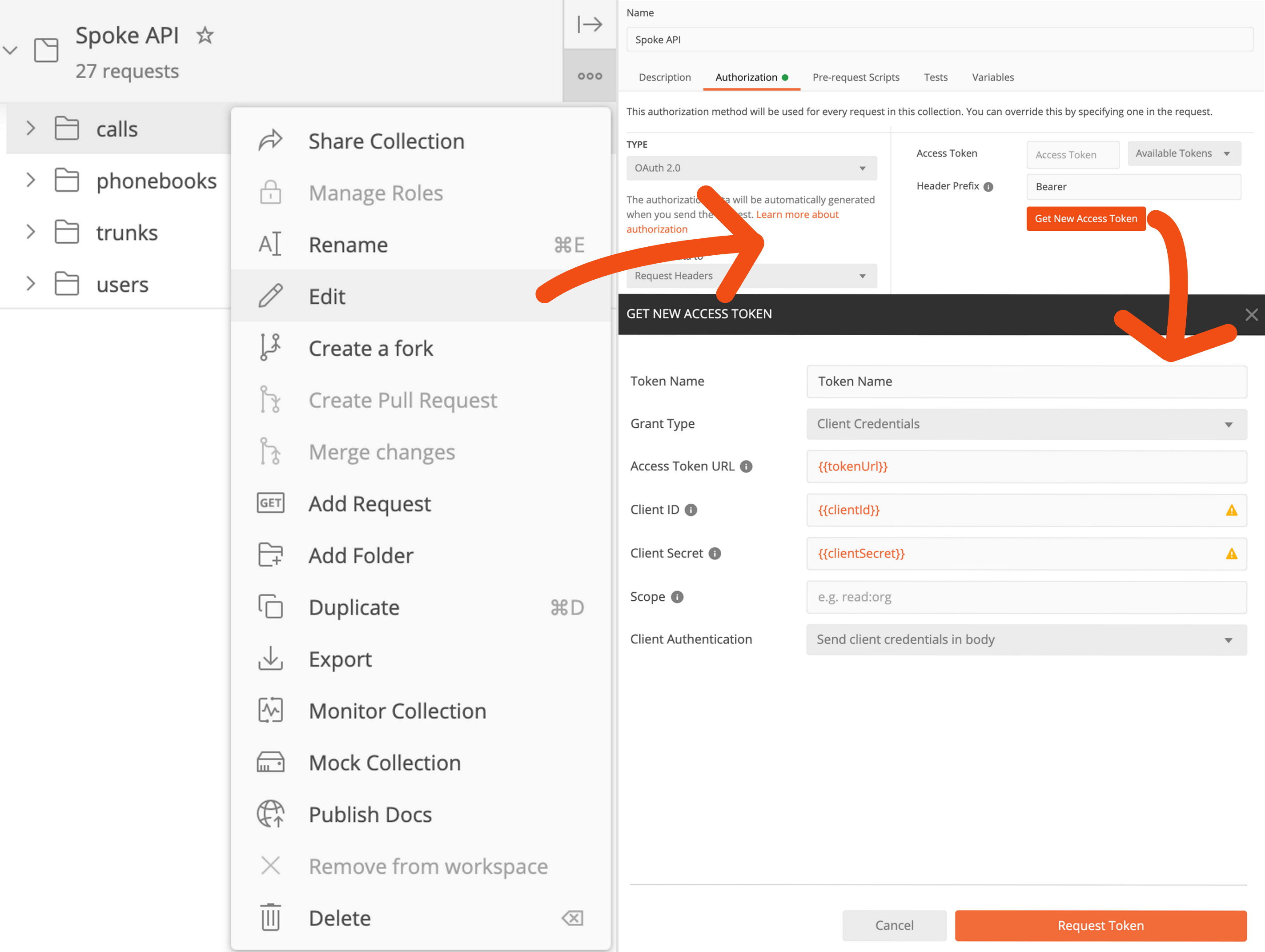
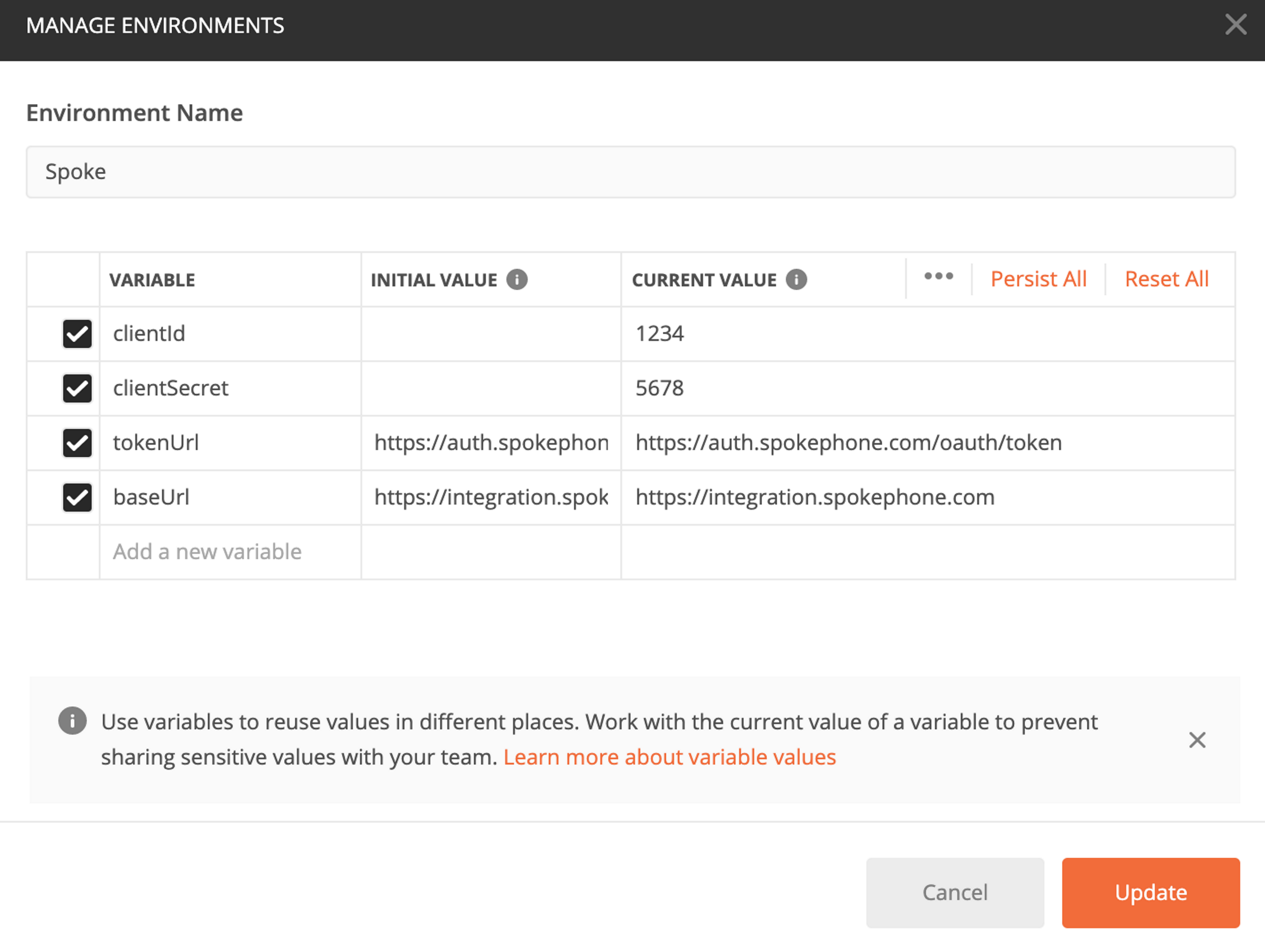
Each item in the Spoke directory is called a directory entry. Spoke's core directory entry types are userWithAvailability, teamWithAvailability and device. If you have enabled our PBX augmentation feature, then a Directory can also contain trunkUser, trunkDevice and trunkGroup types - these are equivalent to the device type with some additional attributes for display and search purposes.
Devices
In Spoke, you can add a SIP Device as a standalone Device, and it will appear as an entry in a Spoke directory. In Spoke, a SIP Device only provides basic dialtone and call audio functionality. Rich functionality is available through Spoke's desktop and mobile softphone applications, and we recommend SIP devices are only used for common area or conference room phones.
Note: Spoke does not currently support adding a Twilio client as a standalone entry in the Spoke directory. Instead, Twilio clients are automatically created when you add a Spoke user and they sign in using the Spoke mobile or desktop applications.
Users
In Spoke, a User can have multiple callable endpoints, for example:
- a Mobile phone running the Spoke mobile application for iOS or Android
- a Desktop PC running the Spoke desktop application for MacOS or Android
- a SIP Device registered to the Twilio SIP Registrar or to a third party PBX interconnected via a SIP Trunk
When a call arrives on Spoke for a given User, Spoke will dial all endpoints associated with that User. The endpoint that is answered wins and Spoke automatically stops ringing the user's other endpoints. Additionally, the user can transparently move the call from one endpoint to another, enabling them to answer a call at their desk and continue it on their mobile phone when leaving the office.
Call Groups/Teams
A Team (or Call Group) in Spoke is analogous to a hunt group in traditional PBX systems. A Team consists of one or more User or Device members, and has business rules that define how a call is routed to those members, as well as what happens when the call goes unanswered. When a call arrives on Spoke for a Team, Spoke will automatically create a call offer flow that dials the members of the team based on those pre-defined rules. For User team members, the same dial rules apply, which means that when the call is offered to the User, all of the user's endpoints are dialled at once.
Company Contacts are external contacts that are managed via the Phonebooks and Contacts endpoints.
Spoke supports two types of phonebooks:
Company Contacts (Shared): Contacts in shared phonebooks are searchable and visible to all users of the Spoke application.Company Contacts (Assigned): Contacts in assigned phonebooks are searchable and visible only to the user who is assigned that phonebook.
All Company Contacts are searchable and visible in the Spoke application under the 'External' tab. They are not editable by end-users and must be managed through the Spoke API.
Company Contacts (Shared)
Shared company contacts are used where you do not need to restrict which users can access a contact.
You can create and manage multiple Shared phonebooks, these are searchable and visible to all users.
Company Contacts (Assigned)
Each Spoke User also has a phonebook that contains company contacts that only they can see or search. This is useful for use cases where you need to restrict which contacts a user has access to.
You manage a user's phonebook via the creating or updating a personal phonebook endpoint, using the user's email address as follows:
PUT https://integration.spokephone.com/phonebooks/email@example.com
Every entry in the Spoke directory is assigned an extension number.
Extensions are the primary mechanism for connecting calls that have already been answered by another Twilio application (such as Studio) to entries in the Spoke Directory. We do not, however, use extensions for internal call routing.
Extensions are created and managed through the Spoke account portal, and can be assigned to any Device, Team or User in your account. Extensions are unique, and there is a one to one mapping between extension and directory entry.
All Spoke calls involve a conference bridge; this allows us to support warm transfer, multi-party calls, recording and other functionality.
This means that when a call arrives on the Spoke platform, the incoming call is placed into a conference via <Dial><Conference>... TwiML. We then use Twilio's Create Call REST API to dial all endpoints based on the target of the incoming call (a Device, Team or User as described above). When the call is answered by one of the endpoints, all other calls are cancelled, and the "winning" call is placed into the same conference.
When you activate a phone number from your Twilio account on Spoke, the Spoke platform automatically attaches Spoke's standard inbound TwiML application to the phone number. From that point forward, all routing and call handling is taken care of by Spoke.
If you want greater control over a call, including the ability to send a call to Spoke and have Spoke send the call back to your application if the call goes unanswered, then there are two ways to route the call into Spoke:
Both methods enable you to programmatically connect incoming calls that have been processed with other Twilio applications (such as Studio, Flex or your own application) to Spoke.
The redirect handler url has the following form:
https://api.spokephone.com/telephony/redirect?extension={EXTENSION}&organisationId={YOUR_ORGANISATION_ID}
The handler accepts the following parameters in the query string of that url:
Note: The parameter order listed below is important as all requests to the handler are signature validated.
| # | Parameter | Required | Description |
|---|---|---|---|
| 1 | extension |
Yes | The extension you are redirecting the call to |
| 2 | nextOfferTimeout |
No | The number of seconds to wait before offering the call to the next available user(s) in a call group, see the supported range below. |
| 3 | organisationId |
Yes | Your unique Spoke account identifier |
| 4 | priority |
No | The priority of the call, see the supported range below. |
| 5 | returnTo |
No | One of flow or taskQueue or postEndpoint or application. |
| 6 | returnToId |
No | The identifier of the returnTo destination, see the expected value below. |
| 7 | sendToVoicemail |
No | If true, force the call to be sent to voicemail |
| 8 | timeout |
No | The number of seconds to wait for a user or anyone in a call group to answer, see the supported range below. |
| 9 | x-<passthroughParameter> |
No | Passthrough parameter to store against the call. See below for more details on how to set passthrough parameters. |
Note: The Spoke Directory API provides a pre-formed
twimlRedirectUrlfor each directory entry that includes the correctextensionandorganisationIdparameters.
To connect an incoming Twilio call with a Spoke directory entry using Spoke's Redirect Handler, simply update the call using Twilio's REST API as follows:
const client = require('twilio')();
client.calls('CAXXXXXXXXXXXXXXXXXXXXXXXXXXXXXXXX')
.update({
method: 'POST',
url: 'https://api.spokephone.com/telephony/redirect?extension={EXTENSION}&organisationId={SPOKE_ORG_ID}'
});
This will connect the incoming call to Spoke and follow the dial rules outlined in the Spoke Directory section above.
Twilio Voice Application Connect allows connecting a call to a TwiML application in another Twilio account. Spoke enables it on a TwiML application dedicated to your organisation, so you can route a call into Spoke by dialling that application from a separate Twilio account.
You can view your organisation's Voice Application Connect application SID from the Spoke Account Portal.
When dialling the application, your organisation's Voice Application Connect application SID must be supplied as the ApplicationSid, along with extension and sourceAccountSid as application parameters.
The following custom parameters can be provided when dialling the application:
| # | Parameter | Required | Description |
|---|---|---|---|
| 1 | extension |
Yes | The extension you are routing the call to |
| 2 | nextOfferTimeout |
No | The number of seconds to wait before offering the call to the next available user(s) in a call group, see the supported range below. |
| 3 | priority |
No | The priority of the call, see the supported range below. |
| 4 | returnTo |
No | One of taskQueue, postEndpoint or application. |
| 5 | returnToId |
No | The identifier of the returnTo destination, see the expected value below. |
| 6 | sendToVoicemail |
No | If true, force the call to be sent to voicemail |
| 7 | sourceAccountSid |
Yes | The account SID of the Twilio account the call is coming from |
| 8 | timeout |
No | The number of seconds to wait for a user or anyone in a call group to answer, see the supported range below. |
| 9 | x-<passthroughParameter> |
No | Passthrough parameter to store against the call. See below for more details on how to set passthrough parameters. |
To connect an incoming Twilio call with a Spoke directory entry using Twilio Voice Application Connect, update the call with a <Dial><Application> TwiML using Twilio's REST API as follows:
const client = require('twilio')();
const VoiceResponse = require('twilio').twiml.VoiceResponse;
const response = new VoiceResponse();
const dial = response.dial();
const application = dial.application();
application.applicationSid('{SPOKE_VOICE_APPLICATION_CONNECT_APP_SID}');
application.parameter({ name: 'extension', value: '{EXTENSION}' });
application.parameter({ name: 'sourceAccountSid', value: client.accountSid });
client.calls('CAXXXXXXXXXXXXXXXXXXXXXXXXXXXXXXXX')
.update({ twiml: response.toString() });
This will connect the incoming call to Spoke and follow the dial rules outlined in the Spoke Directory section above.
If you route a call into Spoke, then Spoke's standard business rules kick in. This means that if the target extension is unavailable or does not answer, then Spoke's standard "unanswered call" rules apply:
- For calls to a
Userextension, the call will go the user's voicemail - For calls to a
Teamextension, the call will follow the call group's "unanswered" call flow configuration - which could send the call to another call group, the group's voicemail or to an external PSTN number
To override this behaviour and return control of the call back to your application, you have four options:
1. Return to a Studio Flow
Using Spoke's Redirect Handler
Add &returnTo=flow&returnToId={FLOW_SID} to the url parameter when updating the call:
const client = require('twilio')();
client.calls('CAXXXXXXXXXXXXXXXXXXXXXXXXXXXXXXXX')
.update({
method: 'POST',
url: 'https://api.spokephone.com/telephony/redirect?extension={EXTENSION}&organisationId={SPOKE_ORG_ID}&returnTo=flow&returnToId={STUDIO_FLOW_SID}'
});
This will return the call to a Twilio Studio flow. If you have sent the call from the same flow by using the redirect widget, then you can control what happens next to the call by connecting a new widget to the return output of the redirect widget.
Note: Returning the call to a Studio Flow is not supported when using Twilio Voice Application Connect. Use Spoke's Redirect Handler when the call must be returnable to your Flow.
2. Send the call to a TaskRouter Workflow
Unanswered calls can be sent to a Twilio TaskRouter Workflow, which could be attached to Flex, or a workflow/task queue that your own application listens to.
Using Spoke's Redirect Handler
Add &returnTo=taskQueue&returnToId={WORKFLOW_SID} to the url parameter when updating the call:
const client = require('twilio')();
client.calls('CAXXXXXXXXXXXXXXXXXXXXXXXXXXXXXXXX')
.update({
method: 'POST',
url: 'https://api.spokephone.com/telephony/redirect?extension={EXTENSION}&organisationId={SPOKE_ORG_ID}&returnTo=taskQueue&returnToId={WORKFLOW_SID}'
});
Using Twilio Voice Application Connect
Add returnTo and returnToId parameters to the <Application> noun when updating the call:
const client = require('twilio')();
const VoiceResponse = require('twilio').twiml.VoiceResponse;
const response = new VoiceResponse();
const dial = response.dial();
const application = dial.application();
application.applicationSid('{SPOKE_VOICE_APPLICATION_CONNECT_APP_SID}');
application.parameter({ name: 'extension', value: '{EXTENSION}' });
application.parameter({ name: 'sourceAccountSid', value: client.accountSid });
application.parameter({ name: 'returnTo', value: 'taskQueue' });
application.parameter({ name: 'returnToId', value: '{WORKFLOW_SID}' });
client.calls('CAXXXXXXXXXXXXXXXXXXXXXXXXXXXXXXXX')
.update({ twiml: response.toString() });
Note: When using Twilio Voice Application Connect to send an unanswered call to a TaskRouter Workflow, the workflow must be in the Twilio account associated with Spoke.
3. Send the call to an HTTPS endpoint
Unanswered calls can be sent to a Twilio Function or any HTTPS endpoint that accepts a POST request.
Details about the request body sent by Twilio can be found here.
Note: The POST request will be sent by Twilio with an
X-Twilio-Signatureheader. We recommend you secure the endpoint by validating that the request is coming from Twilio. For redirects to a Twilio Function, this can be done by setting the visibility of the Function to Protected.
Invalid URLs will be ignored and unanswered calls will not be returned.
Using Spoke's Redirect Handler
Add &returnTo=postEndpoint&returnToId={ENCODED_HTTPS_URL} to the url parameter when updating the call:
const client = require('twilio')();
const returnToPostEndpoint = encodeURIComponent("https://example.com/return-post-endpoint");
client.calls('CAXXXXXXXXXXXXXXXXXXXXXXXXXXXXXXXX')
.update({
method: 'POST',
url: `https://api.spokephone.com/telephony/redirect?extension={EXTENSION}&organisationId={SPOKE_ORG_ID}&returnTo=postEndpoint&returnToId=${returnToPostEndpoint}`
});
Using Twilio Voice Application Connect
Add returnTo and returnToId parameters to the <Application> verb when updating the call:
const client = require('twilio')();
const VoiceResponse = require('twilio').twiml.VoiceResponse;
const returnToPostEndpoint = encodeURIComponent("https://example.com/return-post-endpoint");
const response = new VoiceResponse();
const dial = response.dial();
const application = dial.application();
application.applicationSid('{SPOKE_VOICE_APPLICATION_CONNECT_APP_SID}');
application.parameter({ name: 'extension', value: '{EXTENSION}' });
application.parameter({ name: 'sourceAccountSid', value: client.accountSid });
application.parameter({ name: 'returnTo', value: 'postEndpoint' });
application.parameter({ name: 'returnToId', value: returnToPostEndpoint });
client.calls('CAXXXXXXXXXXXXXXXXXXXXXXXXXXXXXXXX')
.update({ twiml: response.toString() });
4. Send the call to a TwiML application
Unanswered calls can be sent to a TwiML application of any Twilio account.
If the application belongs to a different Twilio account than the one associated with Spoke, the application must be opted in to being dialled from other accounts by setting PublicApplicationConnectEnabled to true on its Application Resource. See Twilio's <Application> usage documentation for more details.
Using Spoke's Redirect Handler
Add &returnTo=application&returnToId={APPLICATION_SID} to the url parameter when updating the call:
const client = require('twilio')();
client.calls('CAXXXXXXXXXXXXXXXXXXXXXXXXXXXXXXXX')
.update({
method: 'POST',
url: 'https://api.spokephone.com/telephony/redirect?extension={EXTENSION}&organisationId={SPOKE_ORG_ID}&returnTo=application&returnToId={APPLICATION_SID}'
});
Using Twilio Voice Application Connect
Add returnTo and returnToId parameters to the <Application> noun when updating the call:
const client = require('twilio')();
const VoiceResponse = require('twilio').twiml.VoiceResponse;
const response = new VoiceResponse();
const dial = response.dial();
const application = dial.application();
application.applicationSid('{SPOKE_VOICE_APPLICATION_CONNECT_APP_SID}');
application.parameter({ name: 'extension', value: '{EXTENSION}' });
application.parameter({ name: 'sourceAccountSid', value: client.accountSid });
application.parameter({ name: 'returnTo', value: 'application' });
application.parameter({ name: 'returnToId', value: '{APPLICATION_SID}' });
client.calls('CAXXXXXXXXXXXXXXXXXXXXXXXXXXXXXXXX')
.update({ twiml: response.toString() });
If the sendToVoicemail parameter is true, then Spoke will send the call to the target extension's voicemail, if that extension is a type that supports
voicemail. Once the customer leaves a voicemail, the call ends. User and Team extensions will always have a voicemail, however other directory entry types do not currently support voicemail. In the case of extensions that do not support voicemail, there are two possible scenarios:
- If
returnTo/returnToIdare provided, then the call will be returned to the target defined byreturnToIdas described in the section Returning unanswered calls above - If
returnTo/returnToIdare not provided, the call will silently end. Due to this behaviour, we recommend thatreturnToandreturnToIdare always provided
It is important to note that if sendToVoicemail is true then Spoke will never ring the target extension. Instead, this forces Spoke's call flows to bypass availability checks and assume the target entry has no availability.
In the case of a Team, it also bypasses unanswered call roll-over rules. The call will be sent directly to the target entry's
voicemail. The target entry will:
- Receive a standard missed call/voicemail notification
- See a missed call in their call history
- Receive a voicemail email including transcript (if that option is enabled)
Note : As noted above, only
UserandTeamextensions currently support voicemail.
Using Spoke's Redirect Handler
Add &sendToVoicemail=true to the url parameter when updating the call:
const client = require('twilio')();
client.calls('CAXXXXXXXXXXXXXXXXXXXXXXXXXXXXXXXX')
.update({
method: 'POST',
url: 'https://api.spokephone.com/telephony/redirect?extension={EXTENSION}&organisationId={SPOKE_ORG_ID}&sendToVoicemail=true'
});
Using Twilio Voice Application Connect
Add a sendToVoicemail parameter to the <Application> noun when updating the call:
const client = require('twilio')();
const VoiceResponse = require('twilio').twiml.VoiceResponse;
const response = new VoiceResponse();
const dial = response.dial();
const application = dial.application();
application.applicationSid('{SPOKE_VOICE_APPLICATION_CONNECT_APP_SID}');
application.parameter({ name: 'extension', value: '{EXTENSION}' });
application.parameter({ name: 'sourceAccountSid', value: client.accountSid });
application.parameter({ name: 'sendToVoicemail', value: 'true' });
client.calls('CAXXXXXXXXXXXXXXXXXXXXXXXXXXXXXXXX')
.update({ twiml: response.toString() });
If a valid number is provided as the timeout, then Spoke will use it as the number of seconds to wait for someone to answer the call before returning the call or sending it to voicemail.
- For calls to a
Useror aDevice, this is the number of seconds Spoke will ring the user or the device.- The supported range of values for
timeoutwhen calling a user or a device is from 10 to 70 seconds. If the provided parameter falls outside the range, it will be rounded to the nearest supported value.
- The supported range of values for
- For calls to a
Team, this is the number of the seconds Spoke will wait for someone to answer the call before returning or forwarding the call.- The supported range of values for
timeoutwhen calling a team is from 10 to 300 seconds. If the provided parameter falls outside the range, it will be rounded to the nearest supported value.
- The supported range of values for
If a valid number is provided as the nextOfferTimeout, then Spoke will use it as the number of seconds to wait for calls to a Team before offering the call to the next available user(s). The supported range of values for nextOfferTimeout is from 5 to 60 seconds. If the provided parameter falls outside the range, it will be rounded to the nearest supported value.
Note : The asynchronous nature of API calls between Spoke and Twilio coupled with the overhead of setting up and tearing down call legs means that timeout values are indicative only, and the follow on action may occur some number of seconds after the timeout expires.
If a valid value is provided as the priority, then Spoke will use it to:
- Determine which calls take priority when selecting the next call to queue for a user.
- Determine the order in which calls are offered to a user.
The supported range of values for priority is an integer value between 1 and 9, where 1 is the highest priority and 9 is the lowest. If the provided parameter falls outside the range, the call will be assigned a default value of 5.
Passthrough parameters are stored against the call record and are then included in the call's webhook events. These parameters can also be retrieved when getting the call resource through the Spoke API.
Use passthrough parameters to track calls that have been initially handled by other Twilio applications (such as Studio, Flex or your own custom application), ensuring that the outcome of the call can be associated correctly with your external applications (such as CRM or in-house systems).
Examples of passthrough parameters include caller verification, IVR selections or other data collected from external systems during the initial phase of the call.
To attach passthrough parameters to a call, prefix each parameter name with x-.
- Size Limit: The total length of all passthrough parameters (including parameter names and values) must not exceed 1000 bytes. If this limit is exceeded, all passthrough parameters will be discarded.
- Processing: Parameter names and values are URL-decoded, validated for safety, and stored as-is upon input. No additional processing is performed.
Using Spoke's Redirect Handler
Add the passthrough parameters to the url parameter when updating the call:
const client = require('twilio')();
client.calls('CAXXXXXXXXXXXXXXXXXXXXXXXXXXXXXXXX')
.update({
method: 'POST',
url: 'https://api.spokephone.com/telephony/redirect?extension={EXTENSION}&organisationId={SPOKE_ORG_ID}&x-contactId=HS12345&x-orderId=OR12345'
});
Important: All the query parameters of the redirect handler url must be in alphabetical order. In the example above x-contactId must come before x-orderId.
Using Twilio Voice Application Connect
Add each passthrough parameter to the <Application> noun:
const client = require('twilio')();
const VoiceResponse = require('twilio').twiml.VoiceResponse;
const response = new VoiceResponse();
const dial = response.dial();
const application = dial.application();
application.applicationSid('{SPOKE_VOICE_APPLICATION_CONNECT_APP_SID}');
application.parameter({ name: 'extension', value: '{EXTENSION}' });
application.parameter({ name: 'sourceAccountSid', value: client.accountSid });
application.parameter({ name: 'x-contactId', value: 'HS12345' });
application.parameter({ name: 'x-orderId', value: 'OR12345' });
client.calls('CAXXXXXXXXXXXXXXXXXXXXXXXXXXXXXXXX')
.update({ twiml: response.toString() });
Overview
You can get up and running quickly with Spoke and Twilio Studio by leveraging Spoke's Directory API and our open source Twilio Runtime Functions.
- The Spoke Directory API provides you with programmable lookup into the Spoke Unified Directory. The response payload includes real time availability of Spoke Users and Teams, enabling you to make routing decisions based on real time presence and availability.
- Get the Spoke Twilio Runtime functions here. These functions deploy into your Twilio account and give you quickstart access to the Spoke Directory API from Twilio Studio.
Before getting started, we recommend you read the Core Concepts section above to familiarise yourself with the Spoke Directory structure and how Twilio calls integrate with Spoke.
To follow along with this guide, you'll need a free Spoke developer account, deployed into your Twilio account, (get one at https://account.spokephone.com/twilio) and you should have set your Spoke account up with 1 or 2 users.
How To: Basic Studio Flow Using getExtension Function and twimlRedirectUrl
In this How To, we're going to show you how to quickly get a Twilio Studio flow connecting to Spoke using the Directory API and Twilio Runtime Functions.
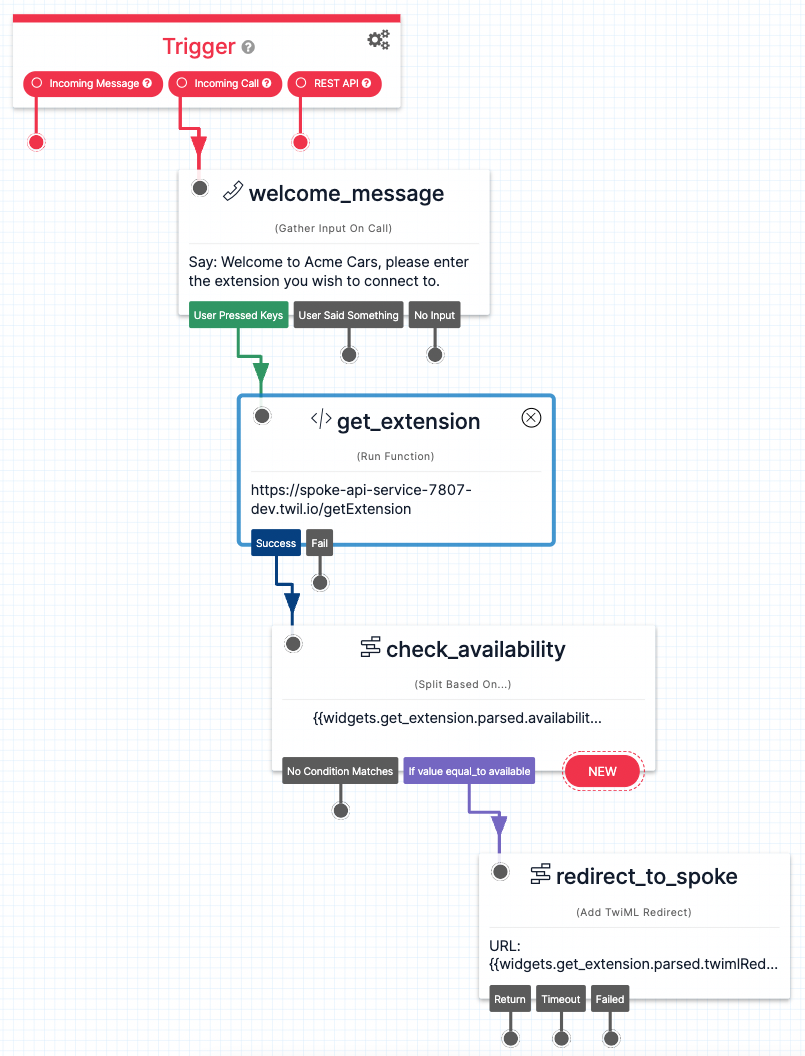
The above Studio flow leverages the getExtension function to check availability of a Spoke directory entry, and if it is available send the call over to that extension.
1. Setup
To get started, you'll need to deploy the Spoke Twilio Runtime Functions into your account, then create a Studio Flow attached to a Twilio phone number, and add a Gather widget.
2. Add Run Function widget
To access one of the functions you just deployed from a Studio flow, drop a Run Function widget into your flow and connect it to the User Pressed Keys output out of your Gather widget. From here, select the SERVICE, ENVIRONMENT, and FUNCTION you want to run:
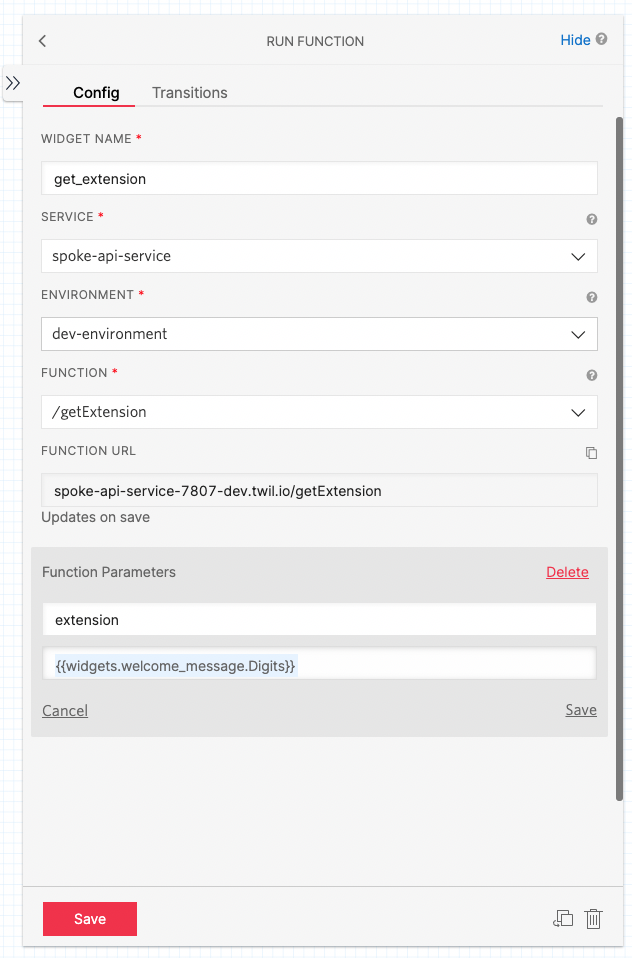
You will need to add one parameter to the function, called extension, and set the value to {{widgets.welcome_message.Digits}}.
The getExtension function returns the following fields by default.
- displayName - The display label of the directory entry
- type - The type (
userWithAvailability,teamWithAvailabilityetc) of the directory entry - status - The current (real time) availability of the directory entry
- availabilitySummary - Human readable availability summary
- twimlRedirectUrl - Redirect the call to this url to connect the caller to the directory entry
You can change the function to return any directory entry fields - these are documented in the GET /directory section of the developer reference.
3. Add Split Widget
The split widget allows you to branch your flow based on a matching condition. Drop a Split widget into your flow and connect it to the Success output of the Run Function widget.
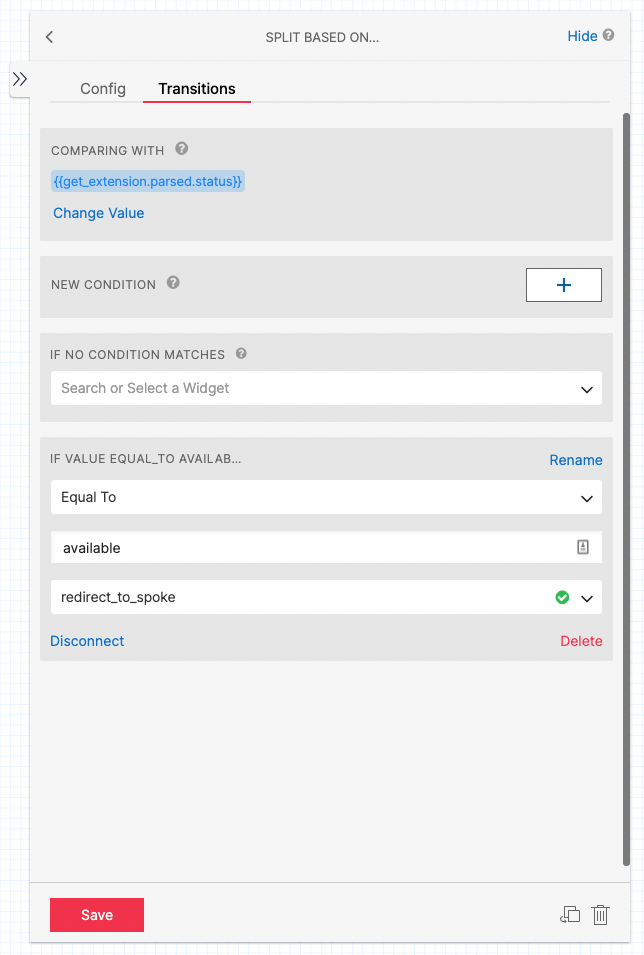
In this case we are branching based on the status field - and will only send the call to the directory entry associated with the extension if the entry is available. You can access the response body fields from the run function widget using the following path: {{widgets.[run_function_widget_name].parsed.[field_name]}}.
In this case, we want to check the availability status of the extension, so we check that the widgets.get_extension.parsed.status field is equal to available
4. Add Redirect Widget
The final step is to add the redirect widget which will send the incoming call across to the Spoke extension. Drop a TwiML Redirect widget into your flow and connect it to the If value equal to available output of the Split widget.
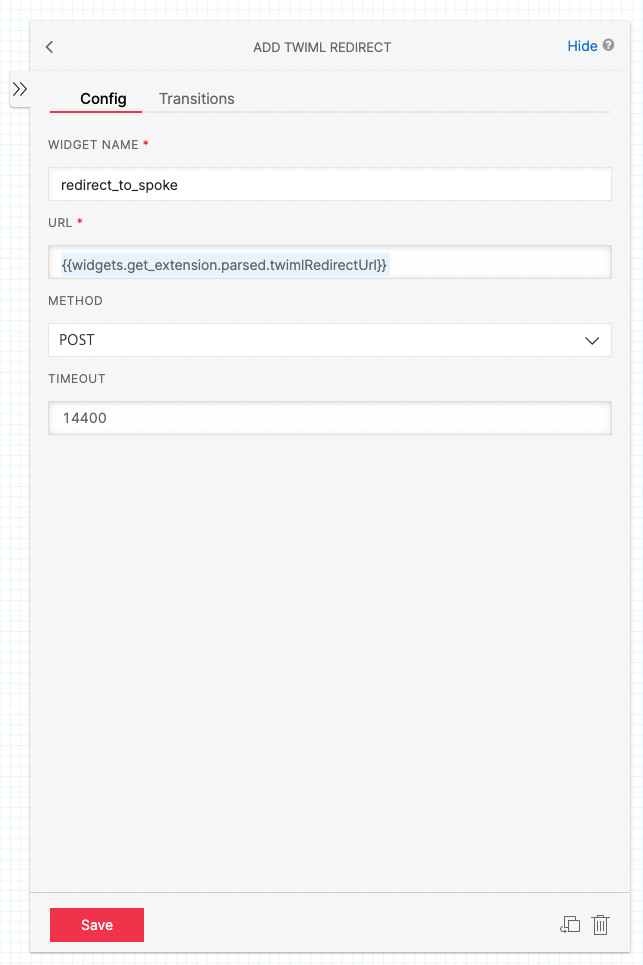
Configuring this widget is simple - you just need to set the URL field to {{widgets.get_extension.parsed.twimlRedirectUrl}}
5. Publish and test your flow
That's it! Now all you need to do is publish your flow, and test that it works.
To test, dial the incoming number attached to your Studio flow, and when you hear the gather prompt, enter the extension of one of your Spoke users. If you've configured everything correctly, the call should connect through to the user's softphone on Spoke.
Review
This How To has introduced you to creating a basic Studio flow connected to a Spoke softphone, using the Spoke Directory API and Runtime functions. This only scratches the surface of what you can build.
Here are some other ideas to explore:
- Return the caller back to the initial gather menu if the extension is not found
- Add a second gather widget to the
No condition matchesoutput of theSplitwidget and build a new flow around the extension being unavailable - maybe send the caller to a Flex queue. - Use the optional
returnToandreturnToIdparameters to return the call to your flow if the call goes unanswered in Spoke.
Overview
The Power Automate package is provided as an example set of templates to get you started with the most common integration scenarios from Spoke to Dynamics 365. We expect anyone using the provided templates to accept and own the operation and management of these example Microsoft Power Automate flows and ensure it is fit for purpose in the environment it is installed.
Power Automate is a service that helps you create automated workflows between your favorite apps and services, to synchronize files, get notifications, collect and update data, and more.
Power Automate is an ideal solution for customers using Microsoft, to integrate new and existing workflows to Spoke Phone, and take advantage of owning the integration and business workflows end to end.
Spoke has created a set of example template flows to get a customer up and running with the most common scenarios using MS Power Automate to integrate Spoke to Dynamics 365.
Read the DISCLAIMER before downloading the samples
Download the Microsoft Power Automate to Dynamics 365 samples
Download the postman collection of sample Spoke webhook events
Spoke supports webhooks as a mechanism for notifying your systems when an event occurs. Webhooks are useful for listening to asynchronous events occurring on the Spoke platform, such as changes to a call's state over time; a change to the contact associated with a call; or a call recording becoming available.
To get started, you will need to configure a webhook in the Spoke account portal. Alternatively, you can use the Webhook API to configure a webhook. During configuration you will be given the option to specify event types you wish to receive notifications for. You will also be required to provide a valid, publicly routable HTTPS URL that accepts POST requests with the application/json content type.
Every Spoke event sent to your webhook is wrapped in the following standard wrapper that provides important information about the event, such as its type, a timestamp of when it was created, and the event data itself.
Once your application is configured to receive events, it will listen for any event sent to the endpoint. For security reasons, we strongly recommend that you ensure requests to your endpoint come from Spoke. The easiest method to validate that a request was sent via Spoke is to verify the signature, and timestamp sent in every request against the secret that was provided to you when you created your webhook.
Verifying the signature
A request is considered valid based on the following conditions:
- The
x-spoke-timestampheader is a valid UNIX timestamp, and represents a time sent within the last 5 minutes (using millisecond precision). This header allows the consumer to validate when a request was sent, to avoid replay attacks. - The
x-spoke-signatureheader is formatted assha256=<HMAC algorithm cipher text>, and it contains the correct hash based on the hexadecimal representation of the SHA256 HMAC algorithm with the signing secret applied to<x-spoke-timestamp header value>.<request body>. The calculated hash includes the timestamp to ensure that an attacker cannot modify the timestamp without also invalidating the message signature.
A request can be validated via the following:
const isValidSpokeRequest = (requestBody: string, signingSecret: string, spokeTimestamp: number, spokeSignature: string): boolean => {
// Determine if timestamp is valid
const isValidTimestamp = (Date.now() - spokeTimestamp) <= 300000; // 5 x 60 x 1000
if (!isValidTimestamp) {
return false;
}
// Determine if the signature is valid
const [algorithm, cipher] = spokeSignature.split("=");
const body = `${spokeTimestamp}.${requestBody}`
const h = crypto.createHmac(algorithm, signingSecret);
h.update(body);
return h.digest("hex") === cipher;
}
Delivery Attempts
Spoke will attempt to deliver events to your webhooks 10 times, over the course of 24 hours with an exponential back off. For an event to be considered successfully delivered, your endpoint will need to respond with a valid 2XX HTTP status code within 5 seconds of the HTTP request being received. In the Developers section of the Account Portal, you can view all attempts to deliver an event to your endpoint.
Retries
Spoke will retry delivering a webhook event if the request fails and your endpoint responds with any of the following status codes:
- Server-side errors:
5xx - Throttling errors:
429 - Request timeout errors:
408
Failed delivery attempts that respond with any other status codes will not be retried. For example, responses with a 400 status code (Bad Request) will not be retried, as it signals that repeating the same request will fail with the same error.
Automatic Disabling of Webhooks
In order to manage system capacity across the platform, Spoke will automatically disable a webhook once more than consecutive 1000 events have failed to deliver. The Spoke Administrator who created the webhook will be notified via email that the webhook has been disabled.
Order of Events
Spoke does not guarantee delivery of events in the order in which they are generated. Your endpoint should not expect delivery of events in order, and should handle these accordingly.
Below are some examples of when the above events might occur during the lifetime of some calls.
Note: These are example timelines. While most of the events will fire in a similar order to the ones given below, this is not guaranteed. See Order of Events for more details on how event ordering might affect your webhook.
Example Timelines of Call and Availability Events
Example 1 - Basic Call Timeline with User Answered Call
User Actions
Events Fired
Customer Alice starts a call to Spoke User Bob.
Bob answers the call
After talking for a while, Alice is satisfied with Bob's response and hangs up the call.
Bob also hangs up the call
The call has completed on the Spoke platform
Example 2 - Unanswered Call to Team
User Actions
Events Fired
Customer Alice starts a call to the Customer Support team
No one is available to answer the call, and the call goes to voicemail
After talking leaving a message, Alice hangs up the call.
The call has completed on the Spoke platform
The voicemail recording has finished processing, with the voicemail transcript sent to members of the Customer Support team
Example 3 - Contact Assignment and Recording Transcript
User Actions
Events Fired
Customer Alice starts a call to Bob. Alice has a new number that isn't in Bob's CRM so she shows up as an unknown caller to Bob. Bob answers the call
Bob determines that the Unknown caller is actually Customer Alice
Bob decides that this call is about Alice's money, and decides to highlight the current part of the call as "Money"
Alice hangs up the call, Bob hangs up the call, and the call ends.
Call recording successfully completes processing
Call recording is transcribed successfully
Example Timelines of Conversation Events
Example 1
User Actions
Events Fired
User Alice wants to talk to Bob over SMS
Alice sends an SMS to Bob through the Spoke Phone app
Bob receives the SMS from Alice and replies
Alice finishes messaging with Bob. The conversation automatically goes into an inactive state after 30 minutes
After a year of inactivity, the conversation gets closed automatically
Example 2
User Actions
Events Fired
Customer Bob wants to talk to user Alice over SMS
Bob sends an SMS to Alice
Alice receives the SMS from Bob through the Spoke Phone app and replies
Alice finishes messaging with Bob, neither party sends an SMS for 30 minutes. The conversation goes into an inactive state
Bob starts messaging Alice again in the conversation. The timer for both inactive state and the closed state gets reset
Bob finishes messaging with Alice, neither party sends an SMS for 30 minutes. The conversation goes into an inactive state
Alice manually closes the conversation
- Added Twilio Voice Application Connect as an alternative to Spoke's redirect handler, letting you route a call into Spoke by dialling your organisation's Spoke TwiML application
- Documented
applicationas areturnTodestination, which returns an unanswered call to a TwiML application of your choice
- Added new API endpoints to list teams and manage teams user memberships
GET /teamsendpoint to list the teams in your organisationDELETE /teams/{teamId}/users/{userId}endpoint to remove a user from a teamPUT /teams/{teamId}/users/{userId}endpoint for adding a user to a team or changing their offer priority
- Added a new variant of POST
/contentAnalysisrequest payload to support analyzing aggregated agent scorecards
- Added new
licensesattribute to theUserWithAvailabilitytype- Applies to
GET /users,GET /users/{id},GET /directory,GET /directory/{entryId}, theuser.availability.updatedwebhook event, and theteam.availability.updatedwebhook event
- Applies to
- Added new
POST /conversationMessagesendpoint - Marked
POST /messagesandPOST /teamMessagesendpoints as deprecated- These endpoints have been replaced with
POST /conversationMessagesand will be removed in a future version of the API
- These endpoints have been replaced with
- Added new optional query parameter
emailtoGET /usersendpoint
- Added optional
notifyUsersattribute to:POST /messagesrequest payloadPOST /teamMessagesrequest payload
- Added webhook delivery retry documentation, including retryable status codes
- The Redirect API now accepts any valid HTTPS URL as the
returnToId, whenreturnTois set topostEndpoint
- Added optional
preferencesfield to theInsights Data Action Response- Controls the preferred Insights context source and Enlighten cards display order
- Added support for group MMS
- Added a new GET
/calls/{id}/contentAnalysisendpoint
- Added a new GET
/contentAnalysisendpoint
- Added
usageproperty toartifactsin:- The response payload of
/contentAnalysis/{id} - The
content_analysis.completedevent
- The response payload of
- Added support for the new
conversation.contact_assignedevent
- Added support for setting the conversation's name via
POST /messages - Added
locationtoUserinCallandConversationtypes - Added
mediatoMessagetype in conversation webhook events- The
media.vendorResourceUrlis populated for BYOT accounts
- The
- Added a new DELETE
/contentAnalysisendpoint
- Added optional
transcriptionModelattribute torecordingsofcontentin POST/contentAnalysisrequest payload
- Added support for custom analyzer attribute when submitting a content analysis request via POST
/contentAnalysisendpoint - Added
analyzerattribute toContentAnalysistype
- Added new API endpoints to submit and inspect content analysis requests
- POST
/contentAnalysisendpoint for submitting a content analysis request - GET
/contentAnalysis/{id}endpoint for getting a content analysis
- POST
- Added support for the new
content_analysis.completedevent
- Added documentation for creating or updating a personal phonebook
- Updated description for existing
/phonebooks/{id}and/phonebooks/{id}/contacts/*endpoints- Added support for using a user's email address as the phonebook
idparameter to refer to the user's personal phonebook
- Added support for using a user's email address as the phonebook
- Added support for
call.transcription_completedevent - Updated the documentation for
textattribute ofTranscripttype- The transcript text may include
LEAVEandJOINspeaker events for call recordings
- The transcript text may include
- Added
vendorCallIdsattribute todialsattribute ofpartiesin theCalltype
- Added new
managerfield to user fields- This field is surfaced in:
- GET
/usersendpoint response - GET
/users/{id}endpoint response - GET
/directoryendpoint response - All user webhook events
- All team webhook events where the user is a member of the team
- All conversation webhook events where the user is the assigned user for the conversation or the user who sent the message
- All call webhook events where the user is the assigned user for the call
- GET
- This field is surfaced in:
- Added optional
sendAsUserattribute tomessageContentin Send Team SMS message request payload- When set, this field allows sending a team message on behalf of a user
- Added passthrough parameters as query string parameters in Call Insights data action requests
- Added support for
call.transcript.createdevent - Added new
transcriptattribute to callRecordingtype
- Added new API endpoints to manage transcripts
- GET
/transcriptsendpoint for list transcripts - GET
/transcripts/{transcriptId}endpoint for getting a transcript - DELETE
/transcripts/{transcriptId}endpoint for deleting a transcript - GET
/transcripts/{transcriptId}/segmentsendpoint for getting a transcript's segments
- GET
- Added support for the new
transcript.createdevent
- Added support for passthrough parameters via the
Inbound Conversationsdata action - Added support for passthrough parameters via the
Send a new SMS messageandSend a new Team SMS messageAPIs - Added support for passthrough parameters in conversation webhook events
- Added support for passthrough parameters via the
Outbound CallandTeam Calldata actions - Added support for passthrough parameters via the Redirect API
- Added support for passthrough parameters via the
dialdeep link route- Added instructions in the
dialdocumentation - Added
passthroughParametersfield to theCalltype, which applies to the call resource and call webhook event data
- Added instructions in the
- Added new
call,dialandmessagedeep link routes for the Spoke Phone appspoke://call/{callId}- Navigates to the details of the specified callspoke://call/{callId}/insight- Navigates to the insight for the specified callspoke://dial?contactNumber={contactNumber}&callerId={callerId}- Dials a contact number using a specified caller IDspoke://message/sms?contactAddress={contactAddress}&companyAddress={companyAddress}&body={body}- Starts or continues an SMS conversation using the givencompanyAddressas the sender ID and prefills the message input with the providedbodyspoke://message/whatsapp?contactAddress={contactAddress}&companyAddress={companyAddress}&templateName={templateName}- Starts or continues a WhatsApp conversation using the givencompanyAddressas the sender ID, prefilled with a message generated from the content template matchingtemplateName
- Added new API endpoints to manage call recordings
- GET
/call/{callId}/recordings/{recordingId}endpoint for getting a call recording - DELETE
/call/{callId}/recordings/{recordingId}endpoint for deleting a call recording
- GET
- Added new
id,callIdandfileSizeattributes to callRecordingtype- This
idcan be used to delete the call recording via the DELETE endpoint above
- This
- Added new
mimeTypeandchannelsattributes to callRecordingtype - Added new
organisationIdattribute webhook event data - Added new
spoke.precallrequest origin for Call Insights Data Action requests from the Spoke Phone app's incoming calls
- Added new optional parameter
prioritytoTeam Call Data Action Response Payload - Added optional
timezoneattribute topartiesattribute ofCalltype- The attribute will be included only if the party is of type
user
- The attribute will be included only if the party is of type
- Introduced new Insights Data Action response payload to support context
- The old response payload is now deprecated. To migrate to the new payload, return the existing payload as
cardsin the new payload.
- The old response payload is now deprecated. To migrate to the new payload, return the existing payload as
- Added new
spoke.callhistoryrequest origin for Call Insights Data Action requests from the Spoke Phone app's call history - Updated
contactEmailandcontactIdfor Call Insights Data Action request parameters for internal calls to a Spoke user
- Fixed incorrect example given for the close timer field.
After 30 daysshould beP30DnotPT30D.
- Added new optional parameter
closeTimerto/messagesendpoint - Added new optional parameter
closeTimertoInbound Conversations Data Action Response Payload
- Added new optional parameter
closeTimerto/teamMessagesendpoint
- Added new APIs to manage webhooks
- GET
/webhooksendpoint for listing existing webhooks with pagination - POST
/webhooksendpoint for creating a new webhook - GET
/webhooks/{id}endpoint for getting an existing webhook - PUT
/webhooks/{id}endpoint for updating an existing webhook - DELETE
/webhooks/{id}endpoint for deleting an existing webhook
- GET
- Added links to example webhook event payloads under the Types of Events section
- Added new
desktopEnrolledReleaseChannelattribute toUserWithAvailabilitytype
- Added new
whatsAppchannel to Inbound Conversations Data Action request payloadcompanyAddressandcontactAddressare updated to support the newwhatsAppchannel
- Added new
vendor,vendorConversationId,initiatedBy,companyNumberOwnerandnamefields toConversationtypeinitiatedByandcompanyNumberOwnerfields will only be populated for conversations created after 2 October 2023
- Added new
vendorMessageIdandisApiCreatedfields toMessageType
- Added new
claimRuleto Inbound Conversations Data Action response payload
- Added new POST
/teamMessagesAPI to send messages on behalf of team using team assigned DDI
- Added new
loginStatusandisDirectorySyncedattributes toUserWithAvailabilitytype
- Added documentation for the Inbound Conversations Data Action functionality
- Changed
Call GrouptoTeaminline with changes to Spoke admin and application user interfaces
- Fixed unanswered cold transfers not being returned when
returnToandreturnToIdparameters are provided
- Added support for override call group display name via Call Group Data Action
- Added optional
overriddenDisplayNameattribute toassignedCallGroupanddirectoryTargetattributes ofCalltype- The attribute will be included only if the
team's the display name is overridden via Call Group Data Action
- The attribute will be included only if the
- Added optional device parameters
deviceId,deviceAddressanddeviceExtensionto Outbound Call Data Action request parameters- The device parameters will only be included if call is placed by a standalone SIP device
- Added support for blocking outbound calls placed by standalone SIP devices via Outbound Call Data Action
- This overrides the flag set against the SIP device "Outbound calls allowed"
- Added new optional query parameter
includeHiddenCallGroupsto/directoryendpoint- If
true, return all directory entries, including hidden call groups. - By default, this flag is false and hidden call groups are excluded from the response
- If
- Added new
isHiddenattribute toTeamWithAvailabilitytype
- Added new
assignedCallGroupattribute toCalltype- This attribute is only populated for inbound calls, and identifies the last team directory entry a call was for.
- Use this attribute to identify calls to a given team.
- The attribute contains a trimmed version of the directory entry, containing
id,displayName,type, andextension
- IMPORTANT CHANGE
- The
directoryTargetfield on theCallGroupDataActionRequestPayloadobject has been deprecated in favour ofassignedCallGroup. - The field will be removed completely in a future release. Please migrate to the new field.
- The
- Added documentation for the Call Group Data Action functionality
- Added new
extension,emailanddialsattributes to each party inpartiesattribute ofCalltype- The
dialscontains a list of dial attempts to the call party with a reason for each dial
- The
- Added new
joinedAtandleftAtattributes to each connection inconnectionsattribute ofCalltype
- Added documentation for the new Data Action functionality
- Moved original Data Actions menu into its own section
- Added support for overriding call timeouts using
twimlRedirectUrl
- Added new
blockedcall status andblockedoutcome toCalltype- This status is currently for outbound calls only.
- The
reasonattribute on theblockedoutcome identifies the reason the call was blocked. E.g. the reason is set todataActionwhen the outbound call was blocked by Outbound Call Data Action.
- Added documentation for the new Data Action functionality
- Added new
outcomeattribute toCalltype- This attribute is populated for all calls, and identifies the final outcome of a call
- For inbound calls, the attribute has an optional
reasonfield, which identifies the reason a call was abandoned or missed.
- Added new
tariffattribute toCalltype, and newcall.tariffedevent- This attribute is populated after the call has been tariffed.
- Once tariffed, a
call.tariffedevent is emitted - The tariff is calculated for each connected call party on the call, based on the connection's route, duration and per-minute price
- This field will only be populated for Spoke accounts that have the "Include Tariff in Call API" add-on enabled in their account. Contact your Spoke Account Manager to have this add-on enabled.
- Added new optional query parameter
includeSuspendedUsersto/directoryendpoint- If
true, return all directory entries, including suspended users. - By default, this flag is false and suspended users are excluded from the response
- If
UserWithAvailability.statusis now one of invited, active or suspended
- Added new
directoryTargetattribute toCalltype- This attribute is only populated for inbound calls, and identifies the initial directory entry a call was for.
- Use this attribute to identify calls to a given team, user or other directory entry.
- Webhook call events will include this attribute after the call has been processed by the Spoke telephony service.
This means the earliest events in the call lifecycle to include this attribute will be
call.answered/call.not_answered - The attribute contains a trimmed version of the directory entry, containing
id,displayName,type,extensionandemail
- Added new
waitTimeandwaitTimeTextattributes toCalltype- For an answered call, the
waitTimeis calculated as the millisecond difference betweenstartedAtandansweredAtfields. - For an unanswered call, the
waitTimeis equivalent to the value ofduration. - The
waitTimeTextfield is a human readable version of thewaitTimefield, similar todurationText
- For an answered call, the
- Added GET
/directory/{entryId}endpoint.- Retrieves specified entry from the directory
- Added GET
/phonebooks/{id}/contacts/{contactId}endpoint.- Retrieves specified contact from an existing phonebook
- Added new
excludeEmptyquery parameter to the GET/phonebooksendpoint.- Set this to true to exclude phonebooks that do not contain any contacts.
- Added support for optional
sortOrderandcontactNumberquery parameters to GET/callsendpoint.
- Added support for
call.started,call.answered,call.not_answered,call.hungupevent - Added support for sending a call directly to voicemail using
twimlRedirectUrl
- Added new
vendorandvendorCallIdfields toUserWithAvailabilityandCalltypes- These fields include the vendor who carried the call and the vendor's call ID
- In the case of Twilio,
vendorCallIdcontains thecallSidof the parent call - For the
UserWithAvailabilitytype, these fields will be populated (along withcallId) when the user's availabilitystatusisbusyandnotAvailableRuleisbusyOnACall
- Added support for
user.availability.updatedevent - Added support for
team.availability.updatedevent
- Added new
sipAddressfield to Device object for/directoryendpoint
- Added new fields to
trunkUsers,trunkDevicesandtrunkQueueswhich are returned by/trunksand/directorydisplayName- Display name of the directory entrytype- Directory typetwimlRedirectUrl- Redirecting an inbound Twilio call to this target url will transfer the call to this entry
- Added
trunkUsers,trunkDevicesandtrunkQueuesto the list of entries returned by/directoryendpoint
- Updated
mobilefield of User and UserWithAvailability objects- This field will now be omitted if the organisation is configured to exclude employee phone numbers from Spoke APIs
- Added new
twimlRedirectUrlfield to TeamWithAvailability, UserWithAvailability and Device object for/directoryendpoint/usersendpoint
- Added
/directoryendpoint. Lists or finds directory entries. Supports optional search parameters.- Lists all directory entries in the organisation. This list is equivalent to the list in Spoke application "Internal" directory view. Currently the list includes
users,teamsanddevices. Future revisions will includetrunkUsers,trunkDevicesandtrunkQueues - Optional query parameters to search the directory by
extension,ivrKeyorphoneNumber
- Lists all directory entries in the organisation. This list is equivalent to the list in Spoke application "Internal" directory view. Currently the list includes
- Added new fields to
/usersendpoint:phoneNumbers- List of phone numbers of the userdisplayName- Display name of the usertype- Directory typeavailability.availabilitySummary- Describes the current availability of the user
- Added support for sending SMS Messages on behalf of a Spoke user:
- The Spoke user must have an SMS enabled DDI
- The
fromparameter allows you to specify either the user's SMS enabled DDI or their email address - The message will be added to a conversation (if one exists with the customer) or a new conversation will be automatically created
- The message will appear in the user's conversations view in the Spoke application
- The
conversation.message.createdevent will be fired when the message is created.
- Added support for Conversation events
conversation.inactiveconversation.closedconversation.message.created
- You can now create webhooks in your Spoke organisation, allowing you to listen to events as they occur within the Spoke platform. Webhooks are particularly useful for listening to call events, updating, and reacting to these in your system in near real-time.
- You can now assign trunk users and phone numbers to Spoke users when creating or updating trunk users via the
/trunks/{trunkId}/trunkUsers/*endpoint.
- The content type for generating OAuth 2.0 access tokens using the
client_credentialsgrant type now supportsapplication/x-www-form-urlencoded, this is better aligned with RFC6749 which outlines how OAuth 2.0 tokens should be generated. The previousapplication/jsonformat is now deprecated.
- Requests for PUT
/phonebooksendpoints can include additional nullable fields in the body:countryIso - Requests for PUT
/phonebooksand/contactsendpoints with contact can include additional nullable fields in the body:firstName,lastNameandjobTitle - Requests for PUT/POST
/trunks/{trunkId}/trunkDevices/*endpoints can include additional nullable fields in the body:description,location,modelandproduct - Requests for PUT/POST
/trunks/{trunkId}/trunkQueues/*endpoints can include additional nullable fields in the body:description - Requests for PUT/POST
/trunks/{trunkId}/trunkUsers/*endpoints can include additional nullable fields in the body:department,description,jobTitle,locationandmanager
You can now manage SIP devices, users and queues associated with your SIP Trunks. Any devices, users or queues created via this API will appear in the Internal company directory in the Spoke application. These endpoints are directly dialable from Spoke, and can optionally be associated with a Spoke User, providing full integration between Spoke and your legacy PBX.
By integrating with the Unified Directory you can automate the process of synchronising the entries in your legacy phone system with Spoke. Platform specific integrations (e.g. Cisco UCM) will be available from Spoke Integration Partners, or you can use the following API endpoints directly:
- Added
/trunksendpoint. Lists all SIP Trunks in the organisation. Trunks must be created via the Spoke account portal and will required additional network configuration. - Added
/trunks/{trunkId}/trunkDevices/*endpoints, with ability to list, add, update and delete Trunk Devices. Trunk devices usually represent real phones in communal areas, such as a conference phone or lunch room phone. - Added
/trunks/{trunkId}/trunkUsers/*endpoints, with ability to list, add, update and delete Trunk Users. Trunk users usually represent the individual users in your phone system who may have soft phones or desk phones. - Added
/trunks/{trunkId}/trunkQueues/*endpoints, with ability to list, add, update and delete Trunk Queues. Trunk queues usually represent call queues or hunt groups in your phone system.
- Added
- Added
/usersendpoint. Lists all Spoke users in the organisation. This list is equivalent to the list of Users in Spoke application "Internal" directory view.- The list includes each user's availability
- The availability state for a given user is close to real time (lag 1-5 seconds).
- Details about Availability statuses and reason fields are included in the API response.
- Current limitations
- This endpoint currently supports
GET /usersandGET /users/{id}. Future versions may supportPUTmethods to enable external control of availability - The following properties will be exposed in a future version of this API :
extensions,phone_numbers,teams
- This endpoint currently supports
- Responses from the
/callsendpoints now include additional fields:isInternal: If this field is true then the call was between internal Spoke Users only.contactNumber: This is the phone number of the external party to the call, irrespective of thecallDirectionvalue. This field can be used to identify a matching customer record in an external system if required.companyNumber: This is the phone number of the company used for the call, and will either be the number the external party called for inbound calls, or the caller id for outbound calls.
- Added new
CallSummarytype which provides a set of narrative summary fields about the call, suitable for populating a call note record in an external CRM system. This object includes the following fields, and is exposed as thesummaryfield under theCallobject:header: A Short header summarising the call content. This is dependent on call direction, and what is known about the caller and callee.contactNumberDescription: A short description of thecontactNumber(e.g "Called in from +64218880000").companyNumberDescription: A short description of thecompanyNumber(e.g. "Call in to +6498880000").outcome: A short description of the outcome of the call. This includes who answered the call, whether it was transferred and the duration of the call. (e.g. "Answered by Joseph Brealey. Transferred to Joanna Brown. Spoke for 3 minutes")
- IMPORTANT CHANGE
- The
initiatorandrecipientfields on theCallobject have been deprecated in favour ofcontactNumberandcompanyNumber. - This change should simplify integrations with external CRM systems as contactNumber will always represent the phone number of the external call party.
- These fields will be removed completely in a future release. Please migrate to the new fields.
- The
- Responses from the
/callsendpoints now include anotestype.- Notes can be recorded at any time after the call ends
- A call can have multiple sets of notes recorded against it
- Added a section in the API guide relating to date/time and timestamp fields.
- Added
/callsendpoint:- Provides the ability to retrieve calls that have been received or made by the organisation
- Calls can be queried by time range (
before,sinceparameters) and/or last modified timestamp (modifiedparameter). - Only returns calls that have ended (where all parties have hung up), in-flight calls are not included in the response at this time
- IMPORTANT CHANGE
- Deprecated singular endpoints (
/phonebook&/phonebook/{id}/contact) in favour of plural endpoints. - All future collection endpoints will be plural in form (
/phonebooks,/phonebooks/{id},/calls) - The current singular endpoints continue to function but will be removed in a future release. Please migrate to the new endpoints.
- The deprecated endpoints are marked in the Deprecated section of this document
- Deprecated singular endpoints (
- BREAKING CHANGE
- Replaced
nextContactquery string parameter withnextparameter as the standard parameter for response result set paging across all endpoints
- Replaced
- Provides the ability to synchronise company contacts (customers, suppliers) into Spoke's external phonebook. We use this phonebook to identify incoming callers and to allow Spoke users to search and place calls. This has been modelled as follows:
- A Phonebook is a collection of Contact(s), where a Contact is a record containing a name/phone number(s)/email addresses.
- You can batch upload to a Phonebook (which replaces the entire contents) or upsert a single Contact into a Phonebook.
- We support multiple external phonebooks, this allows our customers some flexibility, primarily if they are using our CSV upload functionality and have data.
- Supports authentication via OAuth 2.0 Client Credentials Flow
Spoke supports data actions as a mechanism for customizing organization specific work flows. They are useful for configuring additional call rules, such as blocking outbound calls to specific phone numbers, or overriding the caller ID shown on outbound calls.
To get started, you will need to configure a data action in the Spoke Account Portal. You will need to provide a valid, publicly routable HTTPS URL that accepts GET or POST requests with the application/json content type.
Spoke will invoke this URL with the corresponding payload when performing a data action.
For security reasons, we strongly recommend that you ensure requests to your endpoint come from Spoke. The easiest method to validate that a request was sent via Spoke is to verify the signature.
Verifying the signature
A request is considered valid based on the following conditions:
- The
x-spoke-timestampheader is a valid UNIX timestamp, and represents a time sent within the last 5 minutes (using millisecond precision). This header allows the consumer to validate when a request was sent, to avoid replay attacks. - The
x-spoke-signatureheader is formatted assha256=<HMAC algorithm cipher text>, and it contains the correct hash based on the hexadecimal representation of the SHA256 HMAC algorithm with the signing secret applied to<x-spoke-timestamp header value>.<request data>.- The calculated hash includes the timestamp to ensure that an attacker cannot modify the timestamp without also invalidating the message signature.
- The source of
<request data>depends on the HTTP method used:- For
GETrequests, it is the request URL including the query parameters - For
POSTrequests, it is the raw request body
- For
A request can be validated via the following:
const isValidSpokeRequest = (requestData: string, signingSecret: string, spokeTimestamp: number, spokeSignature: string): boolean => {
// Determine if timestamp is valid
const isValidTimestamp = (Date.now() - spokeTimestamp) <= 300000; // 5 x 60 x 1000
if (!isValidTimestamp) {
return false;
}
// Determine if the signature is valid
const [algorithm, cipher] = spokeSignature.split("=");
const body = `${spokeTimestamp}.${requestData}`
const h = crypto.createHmac(algorithm, signingSecret);
h.update(body);
return h.digest("hex") === cipher;
}
Spoke will attempt to deliver Data Action events to your server once. To successfully invoke the data action, your endpoint must respond with a valid response payload within 2 seconds of the HTTP request being received.
Failure to return a response within the timeout period will not be treated as an error condition. If your endpoint does not return a response within the timeout period, the call will proceed as planned, using the original configuration for the call.
The Inbound Conversations Data Action allows you to programmatically handle the creation of a new conversation, including:
- Sending auto response messages
- Assigning one or more Spoke users to manage the conversation
- Updating the conversation name
A Conversation in Spoke is a thread of messages between a group of two or more participants. Participants can be on external channels, such as SMS or WhatsApp, or internal channels, such as user of Spoke application. External participants connect to a conversation through an SMS or WhatsApp enabled number. Internal participants connect using the Spoke application.
This Data Action is invoked when a new conversation is created from an incoming message from a participant on an external channel. A new conversation is created when a message is received from an external contact that is not already involved in an active conversation with the given company number.
Implementing this data action allows you to define which Spoke Users (if any) are responsible for managing the conversation, as well as optionally sending an auto response to the external participant. Once a conversation is created, this Data Action will not be invoked again for the contact number/company address pair, until the active conversation is closed.
Note: Spoke uses the Twilio Conversations API to support conversational messaging in the Spoke application. The Data Action(s) documented here extend the functionality of the Conversations API to enable routing, shared inbox functionality and auto response management. You can read more about Twilio's conversations API here.
Below are the settings that can be controlled via Inbound Conversations Data Action.
Auto Response
Allows an auto response message to be sent to the customer. Use this to automatically respond to the customer without waiting for a user to respond.
On top of normal auto response scenarios such as Thanks for your message, we'll be with you shortly, the auto response feature can be used for scenarios where you do not want your users handling a conversation, for example:
- Profanity in the incoming message
- Time of day
- A closed or unmonitored service channel
Routing Action
Defines whether a conversation is to be routed to Spoke users via assign or not routed via donotroute.
If a conversation is set to donotroute then no Spoke users will be assigned to the conversation. The conversation will be closed, and because no internal participants are assigned the customer will not receive any response, unless the auto response feature is also used.
Assign Users
Allows one or more Spoke users to be assigned to the conversation. This allows you to fine tune which users are added to a specific conversation. You can add more than one user, and all users can actively participate in the conversation.
Each user is identified by their email address in Spoke. Invalid emails are ignored.
Conversation Name
Allows a name to be assigned to a conversation. Use this to provide more context to your Spoke users about the conversation. The name will appear in the conversation list in the Spoke application, and will be used as the title for any push notifications that are sent to users' devices when new messages are added to the conversation.
Claim Rule
Allows a claim rule to be assigned to a conversation. Claiming a conversation requires a single team member to 'claim' ownership of the conversation. When a conversation is claimable, a 'Claim Conversation' button displays in the Spoke application. Once claimed, all other team members are removed from the conversation.
Close Timer
Allows a close timer to be set to a conversation. Use this to control how long the conversation will remain open before being automatically closed by the system. The timer is reset any time a conversation is updated, including adding new messages.
Specify the timer value in ISO8601 duration format.
Passthrough Parameters
Sets the passthrough parameters associated with the conversation.
The maximum size of passthrough parameters is 1000 bytes. If this limit is exceeded, then the passthrough parameters from the response will be discarded.
Spoke sends an HTTP POST request with the following parameters in the request body, and expects a response payload of the below shape within 2 seconds.
If the request returns a non-200 response or times out and the fallback URL is configured, Spoke will send another request to the fallback URL with the same payload.
If no response payload is returned, the conversation will proceed as planned, using the original configuration for the given company address. This means that:
- Messages to an assigned SMS enabled DDI will be routed to the assigned users
- Company numbers or addresses that are unassigned will not have any users added to the conversation, and the conversation will be automatically closed
Inbound Conversations Data Action Request Parameters
| channel required | string The channel of the inbound conversation. The value for this field will always be Value: "sms" | ||||
| companyAddress required | string The company number that the conversation was routed to. This will be one of the numbers defined in the Spoke Phone Number settings page. The value for this field will always be a phone number in +E164 format (e.g. | ||||
| contactAddress required | string The address of the external party that originated the conversation. The value for this field will always be a phone number in +E164 format (e.g. | ||||
| contactDisplayName | string The display name of the phonebook contact (if any) associated with the external party on the call. | ||||
| contactId | string The ID of the phonebook contact (if any) associated with the external party on the call. | ||||
| conversationId required | string The Spoke ID of the conversation | ||||
required | object (MessageContent) The content of the message | ||||
| |||||
| vendorConversationId required | string The vendor's identifier for the conversation | ||||
{- "channel": "sms",
- "companyAddress": "string",
- "contactAddress": "string",
- "contactDisplayName": "string",
- "contactId": "string",
- "conversationId": "string",
- "messageContent": {
- "body": "string",
- "media": [
- {
- "fileSize": 0,
- "mimeType": "string",
- "tempUrl": "string"
}
]
}, - "vendorConversationId": "string"
}Inbound Conversations Data Action Response Payload
| assignUsers | Array of strings List of users to be added to the conversation. Required when Each user is identified by their email address in Spoke. Invalid email addresses are ignored. For numbers assigned to a team shared inbox, if there are no valid emails in the A conversation can have up to 10 participants and users will be added to the conversation until this limit is reached. | ||||
object (AutoResponseContent) Returning this parameter will create an auto response message that will be added to the conversation. All participants will see the response content. | |||||
| |||||
| claimRule | string Enum: "claimable" "not_claimable" "required_before_reply" Defines whether a conversation can be claimed by a Spoke user. Claiming allows a user to take exclusive ownership of a conversation. Once claimed, other Spoke participants will be removed from the conversation. For numbers assigned to a team shared inbox, if no value is provided, then the setting for the team shared inbox will apply. Possible values:
| ||||
| closeTimer | string Set this value to control how long the conversation will remain open before being automatically closed by the system. The timer is reset any time a conversation is updated, including adding new messages. Specify the timer value in ISO8601 duration format. For example, to automatically close a conversation:
The following are the minimum and maximum values for the field:
| ||||
| name | string Name of the conversation. Can be up to 100 characters long. | ||||
object (ConversationPassthroughParametersResponse) If specified, stores the passthrough parameters against the conversation. Each passthrough parameter key must start with the prefix The maximum size of passthrough parameters is 1000 bytes. Example: | |||||
object (ConversationPassthroughParametersResponse) If specified, stores the passthrough parameters against the conversation. Each passthrough parameter key must start with the prefix The maximum size of passthrough parameters is 1000 bytes. Example: | |||||
| routingAction | string Enum: "assign" "donotroute" How the conversation should be handled -
| ||||
{- "assignUsers": [
- "string"
], - "autoResponseContent": {
- "author": "string",
- "body": "string"
}, - "claimRule": "claimable",
- "closeTimer": "string",
- "name": "string",
- "passthroughParameters": { },
- "routingAction": "assign"
}The Custom Insights Application Data Action allows you to programmatically enrich and customize information about a customer while you are viewing their contact card or are on a call with them in the Spoke Phone app.
Before getting started, we recommend you read the Data Action Concepts section above to familiarise yourself with the Spoke Data Action mechanism and how Twilio calls integrate with Spoke.
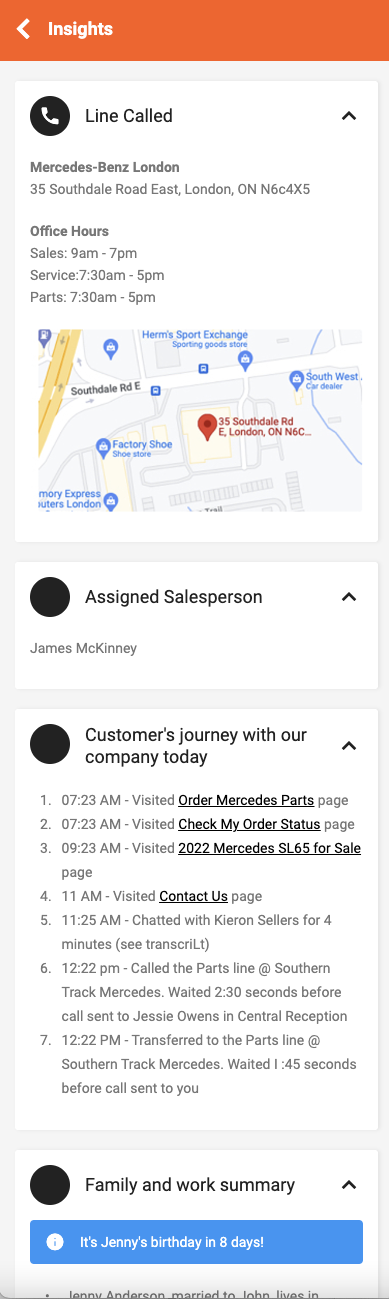
When a user views a contact card or is on a call, Spoke sends an HTTP GET request to the URL you have
configured for the Custom Insights Application Data Action
and expects a response that contains the Insight cards that will be displayed when the user views that contact’s
Insights.
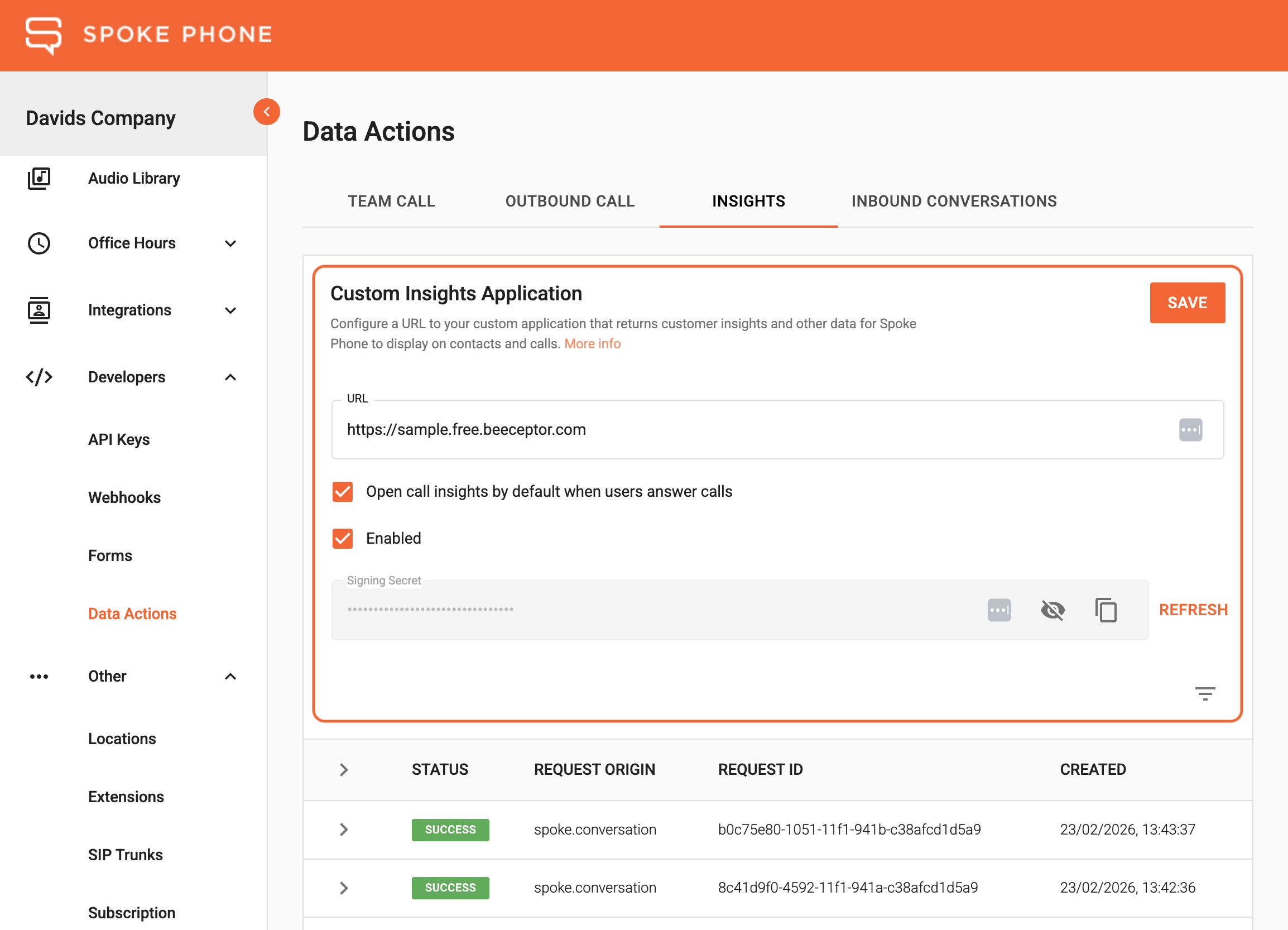
Spoke Phone app users can view Insights for other Spoke users from the internal directory or phonebook contacts from the external directory.
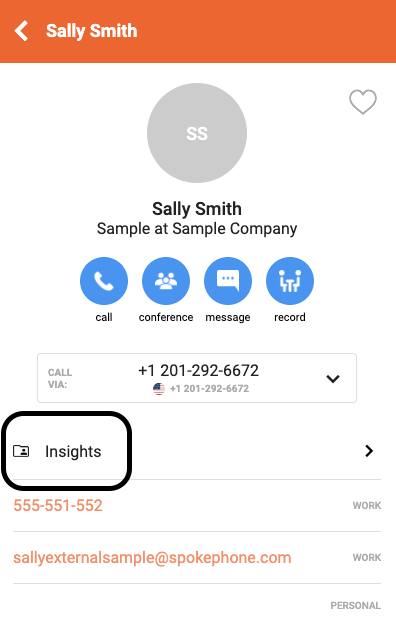
Spoke will include the following fields as query parameters when sending a contact Insights request to the configured URL for Custom Insights Application Data Action:
| contactEmail | string or null The phonebook contact's email address for which to request Insights data. If the contact has multiple emails, this field will be the first email stored in the phonebook for that contact. This field will be null if the contact has no email. |
| contactId required | string The identifier of a phonebook contact for which to request Insights data. |
| contactSource required | string The name of the phonebook that the contact being looked up belongs to
(e.g. The contactSource field will match the phonebook name as listed in the Spoke Account Portal integrations page. |
| isInternal required | boolean Indicates whether the contact being looked up is an internal Spoke user. This field will be false when looking up a phonebook contact. |
| requestOrigin required | string A concatenation of which Spoke app and where in the app the data is being requested. Possible values:
Value: "spoke.contactlookup" |
| userEmail required | string Email of the user that is requesting Insights. |
{- "contactEmail": "string",
- "contactId": "string",
- "contactSource": "string",
- "isInternal": false,
- "requestOrigin": "spoke.contactlookup",
- "userEmail": "string"
}The request will be sent every time the user opens a contact card from the directory.
As can be seen in the request shape above, the request payloads are slightly different between internal contacts and external phonebook contacts.
Mainly, for internal contacts, the contactSource field will not be provided and the isInternal field will be true.
Whereas for external phonebook contacts, the contactSource field will be included and the isInternal field will be
false.
Spoke Phone app users can view Insights for calls from the call screen Insights tab.
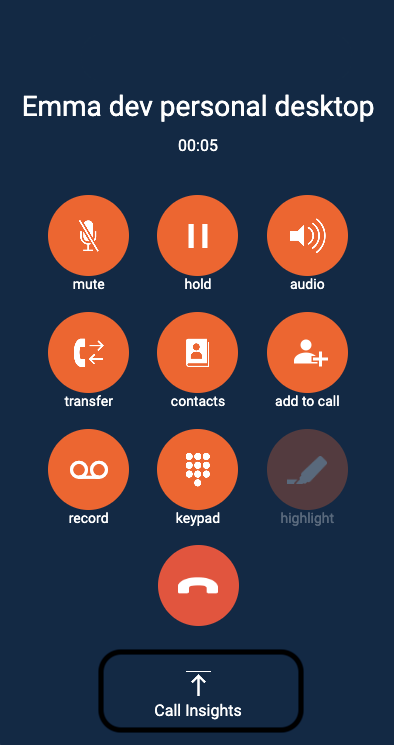
Spoke will include the following fields as query parameters when sending a call Insights request to the configured URL:
| callId | string or null The Spoke identifier for the call. This field will be null for an Insights data action from the Speedy app. |
| companyNumber | string or null The company number that originated or terminated this call. This will be one of the numbers defined in the Spoke Phone Number settings page. This field will be null for Spoke internal calls (calls between Spoke users and/or devices). |
| contactEmail | string or null The email address of the contact being called or the contact who originated the call For calls to/from phonebook contacts, this field will contain the first email stored in the phonebook for the contact:
For Spoke internal calls to a user, this field will contain the email of the Spoke user being called. This field will be null for calls to/from phone numbers that do not match any phonebook contacts, or if the phonebook contact has no email. |
| contactId | string or null The identifier of the contact being called or the contact who originated the call. For calls to/from phonebook contacts, this field will contain the identifier of the contact:
For Spoke internal calls to a user, this field will contain the identifier of the Spoke user being called. This field will be null for calls to/from phone numbers that do not match any phonebook contacts. |
| contactNumber | string or null The phone number of the external party that originated or terminated this call. Possible values:
|
| contactSource | string or null The name of the phonebook that the contact being called or the contact who originated the call
belongs to (e.g. The contactSource field will match the phonebook name as listed in the Spoke Account Portal integrations page. This field will be null when |
| direction required | string (CallDirection) Enum: "inbound" "outbound" Call direction. One of the following values:
|
| isInternal required | boolean Indicates whether the call is an internal (Spoke User to Spoke User) call. If this flag is true
then there is no external party on the call, and the |
| requestOrigin required | string Enum: "speedy.call" "spoke.call" "spoke.callhistory" "spoke.precall" A concatenation of which Spoke app and where in the app the data is being requested. Possible values:
|
| userEmail required | string Email of the user that is requesting Insights. |
| vendorCallId required | string The vendor's identifier for the call. |
{- "callId": "string",
- "companyNumber": "string",
- "contactEmail": "string",
- "contactId": "string",
- "contactNumber": "string",
- "contactSource": "string",
- "direction": "inbound",
- "isInternal": true,
- "requestOrigin": "speedy.call",
- "userEmail": "string",
- "vendorCallId": "string"
}If Spoke has identified that a call involves a contact, then the request will also include the associated contactId,
contactEmail, and contactSource (contactSource only included for external phonebook contacts).
Passthrough Parameters
Any existing passthrough parameters stored against the call are included in the request. Passthrough parameters are flattened into key-value pairs, URL-encoded, and then appended to the query string.
Example:
Given a call with the following passthrough parameters:
{
"x-contactId": "HS12345",
"x-orderId": "OR12345"
}
The constructed Call Insights data action request will be:
https://api.example.com/insights?direction=outbound&isInternal=false&requestOrigin=spoke.call&userEmail=alice@smith.com&vendorCallId=CA1234&x-contactId=HS12345&x-orderId=OR12345
Spoke app users can view primary party's Insights for conversations from the conversation screen pop up menu or the conversation settings screen.
 |
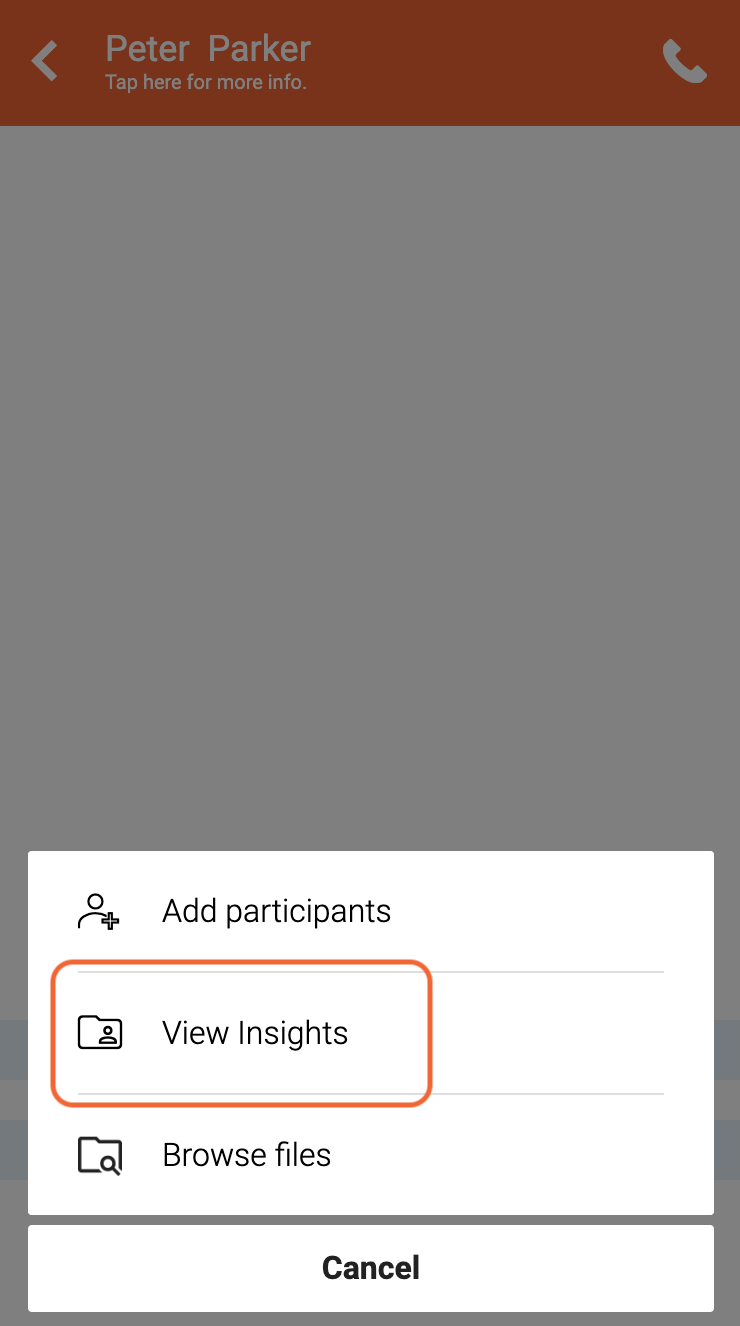 |
 |
 |
Spoke app users can also view any selected party's Insights for conversations from the participant pop up menu of the conversation settings screen.
 |
 |
Spoke will include the following fields as query parameters when sending a conversation Insights request to the configured URL:
| companyNumber | string or null The company number that originated or received this conversation. This will be one of the numbers defined in the Spoke Phone Number settings page. This field will be null for Spoke internal conversations (where |
| contactEmail | string or null The email address of the contact who originated or received the conversation For Spoke internal conversations, this field will contain the email of the Spoke user. For conversations with phonebook contacts, this field will contain the first email stored in the phonebook for that contact. This field will be null for conversations with phone numbers that do not match any phonebook contacts, or if the phonebook contact has no email. |
| contactId | string or null The identifier of the contact who originated or received this conversation. For Spoke internal conversations, this field will contain the Spoke user identifier. For conversations with phonebook contacts, this field will contain the identifier of that contact. This field will be null for conversations with phone numbers that do not match any phonebook contacts. |
| contactNumber | string or null The phone number of the external party that originated or received this conversation. This field will be null for Spoke internal conversations (where |
| contactSource | string or null The name of the phonebook that the contact who originated or received the conversation
belongs to (e.g. The contactSource field will match the phonebook name as listed in the Spoke Account Portal integrations page. This field will be null when |
| initiatedBy required | string (ConversationInitiatorType) Enum: "api" "contact" "user" Identifies whether the conversation was initiated by a user, a contact or via the Spoke API. Possible values:
|
| isInternal required | boolean Indicates whether the conversation is an internal (Spoke User to Spoke User) conversation. If this flag is true
then there is no external party in the conversation, and the |
| requestOrigin required | string A concatenation of which Spoke app and where in the app the data is being requested. Possible values:
Value: "spoke.conversation" |
| userEmail required | string Email of the user that is requesting Insights. |
| vendorConversationId required | string The vendor's identifier for the conversation. |
{- "companyNumber": "string",
- "contactEmail": "string",
- "contactId": "string",
- "contactNumber": "string",
- "contactSource": "string",
- "initiatedBy": "api",
- "isInternal": true,
- "requestOrigin": "spoke.conversation",
- "userEmail": "string",
- "vendorConversationId": "string"
}Similar to other Data Actions, Spoke expects a response within 2 seconds. The response payload is expected to be an object containing Insight cards with optional context and preferences, as specified in the shape below.
Array of InsightCard (objects) or (any or null) Insights Cards that will be displayed below the Insights Summary No Insights Cards will be displayed if | |||||||||||||
Any of Array
| |||||||||||||
InsightContext (object) or (any or null) Insights Summary that will be displayed above the Insights Cards No Insights Summary will be displayed if | |||||||||||||
Any of
| |||||||||||||
InsightPreferences (object) or (any or null) Preferences for the Insights response. | |||||||||||||
Any of
| |||||||||||||
{- "cards": [
- {
- "banner": {
- "text": "string",
- "type": "error"
}, - "body": "string",
- "button": {
- "text": "string",
- "url": "string"
}, - "state": "collapsed",
- "thumbnail": {
- "color": "string",
- "icon_name": "string"
}, - "title": "string"
}
], - "context": {
- "body": "string",
- "footer": "string",
- "metric1": {
- "label": "string",
- "textColor": "string",
- "value": "string"
}, - "metric2": {
- "label": "string",
- "textColor": "string",
- "value": "string"
}
}, - "preferences": {
- "cards": {
- "enlighten": {
- "display": "after"
}
}, - "context": {
- "preferredSource": "dataAction"
}
}
}Combining with Enlighten Insights
If your organization has Enlighten Call Insights enabled and Data Action Insights configured in the Spoke Account Portal, you can use the preferences field in the Insights response to control how Enlighten Insights are displayed alongside your Data Action Insight cards.
The following table describes the behavior of the Spoke application when these settings are configured:
| Enlighten Call Insights Enabled | Data Action Insights Configured | Behavior |
|---|---|---|
| Yes | Yes | Both sources displayed, preferences controls card ordering and context source |
| Yes | No | Only Enlighten Insights displayed |
| No | Yes | Only Data Action Insights displayed |
| No | No | No Insights displayed |
Example
The following Insights Response uses the preferences field (see the schema definition above) to configure what to display in the Spoke application when both Enlighten and Data Action insights are enabled. Screenshots of each screen are shown below.
{
"context": {
"body": "**Peter Parker** - CEO at Stark Industries.\nLast contacted 3 days ago regarding renewal."
},
"cards": [
{
"title": "Customer Info",
"body": "**Name**: Peter Parker\n**Company**: Stark Industries\n**Role**: CEO\n**Location**: London, UK",
"state": "expanded",
"thumbnail": { "icon_name": "person" }
},
{
"title": "Recent Activity",
"body": "1. Opened renewal quote email - 2 hours ago\n2. Visited [pricing page](https://example.com/pricing) - yesterday\n3. Spoke with support about billing - 3 days ago",
"state": "expanded",
"thumbnail": { "icon_name": "history" }
}
],
"preferences": {
"context": {
"preferredSource": "dataAction"
},
"cards": {
"enlighten": {
"display": "before"
}
}
}
}
Pre-call (desktop only)
Only the context is shown. The context from the Insights Response is displayed as specified by preferredSource.
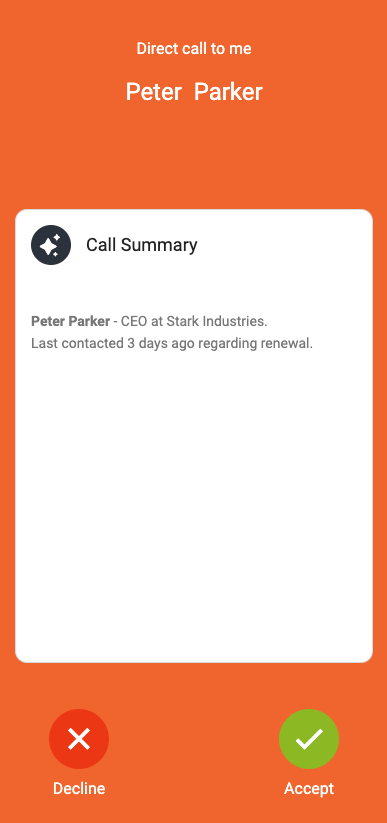
Call Summary (call history → select a call)
Only the context is shown. The context from the Insights Response is displayed as specified by preferredSource.
In-call (active call → Insights tab)
The context from the Insights Response is shown followed by the card list. Enlighten cards are displayed before the Data Action cards as specified by display.
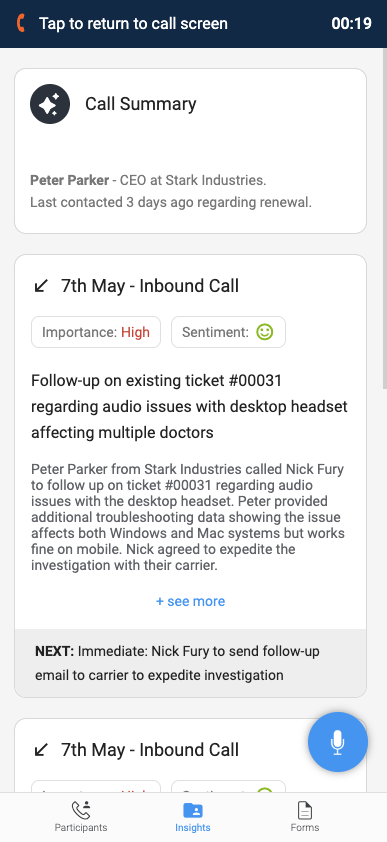
Contact Insights (directory → select contact → Insights)
The context from the Insights Response is shown followed by the card list. Enlighten cards are displayed before the Data Action cards as specified by display.
Call Intelligence (call history → select a call → Insights)
The context from the Insights Response is shown followed by the card list. Enlighten cards are displayed before the Data Action cards as specified by display.
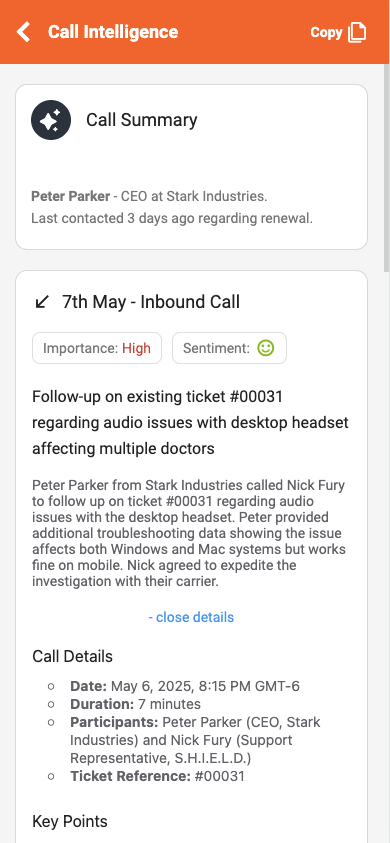
A table of Insights Data Actions that have been performed is available on the configuration page on the Spoke Account Portal and can be used to debug your Custom Insights Application.
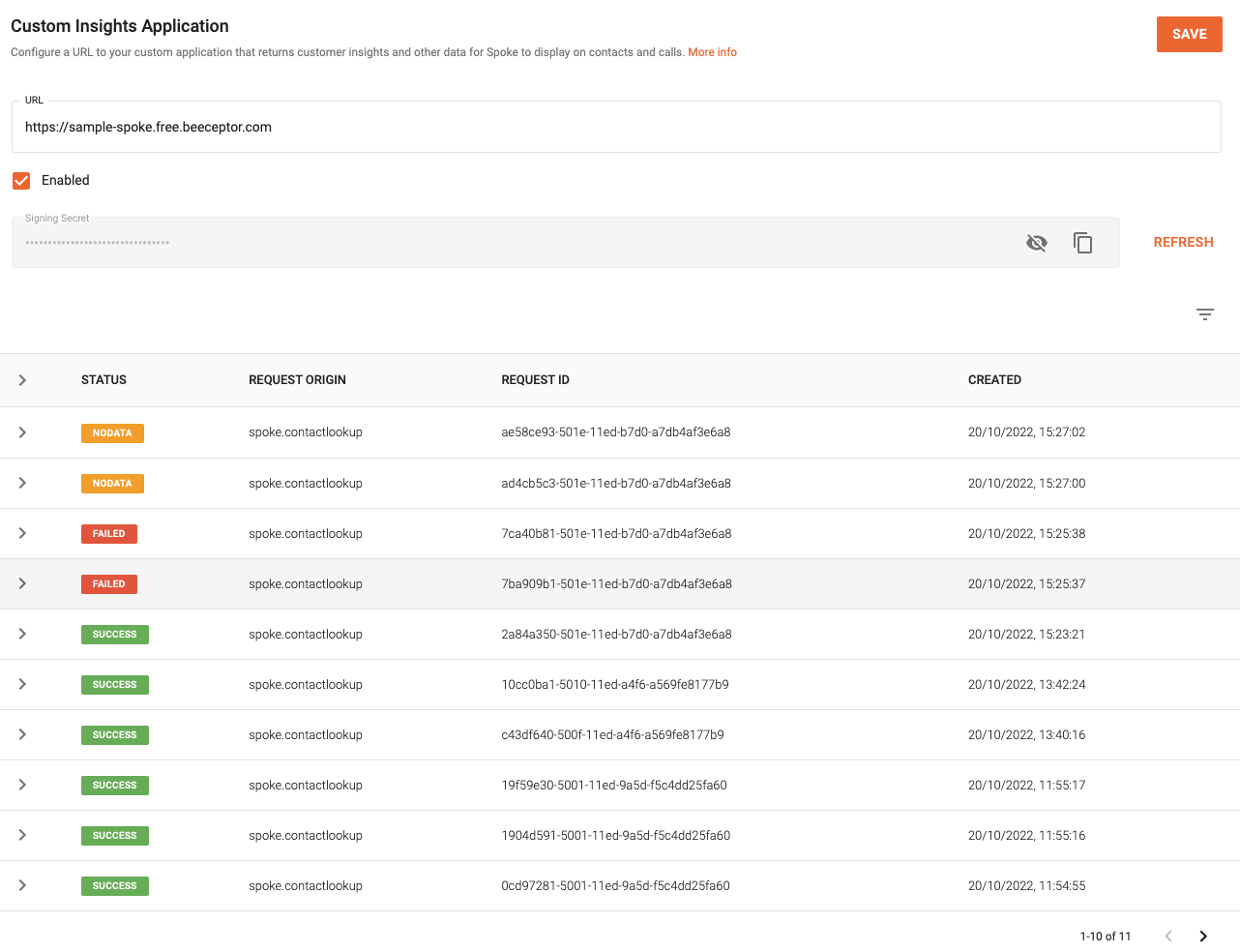
Status Types
The status column on the table refers to the response from the configured URL. There are 3 status types:
successfailurenoData
It is important to note that status does not refer to the validity of the response body.
Here are cases of each status type when they appear on the Spoke Account Portal and their scenarios when users click to view Insights and there is an error:
The table will not be updated with a new entry if the Insights app has not been configured for an organisation
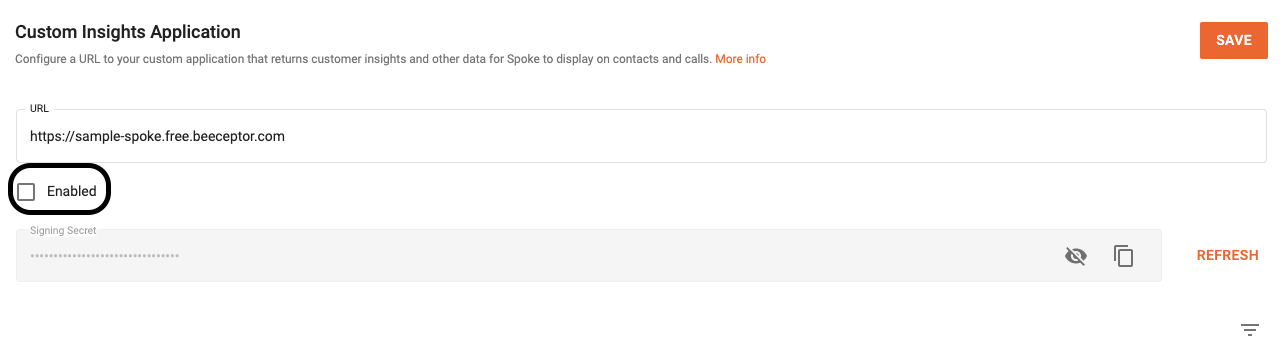
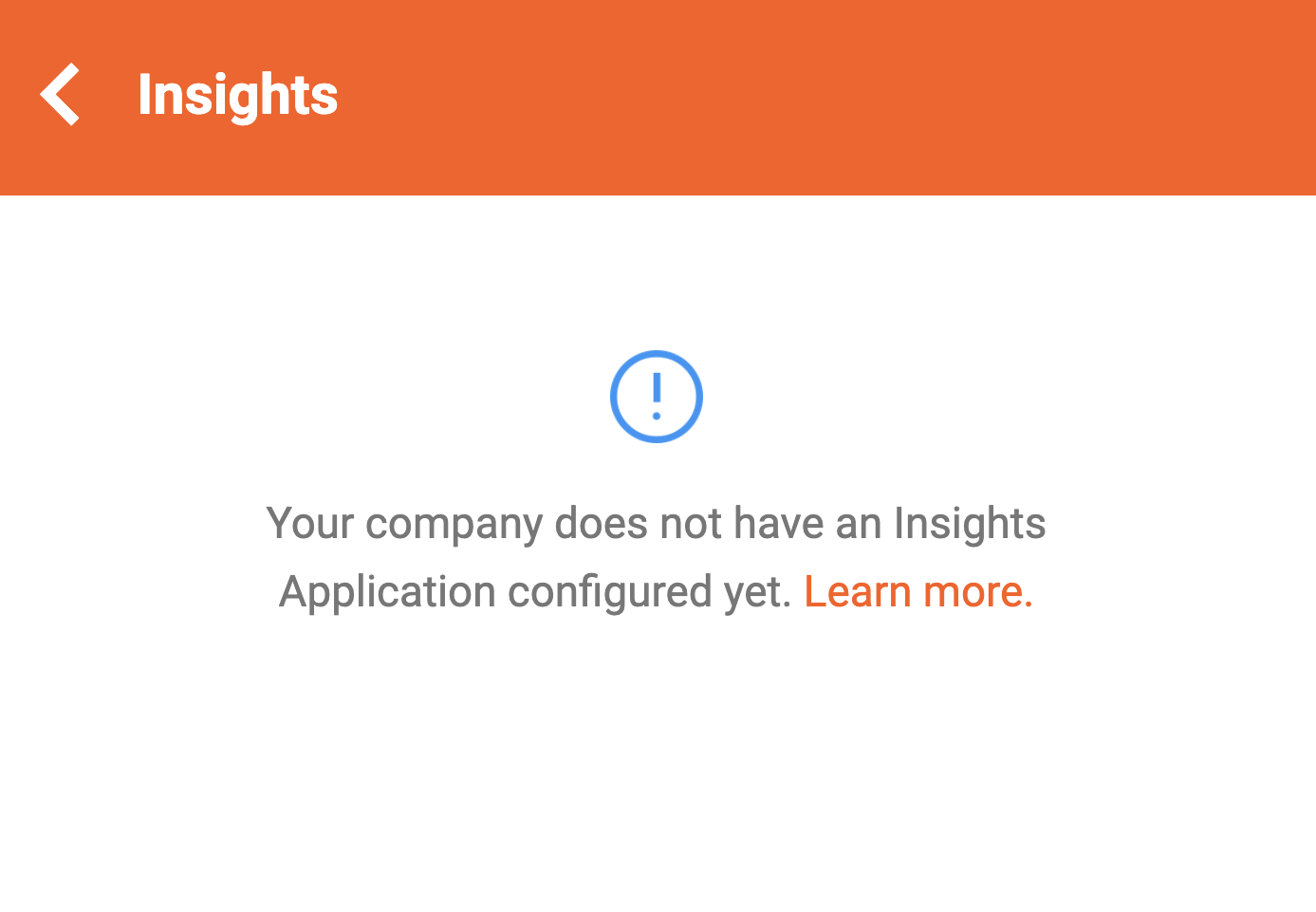
An entry with a status of
successwill be added if:- there is a valid response or
- the response is not valid JSON or is malformed
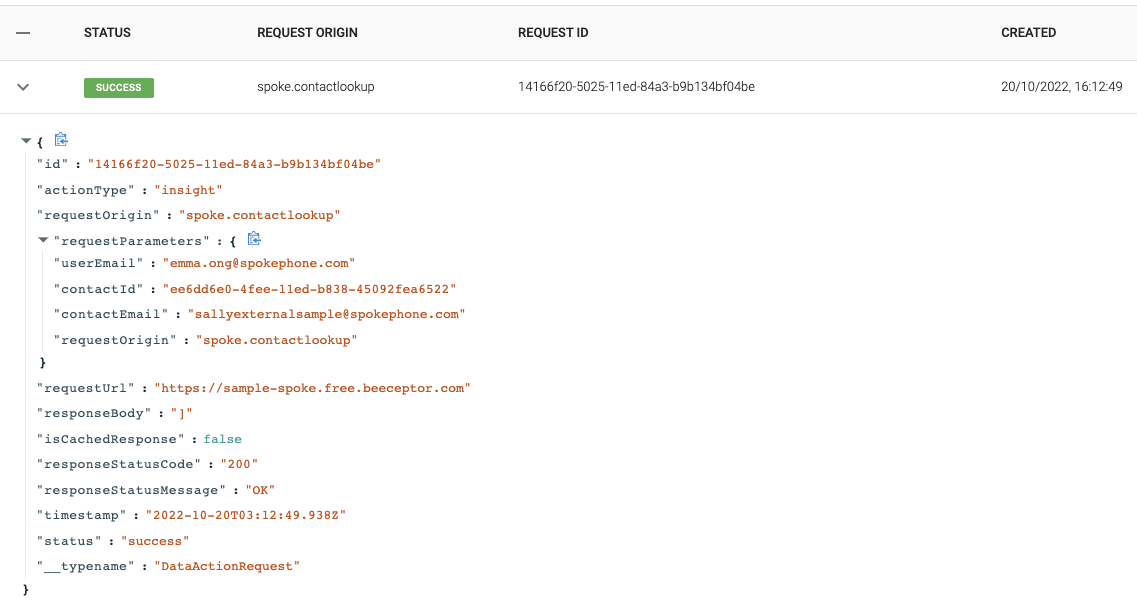
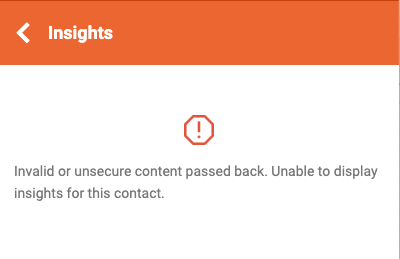
An entry with a status of
failedwill be added if a network error is encountered

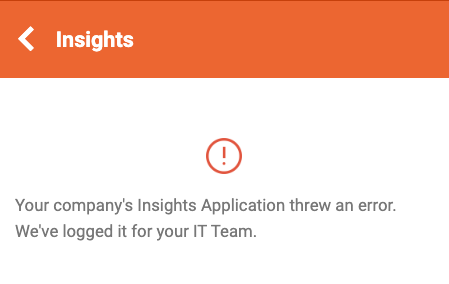
An entry with a status of
noDatawhen the response is empty (i.e. if there is no payload) or an empty array is returned
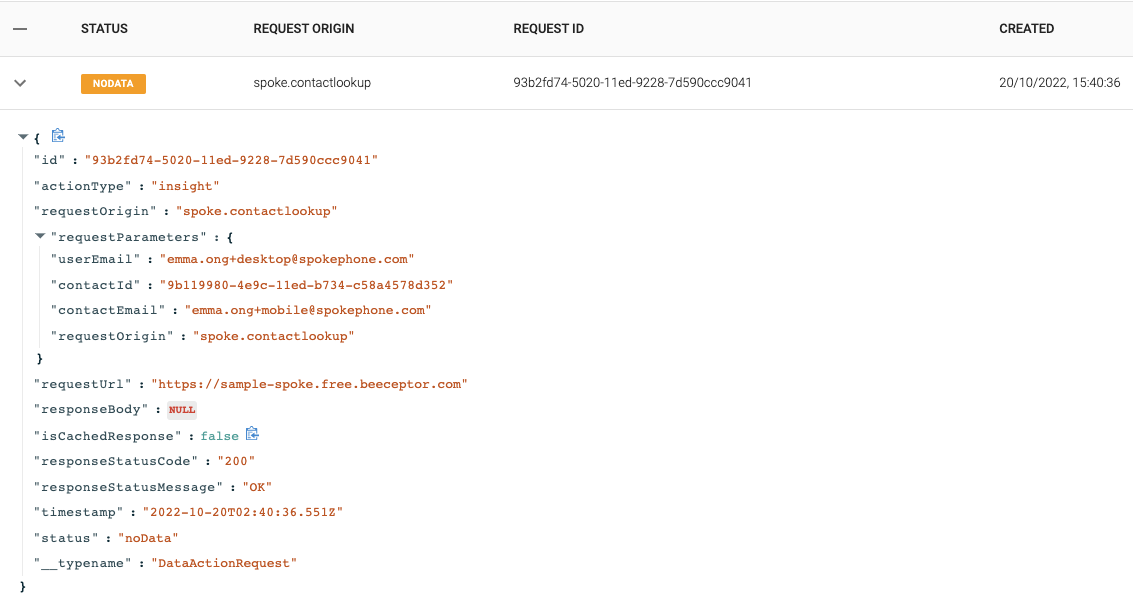
The Outbound Call Data Action Function allows you to programmatically change the default state/configuration of an outbound Spoke call, right as the call is about to be placed.
When you set up Spoke, you set up company defaults for items such as call recording, the CallerIDs customers see when your team make calls, etc. Outbound Data Actions allow you to change this default behavior on a call-by-call basis.
These are the actions that are supported by Outbound Call Data Action:
Override Dial Permission
Allow or block any outbound call made to the specified phone number. Applies to all calls, whether made from the Spoke Phone application or a SIP device. For SIP device calls, this overrides the flag set against "Outbound calls allowed".
Override Outbound Caller ID
Overrides the caller ID for any outbound call made.
Passthrough Parameters
Overrides the passthrough parameters associated with the outbound call. Passthrough parameters can be attached to an outbound call using Spoke's Deep Linking dial verb.
Existing passthrough parameters are included in the GET request and are flattened and appended to the query string as key-value pairs.
Passthrough parameters from the data action response will be merged with the existing passthrough parameters associated with the call. If a key exists in both the response and the current passthrough parameters, the value from the response will override the existing value.
The maximum size of passthrough parameters is 1000 bytes. If the merged passthrough parameters exceed 1000 bytes, then the passthrough parameters from the response will be discarded, and the stored passthrough parameters will not be updated.
Spoke sends an HTTP GET request with the following query parameters, and expects a response payload of the below shape within 2 seconds. If no response payload is returned, the call will proceed as planned, using the original configuration for the call.
The request parameters for this Data Action will vary based on how the call is initiated:
If the call is initiated by a user or a SIP device attached to the user, the request will include the
userId,userExtension, anduserEmailparameters. No device-related parameters will be included.If the call is initiated by a standalone SIP device, the request will not include any user-related parameters and will include the
deviceId,deviceExtension, anddeviceAddressparameters instead.
Outbound Call Data Action Request Parameters
| callId | string The Spoke ID of the call. |
| callerId required | string The Caller ID or ANI that Spoke is proposing to use for placing this call. |
| contactEmail | string The email address of the contact being called. |
| contactId | string The ID of the contact being called. |
| contactNumber required | string The phone number being called. |
| deviceAddress | string The SIP address of the standalone SIP device that is placing the call. |
| deviceExtension | string The extension of the standalone SIP device that is placing the call. |
| deviceId | string The id of the standalone SIP device that is placing the call. |
| userEmail | string The email address of the Spoke Phone user who is placing the call. |
| userExtension | string The extension of the Spoke Phone user who is placing the call. |
| userId | string The id of the Spoke Phone user who is placing the call. |
| vendorCallId required | string The vendor's identifier for the call. |
{- "callId": "string",
- "callerId": "string",
- "contactEmail": "string",
- "contactId": "string",
- "contactNumber": "string",
- "deviceAddress": "string",
- "deviceExtension": "string",
- "deviceId": "string",
- "userEmail": "string",
- "userExtension": "string",
- "userId": "string",
- "vendorCallId": "string"
}Passthrough Parameters
The existing passthrough parameters are flattened into key-value pairs, URL-encoded, and then appended to the query string.
Example:
Given a call with the following passthrough parameters:
{
"x-customerName": "John Doe",
"x-item": "Smartphone & Accessories"
}
The constructed data action request will be:
https://api.example.com/outboundCall?callerId=1234&contactNumber=%2B12178888888&vendorCallId=4321&x-customerName=John%20Doe&x-item=Smartphone%20%26%20Accessories
Outbound Call Data Action Response Payload
| callerId | string Returning this parameter will override the Caller ID that Spoke (or the user) has selected. The value must be in a valid E164 format and be a verified caller ID in the account. |
| dialPermission | string Enum: "allowed" "blocked" Outbound Dial permission. Return either of the following values:
|
object (CallPassthroughParametersResponse) If specified, updates the passthrough parameters stored against the call by merging the existing passthrough parameters with the returned passthrough parameters. If a key exists in both the existing passthrough parameters and the returned passthrough parameters, the returned parameter value will overwrite the existing value. Each passthrough parameter key must start with the prefix The maximum size of passthrough parameters is 1000 bytes. If the merged passthrough parameters exceed 1000 bytes, then the stored passthrough parameters will not be updated. Example: | |
object (CallPassthroughParametersResponse) If specified, updates the passthrough parameters stored against the call by merging the existing passthrough parameters with the returned passthrough parameters. If a key exists in both the existing passthrough parameters and the returned passthrough parameters, the returned parameter value will overwrite the existing value. Each passthrough parameter key must start with the prefix The maximum size of passthrough parameters is 1000 bytes. If the merged passthrough parameters exceed 1000 bytes, then the stored passthrough parameters will not be updated. Example: | |
{- "callerId": "string",
- "dialPermission": "allowed",
- "passthroughParameters": { }
}The Team Call Data Action allows you to programmatically override team configuration just prior to a call being offered to a team.
Note that the data action is not invoked if the call is sent directly to the team's voicemail e.g. transferring to the team's voicemail or redirecting to Spoke via its extension with sendToVoicemail=true.
Below are the configurations that can be overridden via Team Call Data Action.
Display Name
Overrides the display name of the team the call will be offered to. This overridden name will be displayed in following areas:
- Incoming call screen for new calls, transferred calls, and rolled over calls to the team
- Incoming call and missed call notifications
- Current call screen
- Users' call history and call details on Spoke applications
- Account-wide call history and call summary on Spoke Account Portal
- Call summary and voicemail summary emails
Note: This field is ignored for internal calls.
Users
Overrides the list of users who are offered the call. This allows you to fine tune who is offered individual calls while still following standard team offer flows.
Each user is identified by their email address in Spoke. Invalid emails are ignored.
Availability rules still apply - only available users will be offered the call.
If the team's offer pattern is set to Round-robin, the call will be offered to the users in the order in which they appear in the list.
Timeout
Overrides the number of the seconds Spoke will wait for someone to answer the call before returning or forwarding the call.
The supported range of values for timeout is from 10 to 300 seconds. If the provided value falls outside the range, it will be rounded to the nearest supported value.
Next Offer Timeout
Overrides the number of the seconds Spoke will wait before offering the call to the next available user(s).
The supported range of values for nextOfferTimeout is from 5 to 60 seconds. If the provided value falls outside the range, it will be rounded to the nearest supported value.
Note : The asynchronous nature of API calls between Spoke and Twilio coupled with the overhead of setting up and tearing down call legs means that timeout values are indicative only, and the follow on action may occur some number of seconds after the timeout expires.
Priority
Overrides the priority of the call. This allows you to prioritise or deprioritise the call.
The supported range of values for priority is an integer value between 1 and 9, where 1 is the highest priority and 9 is the lowest. If the provided parameter falls outside the range, the call will be assigned a default value of 5.
Passthrough Parameters
Overrides the passthrough parameters associated with the inbound call.
Passthrough parameters can be attached to an inbound call when using Spoke's Redirect Handler.
Existing passthrough parameters are included in the POST request. If there are no existing passthrough parameters, the passthroughParameters field will be an empty object.
Passthrough parameters from the data action response will be merged with the existing passthrough parameters associated with the call. If a key exists in both the response and the current passthrough parameters, the value from the response will override the existing value.
The maximum size of passthrough parameters is 1000 bytes. If the merged passthrough parameters exceed 1000 bytes, then the passthrough parameters from the response will be discarded, and the stored passthrough parameters will not be updated.
Spoke sends an HTTP POST request with the following parameters in the request body, and expects a response payload of the below shape within 2 seconds.
If the request returns a non-200 response or times out and the fallback URL is configured, Spoke will send another request to the fallback URL with the same payload.
If no response payload is returned, the call will proceed as planned, using the original team configuration.
Team Call Data Action Request Parameters
required | object (CallGroupDirectoryEntry) Contains directory entry of the team which the call was offered to. | ||||||||
| |||||||||
| callId required | string The Spoke ID of the call. | ||||||||
| companyNumber | string The company number that originated or terminated this call. This will be one of the numbers defined in the Spoke Phone Number settings page. This field will be null for Spoke internal calls (where | ||||||||
| contactId | string The ID of the phonebook contact (if any) associated with the external party on the call. | ||||||||
| contactNumber | string The phone number of the external party that originated or terminated this call. Possible values:
| ||||||||
required | object (DeprecatedDirectoryTarget) ** DEPRECATED ** Use the | ||||||||
| |||||||||
| isInternal required | boolean Indicates whether the call was an internal (Spoke User to Spoke Team) call. If this flag is true then there was no external party on the call, and the contactNumber and companyNumber fields will be empty. | ||||||||
required | object (CurrentCallGroupOfferConfig) Configuration that shows how the call will be offered to the team. | ||||||||
| |||||||||
| passthroughParameters required | object The existing passthrough parameters stored against the call record. If there are no existing passthrough parameters, this field will be an empty object. | ||||||||
| vendorCallId required | string The vendor's identifier for the call. | ||||||||
{- "assignedCallGroup": {
- "displayName": "string",
- "extension": "string",
- "id": "string",
- "type": "team"
}, - "callId": "string",
- "companyNumber": "string",
- "contactId": "string",
- "contactNumber": "string",
- "directoryTarget": {
- "displayName": "string",
- "extension": "string",
- "id": "string",
- "type": "team"
}, - "isInternal": true,
- "offerConfig": {
- "nextOfferTimeout": 0,
- "timeout": 0,
- "users": {
- "group1": [
- "string"
], - "group2": [
- "string"
]
}
}, - "passthroughParameters": { },
- "vendorCallId": "string"
}Team Call Data Action Response Payload
| callGroupDisplayName | string This overrides the current display name of the team the call will be offered to. Note: This field is ignored for internal calls. Overriding the display name will change what is displayed in the following areas:
| ||||||
object (OverrideCallGroupOfferConfig) Configuration that overrides how the call will be offered to the team. | |||||||
| |||||||
object (CallPassthroughParametersResponse) If specified, updates the passthrough parameters stored against the call by merging the existing passthrough parameters with the returned passthrough parameters. If a key exists in both the existing passthrough parameters and the returned passthrough parameters, the returned parameter value will overwrite the existing value. Each passthrough parameter key must start with the prefix The maximum size of passthrough parameters is 1000 bytes. If the merged passthrough parameters exceed 1000 bytes, then the stored passthrough parameters will not be updated. Example: | |||||||
object (CallPassthroughParametersResponse) If specified, updates the passthrough parameters stored against the call by merging the existing passthrough parameters with the returned passthrough parameters. If a key exists in both the existing passthrough parameters and the returned passthrough parameters, the returned parameter value will overwrite the existing value. Each passthrough parameter key must start with the prefix The maximum size of passthrough parameters is 1000 bytes. If the merged passthrough parameters exceed 1000 bytes, then the stored passthrough parameters will not be updated. Example: | |||||||
| priority | number If specified, overrides the priority of the call. Use this to prioritise or deprioritise a call. Priority is used:
The supported range of values for | ||||||
{- "callGroupDisplayName": "string",
- "offerConfig": {
- "nextOfferTimeout": 0,
- "timeout": 0,
- "users": {
- "group1": [
- "string"
], - "group2": [
- "string"
]
}
}, - "passthroughParameters": { },
- "priority": 0
}A Team Call Data Action will be triggered any time a call is about to be offered to a given team. This means that it may be triggered more than one time during a call, for example:
- The team is configured with an overflow rule that routes unanswered calls to a second team
- A call is transferred by an agent to another team
In both cases above, if a Team Call Data Action is configured, two requests will be made to the configured URL. In the second request, the directoryTarget and offerConfig attributes of the request payload will be updated to reflect the new team. All other attributes will remain the same.
Data actions for teams are triggered irrespective of the source of a call. This includes:
- Direct calls to the team via a team DDI
- Calls redirected into Spoke from an external IVR such as Studio
- Calls received via the Spoke IVR
- Any actions that result in calls being offered to a team from the Spoke application, such as transfer or a user calling the team directly
The following examples illustrate when data action requests will be made during the lifecycle of a call.
Example 1 - Inbound Call with Transfer
User Actions
Team Call Data Action Request Sent
Customer Alice starts a call to a company number.
Request for Reception DeskAlice presses 0 for Reception Desk
Bob answers the call and talks to Alice.
Request for SalesBob transfers Alice to the Sales team
Fred answers the call and talks to Alice.
Fred hangs up the call.
Example 2 - Direct Call with Offer Forwarding
User Actions
Team Call Data Action Request Sent
Request for Customer SupportCustomer Alice starts a call to the Customer Support team.
No one in the Customer Support team answers.
Request for Reception DeskThe offer is forwarded to Reception Desk according to Customer Support's configuration.
Natty answers the call and talks to Alice.
Natty hangs up the call.
Example 3 - Redirect to a Team Call via API
User Actions
Team Call Data Action Request Sent
Request for Regional SalesCall from Alice is redirected to the Regional Sales team via its extension number.
No one in the Regional Sales team is available.
The call is returned to the originating Twilio Studio flow.
Request for Global SalesThe call is redirected to the Global Sales team via its extension number.
Dob answers the call and talks to Alice.
Alice hangs up the call
Deep links in the Spoke Phone app allow users to route directly to specific resources or perform actions within the app by clicking a link on a web page or launching a URL from another application. These links streamline navigation, enabling users to view call history, make a call, or send messages in one click.
Deep links work across all supported platforms - Windows, MacOS, iOS and Android - and use a special spoke: URL scheme that is registered when the Spoke app is installed on the target device.
Requirement: The Spoke Phone app must be installed on the device for the deep links to work.
Supported Functionality
- Call History: View call details
- Dialing: Dial a number with a specified caller ID.
- Messaging: Initiate or continue SMS or WhatsApp conversations.
Each URL must be URI-encoded before use to ensure correct parsing.
spoke://call/{callId}
Navigates to the details of the specified call.
Parameters
- callId - The unique identifier of the call.
- If
callIdis invalid or not provided, or the call does not exist, the app will redirect to the user's Call History list.
- If
Example
spoke://call/e814fb79-3f4f-4cf3-94ed-f88a5c15cb9e
spoke://dial?contactNumber={contactNumber}&callerId={callerId}
Dials a contact number using a specified caller ID.
Parameters
- contactNumber - The phone number to dial in +E164 format.
- If
contactNumberis not provided, the app will open the Dial Pad. - If
contactNumberis invalid, it will be prefilled in the Dial Pad, allowing the user to edit it.
- If
- callerId (optional) - The caller ID to use for the call.
- If
callerIdis not provided, the call will be made using the user's default caller ID. callerIdmust be from the list of available caller IDs assigned to the user. If thecallerIdis invalid, the app will prompt the user to select a valid one.- If
callerIdis valid butcontactNumberis invalid, the validcallerIdwill be preselected in the Dial Pad.
- If
Example
spoke://dial?contactNumber=%2B64221112222&callerId=%2B14341112222
Note: Both %2B64221112222 and %2B14341112222 are URI-encoded +E164 phone numbers, but the Spoke Phone app is able to handle +64221112222 as well.
Passthrough parameters
The Spoke Phone app supports passthrough parameters when dialling a contact via a deep link. Passthrough parameters are stored against the call record and are then included in the call's webhook events. These parameters can also be retrieved when getting the call resource through the Spoke API.
Use passthrough parameters to track a call made by a user from a link in an external application (such as a CRM or in-house system) and associate the outcome of the call (including call recordings and any other records created by the Spoke platform) with the external platform.
To attach passthrough parameters to a call, add them to the deep link URL as a query string parameter with the parameter name prefixed with x-, e.g.:
spoke://dial?contactNumber=%2B64221112222&callerId=%2B14341112222&x-contactId=HS12345&x-orderId=OR12345
Opening the above deep link URL will result in the call object in the webhook event payload and the call resource in the API to contain a passthroughParameters object containing the exact parameters provided in the deep link URL:
{
...,
passthroughParameters: {
"x-contactId": "HS12345",
"x-orderId": "OR12345"
}
}
The passthrough parameters in the deep link URL are limited to a total of 1000 bytes.
If the total size of the passthrough parameters exceeds 1000 bytes, the call will not be made and the Spoke app will navigate to the dial pad, prefilled with provided the contactNumber and callerId.
Passthrough parameters will not be stored against the call if opening the deep link results in the call not being made. This includes the following scenarios:
- The passthrough parameters exceeds the limit of 1000 bytes and the user subsequently presses the dial button on the dial pad.
- The contactNumber is invalid and the user subsequently edits the number on the dial pad and presses the dial button.
- The callerId is invalid and the user subsequently selects a valid callerId on the dial pad and presses the dial button.
- No contactNumber is provided and the user subsequently enters a number on the dial pad and presses the dial button.
It is important to ensure that the source system implements appropriate validation of all required parameters. This includes ensuring that:
callerIdMUST be a valid +E164 numbercontactNumberMUST be a valid +E164 number- Passthrough parameter length does not exceed the documented limit
spoke://message/sms?contactAddress={contactAddress}&companyAddress={companyAddress}&body={body}
Starts or continues an SMS conversation using the given companyAddress as the sender ID and prefills the message input with the provided body.
Important: Messages are never automatically sent. The user must press the send button after reviewing or editing the prefilled content.
Parameters
- contactAddress - The +E164-formatted phone number of the contact.
- If
contactAddressis invalid or not provided, the app will navigate to the Messages tab. - If an SMS conversation with
contactAddressexists, the user will be directed to that conversation; otherwise a new SMS conversation will be created.
- If
- companyAddress (optional) - The +E164-formatted phone number to use as the messaging sender ID.
companyAddressmust be a phone number from the user's list of available SMS-capable numbers.- If
companyAddressis invalid, the user will be prompted to select a valid phone number from the list of available SMS sender IDs.
- body (optional) - The message content to prefill in the message input.
bodyshould be URI-encoded to ensure correct parsing.- If
bodyis not provided, the message input will be empty.
Example
spoke://message/sms?contactAddress=%2B64221112222&companyAddress=%2B14341112222&body=Hi%20Bob%2C%20this%20is%20Alice
spoke://message/whatsapp?contactAddress={contactAddress}&companyAddress={companyAddress}&templateName={templateName}
Starts or continues a WhatsApp conversation using the given companyAddress as the sender ID, prefilled with a message generated from the Twilio content template matching templateName.
Important: Messages are never automatically sent. The user must press the send button after reviewing the content generated from the matching template.
Parameters
- contactAddress - The WhatsApp address of the contact. E.g.:
whatsapp:+64221112222- If
contactAddressis invalid or not provided, the app will navigate to the Messages tab. - If a WhatsApp conversation with
contactAddressexists, the user will be directed to that conversation; otherwise a new WhatsApp conversation will be created.
- If
- companyAddress (optional) - The WhatsApp address to use as the messaging sender ID. E.g.:
whatsapp:+14341112222companyAddressmust be a WhatsApp-capable number from the user's list of available WhatsApp-capable numbers.- If
companyAddressis invalid or missing, the user will be prompted to select a valid phone number from the user's list of available WhatsApp sender IDs.
- templateName (optional) - The friendly name of the approved WhatsApp content template available.
- The
templateNamemust match the friendly name of the WhatsApp-approved content template on Twilio. - If
templateNameis not provided, the user will be prompted to select a template from the list of available templates. - If
templateNameis invalid, the message input will be empty. - For more details, refer to our WhatsApp support documentation or the Twilio Content API.
- The
Example
spoke://message/whatsapp?contactAddress=whatsapp%3A%2B64221112222&companyAddress=whatsapp%3A%2B14341112222&templateName=WelcomeMessage
The Spoke Unified Directory is a comprehensive directory of all the users, teams and devices in your organisation. It is used to store and manage your legacy internal phone directory.
List or search the unified Spoke directory
Lists or finds directory entries. All search parameters are optional.
If no parameters are provided then a paged list of directory entries, ordered alphabetically by displayName will be returned.
query Parameters
| next | string (next) Optional next token for object pagination |
| limit required | string (limit) The number of objects fetched per request. Default to 100, maximum is 1000 |
| extension | string (extension) Returns directory filtered by extension number. Exact match only. This parameter is incompatible with |
| phoneNumber | string (phoneNumber) Returns directory filtered by phone number. Exact match only. The result set will return the directory entry with the assigned phone number. This parameter is incompatible with |
| ivrKey | string (ivrKey) Returns directory filtered by IVR key. Exact match only. This parameter is incompatible with |
| includeSuspendedUsers | string (includeSuspendedUsers) Return all directory entries, including suspended users. By default, this flag is false and suspended users are excluded from the response. |
| includeHiddenCallGroups | string (includeHiddenCallGroups) If If By default, this flag is false and hidden call groups are excluded from the response. |
header Parameters
| Authorization required | string (Authorization) Authorization header bearing the access token |
Responses
| Access-Control-Allow-Origin |
Response Schema: application/json
required | Array of Device (object) or UserWithAvailability (object) or TeamWithAvailability (object) or TrunkUser (object) or TrunkDevice (object) or TrunkQueue (object) (DirectoryEntry) The list of directory entries returned by the query. Entries can be any of | ||||||||||||||
Array Any of
| |||||||||||||||
required | object (ResponseMeta) | ||||||||||||||
| |||||||||||||||
Response samples
- 200
{- "entries": [
- {
- "deviceType": "deskPhone",
- "displayName": "string",
- "extension": "string",
- "id": "string",
- "sipAddress": "string",
- "twimlRedirectUrl": "string",
- "type": "device"
}
], - "meta": {
- "next": "string"
}
}Get a directory entry
Retrieves a directory entry
path Parameters
| entryId required | string (entryId) The directory entry ID |
header Parameters
| Authorization required | string (Authorization) Authorization header bearing the access token |
Responses
| Access-Control-Allow-Origin |
Response Schema: application/json
| deviceType | string Enum: "deskPhone" "softPhone" |
| displayName required | string The display name of this directory entry. |
| extension | string |
| id required | string The id of the device. |
| sipAddress | string The device's SIP address |
| twimlRedirectUrl | string Redirecting an inbound Twilio call to this target url will transfer the call to this entry. Use this URL to send a call to Spoke from Twilio Studio, Flex or your own TwiML application. You can add additional parameters to this url to control how the call is handled by Spoke. See Routing Twilio Calls into Spoke for more information. |
| type required | string Value: "device" |
Response samples
- 200
{- "deviceType": "deskPhone",
- "displayName": "string",
- "extension": "string",
- "id": "string",
- "sipAddress": "string",
- "twimlRedirectUrl": "string",
- "type": "device"
}Users are the individual Spoke Users in your account. You can query this API to get all active users and their current system availability.
List users with availability
This API endpoint lists all users in your organisation and their current availability.
query Parameters
string (email) Filter users by email address. Exact match only. If there is a user with the given email address, the response will contain one user with that email address. |
header Parameters
| Authorization required | string (Authorization) Authorization header bearing the access token |
Responses
| Access-Control-Allow-Origin |
Response Schema: application/json
object (Availability) The user's current availability to take calls. | |
| desktopEnrolledReleaseChannel required | string (DesktopReleaseChannel) Enum: "stable" "beta" "alpha" The user's current enrolled release channel for the Spoke Phone desktop application. This field will contain one of the following values:
|
| displayName required | string User’s name as it appears in the Spoke Directory |
string User's email address (as registered in Spoke) | |
| extension | string User's extension |
| firstName | string User's first name |
| id required | string The id of the user |
| isDirectorySynced required | boolean Indicates whether the user is managed via the organisation's employee directory platform. |
| jobTitle | string User's job title (as registered in Spoke) |
| licenses | Array of strings (LicenseName) Items Enum: "callHub10Pack" "callHub20Pack" "callHub5Pack" "enlightenEssentials" "enlightenPro" "essentials" "proCx" The names of the licenses assigned to this user. |
| lastName | string User's last name |
| location | string User’s location (as registered in Spoke) |
| loginStatus required | string (LoginStatus) Enum: "loggedIn" "loggedOut" |
object (ManagerUserDirectoryEntry) The entry in the Spoke directory for the manager assigned to the user. This field identifies the entry for the manager in the Spoke directory. The directory entry for the manager will always have a type of This field will be null if a manager has not been assigned to the user. | |
| mobile | string User's mobile number (as registered in Spoke) This will be omitted if the organisation is configured to exclude mobile numbers from API responses |
required | Array of objects (DirectoryPhoneNumber) The list of phone numbers (DIDs) associated with this user |
| status required | string The current registration status of the user. Will be one of |
| teams | Array of strings The list of team names that the user is a member of |
| twimlRedirectUrl | string Redirecting an inbound Twilio call to this target url will transfer the call to this entry. Use this URL to send a call to Spoke from Twilio Studio, Flex or your own TwiML application. You can add additional parameters to this url to control how the call is handled by Spoke. See Routing Twilio Calls into Spoke for more information. |
| type required | string Value: "user" |
Response samples
- 200
[- {
- "availability": {
- "availabilitySummary": "string",
- "callId": "string",
- "endAt": "string",
- "endTimestamp": 0,
- "notAvailableReason": "string",
- "notAvailableRule": "busyOnACall",
- "status": "available",
- "statusAt": "string",
- "statusTimestamp": 0,
- "timezone": "string",
- "vendor": "twilio",
- "vendorCallId": "string"
}, - "desktopEnrolledReleaseChannel": "stable",
- "displayName": "string",
- "email": "string",
- "extension": "string",
- "firstName": "string",
- "id": "string",
- "isDirectorySynced": true,
- "jobTitle": "string",
- "licenses": [
- "callHub10Pack"
], - "lastName": "string",
- "location": "string",
- "loginStatus": "loggedIn",
- "manager": {
- "displayName": "string",
- "email": "string",
- "id": "string"
}, - "mobile": "string",
- "phoneNumbers": [
- {
- "numberDisplay": "string",
- "numberE164": "string",
- "numberLocal": "string"
}
], - "status": "string",
- "teams": [
- "string"
], - "twimlRedirectUrl": "string",
- "type": "user"
}
]Get a user
Retrieve a user resource, and its data.
path Parameters
| id required | string (id) The user ID |
header Parameters
| Authorization required | string (Authorization) Authorization header bearing the access token |
Responses
| Access-Control-Allow-Origin |
Response Schema: application/json
object (Availability) The user's current availability to take calls. | |||||||||||||||||||||||||
| |||||||||||||||||||||||||
| desktopEnrolledReleaseChannel required | string (DesktopReleaseChannel) Enum: "stable" "beta" "alpha" The user's current enrolled release channel for the Spoke Phone desktop application. This field will contain one of the following values:
| ||||||||||||||||||||||||
| displayName required | string User’s name as it appears in the Spoke Directory | ||||||||||||||||||||||||
string User's email address (as registered in Spoke) | |||||||||||||||||||||||||
| extension | string User's extension | ||||||||||||||||||||||||
| firstName | string User's first name | ||||||||||||||||||||||||
| id required | string The id of the user | ||||||||||||||||||||||||
| isDirectorySynced required | boolean Indicates whether the user is managed via the organisation's employee directory platform. | ||||||||||||||||||||||||
| jobTitle | string User's job title (as registered in Spoke) | ||||||||||||||||||||||||
| licenses | Array of strings (LicenseName) Items Enum: "callHub10Pack" "callHub20Pack" "callHub5Pack" "enlightenEssentials" "enlightenPro" "essentials" "proCx" The names of the licenses assigned to this user. | ||||||||||||||||||||||||
| lastName | string User's last name | ||||||||||||||||||||||||
| location | string User’s location (as registered in Spoke) | ||||||||||||||||||||||||
| loginStatus required | string (LoginStatus) Enum: "loggedIn" "loggedOut" | ||||||||||||||||||||||||
object (ManagerUserDirectoryEntry) The entry in the Spoke directory for the manager assigned to the user. This field identifies the entry for the manager in the Spoke directory. The directory entry for the manager will always have a type of This field will be null if a manager has not been assigned to the user. | |||||||||||||||||||||||||
| |||||||||||||||||||||||||
| mobile | string User's mobile number (as registered in Spoke) This will be omitted if the organisation is configured to exclude mobile numbers from API responses | ||||||||||||||||||||||||
required | Array of objects (DirectoryPhoneNumber) The list of phone numbers (DIDs) associated with this user | ||||||||||||||||||||||||
Array
| |||||||||||||||||||||||||
| status required | string The current registration status of the user. Will be one of | ||||||||||||||||||||||||
| teams | Array of strings The list of team names that the user is a member of | ||||||||||||||||||||||||
| twimlRedirectUrl | string Redirecting an inbound Twilio call to this target url will transfer the call to this entry. Use this URL to send a call to Spoke from Twilio Studio, Flex or your own TwiML application. You can add additional parameters to this url to control how the call is handled by Spoke. See Routing Twilio Calls into Spoke for more information. | ||||||||||||||||||||||||
| type required | string Value: "user" | ||||||||||||||||||||||||
Response samples
- 200
{- "availability": {
- "availabilitySummary": "string",
- "callId": "string",
- "endAt": "string",
- "endTimestamp": 0,
- "notAvailableReason": "string",
- "notAvailableRule": "busyOnACall",
- "status": "available",
- "statusAt": "string",
- "statusTimestamp": 0,
- "timezone": "string",
- "vendor": "twilio",
- "vendorCallId": "string"
}, - "desktopEnrolledReleaseChannel": "stable",
- "displayName": "string",
- "email": "string",
- "extension": "string",
- "firstName": "string",
- "id": "string",
- "isDirectorySynced": true,
- "jobTitle": "string",
- "licenses": [
- "callHub10Pack"
], - "lastName": "string",
- "location": "string",
- "loginStatus": "loggedIn",
- "manager": {
- "displayName": "string",
- "email": "string",
- "id": "string"
}, - "mobile": "string",
- "phoneNumbers": [
- {
- "numberDisplay": "string",
- "numberE164": "string",
- "numberLocal": "string"
}
], - "status": "string",
- "teams": [
- "string"
], - "twimlRedirectUrl": "string",
- "type": "user"
}User-related webhook events that you can listen to. For more information about webhooks, see Webhook Events.
user.availability.updated Webhook
Request Body schema: application/json
Occurs whenever the availability of any user changes.
For an example, see the Request Sample in the right sidebar.
For more information about webhooks, see Webhook Events.
| created required | string UTC timestamp of when the event was emitted | ||||||||||||||||||||||||||||||||||||||||||||
required | object (UserEventData) | ||||||||||||||||||||||||||||||||||||||||||||
| |||||||||||||||||||||||||||||||||||||||||||||
| id required | string The ID of the event | ||||||||||||||||||||||||||||||||||||||||||||
| organisationId required | string The ID of the organisation that the event belongs to | ||||||||||||||||||||||||||||||||||||||||||||
| timestamp required | number Unix timestamp of when the event was originally emitted | ||||||||||||||||||||||||||||||||||||||||||||
| type required | string Value: "user.availability.updated" | ||||||||||||||||||||||||||||||||||||||||||||
| version required | string Event version number, the version is a YYYY-mm-dd formatted string | ||||||||||||||||||||||||||||||||||||||||||||
Responses
Request samples
- Payload
{- "created": "2026-08-05T02:52:40.685Z",
- "data": {
- "user": {
- "availability": {
- "availabilitySummary": "Helen is on another call",
- "callId": "696b0ac4-1067-4642-b3e0-acdd7bf9f6dd",
- "notAvailableReason": "On another call",
- "notAvailableRule": "busyOnACall",
- "status": "busy",
- "statusAt": "2026-08-05T02:52:40.686Z",
- "statusTimestamp": 1785898360686,
- "timezone": "Europe/Tallinn",
- "vendor": "twilio",
- "vendorCallId": "CADE42CB36AA4343CDB52B948D76E7A6BB"
}, - "desktopEnrolledReleaseChannel": "stable",
- "displayName": "Enrique Corwin",
- "email": "Kayla82@gmail.com",
- "extension": 2023232,
- "firstName": "Pat",
- "id": "6213afbe-1406-46af-89b8-f46184342bdb",
- "isDirectorySynced": false,
- "jobTitle": "Principal Functionality Architect",
- "lastName": "Larkin",
- "licenses": [
- "enlightenPro",
- "proCx"
], - "location": "Fort Jammieside",
- "loginStatus": "loggedIn",
- "mobile": "+18667978992",
- "phoneNumbers": [
- {
- "numberE164": "+15877818133",
- "numberLocal": "(233) 423-4794",
- "numberDisplay": "+1 223-101-0539"
}, - {
- "numberE164": "+18375651067",
- "numberLocal": "(147) 612-5528",
- "numberDisplay": "+1 228-990-9440"
}
], - "status": "active",
- "teams": [
- "Automated context-sensitive intranet",
- "Configurable bifurcated database",
- "Streamlined fault-tolerant strategy"
], - "type": "user"
}
}, - "id": "798cbc5e-9965-4449-b7cb-695fba7c05b0",
- "timestamp": 1785898360685,
- "type": "user.availability.updated",
- "version": "2020-07-15"
}List teams
Lists the teams in your organisation.
This endpoint supports paging. By default the API will return 100 teams, configurable up to a maximum of 1000 teams at a time. If the result from a previous call includes a next value in the result set you can use the value returned as the next parameter in the query string to retrieve the next page of results.
query Parameters
| next | string (next) Optional next token for object pagination |
| limit required | string (limit) The number of objects fetched per request. Default to 100, maximum is 1000 |
header Parameters
| Authorization required | string (Authorization) Authorization header bearing the access token |
Responses
| Access-Control-Allow-Origin |
Response Schema: application/json
required | object (ResponseMeta) | ||||||||||||||||||||
| |||||||||||||||||||||
required | Array of objects (TeamWithAvailability) The list of teams returned by the query. | ||||||||||||||||||||
Array
| |||||||||||||||||||||
Response samples
- 200
- 400
{- "meta": {
- "next": "string"
}, - "teams": [
- {
- "availability": {
- "availabilitySummary": "string",
- "status": "available",
- "totalAvailable": 0,
- "totalMembers": 0
}, - "displayName": "string",
- "extension": "string",
- "id": "string",
- "isHidden": true,
- "ivrKeyCode": 0,
- "phoneNumbers": [
- {
- "numberDisplay": "string",
- "numberE164": "string",
- "numberLocal": "string"
}
], - "teamMembers": [
- {
- "availability": {
- "availabilitySummary": "string",
- "callId": "string",
- "endAt": "string",
- "endTimestamp": 0,
- "notAvailableReason": "string",
- "notAvailableRule": "busyOnACall",
- "status": "available",
- "statusAt": "string",
- "statusTimestamp": 0,
- "timezone": "string",
- "vendor": "twilio",
- "vendorCallId": "string"
}, - "desktopEnrolledReleaseChannel": "stable",
- "displayName": "string",
- "email": "string",
- "extension": "string",
- "firstName": "string",
- "id": "string",
- "isDirectorySynced": true,
- "jobTitle": "string",
- "licenses": [
- "callHub10Pack"
], - "lastName": "string",
- "location": "string",
- "loginStatus": "loggedIn",
- "manager": {
- "displayName": "string",
- "email": "string",
- "id": "string"
}, - "mobile": "string",
- "phoneNumbers": [
- {
- "numberDisplay": "string",
- "numberE164": "string",
- "numberLocal": "string"
}
], - "status": "string",
- "teams": [
- "string"
], - "twimlRedirectUrl": "string",
- "type": "user"
}
], - "twimlRedirectUrl": "string",
- "type": "team"
}
]
}Add a user to a team
Add a user to the specified team, or update the user's offer priority if they are already a member.
path Parameters
| teamId required | string (teamId) The team ID |
| userId required | string (userId) The user ID |
header Parameters
| Authorization required | string (Authorization) Authorization header bearing the access token |
Request Body schema: application/jsonoptional
Information about the user to be added to the team
| ringFirst | boolean Controls whether the user is in the team's 'call first' group when people call this team, according to the team's calling rules. Defaults to true. |
Responses
Request samples
- Payload
nullResponse samples
- 400
Remove a user from a team
Remove a user from the specified team.
path Parameters
| teamId required | string (teamId) The team ID |
| userId required | string (userId) The user ID |
header Parameters
| Authorization required | string (Authorization) Authorization header bearing the access token |
Responses
Response samples
- 400
Team-related webhook events that you can listen to. For more information about webhooks, see Webhook Events.
team.availability.updated Webhook
Request Body schema: application/json
Occurs whenever the availability of any user in a team changes.
For an example, see the Request Sample in the right sidebar.
For more information about webhooks, see Webhook Events.
| created required | string UTC timestamp of when the event was emitted | ||||||||||||||||||||||||
required | object (TeamEventData) | ||||||||||||||||||||||||
| |||||||||||||||||||||||||
| id required | string The ID of the event | ||||||||||||||||||||||||
| organisationId required | string The ID of the organisation that the event belongs to | ||||||||||||||||||||||||
| timestamp required | number Unix timestamp of when the event was originally emitted | ||||||||||||||||||||||||
| type required | string Value: "team.availability.updated" | ||||||||||||||||||||||||
| version required | string Event version number, the version is a YYYY-mm-dd formatted string | ||||||||||||||||||||||||
Responses
Request samples
- Payload
{- "created": "2026-08-05T02:52:40.686Z",
- "data": {
- "team": {
- "availability": {
- "availabilitySummary": "1 of 4 people available",
- "status": "available",
- "totalAvailable": 1,
- "totalMembers": 4
}, - "displayName": "Total value-added system engine",
- "extension": 9912491,
- "id": "42a1e3fe-2101-48ed-b972-f561ea89875f",
- "isHidden": false,
- "ivrKeyCode": 0,
- "phoneNumbers": [ ],
- "teamMembers": [
- {
- "id": "13398adf-b377-43a4-a6a0-5e5ed5f4ef84",
- "displayName": "Miss Edith Daniel",
- "phoneNumbers": [ ],
- "type": "user",
- "extension": 1736707,
- "firstName": "Albina",
- "lastName": "Kunde",
- "mobile": null,
- "email": "Judith_Huels@hotmail.com",
- "jobTitle": "Regional Configuration Technician",
- "location": "Nienowhaven",
- "status": "active",
- "isDirectorySynced": false,
- "licenses": [
- "essentials"
], - "loginStatus": "loggedOut",
- "teams": [
- "Implemented zero defect leverage"
], - "availability": {
- "status": "offline",
- "statusTimestamp": 1785898360687,
- "statusAt": "2026-08-05T02:52:40.687Z",
- "timezone": "Antarctica/McMurdo",
- "availabilitySummary": "Offline"
}, - "desktopEnrolledReleaseChannel": "stable"
}, - {
- "id": "84bfe107-b631-4af6-8228-1a05e87adc1a",
- "displayName": "Arlene Farrell",
- "phoneNumbers": [
- {
- "numberE164": "+15585424710",
- "numberLocal": "(436) 362-5250",
- "numberDisplay": "+1 895-936-6411"
}
], - "type": "user",
- "extension": "12622",
- "firstName": "Adrian",
- "lastName": "Treutel-Ward",
- "mobile": null,
- "email": "Eusebio18@gmail.com",
- "jobTitle": "Senior Intranet Producer",
- "location": null,
- "status": "active",
- "isDirectorySynced": false,
- "licenses": [
- "proCx",
- "enlightenPro"
], - "loginStatus": "loggedIn",
- "desktopEnrolledReleaseChannel": "stable",
- "teams": [
- "Organized cloud-native service-desk",
- "Devolved data-driven success"
], - "availability": {
- "availabilitySummary": "Steven is on another call",
- "callId": "d5a69a89-cfc0-4405-a46d-facdff43965f",
- "vendor": "twilio",
- "vendorCallId": "CA35E5BD813067412B898556C83DC29669",
- "notAvailableReason": "On another call",
- "notAvailableRule": "busyOnACall",
- "status": "busy",
- "statusAt": "2026-08-05T02:52:40.687Z",
- "statusTimestamp": 1785898360687,
- "timezone": "Africa/Niamey"
}
}, - {
- "id": "a723e445-3d55-441b-bf4e-f0eb59a19ae9",
- "displayName": "Zachary Rolfson",
- "phoneNumbers": [
- {
- "numberE164": "+16462427571",
- "numberLocal": "(360) 192-7358",
- "numberDisplay": "+1 169-303-0446"
}, - {
- "numberE164": "+16884841277",
- "numberLocal": "(603) 457-9360",
- "numberDisplay": "+1 690-159-1442"
}
], - "type": "user",
- "extension": 4309233,
- "firstName": "Cedrick",
- "lastName": "Cummings",
- "mobile": "+11789985912",
- "email": "Brielle_Lakin50@yahoo.com",
- "jobTitle": "Central Functionality Representative",
- "location": "East Halstad",
- "status": "active",
- "isDirectorySynced": false,
- "licenses": [
- "proCx",
- "enlightenEssentials",
- "callHub10Pack"
], - "loginStatus": "loggedIn",
- "desktopEnrolledReleaseChannel": "beta",
- "teams": [
- "Advanced logistical conglomeration"
], - "availability": {
- "status": "available",
- "statusTimestamp": 1785898360687,
- "statusAt": "2026-08-05T02:52:40.687Z",
- "timezone": "Asia/Pontianak",
- "availabilitySummary": "Available"
}
}, - {
- "id": "37fe8290-84bf-4b1e-a55e-1703c084165d",
- "displayName": "Martha Schiller",
- "phoneNumbers": [ ],
- "type": "user",
- "extension": 6766955,
- "firstName": "Duane",
- "lastName": "Mueller",
- "mobile": null,
- "email": "Harold.Thiel6@hotmail.com",
- "jobTitle": "Regional Usability Supervisor",
- "location": null,
- "status": "invited",
- "isDirectorySynced": false,
- "licenses": [ ],
- "loginStatus": "loggedOut",
- "teams": [
- "Sharable intangible neural-net"
], - "desktopEnrolledReleaseChannel": "stable"
}
], - "type": "team"
}
}, - "id": "d9f1ea6c-1c3b-40f1-9cf5-528795615beb",
- "timestamp": 1785898360686,
- "type": "team.availability.updated",
- "version": "2020-07-15"
}Phonebooks are containers that hold an organisation's contacts. Typically you will create one phonebook per integration (e.g. CRM) to store Contacts for that integration against.
List phonebooks with contacts
List the phonebooks and their contacts.
Not all contacts may be returned. The limit query parameter applies to the total number of contacts in the result set, not the number returned in each phonebook.
If excludeEmpty is set to true and the search parameter is not provided, only phonebooks with contacts are returned. By default, the excludeEmpty parameter is false and all phonebooks will be returned.
query Parameters
| search | string (search) The search term for filtering contacts. Must have at least 3 characters if provided. |
| limit | string (limit) The maximum number of contacts to return. Default to 100, maximum is 1000 |
| excludeEmpty | string (excludeEmpty) Set this value as true to exclude phonebooks that do not contain any contacts. Set it as false to get all phonebooks. Defaults to false. This parameter is ignored if the |
header Parameters
| Authorization required | string (Authorization) Authorization header bearing the access token |
Responses
| Access-Control-Allow-Origin |
Response Schema: application/json
required | Array of objects (Contact) The list of contacts belonging to the phonebook. May be empty if no matched contacts are found. |
| description | string The description of the phonebook |
| id required | string ID of the phonebook |
| managedBy required | string (PhonebookManagedBy) Enum: "organisation" "user" Specifies whether the phonebook is managed by the phonebook owner or by the organisation via the Spoke API. Possible values:
When accessed via the Spoke API, this value will always be |
| name required | string The name of the phonebook |
required | OrganisationPhonebookOwner (object) or UserPhonebookOwner (object) (PhonebookOwner) |
| ownerId required | string ** DEPRECATED **. Refer to |
| sourceId | string ID of the phonebook's source |
| uploaded required | number UTC timestamp of the latest upload time |
Response samples
- 200
[- {
- "contacts": [
- {
- "companyName": "string",
- "emails": [
- {
- "email": "string",
- "label": "string"
}
], - "firstName": "string",
- "id": "string",
- "jobTitle": "string",
- "lastName": "string",
- "phoneNumbers": [
- {
- "label": "string",
- "numberDisplay": "string",
- "numberE164": "string",
- "numberRaw": "string"
}
], - "phonebookId": "string",
- "phonebookManagedBy": "organisation",
- "phonebookName": "string",
- "phonebookOwner": {
- "id": "string",
- "type": "organisation"
}
}
], - "description": "string",
- "id": "string",
- "managedBy": "organisation",
- "name": "string",
- "owner": {
- "id": "string",
- "type": "organisation"
}, - "ownerId": "string",
- "sourceId": "string",
- "uploaded": 0
}
]Create phonebook with contacts
Create a new phonebook and populates it with the provided contacts.
header Parameters
| Authorization required | string (Authorization) Authorization header bearing the access token |
Request Body schema: application/jsonoptional
Information about the phonebook to be created
Array of objects (ContactInput) The list of contacts belonging to this phonebook | |||||||||||||||
Array
| |||||||||||||||
| countryIso | string or null Country ISO code for formatting local phone numbers. Must be set if contacts are given | ||||||||||||||
| description | string The description of the phonebook | ||||||||||||||
| name required | string The name of the phonebook | ||||||||||||||
Responses
| Access-Control-Allow-Origin |
Response Schema: application/json
| description | string The description of the phonebook | ||||
| id required | string ID of the phonebook | ||||
| managedBy required | string (PhonebookManagedBy) Enum: "organisation" "user" Specifies whether the phonebook is managed by the phonebook owner or by the organisation via the Spoke API. Possible values:
When accessed via the Spoke API, this value will always be | ||||
| name required | string The name of the phonebook | ||||
required | OrganisationPhonebookOwner (object) or UserPhonebookOwner (object) (PhonebookOwner) | ||||
Any of
| |||||
| ownerId required | string ** DEPRECATED **. Refer to | ||||
| sourceId | string ID of the phonebook's source | ||||
| uploaded required | number UTC timestamp of the latest upload time | ||||
Request samples
- Payload
{- "contacts": [
- {
- "companyName": "string",
- "emails": [
- {
- "label": "string",
- "value": "string"
}
], - "firstName": "string",
- "id": "string",
- "jobTitle": "string",
- "lastName": "string",
- "phoneNumbers": [
- {
- "label": "string",
- "value": "string"
}
]
}
], - "countryIso": "string",
- "description": "string",
- "name": "string"
}Response samples
- 201
{- "description": "string",
- "id": "string",
- "managedBy": "organisation",
- "name": "string",
- "owner": {
- "id": "string",
- "type": "organisation"
}, - "ownerId": "string",
- "sourceId": "string",
- "uploaded": 0
}Get phonebook with contacts
Retrieve the phonebook and its contacts. For a large phonebook with number of contacts exceeding the limit, next contact ID is given for pagination.
If id is an email address of a user, then the user's personal phonebook will be retrieved.
path Parameters
| id required | string (id) The phonebook ID |
query Parameters
| search | string (search) The search term for filtering contacts. Must have at least 3 characters if provided. |
| limit | string (limit) The maximum number of contacts to return. Default to 100, maximum is 1000 |
| next | string (next) Optional next token for object pagination |
header Parameters
| Authorization required | string (Authorization) Authorization header bearing the access token |
Responses
| Access-Control-Allow-Origin |
Response Schema: application/json
required | Array of objects (Contact) The list of contacts belonging to the phonebook. May be empty if no matched contacts are found. | ||||||||||||||||||||||
Array
| |||||||||||||||||||||||
| description | string The description of the phonebook | ||||||||||||||||||||||
| id required | string ID of the phonebook | ||||||||||||||||||||||
| managedBy required | string (PhonebookManagedBy) Enum: "organisation" "user" Specifies whether the phonebook is managed by the phonebook owner or by the organisation via the Spoke API. Possible values:
When accessed via the Spoke API, this value will always be | ||||||||||||||||||||||
object (ResponseMeta) | |||||||||||||||||||||||
| |||||||||||||||||||||||
| name required | string The name of the phonebook | ||||||||||||||||||||||
required | OrganisationPhonebookOwner (object) or UserPhonebookOwner (object) (PhonebookOwner) | ||||||||||||||||||||||
Any of
| |||||||||||||||||||||||
| ownerId required | string ** DEPRECATED **. Refer to | ||||||||||||||||||||||
| sourceId | string ID of the phonebook's source | ||||||||||||||||||||||
| uploaded required | number UTC timestamp of the latest upload time | ||||||||||||||||||||||
Response samples
- 200
- 400
{- "contacts": [
- {
- "companyName": "string",
- "emails": [
- {
- "email": "string",
- "label": "string"
}
], - "firstName": "string",
- "id": "string",
- "jobTitle": "string",
- "lastName": "string",
- "phoneNumbers": [
- {
- "label": "string",
- "numberDisplay": "string",
- "numberE164": "string",
- "numberRaw": "string"
}
], - "phonebookId": "string",
- "phonebookManagedBy": "organisation",
- "phonebookName": "string",
- "phonebookOwner": {
- "id": "string",
- "type": "organisation"
}
}
], - "description": "string",
- "id": "string",
- "managedBy": "organisation",
- "meta": {
- "next": "string"
}, - "name": "string",
- "owner": {
- "id": "string",
- "type": "organisation"
}, - "ownerId": "string",
- "sourceId": "string",
- "uploaded": 0
}Update phonebook and its contacts
Update an existing phonebook and replace its contacts with the provided contacts.
path Parameters
| id required | string (id) The phonebook ID |
header Parameters
| Authorization required | string (Authorization) Authorization header bearing the access token |
Request Body schema: application/jsonoptional
Information about the phonebook to be updated
Array of objects (ContactInput) The list of contacts belonging to this phonebook | |||||||||||||||
Array
| |||||||||||||||
| countryIso | string or null Country ISO code for formatting local phone numbers. Must be set if contacts are given | ||||||||||||||
| description | string The description of the phonebook | ||||||||||||||
| name | string The name of the phonebook | ||||||||||||||
Responses
| Access-Control-Allow-Origin |
Response Schema: application/json
| description | string The description of the phonebook | ||||
| id required | string ID of the phonebook | ||||
| managedBy required | string (PhonebookManagedBy) Enum: "organisation" "user" Specifies whether the phonebook is managed by the phonebook owner or by the organisation via the Spoke API. Possible values:
When accessed via the Spoke API, this value will always be | ||||
| name required | string The name of the phonebook | ||||
required | OrganisationPhonebookOwner (object) or UserPhonebookOwner (object) (PhonebookOwner) | ||||
Any of
| |||||
| ownerId required | string ** DEPRECATED **. Refer to | ||||
| sourceId | string ID of the phonebook's source | ||||
| uploaded required | number UTC timestamp of the latest upload time | ||||
Request samples
- Payload
{- "contacts": [
- {
- "companyName": "string",
- "emails": [
- {
- "label": "string",
- "value": "string"
}
], - "firstName": "string",
- "id": "string",
- "jobTitle": "string",
- "lastName": "string",
- "phoneNumbers": [
- {
- "label": "string",
- "value": "string"
}
]
}
], - "countryIso": "string",
- "description": "string",
- "name": "string"
}Response samples
- 200
{- "description": "string",
- "id": "string",
- "managedBy": "organisation",
- "name": "string",
- "owner": {
- "id": "string",
- "type": "organisation"
}, - "ownerId": "string",
- "sourceId": "string",
- "uploaded": 0
}Delete phonebook and its contacts
Delete the specified phonebook and all of its contacts.
If id is an email address of a user, then the user's personal phonebook will be deleted.
path Parameters
| id required | string (id) The phonebook ID |
header Parameters
| Authorization required | string (Authorization) Authorization header bearing the access token |
Responses
Create or update a personal phonebook with contacts
Create or update a personal phonebook. Personal phonebooks are owned by a user and are not shared with other users. If the user matching the email does not already have a personal phonebook, then it will be created.
path Parameters
required | object (Email) The email of the user that the personal phonebook is owned by |
header Parameters
| Authorization required | string (Authorization) Authorization header bearing the access token |
Request Body schema: application/jsonoptional
Information about the personal phonebook to be created or updated
Array of objects (ContactInput) The list of contacts belonging to this phonebook | |||||||||||||||
Array
| |||||||||||||||
| countryIso | string or null Country ISO code for formatting local phone numbers. Must be set if contacts are given | ||||||||||||||
| description | string The description of the phonebook | ||||||||||||||
| name | string The name of the phonebook | ||||||||||||||
Responses
| Access-Control-Allow-Origin |
Response Schema: application/json
| description | string The description of the phonebook | ||||
| id required | string ID of the phonebook | ||||
| managedBy required | string (PhonebookManagedBy) Enum: "organisation" "user" Specifies whether the phonebook is managed by the phonebook owner or by the organisation via the Spoke API. Possible values:
When accessed via the Spoke API, this value will always be | ||||
| name required | string The name of the phonebook | ||||
required | OrganisationPhonebookOwner (object) or UserPhonebookOwner (object) (PhonebookOwner) | ||||
Any of
| |||||
| ownerId required | string ** DEPRECATED **. Refer to | ||||
| sourceId | string ID of the phonebook's source | ||||
| uploaded required | number UTC timestamp of the latest upload time | ||||
Request samples
- Payload
{- "contacts": [
- {
- "companyName": "string",
- "emails": [
- {
- "label": "string",
- "value": "string"
}
], - "firstName": "string",
- "id": "string",
- "jobTitle": "string",
- "lastName": "string",
- "phoneNumbers": [
- {
- "label": "string",
- "value": "string"
}
]
}
], - "countryIso": "string",
- "description": "string",
- "name": "string"
}Response samples
- 200
{- "description": "string",
- "id": "string",
- "managedBy": "organisation",
- "name": "string",
- "owner": {
- "id": "string",
- "type": "organisation"
}, - "ownerId": "string",
- "sourceId": "string",
- "uploaded": 0
}Contacts represent external contacts to your organisation. Spoke uses contacts in each phonebook to identify incoming callers and to allow Spoke users to search and place calls.
Add a new contact to a phonebook
Add the given contact to an existing phonebook. Replace the contact if the given ID matches an existing once. Other contacts in the phonebook are not modified.
If id is an email address of a user, then the given contact will be added to the user's personal phonebook.
path Parameters
| id required | string (id) The phonebook ID |
header Parameters
| Authorization required | string (Authorization) Authorization header bearing the access token |
Request Body schema: application/jsonoptional
New contacts to add and required metadata
required | object (ContactInput) | ||||||||||||||
| |||||||||||||||
| countryIso | string or null Country ISO code for formatting local phone numbers | ||||||||||||||
Responses
| Access-Control-Allow-Origin |
Response Schema: application/json
| companyName | string or null Optional company name of the contact | ||||||||
Array of objects (Email) Optional list of emails of the contact | |||||||||
Array
| |||||||||
| firstName | string or null Optional first name of the contact | ||||||||
| id required | string The ID of the contact | ||||||||
| jobTitle | string or null Optional job title of the contact | ||||||||
| lastName | string or null Optional last name of the contact | ||||||||
required | Array of objects (PhoneNumber) List of phone numbers of the contact | ||||||||
Array
| |||||||||
| phonebookId required | string The ID of the phonebook this contact belongs to | ||||||||
| phonebookManagedBy required | string (PhonebookManagedBy) Enum: "organisation" "user" Specifies whether the phonebook is managed by the phonebook owner or by the organisation via the Spoke API. Possible values:
When accessed via the Spoke API, this value will always be | ||||||||
| phonebookName | string The name of the phonebook this contact belongs to | ||||||||
required | OrganisationPhonebookOwner (object) or UserPhonebookOwner (object) (PhonebookOwner) | ||||||||
Any of
| |||||||||
Request samples
- Payload
{- "contact": {
- "companyName": "string",
- "emails": [
- {
- "label": "string",
- "value": "string"
}
], - "firstName": "string",
- "id": "string",
- "jobTitle": "string",
- "lastName": "string",
- "phoneNumbers": [
- {
- "label": "string",
- "value": "string"
}
]
}, - "countryIso": "string"
}Response samples
- 201
{- "companyName": "string",
- "emails": [
- {
- "email": "string",
- "label": "string"
}
], - "firstName": "string",
- "id": "string",
- "jobTitle": "string",
- "lastName": "string",
- "phoneNumbers": [
- {
- "label": "string",
- "numberDisplay": "string",
- "numberE164": "string",
- "numberRaw": "string"
}
], - "phonebookId": "string",
- "phonebookManagedBy": "organisation",
- "phonebookName": "string",
- "phonebookOwner": {
- "id": "string",
- "type": "organisation"
}
}Get phonebook contact
Retrieve the specified contact from an existing phonebook.
If id is an email address of a user, then the specified contact will be retrieved from the user's personal phonebook.
path Parameters
| id required | string (id) The phonebook ID |
| contactId required | string (contactId) The contact ID |
header Parameters
| Authorization required | string (Authorization) Authorization header bearing the access token |
Responses
| Access-Control-Allow-Origin |
Response Schema: application/json
| companyName | string or null Optional company name of the contact | ||||||||
Array of objects (Email) Optional list of emails of the contact | |||||||||
Array
| |||||||||
| firstName | string or null Optional first name of the contact | ||||||||
| id required | string The ID of the contact | ||||||||
| jobTitle | string or null Optional job title of the contact | ||||||||
| lastName | string or null Optional last name of the contact | ||||||||
required | Array of objects (PhoneNumber) List of phone numbers of the contact | ||||||||
Array
| |||||||||
| phonebookId required | string The ID of the phonebook this contact belongs to | ||||||||
| phonebookManagedBy required | string (PhonebookManagedBy) Enum: "organisation" "user" Specifies whether the phonebook is managed by the phonebook owner or by the organisation via the Spoke API. Possible values:
When accessed via the Spoke API, this value will always be | ||||||||
| phonebookName | string The name of the phonebook this contact belongs to | ||||||||
required | OrganisationPhonebookOwner (object) or UserPhonebookOwner (object) (PhonebookOwner) | ||||||||
Any of
| |||||||||
Response samples
- 200
{- "companyName": "string",
- "emails": [
- {
- "email": "string",
- "label": "string"
}
], - "firstName": "string",
- "id": "string",
- "jobTitle": "string",
- "lastName": "string",
- "phoneNumbers": [
- {
- "label": "string",
- "numberDisplay": "string",
- "numberE164": "string",
- "numberRaw": "string"
}
], - "phonebookId": "string",
- "phonebookManagedBy": "organisation",
- "phonebookName": "string",
- "phonebookOwner": {
- "id": "string",
- "type": "organisation"
}
}Update an existing contact
Update an existing contact in a phonebook with the new data.
If id is an email address of a user, then the contact in the user's personal phonebook will be updated.
path Parameters
| id required | string (id) The phonebook ID |
| contactId required | string (contactId) The contact ID |
header Parameters
| Authorization required | string (Authorization) Authorization header bearing the access token |
Request Body schema: application/jsonoptional
Information about the contact to be updated
required | object (ContactInput) | ||||||||||||||
| |||||||||||||||
| countryIso | string or null Country ISO code for formatting local phone numbers | ||||||||||||||
Responses
| Access-Control-Allow-Origin |
Response Schema: application/json
| companyName | string or null Optional company name of the contact | ||||||||
Array of objects (Email) Optional list of emails of the contact | |||||||||
Array
| |||||||||
| firstName | string or null Optional first name of the contact | ||||||||
| id required | string The ID of the contact | ||||||||
| jobTitle | string or null Optional job title of the contact | ||||||||
| lastName | string or null Optional last name of the contact | ||||||||
required | Array of objects (PhoneNumber) List of phone numbers of the contact | ||||||||
Array
| |||||||||
| phonebookId required | string The ID of the phonebook this contact belongs to | ||||||||
| phonebookManagedBy required | string (PhonebookManagedBy) Enum: "organisation" "user" Specifies whether the phonebook is managed by the phonebook owner or by the organisation via the Spoke API. Possible values:
When accessed via the Spoke API, this value will always be | ||||||||
| phonebookName | string The name of the phonebook this contact belongs to | ||||||||
required | OrganisationPhonebookOwner (object) or UserPhonebookOwner (object) (PhonebookOwner) | ||||||||
Any of
| |||||||||
Request samples
- Payload
{- "contact": {
- "companyName": "string",
- "emails": [
- {
- "label": "string",
- "value": "string"
}
], - "firstName": "string",
- "id": "string",
- "jobTitle": "string",
- "lastName": "string",
- "phoneNumbers": [
- {
- "label": "string",
- "value": "string"
}
]
}, - "countryIso": "string"
}Response samples
- 200
{- "companyName": "string",
- "emails": [
- {
- "email": "string",
- "label": "string"
}
], - "firstName": "string",
- "id": "string",
- "jobTitle": "string",
- "lastName": "string",
- "phoneNumbers": [
- {
- "label": "string",
- "numberDisplay": "string",
- "numberE164": "string",
- "numberRaw": "string"
}
], - "phonebookId": "string",
- "phonebookManagedBy": "organisation",
- "phonebookName": "string",
- "phonebookOwner": {
- "id": "string",
- "type": "organisation"
}
}Delete a contact
Delete the specified contact from an existing phonebook.
If id is an email address of a user, then the contact will be deleted from the user's personal phonebook.
path Parameters
| id required | string (id) The phonebook ID |
| contactId required | string (contactId) The contact ID |
header Parameters
| Authorization required | string (Authorization) Authorization header bearing the access token |
Responses
Contact-related webhook events that you can listen to. For more information about webhooks, see Webhook Events.
Call related data for all calls made or received on the Spoke platform by your organisation. Query these endpoints to retrieve comprehensive call data records that can then be imported into a BI tool or stored as call activities in your CRM system.
List calls
Lists your calls. You can restrict the result set using any of the following parameters:
since(unix timestamp): Only return calls that started on or after the given timestamp.before(unix timestamp): Only return calls that started on or before the given timestamp.modified(unix timestamp): Only return calls that have been modified since the given timestamp. We recommend you use this parameter if you are regularly polling the API to retrieve the latest calls. The modified timestamp will be updated if a user stores additional notes against a call after the call has ended.includeActive: Return all calls, active and ended. By default, this is false and only ended calls are returned.
These parameters may be used in combination (i.e. get all calls between since and before that have been updated after modified).
This endpoint supports paging. By default the API will return 100 calls, configurable up to a maximum of 1000 calls at a time. If the result from a previous call includes a next value in the result set you can use the value returned as tne next parameter in the query string to retrieve the next page of results.
query Parameters
| next | string (next) Optional next token for object pagination |
| limit | string (limit) The number of objects fetched per request. Default to 100, maximum is 1000 |
| since | string (since) Get all matching created since (UNIX timestamp) |
| before | string (before) Get all matching records created before (UNIX timestamp) |
| modified | string (modified) Get all records modified since (UNIX timestamp) |
| includeActive | string (includeActive) Set this value as true to get all calls, active and ended. Set it as false to get only ended calls. Defaults to false. |
| includeRecordingUrl | string (includeRecordingUrl) Set this value as true to get recording URLs for call recordings, voicemail and highlights. Set it as false to omit the URLs. Defaults to true. |
| sortOrder | string (sortOrder) The order of results returned when listing calls. One of the following values:
By default, the results will be sorted in |
| contactNumber | string (contactNumber) Only return calls where the Use this parameter to find calls for a given external party such as a customer. |
header Parameters
| Authorization required | string (Authorization) Authorization header bearing the access token |
Responses
| Access-Control-Allow-Origin |
Response Schema: application/json
required | Array of objects (Call) | ||||||||||||||||||||||||||||||||||||||||||||||||||||||||||||||||||||||||
Array
| |||||||||||||||||||||||||||||||||||||||||||||||||||||||||||||||||||||||||
required | object (ResponseMeta) | ||||||||||||||||||||||||||||||||||||||||||||||||||||||||||||||||||||||||
| |||||||||||||||||||||||||||||||||||||||||||||||||||||||||||||||||||||||||
Response samples
- 200
- 400
{- "calls": [
- {
- "answeredAt": "string",
- "assignedCallGroup": {
- "displayName": "string",
- "extension": "string",
- "id": "string",
- "overriddenDisplayName": "string",
- "type": "team"
}, - "assignedContact": {
- "companyName": "string",
- "emails": [
- {
- "email": "string",
- "label": "string"
}
], - "firstName": "string",
- "id": "string",
- "jobTitle": "string",
- "lastName": "string",
- "phoneNumbers": [
- {
- "label": "string",
- "numberDisplay": "string",
- "numberE164": "string",
- "numberRaw": "string"
}
], - "phonebookId": "string",
- "phonebookManagedBy": "organisation",
- "phonebookName": "string"
}, - "assignedUser": {
- "email": "string",
- "firstName": "string",
- "jobTitle": "string",
- "lastName": "string",
- "location": "string",
- "manager": {
- "displayName": "string",
- "email": "string",
- "id": "string"
}, - "mobile": "string",
- "userId": "string"
}, - "companyNumber": "string",
- "contactNumber": "string",
- "direction": "inbound",
- "directoryTarget": {
- "displayName": "string",
- "email": "string",
- "extension": "string",
- "id": "string",
- "overriddenDisplayName": "string",
- "type": "string"
}, - "duration": 0,
- "durationText": "string",
- "endedAt": "string",
- "forms": [
- {
- "description": "string",
- "formData": { },
- "id": "string",
- "name": "string",
- "reference": "string",
- "startedAt": "string",
- "startedTimestamp": 0,
- "status": "started",
- "submittedAt": "string",
- "submittedTimestamp": 0,
- "type": "conversation",
- "user": {
- "email": "string",
- "firstName": "string",
- "jobTitle": "string",
- "lastName": "string",
- "location": "string",
- "manager": {
- "displayName": "string",
- "email": "string",
- "id": "string"
}, - "mobile": "string",
- "userId": "string"
}
}
], - "highlights": [
- {
- "createdAt": "string",
- "createdByUser": {
- "email": "string",
- "firstName": "string",
- "jobTitle": "string",
- "lastName": "string",
- "location": "string",
- "manager": {
- "displayName": "string",
- "email": "string",
- "id": "string"
}, - "mobile": "string",
- "userId": "string"
}, - "createdTimestamp": 0,
- "duration": 0,
- "durationText": "string",
- "id": "string",
- "recordingStartedAt": "string",
- "recordingStartedTimestamp": 0,
- "recordingUrl": "string",
- "recordingUrlExpiresTimestamp": 0,
- "tags": [
- "string"
]
}
], - "id": "string",
- "initiator": "string",
- "isConference": true,
- "isInternal": true,
- "lastModifiedAt": "string",
- "lastModifiedTimestamp": 0,
- "notes": [
- {
- "createdAt": "string",
- "createdByUser": {
- "email": "string",
- "firstName": "string",
- "jobTitle": "string",
- "lastName": "string",
- "location": "string",
- "manager": {
- "displayName": "string",
- "email": "string",
- "id": "string"
}, - "mobile": "string",
- "userId": "string"
}, - "createdTimestamp": 0,
- "id": "string",
- "locale": "string",
- "noteContents": [
- {
- "content": "string",
- "edited": { },
- "transcribedAt": "string",
- "transcribedTimestamp": 0,
- "transcriptionConfidence": 0
}
], - "noteText": "string"
}
], - "outcome": {
- "reason": "dataAction",
- "status": "abandoned"
}, - "parties": [
- {
- "connections": [
- {
- "durationSec": 0,
- "joinedAt": "string",
- "joinedTimestamp": 0,
- "leftAt": "string",
- "leftTimestamp": 0,
- "vendorCallId": "string"
}
], - "dials": [
- {
- "dialAt": "string",
- "dialTimestamp": 0,
- "reason": "callGroup",
- "vendorCallIds": [
- "string"
]
}
], - "displayValue": "string",
- "email": "string",
- "extension": "string",
- "id": "string",
- "isInternal": true,
- "timezone": "string",
- "type": "device"
}
], - "passthroughParameters": { },
- "recipient": "string",
- "recordings": [
- {
- "callId": "string",
- "channels": 1,
- "duration": 0,
- "fileSize": 0,
- "id": "string",
- "mimeType": "audio/mpeg",
- "startedAt": "string",
- "transcript": {
- "createdAt": 0,
- "id": "string",
- "source": {
- "contextId": "string",
- "id": "string",
- "type": "call"
}, - "speakers": [
- {
- "displayName": "string",
- "email": "string",
- "id": "string",
- "numberE164": "string"
}
], - "text": "string"
}, - "url": "string"
}
], - "startedAt": "string",
- "startedTimestamp": 0,
- "status": "string",
- "summary": {
- "companyNumberDescription": "string",
- "contactNumberDescription": "string",
- "header": "string",
- "outcome": "string"
}, - "tariff": {
- "connectedPartyTariffs": [
- {
- "amount": 0,
- "direction": "inbound",
- "durationSec": 0,
- "initiator": "string",
- "quantity": 0,
- "recipient": "string",
- "recipientCountry": "string",
- "routeDescription": "string",
- "total": 0,
- "transport": "carrier",
- "vendorCallId": "string"
}
], - "total": 0
}, - "user": {
- "email": "string",
- "firstName": "string",
- "jobTitle": "string",
- "lastName": "string",
- "location": "string",
- "manager": {
- "displayName": "string",
- "email": "string",
- "id": "string"
}, - "mobile": "string",
- "userId": "string"
}, - "vendor": "twilio",
- "vendorCallId": "string",
- "voicemail": {
- "duration": 0,
- "durationText": "string",
- "id": "string",
- "recordingUrl": "string",
- "recordingUrlExpiresTimestamp": 0,
- "transcription": "string",
- "transcriptionConfidence": 0
}, - "waitTime": 0,
- "waitTimeText": "string"
}
], - "meta": {
- "next": "string"
}
}Get a call
Get a call resource by ID.
path Parameters
| id required | string (id) The call ID |
query Parameters
| includeRecordingUrl | string (includeRecordingUrl) Set this value as true to get recording URLs for call recordings, voicemail and highlights. Set it as false to omit the URLs. Defaults to true. |
header Parameters
| Authorization required | string (Authorization) Authorization header bearing the access token |
Responses
| Access-Control-Allow-Origin |
Response Schema: application/json
| answeredAt | string Date/Time (UTC - ISO8601 format) that this call started | ||||||||||||||||||||||||
AssignedCallGroup (object) or (any or null) The team assigned to the call. This is a calculated value and is determined as the last team that is offered the call. This field will be null for calls that are sent directly to users or phone numbers. | |||||||||||||||||||||||||
Any of
| |||||||||||||||||||||||||
AssignedContact (object) or (any or null) The phonebook contact (if any) associated with the external party on the call. | |||||||||||||||||||||||||
Any of
| |||||||||||||||||||||||||
object (AssignedCallUser) The user assigned to the call. This is a calculated value and is determined as the last user on the call | |||||||||||||||||||||||||
| |||||||||||||||||||||||||
| companyNumber | string or null The company number that originated or terminated this call. This will be one of the numbers defined in the Spoke Phone Number settings page. This field will be null for Spoke internal calls (where | ||||||||||||||||||||||||
| contactNumber | string or null The phone number of the external party that originated or terminated this call. Use this field
for CRM integration if there is no value in the Possible values:
| ||||||||||||||||||||||||
| direction required | string (CallDirection) Enum: "inbound" "outbound" Call direction. One of the following values:
| ||||||||||||||||||||||||
object (CallDirectoryEntry) For In the case of calls to teams where roll-over rules have applied, this field will contain the first "offered" team only. | |||||||||||||||||||||||||
| |||||||||||||||||||||||||
| duration | number Duration of the call in milliseconds. | ||||||||||||||||||||||||
| durationText | string Duration of the call in human readable form | ||||||||||||||||||||||||
| endedAt | string Date/Time (UTC - ISO8601 format) that this call ended or the caller hung up | ||||||||||||||||||||||||
Array of objects (Form) A list of forms started or submitted for this call. A | |||||||||||||||||||||||||
Array
| |||||||||||||||||||||||||
Array of objects (Highlight) A list of highlights for this call. A It is possible to have multiple | |||||||||||||||||||||||||
Array
| |||||||||||||||||||||||||
| id required | string The id of the call | ||||||||||||||||||||||||
| initiator required | string ** DEPRECATED **. Use the | ||||||||||||||||||||||||
| isConference required | boolean Indicates whether the call was a Spoke conference call. Webhook events | ||||||||||||||||||||||||
| isInternal required | boolean Indicates whether the call was an internal (Spoke User to Spoke User) call. If this flag is true then there was no external party on the call, and the contactNumber and companyNumber fields will be empty. This field is provided to simplify integration with CRM platforms. As there is no 'customer' or external party involved in the call these calls can be excluded from CRM call logs. Webhook events | ||||||||||||||||||||||||
| lastModifiedAt required | string Date/Time (UTC - ISO8601 format) that this call was last modified. | ||||||||||||||||||||||||
| lastModifiedTimestamp required | number Unix timestamp that this call record was last modified. | ||||||||||||||||||||||||
Array of objects (Note) A list of notes recorded against a call. A It is possible to store multiple | |||||||||||||||||||||||||
Array
| |||||||||||||||||||||||||
object (CallOutcome) The final outcome of the call. Populated for all calls, once the call has ended. For For | |||||||||||||||||||||||||
| |||||||||||||||||||||||||
Array of objects (CallParty) A list of the parties on this call. Each call will consist of at least one, and possibly many, call parties. A call party represents a It is possible for a party to leave and then rejoin a call via transfer or conference. Each instance of
the party joining the call is represented by a separate entry in the | |||||||||||||||||||||||||
Array
| |||||||||||||||||||||||||
| passthroughParameters | object Passthrough parameters associated with the call. Use passthrough parameters to initiate and trace calls from other systems. Passthrough parameters can be associated with a call via the following mechanisms.
The parameter names and values are URL decoded, safety checked and stored on input and no additional processing is performed. | ||||||||||||||||||||||||
| recipient required | string ** DEPRECATED **. Use the | ||||||||||||||||||||||||
Array of objects (Recording) All recordings associated with this call. It is possible for a call to have more than one recording if the organisation has the ad-hoc recording option enabled. This option allows users to toggle recording on and off during the call. In this case there will be one recording per "on" period. | |||||||||||||||||||||||||
Array
| |||||||||||||||||||||||||
| startedAt required | string Date/Time (UTC - ISO8601 format) that this call started. | ||||||||||||||||||||||||
| startedTimestamp required | number Unix timestamp that this call was started | ||||||||||||||||||||||||
| status required | string Status of the call. One of the following values:
| ||||||||||||||||||||||||
required | object (CallSummary) Human readable call summary suitable for inserting into call note fields in CRM platforms. Currently these are provided in English language only. | ||||||||||||||||||||||||
| |||||||||||||||||||||||||
object (Tariff) The overall call tariff calculated by Spoke's call tariffing engine. Note: This field is only populated when the optional "Call Tariffing API" add-on is enabled. For BYOT Customers:
All calls are tariffed in real time. This field will be populated once the call has ended. Tariffing does not meter other services such as call recording. Tariffs are calculated based on the following factors:
| |||||||||||||||||||||||||
| |||||||||||||||||||||||||
object (FirstCallUser) The first user on the call. This is the user who either initiated the call (for outbound calls) or answered the call (for inbound calls). | |||||||||||||||||||||||||
| |||||||||||||||||||||||||
| vendor | string Value: "twilio" The CPaaS vendor that carried the call. One of the following values:
| ||||||||||||||||||||||||
| vendorCallId | string The vendor's identifier for the call. The value of this field is dependent
on the value of the
| ||||||||||||||||||||||||
object (Voicemail)
If a call with direction of inbound has a status of missed then there may be a voicemail recording. This provides details about the voicemail and optionally | |||||||||||||||||||||||||
| |||||||||||||||||||||||||
| waitTime | number The length of time in milliseconds the first caller waited prior to the call being answered by a If the call was answered, this field is calculated as the time difference between For inbound calls, if the customer has interacted with the Spoke IVR, then wait time will include the IVR interaction time. For unanswered calls this field is equivalent to the duration of the call. | ||||||||||||||||||||||||
| waitTimeText | string Wait time of the call in human readable form | ||||||||||||||||||||||||
Response samples
- 200
{- "answeredAt": "string",
- "assignedCallGroup": {
- "displayName": "string",
- "extension": "string",
- "id": "string",
- "overriddenDisplayName": "string",
- "type": "team"
}, - "assignedContact": {
- "companyName": "string",
- "emails": [
- {
- "email": "string",
- "label": "string"
}
], - "firstName": "string",
- "id": "string",
- "jobTitle": "string",
- "lastName": "string",
- "phoneNumbers": [
- {
- "label": "string",
- "numberDisplay": "string",
- "numberE164": "string",
- "numberRaw": "string"
}
], - "phonebookId": "string",
- "phonebookManagedBy": "organisation",
- "phonebookName": "string"
}, - "assignedUser": {
- "email": "string",
- "firstName": "string",
- "jobTitle": "string",
- "lastName": "string",
- "location": "string",
- "manager": {
- "displayName": "string",
- "email": "string",
- "id": "string"
}, - "mobile": "string",
- "userId": "string"
}, - "companyNumber": "string",
- "contactNumber": "string",
- "direction": "inbound",
- "directoryTarget": {
- "displayName": "string",
- "email": "string",
- "extension": "string",
- "id": "string",
- "overriddenDisplayName": "string",
- "type": "string"
}, - "duration": 0,
- "durationText": "string",
- "endedAt": "string",
- "forms": [
- {
- "description": "string",
- "formData": { },
- "id": "string",
- "name": "string",
- "reference": "string",
- "startedAt": "string",
- "startedTimestamp": 0,
- "status": "started",
- "submittedAt": "string",
- "submittedTimestamp": 0,
- "type": "conversation",
- "user": {
- "email": "string",
- "firstName": "string",
- "jobTitle": "string",
- "lastName": "string",
- "location": "string",
- "manager": {
- "displayName": "string",
- "email": "string",
- "id": "string"
}, - "mobile": "string",
- "userId": "string"
}
}
], - "highlights": [
- {
- "createdAt": "string",
- "createdByUser": {
- "email": "string",
- "firstName": "string",
- "jobTitle": "string",
- "lastName": "string",
- "location": "string",
- "manager": {
- "displayName": "string",
- "email": "string",
- "id": "string"
}, - "mobile": "string",
- "userId": "string"
}, - "createdTimestamp": 0,
- "duration": 0,
- "durationText": "string",
- "id": "string",
- "recordingStartedAt": "string",
- "recordingStartedTimestamp": 0,
- "recordingUrl": "string",
- "recordingUrlExpiresTimestamp": 0,
- "tags": [
- "string"
]
}
], - "id": "string",
- "initiator": "string",
- "isConference": true,
- "isInternal": true,
- "lastModifiedAt": "string",
- "lastModifiedTimestamp": 0,
- "notes": [
- {
- "createdAt": "string",
- "createdByUser": {
- "email": "string",
- "firstName": "string",
- "jobTitle": "string",
- "lastName": "string",
- "location": "string",
- "manager": {
- "displayName": "string",
- "email": "string",
- "id": "string"
}, - "mobile": "string",
- "userId": "string"
}, - "createdTimestamp": 0,
- "id": "string",
- "locale": "string",
- "noteContents": [
- {
- "content": "string",
- "edited": { },
- "transcribedAt": "string",
- "transcribedTimestamp": 0,
- "transcriptionConfidence": 0
}
], - "noteText": "string"
}
], - "outcome": {
- "reason": "dataAction",
- "status": "abandoned"
}, - "parties": [
- {
- "connections": [
- {
- "durationSec": 0,
- "joinedAt": "string",
- "joinedTimestamp": 0,
- "leftAt": "string",
- "leftTimestamp": 0,
- "vendorCallId": "string"
}
], - "dials": [
- {
- "dialAt": "string",
- "dialTimestamp": 0,
- "reason": "callGroup",
- "vendorCallIds": [
- "string"
]
}
], - "displayValue": "string",
- "email": "string",
- "extension": "string",
- "id": "string",
- "isInternal": true,
- "timezone": "string",
- "type": "device"
}
], - "passthroughParameters": { },
- "recipient": "string",
- "recordings": [
- {
- "callId": "string",
- "channels": 1,
- "duration": 0,
- "fileSize": 0,
- "id": "string",
- "mimeType": "audio/mpeg",
- "startedAt": "string",
- "transcript": {
- "createdAt": 0,
- "id": "string",
- "source": {
- "contextId": "string",
- "id": "string",
- "type": "call"
}, - "speakers": [
- {
- "displayName": "string",
- "email": "string",
- "id": "string",
- "numberE164": "string"
}
], - "text": "string"
}, - "url": "string"
}
], - "startedAt": "string",
- "startedTimestamp": 0,
- "status": "string",
- "summary": {
- "companyNumberDescription": "string",
- "contactNumberDescription": "string",
- "header": "string",
- "outcome": "string"
}, - "tariff": {
- "connectedPartyTariffs": [
- {
- "amount": 0,
- "direction": "inbound",
- "durationSec": 0,
- "initiator": "string",
- "quantity": 0,
- "recipient": "string",
- "recipientCountry": "string",
- "routeDescription": "string",
- "total": 0,
- "transport": "carrier",
- "vendorCallId": "string"
}
], - "total": 0
}, - "user": {
- "email": "string",
- "firstName": "string",
- "jobTitle": "string",
- "lastName": "string",
- "location": "string",
- "manager": {
- "displayName": "string",
- "email": "string",
- "id": "string"
}, - "mobile": "string",
- "userId": "string"
}, - "vendor": "twilio",
- "vendorCallId": "string",
- "voicemail": {
- "duration": 0,
- "durationText": "string",
- "id": "string",
- "recordingUrl": "string",
- "recordingUrlExpiresTimestamp": 0,
- "transcription": "string",
- "transcriptionConfidence": 0
}, - "waitTime": 0,
- "waitTimeText": "string"
}Get a call recording
Get a call recording recource by ID
path Parameters
| id required | string (id) The call ID |
| recordingId required | string (recordingId) The call recording ID |
header Parameters
| Authorization required | string (Authorization) Authorization header bearing the access token |
Responses
| Access-Control-Allow-Origin |
Response Schema: application/json
| callId required | string The ID of the call this recording belongs to | ||||||||||
| channels required | number (RecordingChannels) Enum: 1 2 The number of channels in the recording. One of:
| ||||||||||
| duration required | number Duration of the call recording in seconds | ||||||||||
| fileSize required | number The size of the call recording file in bytes | ||||||||||
| id required | string The ID of the call recording | ||||||||||
| mimeType required | string (RecordingMimeType) Enum: "audio/mpeg" "audio/wav" The MIME type of the recording. One of:
| ||||||||||
| startedAt required | string Date/Time (UTC - ISO8601 format) when the call recording started | ||||||||||
object (CallRecordingTranscript) The transcript of the call recording | |||||||||||
| |||||||||||
| url | string URL of the recording for retrieval. The URL is a signed URL that expires six hours after the call was recorded. To get a newly signed URL, GET the call resource from the If the query parameter | ||||||||||
Response samples
- 200
{- "callId": "string",
- "channels": 1,
- "duration": 0,
- "fileSize": 0,
- "id": "string",
- "mimeType": "audio/mpeg",
- "startedAt": "string",
- "transcript": {
- "createdAt": 0,
- "id": "string",
- "source": {
- "contextId": "string",
- "id": "string",
- "type": "call"
}, - "speakers": [
- {
- "displayName": "string",
- "email": "string",
- "id": "string",
- "numberE164": "string"
}
], - "text": "string"
}, - "url": "string"
}List a call's content analysis data
Lists your content analysis data for a specific Spoke call ID. Only content analysis data with status succeeded are included.
You can restrict the result set using the artifact parameter to only return content analysis data that contain a specific artifact schema name.
This endpoint supports paging. By default the API will return content analysis items, configurable up to a maximum. If the result from a previous call includes a next value in the result set you can use the value returned as the next parameter in the query string to retrieve the next page of results.
path Parameters
| id required | string (id) The call ID |
query Parameters
| next | string (next) Optional next token for object pagination |
| limit | string (limit) The number of objects fetched per request. Default to 5, maximum is 10 |
| artifact | string (artifact) Only return content analysis data that contain a specific artifact schema name |
header Parameters
| Authorization required | string (Authorization) Authorization header bearing the access token |
Responses
| Access-Control-Allow-Origin |
Response Schema: application/json
required | Array of objects (ContentAnalysis) The content analyses matching the filters provided as query params | ||||||||||||||
Array
| |||||||||||||||
required | object (ResponseMeta) | ||||||||||||||
| |||||||||||||||
Response samples
- 200
- 400
{- "contentAnalysis": [
- {
- "analyzer": {
- "name": "string",
- "version": "string"
}, - "artifacts": [
- {
- "data": { },
- "schema": "string",
- "usage": [
- {
- "resource": "string",
- "unit": "string",
- "value": 0
}
]
}
], - "failure": {
- "description": "string",
- "reason": "contentInaccessible"
}, - "id": "string",
- "request": {
- "analyzer": {
- "name": "string"
}, - "content": {
- "recordings": [
- {
- "channels": 0,
- "endedTimestamp": 0,
- "id": "string",
- "startedTimestamp": 0,
- "transcriptionModel": "call",
- "url": "string"
}
], - "transcripts": [
- {
- "endedTimestamp": 0,
- "id": "string",
- "startedTimestamp": 0,
- "text": "string"
}
]
}, - "participants": [
- {
- "connections": [
- {
- "joinedTimestamp": 0,
- "leftTimestamp": 0,
- "recordingChannel": 0
}
], - "data": {
- "email": "string",
- "jobTitle": "string",
- "location": "string",
- "managerEmail": "string",
- "timezone": "string"
}, - "displayName": "string",
- "id": "string",
- "type": "contact"
}
], - "passthroughParameters": { },
- "source": {
- "data": { },
- "endedTimestamp": 0,
- "id": "string",
- "product": "string",
- "startedTimestamp": 0,
- "type": "call",
- "url": "string",
- "vendor": "string"
}
}, - "status": "analyzing",
- "transcript": "string"
}
], - "meta": {
- "next": "string"
}
}Call-related webhook events that you can listen to. For more information about webhooks, see Webhook Events.
call.answered Webhook
Request Body schema: application/json
Occurs whenever a party answers a call. A party could either be a Spoke User or an external contact, depending on whether the call direction is inbound or outbound.
This event may fire multiple times for a single call. For example, if a call is transferred from one user to another, then this event will fire for each user who has answered the call. To determine the most recent user who answered the call, check the assignedUser field in the CallEventData payload.
Note: This event does not fire for internal (user to user) calls or for Spoke conference calls.
For an example, see the Request Sample in the right sidebar.
For more information about webhooks, see Webhook Events.
| created required | string UTC timestamp of when the event was emitted | ||||||||||||||||||||||||||||||||||||||||||||||||||||||||||||||||||||||||||||
required | object (CallEventData) | ||||||||||||||||||||||||||||||||||||||||||||||||||||||||||||||||||||||||||||
| |||||||||||||||||||||||||||||||||||||||||||||||||||||||||||||||||||||||||||||
| id required | string The ID of the event | ||||||||||||||||||||||||||||||||||||||||||||||||||||||||||||||||||||||||||||
| organisationId required | string The ID of the organisation that the event belongs to | ||||||||||||||||||||||||||||||||||||||||||||||||||||||||||||||||||||||||||||
| timestamp required | number Unix timestamp of when the event was originally emitted | ||||||||||||||||||||||||||||||||||||||||||||||||||||||||||||||||||||||||||||
| type required | string Value: "call.answered" | ||||||||||||||||||||||||||||||||||||||||||||||||||||||||||||||||||||||||||||
| version required | string Event version number, the version is a YYYY-mm-dd formatted string | ||||||||||||||||||||||||||||||||||||||||||||||||||||||||||||||||||||||||||||
Responses
Request samples
- Payload
{- "created": "2026-08-05T02:52:40.646Z",
- "data": {
- "call": {
- "answeredAt": "2026-08-05T02:52:40.648Z",
- "assignedContact": { },
- "assignedUser": {
- "email": "Braulio.Beahan68@hotmail.com",
- "firstName": "Lorena",
- "jobTitle": "Regional Markets Executive",
- "lastName": "Gleichner",
- "mobile": "+18298032370",
- "userId": "69d4054a-54d3-4b67-9a46-aa895f334d09"
}, - "companyNumber": "+16968832341",
- "contactNumber": "+12906606540",
- "direction": "inbound",
- "directoryTarget": {
- "displayName": "Gilberto Robel",
- "email": "Gary1@yahoo.com",
- "extension": 343003,
- "id": "795e0796-2739-4b36-a759-0234a85f585d",
- "type": "user"
}, - "forms": [ ],
- "highlights": [ ],
- "id": "fdbb9575-af28-44a4-98f9-394a3b42b630",
- "initiator": "+15609949221",
- "isConference": false,
- "isInternal": false,
- "lastModifiedAt": "2026-08-05T02:52:40.647Z",
- "lastModifiedTimestamp": 1785898360647,
- "parties": [
- {
- "id": "+16409755556",
- "type": "phone",
- "isInternal": false,
- "connections": [
- {
- "joinedAt": "2026-08-05T02:52:40.647Z",
- "joinedTimestamp": 1785898360647,
- "vendorCallId": "CAD865D46512BA4DE69BFEA3672CB2D1FD"
}
], - "displayValue": "+1 927-000-5866"
}, - {
- "id": "6cf4bb76-1b3b-43c8-8c19-c77535a6f382",
- "type": "user",
- "isInternal": true,
- "connections": [
- {
- "joinedAt": "2026-08-05T02:52:40.647Z",
- "joinedTimestamp": 1785898360647,
- "vendorCallId": "CA272A04E7BEB44E2F82702E7467AD4AB9"
}
], - "dials": [
- {
- "dialTimestamp": 1785898360647,
- "dialAt": "2026-08-05T02:52:40.647Z",
- "reason": "directDial"
}
], - "extension": 1733198,
- "email": "Larry.Hilll75@hotmail.com",
- "displayValue": "Katherine Hintz",
- "timezone": "America/Argentina/Tucuman"
}
], - "recipient": "4a85a21a-bba6-4664-8ab8-4c5a1e8015ec",
- "recordings": [ ],
- "startedAt": "2026-08-05T02:52:40.647Z",
- "startedTimestamp": 1785898360647,
- "status": "started",
- "summary": {
- "companyNumberDescription": "Called in to +19306211207",
- "contactNumberDescription": "Called in from +19519213694",
- "header": "Inbound call from +14863798726 to Hazel Feil"
}, - "user": {
- "email": "Simon10@hotmail.com",
- "firstName": "Lorene",
- "jobTitle": "Principal Web Agent",
- "lastName": "Jast",
- "mobile": "+14205495083",
- "userId": "d00bf0b9-b6c6-4363-bd6d-ac44d2110e8e"
}, - "vendor": "twilio",
- "vendorCallId": "CA73F8C4A8FAE54493BFD914DF2FEF8663",
- "waitTime": 13937,
- "waitTimeText": "a few seconds"
}
}, - "id": "cb64fb06-ad4a-48b8-854c-810eaf1120be",
- "timestamp": 1785898360646,
- "type": "call.answered",
- "version": "2020-07-15"
}call.contact_assigned Webhook
Request Body schema: application/json
Occurs whenever a contact is assigned to a call.
For an example, see the Request Sample in the right sidebar.
For more information about webhooks, see Webhook Events.
| created required | string UTC timestamp of when the event was emitted | ||||||||||||||||||||||||||||||||||||||||||||||||||||||||||||||||||||||||||||
required | object (CallEventData) | ||||||||||||||||||||||||||||||||||||||||||||||||||||||||||||||||||||||||||||
| |||||||||||||||||||||||||||||||||||||||||||||||||||||||||||||||||||||||||||||
| id required | string The ID of the event | ||||||||||||||||||||||||||||||||||||||||||||||||||||||||||||||||||||||||||||
| organisationId required | string The ID of the organisation that the event belongs to | ||||||||||||||||||||||||||||||||||||||||||||||||||||||||||||||||||||||||||||
| timestamp required | number Unix timestamp of when the event was originally emitted | ||||||||||||||||||||||||||||||||||||||||||||||||||||||||||||||||||||||||||||
| type required | string Value: "call.contact_assigned" | ||||||||||||||||||||||||||||||||||||||||||||||||||||||||||||||||||||||||||||
| version required | string Event version number, the version is a YYYY-mm-dd formatted string | ||||||||||||||||||||||||||||||||||||||||||||||||||||||||||||||||||||||||||||
Responses
Request samples
- Payload
{- "created": "2026-08-05T02:52:40.662Z",
- "data": {
- "call": {
- "answeredAt": "2026-08-05T02:52:40.663Z",
- "assignedContact": {
- "companyName": "Hegmann - Stamm",
- "emails": [
- {
- "email": null,
- "label": "work"
}
], - "firstName": "Virgil",
- "id": "f4eae4b2-aacd-4bc0-acb6-b63652e5698f",
- "jobTitle": null,
- "lastName": "Nolan",
- "phoneNumbers": [
- {
- "label": "work",
- "numberRaw": "17814258060",
- "numberE164": "+19751424215",
- "numberDisplay": "+1 319-474-7883"
}, - {
- "label": "mobile",
- "numberRaw": "16363301377",
- "numberE164": "+18488884723",
- "numberDisplay": "+1 048-426-9472"
}
], - "phonebookId": "cd1dd8d4-c2cf-470b-a73e-d85215b9ca02",
- "phonebookName": "quisquam vester"
}, - "assignedUser": {
- "email": "Stephen37@yahoo.com",
- "firstName": "Katie",
- "jobTitle": "National Web Technician",
- "lastName": "Paucek",
- "mobile": null,
- "userId": "8114858a-03ee-4d3c-b11e-1d3674d23804"
}, - "companyNumber": "+17165320648",
- "contactNumber": "+13533989461",
- "direction": "outbound",
- "forms": [ ],
- "highlights": [ ],
- "id": "a0fd3eb2-365e-4abb-a1bf-309051decd35",
- "initiator": "34e39a80-2d47-4e9a-9b8b-e3d0eb6437fc",
- "isConference": false,
- "isInternal": false,
- "lastModifiedAt": "2026-08-05T02:52:40.663Z",
- "lastModifiedTimestamp": 1785898360663,
- "parties": [
- {
- "id": "8af5dde0-2569-43ec-9f92-2ef50593a769",
- "type": "user",
- "isInternal": true,
- "connections": [
- {
- "joinedAt": "2026-08-05T02:52:40.663Z",
- "joinedTimestamp": 1785898360663,
- "vendorCallId": "CACA872B871737402295092251EC1096D0"
}
], - "extension": 5011436,
- "email": "Eduardo.Bahringer39@yahoo.com",
- "displayValue": "Willy Rice",
- "timezone": "America/Montevideo"
}, - {
- "id": "+14102145009",
- "type": "phone",
- "isInternal": false,
- "connections": [
- {
- "joinedAt": "2026-08-05T02:52:40.663Z",
- "joinedTimestamp": 1785898360663,
- "vendorCallId": "CAE9688E90ECBF4600B8086DA2E582EE1D"
}
], - "dials": [
- {
- "dialTimestamp": 1785898360663,
- "dialAt": "2026-08-05T02:52:40.663Z",
- "reason": "directDial"
}
], - "displayValue": "Jordy Feest"
}
], - "recipient": "+17513135250",
- "recordings": [ ],
- "startedAt": "2026-08-05T02:52:40.663Z",
- "startedTimestamp": 1785898360663,
- "status": "started",
- "summary": {
- "companyNumberDescription": "Called out from +10452053415",
- "contactNumberDescription": "Called out to +18589965975",
- "header": "Outbound call to Burley Wintheiser from Erick Hilpert"
}, - "user": {
- "email": "Donato57@hotmail.com",
- "firstName": "Dillon",
- "jobTitle": "Investor Usability Producer",
- "lastName": "Miller",
- "mobile": null,
- "userId": "fee8ca4e-87f3-4fae-982e-b86cf5813e12"
}, - "vendor": "twilio",
- "vendorCallId": "CA433F3D73364444CE9FCFC3281CF0423F",
- "waitTime": 5359,
- "waitTimeText": "a few seconds"
}
}, - "id": "a7a4a46e-8005-458b-a3c8-f5246151d7b5",
- "timestamp": 1785898360662,
- "type": "call.contact_assigned",
- "version": "2020-07-15"
}call.contact_assigned_with_add Webhook
Request Body schema: application/json
DEPRECATED: This event has been deprecated and will be removed in a future version of the API. Please use the contact.shared event instead.
Occurs whenever a contact is assigned to a call with the user specifying that they would like this user to be added to an externally connected system.
For an example, see the Request Sample in the right sidebar.
For more information about webhooks, see Webhook Events.
| created required | string UTC timestamp of when the event was emitted | ||||||||||||||||||||||||||||||||||||||||||||||||||||||||||||||||||||||||||||
required | object (CallEventData) | ||||||||||||||||||||||||||||||||||||||||||||||||||||||||||||||||||||||||||||
| |||||||||||||||||||||||||||||||||||||||||||||||||||||||||||||||||||||||||||||
| id required | string The ID of the event | ||||||||||||||||||||||||||||||||||||||||||||||||||||||||||||||||||||||||||||
| organisationId required | string The ID of the organisation that the event belongs to | ||||||||||||||||||||||||||||||||||||||||||||||||||||||||||||||||||||||||||||
| timestamp required | number Unix timestamp of when the event was originally emitted | ||||||||||||||||||||||||||||||||||||||||||||||||||||||||||||||||||||||||||||
| type required | string Value: "call.contact_assigned_with_add" | ||||||||||||||||||||||||||||||||||||||||||||||||||||||||||||||||||||||||||||
| version required | string Event version number, the version is a YYYY-mm-dd formatted string | ||||||||||||||||||||||||||||||||||||||||||||||||||||||||||||||||||||||||||||
Responses
Request samples
- Payload
{- "created": "2026-08-05T02:52:40.663Z",
- "data": {
- "call": {
- "assignedCallGroup": {
- "displayName": "Katrina Stanton IV",
- "extension": 4599132,
- "id": "7514c780-abd0-4a3d-9b8f-09152a150541",
- "type": "team"
}, - "assignedContact": {
- "emails": [
- {
- "email": "Pietro_Witting@gmail.com"
}
], - "firstName": "Toby",
- "lastName": "Haag",
- "phoneNumbers": [
- {
- "numberRaw": "10703057267",
- "numberE164": "+15805692058",
- "numberDisplay": "+1 822-498-1342"
}
]
}, - "assignedUser": { },
- "companyNumber": "+11717334882",
- "contactNumber": "+16220417177",
- "direction": "inbound",
- "directoryTarget": {
- "displayName": "Mathew Vandervort",
- "extension": 5020549,
- "id": "5e071157-54a3-42c4-8f4f-74c897ff57a1",
- "type": "team"
}, - "duration": 59093,
- "durationText": "a minute",
- "endedAt": "2026-08-05T02:52:40.665Z",
- "forms": [ ],
- "highlights": [ ],
- "id": "571ab693-ec86-453a-bb28-c6d7a90a36cf",
- "initiator": "+14470007513",
- "isConference": false,
- "isInternal": false,
- "lastModifiedAt": "2026-08-05T02:52:40.664Z",
- "lastModifiedTimestamp": 1785898360665,
- "outcome": {
- "reason": "noOneAvailable",
- "status": "missed"
}, - "parties": [
- {
- "id": "+18046361575",
- "type": "phone",
- "isInternal": false,
- "connections": [
- {
- "joinedAt": "2026-08-05T02:52:40.665Z",
- "joinedTimestamp": 1785898360665,
- "leftAt": "2026-08-05T02:52:40.665Z",
- "leftTimestamp": 1785898360665,
- "durationSec": 59,
- "vendorCallId": "CAF873320233F44E7FBD6389F1B9248B98"
}
], - "displayValue": "+1 697-152-4211"
}, - {
- "id": "a7c4840b-af04-4910-aab1-432196f2c5bf",
- "type": "user",
- "isInternal": true,
- "dials": [
- {
- "dialTimestamp": 1785898360665,
- "dialAt": "2026-08-05T02:52:40.665Z",
- "reason": "callGroup"
}
], - "extension": 6282974,
- "email": "Rory_Abshire@gmail.com",
- "displayValue": "Ellen Thompson",
- "timezone": "Europe/Stockholm"
}, - {
- "id": "ac56de3a-faff-4567-99cc-0e9d0d65acc6",
- "type": "user",
- "isInternal": true,
- "dials": [
- {
- "dialTimestamp": 1785898360665,
- "dialAt": "2026-08-05T02:52:40.665Z",
- "reason": "callGroup"
}
], - "extension": 4597685,
- "email": "Ronnie_Koch63@hotmail.com",
- "displayValue": "Dr. Ilene Larson-Gorczany",
- "timezone": "Africa/Tunis"
}, - {
- "id": "6f771db8-cc6d-4394-aceb-d8f86297904e",
- "type": "user",
- "isInternal": true,
- "dials": [
- {
- "dialTimestamp": 1785898360665,
- "dialAt": "2026-08-05T02:52:40.665Z",
- "reason": "callGroup"
}
], - "extension": 7158844,
- "email": "Kale48@hotmail.com",
- "displayValue": "Alexzander Windler",
- "timezone": "Europe/Jersey"
}
], - "recipient": "+16419912384",
- "recordings": [ ],
- "startedAt": "2026-08-05T02:52:40.664Z",
- "startedTimestamp": 1785898360665,
- "status": "missed",
- "summary": {
- "companyNumberDescription": "Called in to +16770696812",
- "contactNumberDescription": "Called in from +19668426175",
- "header": "Inbound call from Timmothy Turcotte to +10818650525",
- "outcome": "Missed call"
}, - "user": { },
- "vendor": "twilio",
- "vendorCallId": "CA9D39A89B8ABB4898A9E7655731840EAD",
- "waitTime": 59093,
- "waitTimeText": "a minute"
}
}, - "id": "232bf08b-735b-4d62-98a0-fef7226a3dfb",
- "timestamp": 1785898360663,
- "type": "call.contact_assigned_with_add",
- "version": "2020-07-15"
}call.contact_assigned_with_update Webhook
Request Body schema: application/json
DEPRECATED: This event has been deprecated and will be removed in a future version of the API. Please use the contact.shared event instead.
Occurs whenever a contact is assigned to a call with the user specifying that they would like this user to be updated in an externally connected system.
For an example, see the Request Sample in the right sidebar.
For more information about webhooks, see Webhook Events.
| created required | string UTC timestamp of when the event was emitted | ||||||||||||||||||||||||||||||||||||||||||||||||||||||||||||||||||||||||||||
required | object (CallEventData) | ||||||||||||||||||||||||||||||||||||||||||||||||||||||||||||||||||||||||||||
| |||||||||||||||||||||||||||||||||||||||||||||||||||||||||||||||||||||||||||||
| id required | string The ID of the event | ||||||||||||||||||||||||||||||||||||||||||||||||||||||||||||||||||||||||||||
| organisationId required | string The ID of the organisation that the event belongs to | ||||||||||||||||||||||||||||||||||||||||||||||||||||||||||||||||||||||||||||
| timestamp required | number Unix timestamp of when the event was originally emitted | ||||||||||||||||||||||||||||||||||||||||||||||||||||||||||||||||||||||||||||
| type required | string Value: "call.contact_assigned_with_update" | ||||||||||||||||||||||||||||||||||||||||||||||||||||||||||||||||||||||||||||
| version required | string Event version number, the version is a YYYY-mm-dd formatted string | ||||||||||||||||||||||||||||||||||||||||||||||||||||||||||||||||||||||||||||
Responses
Request samples
- Payload
{- "created": "2026-08-05T02:52:40.665Z",
- "data": {
- "call": {
- "answeredAt": "2026-08-05T02:52:40.667Z",
- "assignedContact": {
- "companyName": "Nicolas - McKenzie",
- "emails": [
- {
- "email": "Stephen.Vandervort88@hotmail.com",
- "label": "work"
}
], - "firstName": "Barry",
- "id": "2c1aeaa1-92d9-4a7d-a54a-53a869fb4ff0",
- "jobTitle": "Global Markets Specialist",
- "lastName": "Effertz",
- "phoneNumbers": [
- {
- "label": "work",
- "numberRaw": "12436316406",
- "numberE164": "+11628992183",
- "numberDisplay": "+1 266-397-4475"
}, - {
- "numberRaw": "15708422139",
- "numberE164": "+13377849674",
- "numberDisplay": "+1 948-380-5683"
}
], - "phonebookId": "1007e72e-8119-4351-b9db-260086aa576a",
- "phonebookName": "subnecto celo"
}, - "assignedUser": {
- "email": "Rodney.Gutmann@gmail.com",
- "firstName": "Toni",
- "jobTitle": "Corporate Interactions Producer",
- "lastName": "Brown",
- "mobile": null,
- "userId": "61cbf629-7f73-4abd-9fb2-02f13abf1842"
}, - "companyNumber": "+10873279150",
- "contactNumber": "+18948709166",
- "direction": "inbound",
- "directoryTarget": {
- "displayName": "Rudy Berge",
- "email": "Simeon.Kulas@yahoo.com",
- "extension": 9846755,
- "id": "a87faa06-af2b-46c4-b649-2c69c7a93391",
- "type": "user"
}, - "duration": 62778,
- "durationText": "a minute",
- "endedAt": "2026-08-05T02:52:40.667Z",
- "forms": [ ],
- "highlights": [ ],
- "id": "cb426604-efa3-4fb7-9dc1-4c155af60cb7",
- "initiator": "+18315074442",
- "isConference": false,
- "isInternal": false,
- "lastModifiedAt": "2026-08-05T02:52:40.667Z",
- "lastModifiedTimestamp": 1785898360667,
- "outcome": {
- "status": "answered"
}, - "parties": [
- {
- "id": "+17777076936",
- "type": "phone",
- "isInternal": false,
- "connections": [
- {
- "joinedAt": "2026-08-05T02:52:40.667Z",
- "joinedTimestamp": 1785898360667,
- "leftAt": "2026-08-05T02:52:40.667Z",
- "leftTimestamp": 1785898360667,
- "durationSec": 63,
- "vendorCallId": "CA7574E9279772464DA6FBEBD106C601BC"
}
], - "displayValue": "+1 732-295-3601"
}, - {
- "id": "adc9b1b7-9a23-4475-865d-06d962edcff3",
- "type": "user",
- "isInternal": true,
- "connections": [
- {
- "joinedAt": "2026-08-05T02:52:40.667Z",
- "joinedTimestamp": 1785898360667,
- "leftAt": "2026-08-05T02:52:40.667Z",
- "leftTimestamp": 1785898360667,
- "durationSec": 20,
- "vendorCallId": "CA5BB027E5EE4A4DB68BC3D7C56B2F8F9A"
}
], - "dials": [
- {
- "dialTimestamp": 1785898360667,
- "dialAt": "2026-08-05T02:52:40.667Z",
- "reason": "directDial"
}
], - "extension": 1020370,
- "email": "Kayla68@gmail.com",
- "displayValue": "Miss Harry Bradtke",
- "timezone": "America/Guyana"
}, - {
- "id": "de9b8f31-231c-4d87-b92f-8c53f21d45be",
- "type": "user",
- "isInternal": true,
- "connections": [
- {
- "joinedAt": "2026-08-05T02:52:40.667Z",
- "joinedTimestamp": 1785898360667,
- "leftAt": "2026-08-05T02:52:40.667Z",
- "leftTimestamp": 1785898360667,
- "durationSec": 8,
- "vendorCallId": "CAD7BA05B2EBC24D999ECAA238635EB18D"
}
], - "dials": [
- {
- "dialTimestamp": 1785898360667,
- "dialAt": "2026-08-05T02:52:40.667Z",
- "reason": "transfer"
}
], - "extension": 2223253,
- "email": "Francis93@hotmail.com",
- "displayValue": "Rachael Stroman",
- "timezone": "Pacific/Kosrae"
}
], - "recipient": "fa0dd051-a5db-4953-8470-560ced0481cb",
- "recordings": [ ],
- "startedAt": "2026-08-05T02:52:40.667Z",
- "startedTimestamp": 1785898360667,
- "status": "accepted",
- "summary": {
- "companyNumberDescription": "Called in to +19429216767",
- "contactNumberDescription": "Called in from +17576877704",
- "header": "Inbound call from +18126574494 to Iris Bahringer IV",
- "outcome": "Answered by Sandy Funk. Transferred to Ansel Kris. Spoke for a minute"
}, - "user": {
- "email": "Kamron.Labadie@gmail.com",
- "firstName": "Nelle",
- "jobTitle": "Central Tactics Strategist",
- "lastName": "Bins",
- "mobile": "+19652642104",
- "userId": "fedf3fa4-57e9-4392-b2a7-a31d1b92fd5d"
}, - "vendor": "twilio",
- "vendorCallId": "CAE9902280C2BE4AB98E274768427EDE4D",
- "waitTime": 12180,
- "waitTimeText": "a few seconds"
}
}, - "id": "24d1b440-5820-4e48-a716-40b77e7c420a",
- "timestamp": 1785898360665,
- "type": "call.contact_assigned_with_update",
- "version": "2020-07-15"
}call.ended Webhook
Request Body schema: application/json
Occurs whenever a call ends.
For an example, see the Request Sample in the right sidebar.
For more information about webhooks, see Webhook Events.
| created required | string UTC timestamp of when the event was emitted | ||||||||||||||||||||||||||||||||||||||||||||||||||||||||||||||||||||||||||||
required | object (CallEventData) | ||||||||||||||||||||||||||||||||||||||||||||||||||||||||||||||||||||||||||||
| |||||||||||||||||||||||||||||||||||||||||||||||||||||||||||||||||||||||||||||
| id required | string The ID of the event | ||||||||||||||||||||||||||||||||||||||||||||||||||||||||||||||||||||||||||||
| organisationId required | string The ID of the organisation that the event belongs to | ||||||||||||||||||||||||||||||||||||||||||||||||||||||||||||||||||||||||||||
| timestamp required | number Unix timestamp of when the event was originally emitted | ||||||||||||||||||||||||||||||||||||||||||||||||||||||||||||||||||||||||||||
| type required | string Value: "call.ended" | ||||||||||||||||||||||||||||||||||||||||||||||||||||||||||||||||||||||||||||
| version required | string Event version number, the version is a YYYY-mm-dd formatted string | ||||||||||||||||||||||||||||||||||||||||||||||||||||||||||||||||||||||||||||
Responses
Request samples
- Payload
{- "created": "2026-08-05T02:52:40.651Z",
- "data": {
- "call": {
- "answeredAt": "2026-08-05T02:52:40.652Z",
- "assignedContact": {
- "companyName": "Wolff Group",
- "emails": [
- {
- "email": null,
- "label": "work"
}
], - "firstName": "Trevor",
- "id": "848598ee-8644-4142-818f-7457a5944e4f",
- "jobTitle": null,
- "lastName": "Emmerich",
- "phoneNumbers": [
- {
- "label": "work",
- "numberRaw": "15348431154",
- "numberE164": "+16838187830",
- "numberDisplay": "+1 930-445-0198"
}, - {
- "label": "mobile",
- "numberRaw": "15355623174",
- "numberE164": "+19108440045",
- "numberDisplay": "+1 669-453-0106"
}
], - "phonebookId": "e5719873-c2c0-477b-b3e5-100cf0ee5eaa",
- "phonebookName": "creber deludo"
}, - "assignedUser": {
- "email": "Dwight16@hotmail.com",
- "firstName": "Billy",
- "jobTitle": "District Paradigm Agent",
- "lastName": "Mann",
- "mobile": null,
- "userId": "fe896fc2-fc19-45e1-9dd8-946c8dde486a"
}, - "companyNumber": "+14115322162",
- "contactNumber": "+10897521303",
- "direction": "outbound",
- "duration": 76603,
- "durationText": "a minute",
- "endedAt": "2026-08-05T02:52:40.652Z",
- "forms": [ ],
- "highlights": [ ],
- "id": "e3a9609c-0429-4815-aa8d-382f1718ac6e",
- "initiator": "286a060f-43e4-4ffd-8591-18a80fc5eb8c",
- "isConference": false,
- "isInternal": false,
- "lastModifiedAt": "2026-08-05T02:52:40.652Z",
- "lastModifiedTimestamp": 1785898360652,
- "outcome": {
- "status": "answered"
}, - "parties": [
- {
- "id": "60b7cde0-c8c0-40bc-9a6d-7d203104f0ea",
- "type": "user",
- "isInternal": true,
- "connections": [
- {
- "joinedAt": "2026-08-05T02:52:40.652Z",
- "joinedTimestamp": 1785898360652,
- "leftAt": "2026-08-05T02:52:40.652Z",
- "leftTimestamp": 1785898360652,
- "durationSec": 76,
- "vendorCallId": "CABAAF8DBBE41646D5AA863BA32CA858B9"
}
], - "extension": 1978705,
- "email": "Dan_Jaskolski58@yahoo.com",
- "displayValue": "Miss John Price",
- "timezone": "Europe/Moscow"
}, - {
- "id": "+17866360500",
- "type": "phone",
- "isInternal": false,
- "connections": [
- {
- "joinedAt": "2026-08-05T02:52:40.652Z",
- "joinedTimestamp": 1785898360652,
- "leftAt": "2026-08-05T02:52:40.652Z",
- "leftTimestamp": 1785898360652,
- "durationSec": 70,
- "vendorCallId": "CA08A525755E41438B979AF1B7729028D9"
}
], - "dials": [
- {
- "dialTimestamp": 1785898360652,
- "dialAt": "2026-08-05T02:52:40.652Z",
- "reason": "directDial"
}
], - "displayValue": "Felipe Robel"
}
], - "recipient": "+12504571186",
- "recordings": [ ],
- "startedAt": "2026-08-05T02:52:40.652Z",
- "startedTimestamp": 1785898360652,
- "status": "ended",
- "summary": {
- "companyNumberDescription": "Called out from +13723137461",
- "contactNumberDescription": "Called out to +14797562906",
- "header": "Outbound call to Kaela Littel III from Jill Osinski",
- "outcome": "Spoke for a minute"
}, - "user": {
- "email": "Joyce56@gmail.com",
- "firstName": "Cecelia",
- "jobTitle": "Internal Accounts Assistant",
- "lastName": "Dare",
- "mobile": null,
- "userId": "9be2db74-d9be-4832-acfd-b8435f710c38"
}, - "vendor": "twilio",
- "vendorCallId": "CAD864CC562772422684677C09119E6492",
- "waitTime": 5359,
- "waitTimeText": "a few seconds"
}
}, - "id": "c4eb6a9f-b447-438f-8618-89b954b455d5",
- "timestamp": 1785898360651,
- "type": "call.ended",
- "version": "2020-07-15"
}call.form.started Webhook
Request Body schema: application/json
Signifies that a user has selected a custom form to enter data relating to the call.
For an example, see the Request Sample in the right sidebar.
For more information about webhooks, see Webhook Events.
| created required | string UTC timestamp of when the event was emitted | ||||
required | object (CallFormEventData) | ||||
| |||||
| id required | string The ID of the event | ||||
| organisationId required | string The ID of the organisation that the event belongs to | ||||
| timestamp required | number Unix timestamp of when the event was originally emitted | ||||
| type required | string Value: "call.form.started" | ||||
| version required | string Event version number, the version is a YYYY-mm-dd formatted string | ||||
Responses
Request samples
- Payload
{- "created": "2026-08-05T02:52:40.668Z",
- "data": {
- "call": {
- "answeredAt": "2026-08-05T02:52:40.669Z",
- "assignedContact": { },
- "assignedUser": {
- "email": "Brenden_Gusikowski57@hotmail.com",
- "firstName": "Shakira",
- "jobTitle": "Legacy Operations Manager",
- "lastName": "Gorczany",
- "mobile": "+18009216298",
- "userId": "9026bf02-13c9-42ac-9191-f836a81fc7ea"
}, - "companyNumber": "+17249097240",
- "contactNumber": "+19311483651",
- "direction": "inbound",
- "directoryTarget": {
- "displayName": "Miranda Ziemann",
- "email": "Katheryn.Prosacco2@yahoo.com",
- "extension": 3538698,
- "id": "18226be1-591c-45e8-9d3c-1707a2acf18f",
- "type": "user"
}, - "duration": 70779,
- "durationText": "a minute",
- "endedAt": "2026-08-05T02:52:40.670Z",
- "forms": [
- {
- "id": "5d0d7a97-ec04-47c5-9419-23d9aeee0a0e",
- "user": {
- "mobile": "+17536369844",
- "firstName": "Lempi",
- "lastName": "Shanahan",
- "userId": "ece253e6-306e-426d-b745-d25c0ca8a4d0",
- "email": "Damon_Boehm@gmail.com",
- "jobTitle": "Central Solutions Representative"
}, - "name": "peior tempora",
- "description": null,
- "reference": "aetas",
- "type": "conversation",
- "status": "started",
- "startedAt": "2026-08-05T02:52:40.669Z",
- "startedTimestamp": 1785898360669
}
], - "highlights": [
- {
- "recordingStartedTimestamp": 1785898360669,
- "duration": 30,
- "createdAt": "2026-08-05T02:52:40.669Z",
- "durationText": "0:30",
- "createdByUser": {
- "mobile": "+15118778060",
- "firstName": "Rubie",
- "lastName": "Schumm",
- "userId": "e1699d74-8e0b-4c76-b2bd-fd4c97f9ef1b",
- "email": "Dustin.Russel@yahoo.com",
- "jobTitle": "Senior Infrastructure Officer"
}, - "recordingStartedAt": "2026-08-05T02:52:40.670Z",
- "createdTimestamp": 1785898360670,
- "id": "1e976c54-75c5-4cb4-8011-b25c82e9d58a",
- "tags": [
- "aeneus"
]
}, - {
- "recordingStartedTimestamp": 1785898360670,
- "duration": 30,
- "createdAt": "2026-08-05T02:52:40.670Z",
- "durationText": "0:30",
- "createdByUser": {
- "mobile": "+17425123906",
- "firstName": "Emily",
- "lastName": "Little",
- "userId": "8b17561e-8d98-4ba3-a0d9-42c196752687",
- "email": "Cornelius_Dickens86@hotmail.com",
- "jobTitle": "Lead Assurance Assistant"
}, - "recordingStartedAt": "2026-08-05T02:52:40.670Z",
- "createdTimestamp": 1785898360670,
- "id": "530eb904-524d-4990-8a62-880c1f2901d7",
- "tags": [
- "conatus"
]
}
], - "id": "35002f32-92d3-472f-810e-0c975f4962f0",
- "initiator": "+11170132579",
- "isConference": false,
- "isInternal": false,
- "lastModifiedAt": "2026-08-05T02:52:40.669Z",
- "lastModifiedTimestamp": 1785898360669,
- "outcome": {
- "status": "answered"
}, - "parties": [
- {
- "id": "+19236280182",
- "type": "phone",
- "isInternal": false,
- "connections": [
- {
- "joinedAt": "2026-08-05T02:52:40.670Z",
- "joinedTimestamp": 1785898360670,
- "leftAt": "2026-08-05T02:52:40.670Z",
- "leftTimestamp": 1785898360670,
- "durationSec": 71,
- "vendorCallId": "CAF4916B545FAD4A62ADAC7A275AEE8B66"
}
], - "displayValue": "+1 505-445-0303"
}, - {
- "id": "0417c9dd-3cef-4404-bb38-b40a0ebfc0c4",
- "type": "user",
- "isInternal": true,
- "connections": [
- {
- "joinedAt": "2026-08-05T02:52:40.670Z",
- "joinedTimestamp": 1785898360670,
- "leftAt": "2026-08-05T02:52:40.670Z",
- "leftTimestamp": 1785898360670,
- "durationSec": 55,
- "vendorCallId": "CA329C175E9CDF465A9CEC648173DE2750"
}
], - "dials": [
- {
- "dialTimestamp": 1785898360670,
- "dialAt": "2026-08-05T02:52:40.670Z",
- "reason": "directDial"
}
], - "extension": 4837309,
- "email": "Ignacio4@gmail.com",
- "displayValue": "Zelma Von",
- "timezone": "Africa/Dar_es_Salaam"
}
], - "recipient": "fcf1743b-a873-44da-9d11-88e72eaf8e54",
- "recordings": [
- {
- "id": "88671757-f6ca-480a-b88e-f7a4355100d6",
- "callId": "35002f32-92d3-472f-810e-0c975f4962f0",
- "fileSize": 701,
- "duration": 486,
- "startedAt": "2026-08-05T02:52:40.670Z",
- "mimeType": "audio/mpeg",
- "channels": 1
}
], - "startedAt": "2026-08-05T02:52:40.669Z",
- "startedTimestamp": 1785898360669,
- "status": "ended",
- "summary": {
- "companyNumberDescription": "Called in to +19892355657",
- "contactNumberDescription": "Called in from +12326804599",
- "header": "Inbound call from +17185869636 to Julie Stamm",
- "outcome": "Spoke for a minute"
}, - "tariff": {
- "connectedPartyTariffs": [
- {
- "amount": 0,
- "total": 0,
- "quantity": 2,
- "initiator": "+14732156805",
- "recipient": "+14100292111",
- "routeDescription": "Unmatched Call Route - Zero Tariff",
- "transport": "carrier",
- "durationSec": 70.141,
- "vendorCallId": "CA32FECE54396849D7889497F704EDA908",
- "direction": null
}, - {
- "amount": 0,
- "total": 0,
- "quantity": 1,
- "initiator": "SYSTEM",
- "recipient": "client:5d97d5c6_c4b3_47a2_875b_16f6d93e1507",
- "recipientCountry": null,
- "routeDescription": "High-volume customer - Inbound call surcharge",
- "transport": "voip",
- "durationSec": 56.001,
- "vendorCallId": "CA2F456BF48C844D5E9F01A8FBCB731332",
- "direction": "outbound"
}
], - "total": 0
}, - "user": {
- "email": "Daija84@yahoo.com",
- "firstName": "Easter",
- "jobTitle": "Legacy Operations Executive",
- "lastName": "Hamill",
- "mobile": "+11000067636",
- "userId": "0b24675e-6e37-41f6-8a4d-5d8b4be06dd9"
}, - "vendor": "twilio",
- "vendorCallId": "CA6EAF6A43B32A478F92135DF5AEB51D99",
- "waitTime": 13937,
- "waitTimeText": "a few seconds"
}, - "form": {
- "description": null,
- "id": "5d0d7a97-ec04-47c5-9419-23d9aeee0a0e",
- "name": "peior tempora",
- "reference": "aetas",
- "startedAt": "2026-08-05T02:52:40.669Z",
- "startedTimestamp": 1785898360669,
- "status": "started",
- "type": "conversation",
- "user": {
- "email": "Damon_Boehm@gmail.com",
- "firstName": "Lempi",
- "jobTitle": "Central Solutions Representative",
- "lastName": "Shanahan",
- "mobile": "+17536369844",
- "userId": "ece253e6-306e-426d-b745-d25c0ca8a4d0"
}
}
}, - "id": "4593e31f-b680-46fe-9952-a8b7c003e73a",
- "timestamp": 1785898360668,
- "type": "call.form.started",
- "version": "2020-07-15"
}call.form.submitted Webhook
Request Body schema: application/json
Signifies that a user has completed entering data relating to a call and has submitted the form.
For an example, see the Request Sample in the right sidebar.
For more information about webhooks, see Webhook Events.
| created required | string UTC timestamp of when the event was emitted | ||||
required | object (CallFormEventData) | ||||
| |||||
| id required | string The ID of the event | ||||
| organisationId required | string The ID of the organisation that the event belongs to | ||||
| timestamp required | number Unix timestamp of when the event was originally emitted | ||||
| type required | string Value: "call.form.submitted" | ||||
| version required | string Event version number, the version is a YYYY-mm-dd formatted string | ||||
Responses
Request samples
- Payload
{- "created": "2026-08-05T02:52:40.670Z",
- "data": {
- "call": {
- "answeredAt": "2026-08-05T02:52:40.671Z",
- "assignedContact": { },
- "assignedUser": {
- "email": "Lynette_Leuschke@hotmail.com",
- "firstName": "Dora",
- "jobTitle": "Central Accountability Technician",
- "lastName": "Schulist",
- "mobile": "+17141294187",
- "userId": "d9517c9e-9013-4f0a-a19d-7a3bd99a0e3e"
}, - "companyNumber": "+16474238058",
- "contactNumber": "+19072322229",
- "direction": "inbound",
- "directoryTarget": {
- "displayName": "Kaelyn Lockman Sr.",
- "email": "Dock_Swift@hotmail.com",
- "extension": 2532132,
- "id": "eba90d89-53b5-4927-a44a-f1eb47d7b817",
- "type": "user"
}, - "duration": 70779,
- "durationText": "a minute",
- "endedAt": "2026-08-05T02:52:40.672Z",
- "forms": [
- {
- "id": "1b3cf214-9e33-436a-93b8-5a5045e76d26",
- "user": {
- "mobile": "+18981839105",
- "firstName": "Hilario",
- "lastName": "Okuneva",
- "userId": "c3d945ef-900f-4669-94cb-971e6c0f0427",
- "email": "Michele.Blanda53@yahoo.com",
- "jobTitle": "Human Assurance Associate"
}, - "name": "tepesco verus",
- "description": null,
- "reference": "ipsam",
- "type": "conversation",
- "status": "started",
- "startedAt": "2026-08-05T02:52:40.671Z",
- "startedTimestamp": 1785898360671,
- "submittedAt": "2026-08-05T02:52:40.671Z",
- "submittedTimestamp": 1785898360671,
- "formData": {
- "firstName": "Connor",
- "lastName": "Lockman",
- "phoneNumber": "+15494490806",
- "accidentDate": "2024-02-01",
- "accidentTime": "08:25:00",
- "accidentDesc": "Asperiores clibanus quas cultellus soluta vetus ager stipes. Arca canonicus tamen terga. Admiratio vicinus defaeco vindico baiulus truculenter anser subiungo. Callide strues aestivus asperiores.",
- "mainDriver": "Yes",
- "accidentCarLocation": [
- "Rear"
], - "repairsEstimate": "$100000"
}
}
], - "highlights": [
- {
- "recordingStartedTimestamp": 1785898360672,
- "duration": 30,
- "createdAt": "2026-08-05T02:52:40.672Z",
- "durationText": "0:30",
- "createdByUser": {
- "mobile": "+13710490531",
- "firstName": "Molly",
- "lastName": "Balistreri",
- "userId": "d8b968db-b25e-4d18-925e-37eca191a8a5",
- "email": "Janie20@hotmail.com",
- "jobTitle": "Global Applications Consultant"
}, - "recordingStartedAt": "2026-08-05T02:52:40.672Z",
- "createdTimestamp": 1785898360672,
- "id": "d12bafcb-e3a8-47e7-a7d2-2f4cf188d59c",
- "tags": [
- "sol"
]
}, - {
- "recordingStartedTimestamp": 1785898360672,
- "duration": 30,
- "createdAt": "2026-08-05T02:52:40.672Z",
- "durationText": "0:30",
- "createdByUser": {
- "mobile": "+16315413823",
- "firstName": "Ofelia",
- "lastName": "Brakus",
- "userId": "381e39d0-d8ce-4744-a1b3-1b8939bb753d",
- "email": "Ara54@hotmail.com",
- "jobTitle": "Central Configuration Strategist"
}, - "recordingStartedAt": "2026-08-05T02:52:40.672Z",
- "createdTimestamp": 1785898360672,
- "id": "863054e3-aed9-41d3-ab30-f65cc8295c8b",
- "tags": [
- "ipsa"
]
}
], - "id": "fdac737f-26d4-4f37-8e0f-db3a24a0a9d5",
- "initiator": "+17445124823",
- "isConference": false,
- "isInternal": false,
- "lastModifiedAt": "2026-08-05T02:52:40.671Z",
- "lastModifiedTimestamp": 1785898360672,
- "outcome": {
- "status": "answered"
}, - "parties": [
- {
- "id": "+16422642757",
- "type": "phone",
- "isInternal": false,
- "connections": [
- {
- "joinedAt": "2026-08-05T02:52:40.672Z",
- "joinedTimestamp": 1785898360672,
- "leftAt": "2026-08-05T02:52:40.672Z",
- "leftTimestamp": 1785898360672,
- "durationSec": 71,
- "vendorCallId": "CA27A7DFB130754AF9AE23BC2140EE19C4"
}
], - "displayValue": "+1 536-336-4459"
}, - {
- "id": "8a41c78c-550c-4a82-b34f-10ece75d8796",
- "type": "user",
- "isInternal": true,
- "connections": [
- {
- "joinedAt": "2026-08-05T02:52:40.672Z",
- "joinedTimestamp": 1785898360672,
- "leftAt": "2026-08-05T02:52:40.672Z",
- "leftTimestamp": 1785898360672,
- "durationSec": 55,
- "vendorCallId": "CAF64951674E3949C1806BC72177F3F694"
}
], - "dials": [
- {
- "dialTimestamp": 1785898360672,
- "dialAt": "2026-08-05T02:52:40.672Z",
- "reason": "directDial"
}
], - "extension": 8157380,
- "email": "Julio.Carroll@yahoo.com",
- "displayValue": "Gerson Ritchie",
- "timezone": "Asia/Sakhalin"
}
], - "recipient": "06100d52-d1b2-4955-b547-9190919d1602",
- "recordings": [
- {
- "id": "3fb0bfc3-c9c8-4067-80c2-ac7126bdfc4c",
- "callId": "fdac737f-26d4-4f37-8e0f-db3a24a0a9d5",
- "fileSize": 415,
- "duration": 858,
- "startedAt": "2026-08-05T02:52:40.672Z",
- "mimeType": "audio/mpeg",
- "channels": 1
}
], - "startedAt": "2026-08-05T02:52:40.671Z",
- "startedTimestamp": 1785898360672,
- "status": "ended",
- "summary": {
- "companyNumberDescription": "Called in to +12156762199",
- "contactNumberDescription": "Called in from +14980722742",
- "header": "Inbound call from +19350481192 to Ms. Stephanie Keeling",
- "outcome": "Spoke for a minute"
}, - "tariff": {
- "connectedPartyTariffs": [
- {
- "amount": 0,
- "total": 0,
- "quantity": 2,
- "initiator": "+16719540704",
- "recipient": "+12436865798",
- "routeDescription": "Unmatched Call Route - Zero Tariff",
- "transport": "carrier",
- "durationSec": 70.141,
- "vendorCallId": "CAE1508BB5D9FB468A90ED66711B7968FF",
- "direction": null
}, - {
- "amount": 0,
- "total": 0,
- "quantity": 1,
- "initiator": "SYSTEM",
- "recipient": "client:7d4699d7_bd6a_4921_8b2d_e8e801eb36ae",
- "recipientCountry": null,
- "routeDescription": "High-volume customer - Inbound call surcharge",
- "transport": "voip",
- "durationSec": 56.001,
- "vendorCallId": "CA01597725F39C4E0DA5EFC95A0DF4AFB3",
- "direction": "outbound"
}
], - "total": 0
}, - "user": {
- "email": "Lila9@gmail.com",
- "firstName": "Marianne",
- "jobTitle": "Customer Intranet Specialist",
- "lastName": "Littel",
- "mobile": "+18609309940",
- "userId": "1e6a132c-27bd-4808-99e9-8f83390402ea"
}, - "vendor": "twilio",
- "vendorCallId": "CA7041ACC50A8F4E1F9998CDB87CC3018C",
- "waitTime": 13937,
- "waitTimeText": "a few seconds"
}, - "form": {
- "description": null,
- "formData": {
- "accidentCarLocation": [
- "Rear"
], - "accidentDate": "2024-02-01",
- "accidentDesc": "Asperiores clibanus quas cultellus soluta vetus ager stipes. Arca canonicus tamen terga. Admiratio vicinus defaeco vindico baiulus truculenter anser subiungo. Callide strues aestivus asperiores.",
- "accidentTime": "08:25:00",
- "firstName": "Connor",
- "lastName": "Lockman",
- "mainDriver": "Yes",
- "phoneNumber": "+15494490806",
- "repairsEstimate": "$100000"
}, - "id": "1b3cf214-9e33-436a-93b8-5a5045e76d26",
- "name": "tepesco verus",
- "reference": "ipsam",
- "startedAt": "2026-08-05T02:52:40.671Z",
- "startedTimestamp": 1785898360671,
- "status": "started",
- "submittedAt": "2026-08-05T02:52:40.671Z",
- "submittedTimestamp": 1785898360671,
- "type": "conversation",
- "user": {
- "email": "Michele.Blanda53@yahoo.com",
- "firstName": "Hilario",
- "jobTitle": "Human Assurance Associate",
- "lastName": "Okuneva",
- "mobile": "+18981839105",
- "userId": "c3d945ef-900f-4669-94cb-971e6c0f0427"
}
}
}, - "id": "20bcd477-c50e-4073-bf1c-53f4a2bc8ddc",
- "timestamp": 1785898360670,
- "type": "call.form.submitted",
- "version": "2020-07-15"
}call.highlight.created Webhook
Request Body schema: application/json
Occurs whenever a user presses the highlight button in a call.
For an example, see the Request Sample in the right sidebar.
For more information about webhooks, see Webhook Events.
| created required | string UTC timestamp of when the event was emitted | ||||
required | object (CallHighlightEventData) | ||||
| |||||
| id required | string The ID of the event | ||||
| organisationId required | string The ID of the organisation that the event belongs to | ||||
| timestamp required | number Unix timestamp of when the event was originally emitted | ||||
| type required | string Value: "call.highlight.created" | ||||
| version required | string Event version number, the version is a YYYY-mm-dd formatted string | ||||
Responses
Request samples
- Payload
{- "created": "2026-08-05T02:52:40.659Z",
- "data": {
- "call": {
- "answeredAt": "2026-08-05T02:52:40.660Z",
- "assignedContact": { },
- "assignedUser": {
- "email": "Tyrique78@yahoo.com",
- "firstName": "Elroy",
- "jobTitle": "Internal Tactics Analyst",
- "lastName": "Lebsack",
- "mobile": "+10734147752",
- "userId": "91ca6304-a2ce-44a0-a388-b83b3053816c"
}, - "companyNumber": "+10818283829",
- "contactNumber": "+18706507597",
- "direction": "inbound",
- "directoryTarget": {
- "displayName": "Kenny Howell",
- "email": "Leland_Tromp-Bode@yahoo.com",
- "extension": 215573,
- "id": "17e84e30-55af-4a72-9a28-3d476863559d",
- "type": "user"
}, - "forms": [ ],
- "highlights": [
- {
- "createdAt": "2026-08-05T02:52:40.660Z",
- "id": "5a58c7bc-5a26-43e5-9337-bbdda630ae77",
- "createdByUser": {
- "userId": "1a33b3d7-a555-451c-80e8-97df89a2c18b",
- "firstName": "Clark",
- "lastName": "Huel",
- "mobile": "+12138157767",
- "email": "Ira84@gmail.com",
- "jobTitle": "Human Functionality Coordinator"
}, - "createdTimestamp": 1785898360660,
- "tags": [
- "tenax"
]
}, - {
- "id": "2b31d01a-fedb-45e8-a889-a7d83531b681",
- "createdAt": "2026-08-05T02:52:40.659Z",
- "createdTimestamp": 1785898360659,
- "createdByUser": {
- "userId": "665e5665-6732-4c5d-846e-ac4783321f3a",
- "firstName": "Sylvester",
- "lastName": "Schuppe",
- "mobile": "+13076148028",
- "email": "Nyah.Hills@yahoo.com",
- "jobTitle": "Forward Intranet Developer"
}, - "tags": [
- "degusto"
]
}
], - "id": "2b1d6b9f-1109-4094-a56c-40016991c658",
- "initiator": "+19487270113",
- "isConference": false,
- "isInternal": false,
- "lastModifiedAt": "2026-08-05T02:52:40.660Z",
- "lastModifiedTimestamp": 1785898360660,
- "parties": [
- {
- "id": "+15009092330",
- "type": "phone",
- "isInternal": false,
- "connections": [
- {
- "joinedAt": "2026-08-05T02:52:40.660Z",
- "joinedTimestamp": 1785898360660,
- "vendorCallId": "CA101B6F9A413F4BE2B07090DFE2CA8B66"
}
], - "displayValue": "+1 106-481-4393"
}, - {
- "id": "ab9e8942-267a-48e7-b981-27007d5fdc17",
- "type": "user",
- "isInternal": true,
- "connections": [
- {
- "joinedAt": "2026-08-05T02:52:40.660Z",
- "joinedTimestamp": 1785898360660,
- "vendorCallId": "CA9AF3A6AC33864A87A90BF1A8A5822DBB"
}
], - "dials": [
- {
- "dialTimestamp": 1785898360660,
- "dialAt": "2026-08-05T02:52:40.660Z",
- "reason": "directDial"
}
], - "extension": 4570955,
- "email": "Izaiah.Cremin@yahoo.com",
- "displayValue": "Thaddeus Langworth IV",
- "timezone": "Europe/Podgorica"
}
], - "recipient": "67828c0a-5618-43df-b5b1-1bb726ca8800",
- "recordings": [ ],
- "startedAt": "2026-08-05T02:52:40.660Z",
- "startedTimestamp": 1785898360660,
- "status": "started",
- "summary": {
- "companyNumberDescription": "Called in to +18157647089",
- "contactNumberDescription": "Called in from +12392166492",
- "header": "Inbound call from +17001103913 to Ignacio Schiller"
}, - "user": {
- "email": "Luis29@hotmail.com",
- "firstName": "Bradford",
- "jobTitle": "Regional Directives Coordinator",
- "lastName": "Glover",
- "mobile": "+18873188686",
- "userId": "51a3ef4b-8a03-4e0a-be72-079d1746c127"
}, - "vendor": "twilio",
- "vendorCallId": "CAC83642D079FD4C77A4D6D9FA1086D9DB",
- "waitTime": 13937,
- "waitTimeText": "a few seconds"
}, - "highlight": {
- "createdAt": "2026-08-05T02:52:40.659Z",
- "createdByUser": {
- "email": "Nyah.Hills@yahoo.com",
- "firstName": "Sylvester",
- "jobTitle": "Forward Intranet Developer",
- "lastName": "Schuppe",
- "mobile": "+13076148028",
- "userId": "665e5665-6732-4c5d-846e-ac4783321f3a"
}, - "createdTimestamp": 1785898360659,
- "id": "2b31d01a-fedb-45e8-a889-a7d83531b681",
- "tags": [
- "degusto"
]
}
}, - "id": "212a0122-5e58-45f6-8744-71043dfd73d7",
- "timestamp": 1785898360659,
- "type": "call.highlight.created",
- "version": "2020-07-15"
}call.highlight.recording_available Webhook
Request Body schema: application/json
Occurs whenever the recording for the highlight is available.
For an example, see the Request Sample in the right sidebar.
For more information about webhooks, see Webhook Events.
| created required | string UTC timestamp of when the event was emitted | ||||
required | object (CallHighlightEventData) | ||||
| |||||
| id required | string The ID of the event | ||||
| organisationId required | string The ID of the organisation that the event belongs to | ||||
| timestamp required | number Unix timestamp of when the event was originally emitted | ||||
| type required | string Value: "call.highlight.recording_available" | ||||
| version required | string Event version number, the version is a YYYY-mm-dd formatted string | ||||
Responses
Request samples
- Payload
{- "created": "2026-08-05T02:52:40.660Z",
- "data": {
- "call": {
- "answeredAt": "2026-08-05T02:52:40.661Z",
- "assignedContact": { },
- "assignedUser": {
- "email": "Freeman_Kuvalis56@hotmail.com",
- "firstName": "Jackie",
- "jobTitle": "Legacy Functionality Coordinator",
- "lastName": "Ryan",
- "mobile": "+17134636428",
- "userId": "f5a649b4-6987-4df9-96f1-fd8366dc4b17"
}, - "companyNumber": "+17485237531",
- "contactNumber": "+17055506374",
- "direction": "inbound",
- "directoryTarget": {
- "displayName": "Pearl Schinner",
- "email": "Geneva_Gutmann2@gmail.com",
- "extension": 9058852,
- "id": "a20d4eed-2314-4699-932a-097f16981bd0",
- "type": "user"
}, - "duration": 70779,
- "durationText": "a minute",
- "endedAt": "2026-08-05T02:52:40.661Z",
- "forms": [ ],
- "highlights": [
- {
- "recordingStartedTimestamp": 1785898360661,
- "duration": 30,
- "createdAt": "2026-08-05T02:52:40.661Z",
- "durationText": "0:30",
- "createdByUser": {
- "mobile": "+10346509442",
- "firstName": "Elbert",
- "lastName": "Quitzon",
- "userId": "94c83623-a637-41ea-b646-2d5094ab64dd",
- "email": "Tamara_Wuckert-Gibson@hotmail.com",
- "jobTitle": "Direct Intranet Analyst"
}, - "recordingStartedAt": "2026-08-05T02:52:40.661Z",
- "createdTimestamp": 1785898360661,
- "id": "87c2a81f-e753-43a0-9f5e-f86b88cc51ca",
- "tags": [
- "titulus"
]
}, - {
- "id": "ff18e8d9-b602-4fa5-829a-131d44c148d6",
- "createdByUser": {
- "mobile": "+19687413958",
- "firstName": "Rick",
- "lastName": "Greenholt",
- "userId": "3f3d1008-5243-47fc-a337-f78607592a97",
- "email": "Carolyn_Dicki20@hotmail.com",
- "jobTitle": "Dynamic Intranet Consultant"
}, - "createdAt": "2026-08-05T02:52:40.661Z",
- "createdTimestamp": 1785898360661,
- "tags": [
- "vesica"
]
}
], - "id": "f43821e8-7d04-452c-b232-e3caa1246781",
- "initiator": "+16759512104",
- "isConference": false,
- "isInternal": false,
- "lastModifiedAt": "2026-08-05T02:52:40.661Z",
- "lastModifiedTimestamp": 1785898360661,
- "outcome": {
- "status": "answered"
}, - "parties": [
- {
- "id": "+18434595117",
- "type": "phone",
- "isInternal": false,
- "connections": [
- {
- "joinedAt": "2026-08-05T02:52:40.661Z",
- "joinedTimestamp": 1785898360661,
- "leftAt": "2026-08-05T02:52:40.661Z",
- "leftTimestamp": 1785898360661,
- "durationSec": 71,
- "vendorCallId": "CAA852510FC62D4C7FAA3A6A88BAF6B074"
}
], - "displayValue": "+1 931-253-0396"
}, - {
- "id": "835fd093-9b22-45d0-993b-ddc3cb78c864",
- "type": "user",
- "isInternal": true,
- "connections": [
- {
- "joinedAt": "2026-08-05T02:52:40.661Z",
- "joinedTimestamp": 1785898360661,
- "leftAt": "2026-08-05T02:52:40.661Z",
- "leftTimestamp": 1785898360661,
- "durationSec": 55,
- "vendorCallId": "CA79039652E95E4FF3B81AA6EF0581CFAB"
}
], - "dials": [
- {
- "dialTimestamp": 1785898360661,
- "dialAt": "2026-08-05T02:52:40.661Z",
- "reason": "directDial"
}
], - "extension": 6238588,
- "email": "Lewis36@hotmail.com",
- "displayValue": "Mr. Antonio Schuster",
- "timezone": "Asia/Bahrain"
}
], - "recipient": "793a2fba-9e60-4073-a399-04487a2fcd1b",
- "recordings": [
- {
- "id": "1b74fb1d-2476-4646-8072-4cdfcb2db51f",
- "callId": "f43821e8-7d04-452c-b232-e3caa1246781",
- "fileSize": 631,
- "duration": 154,
- "startedAt": "2026-08-05T02:52:40.661Z",
- "mimeType": "audio/mpeg",
- "channels": 2
}
], - "startedAt": "2026-08-05T02:52:40.661Z",
- "startedTimestamp": 1785898360661,
- "status": "ended",
- "summary": {
- "companyNumberDescription": "Called in to +19269906826",
- "contactNumberDescription": "Called in from +19093230003",
- "header": "Inbound call from +16474837885 to Mr. Hannah Nitzsche",
- "outcome": "Spoke for a minute"
}, - "tariff": {
- "connectedPartyTariffs": [
- {
- "amount": 0,
- "total": 0,
- "quantity": 2,
- "initiator": "+16961924519",
- "recipient": "+19047898483",
- "routeDescription": "Unmatched Call Route - Zero Tariff",
- "transport": "carrier",
- "durationSec": 70.141,
- "vendorCallId": "CAD5F6C77931FA4FA4A5F36CDD481BAF87",
- "direction": null
}, - {
- "amount": 0,
- "total": 0,
- "quantity": 1,
- "initiator": "SYSTEM",
- "recipient": "client:0a4b4b8a_91e0_49f7_b2ef_8c72c7d01a06",
- "recipientCountry": null,
- "routeDescription": "High-volume customer - Inbound call surcharge",
- "transport": "voip",
- "durationSec": 56.001,
- "vendorCallId": "CAD0055ECD90534EE2853B77816A6399A8",
- "direction": "outbound"
}
], - "total": 0
}, - "user": {
- "email": "Delia_OConnell@hotmail.com",
- "firstName": "Nayeli",
- "jobTitle": "Product Integration Administrator",
- "lastName": "Haley",
- "mobile": "+15213889450",
- "userId": "1620f2f6-7607-4ce7-870c-e5a7db1c42a8"
}, - "vendor": "twilio",
- "vendorCallId": "CAE16FBC1F3BAB4376B5558AE0E1DC66E0",
- "waitTime": 13937,
- "waitTimeText": "a few seconds"
}, - "highlight": {
- "createdAt": "2026-08-05T02:52:40.661Z",
- "createdByUser": {
- "email": "Freida.Jaskolski@gmail.com",
- "firstName": "Nyah",
- "jobTitle": "Legacy Intranet Orchestrator",
- "lastName": "Lemke",
- "mobile": "+17911065461",
- "userId": "2cf72246-3cf1-46df-b7ca-0d940edfa019"
}, - "createdTimestamp": 1785898360661,
- "duration": 30,
- "durationText": "0:30",
- "id": "105a0066-e7a7-4534-a542-657b9ee01bfa",
- "recordingStartedAt": "2026-08-05T02:52:40.662Z",
- "recordingStartedTimestamp": 1785898360662,
- "recordingUrlExpiresTimestamp": 1785898360662,
- "tags": [
- "curo"
]
}
}, - "id": "4970d0de-5bcf-4fe7-9c37-c8b71df9c256",
- "timestamp": 1785898360660,
- "type": "call.highlight.recording_available",
- "version": "2020-07-15"
}call.hungup Webhook
Request Body schema: application/json
Occurs whenever a call party hangs up. This event fires each time a party leaves the call.
Note: This event does not fire for internal (user to user) calls or for Spoke conference calls.
For an example, see the Request Sample in the right sidebar.
For more information about webhooks, see Webhook Events.
| created required | string UTC timestamp of when the event was emitted | ||||||||||||||||||||||||||||||||||||||||||||||||||||||||||||||||||||||||||||
required | object (CallEventData) | ||||||||||||||||||||||||||||||||||||||||||||||||||||||||||||||||||||||||||||
| |||||||||||||||||||||||||||||||||||||||||||||||||||||||||||||||||||||||||||||
| id required | string The ID of the event | ||||||||||||||||||||||||||||||||||||||||||||||||||||||||||||||||||||||||||||
| organisationId required | string The ID of the organisation that the event belongs to | ||||||||||||||||||||||||||||||||||||||||||||||||||||||||||||||||||||||||||||
| timestamp required | number Unix timestamp of when the event was originally emitted | ||||||||||||||||||||||||||||||||||||||||||||||||||||||||||||||||||||||||||||
| type required | string Value: "call.hungup" | ||||||||||||||||||||||||||||||||||||||||||||||||||||||||||||||||||||||||||||
| version required | string Event version number, the version is a YYYY-mm-dd formatted string | ||||||||||||||||||||||||||||||||||||||||||||||||||||||||||||||||||||||||||||
Responses
Request samples
- Payload
{- "created": "2026-08-05T02:52:40.649Z",
- "data": {
- "call": {
- "answeredAt": "2026-08-05T02:52:40.650Z",
- "assignedContact": {
- "companyName": "Kunde, Quitzon and Lind",
- "emails": [
- {
- "email": null,
- "label": "work"
}
], - "firstName": "Ethan",
- "id": "302f06e7-14d4-4873-b18c-ad67f0732372",
- "jobTitle": null,
- "lastName": "Beier",
- "phoneNumbers": [
- {
- "label": "work",
- "numberRaw": "16111210765",
- "numberE164": "+18513032126",
- "numberDisplay": "+1 783-217-4486"
}, - {
- "label": "mobile",
- "numberRaw": "10800353369",
- "numberE164": "+12733282393",
- "numberDisplay": "+1 681-779-3796"
}
], - "phonebookId": "18fae83d-d8a4-46fe-aa86-fb4b82c2bfb3",
- "phonebookName": "caput vulgo"
}, - "assignedUser": {
- "email": "Alyssa31@hotmail.com",
- "firstName": "Dianne",
- "jobTitle": "Product Interactions Agent",
- "lastName": "Kassulke",
- "mobile": null,
- "userId": "0c91819a-b151-4272-9876-ee30df9cfced"
}, - "companyNumber": "+14682923918",
- "contactNumber": "+13375043932",
- "direction": "outbound",
- "forms": [ ],
- "highlights": [ ],
- "id": "a821ecfc-9f82-481e-a1a1-df8e424a1b35",
- "initiator": "772ecf1a-5eaa-4485-a0ac-9b45fb8f9fe6",
- "isConference": false,
- "isInternal": false,
- "lastModifiedAt": "2026-08-05T02:52:40.650Z",
- "lastModifiedTimestamp": 1785898360651,
- "parties": [
- {
- "id": "e2de6851-734d-44f3-b208-c6209ff0335a",
- "type": "user",
- "isInternal": true,
- "connections": [
- {
- "joinedAt": "2026-08-05T02:52:40.651Z",
- "joinedTimestamp": 1785898360651,
- "leftAt": "2026-08-05T02:52:40.651Z",
- "leftTimestamp": 1785898360651,
- "durationSec": 77,
- "vendorCallId": "CA11CE849338634894A6D306F5D0DC7AF1"
}
], - "extension": 2678790,
- "email": "Jerel_Turcotte@gmail.com",
- "displayValue": "Kristofer Osinski",
- "timezone": "America/Antigua"
}, - {
- "id": "+15034737136",
- "type": "phone",
- "isInternal": false,
- "connections": [
- {
- "joinedAt": "2026-08-05T02:52:40.651Z",
- "joinedTimestamp": 1785898360651,
- "leftAt": "2026-08-05T02:52:40.651Z",
- "leftTimestamp": 1785898360651,
- "durationSec": 70,
- "vendorCallId": "CAB94F1D0B88D74807AF54E1B7636C4424"
}
], - "dials": [
- {
- "dialTimestamp": 1785898360651,
- "dialAt": "2026-08-05T02:52:40.651Z",
- "reason": "directDial"
}
], - "displayValue": "Angelica Daugherty"
}
], - "recipient": "+14563392275",
- "recordings": [ ],
- "startedAt": "2026-08-05T02:52:40.650Z",
- "startedTimestamp": 1785898360651,
- "status": "started",
- "summary": {
- "companyNumberDescription": "Called out from +14641362138",
- "contactNumberDescription": "Called out to +18512727160",
- "header": "Outbound call to Ira Yost from Andre Bahringer",
- "outcome": "Spoke for a minute"
}, - "user": {
- "email": "Carrie34@hotmail.com",
- "firstName": "Ernesto",
- "jobTitle": "Investor Response Orchestrator",
- "lastName": "Schmeler",
- "mobile": null,
- "userId": "b093857d-d95b-4cca-80cb-f7aad16e069b"
}, - "vendor": "twilio",
- "vendorCallId": "CAD0E593F4DDFD4EEFADC401EE1A0754C7",
- "waitTime": 5359,
- "waitTimeText": "a few seconds"
}
}, - "id": "43cf0d59-0218-470b-9278-13d129b22982",
- "timestamp": 1785898360649,
- "type": "call.hungup",
- "version": "2020-07-15"
}call.not_answered Webhook
Request Body schema: application/json
Occurs whenever a call goes unanswered:
- For an inbound call to a Spoke team, this event will fire when the call is unanswered, and goes to voicemail or rolls over to another group
- For an inbound call to a Spoke user or device, this event will fire when the user rejects the call OR if the call goes to voicemail
- For an outbound call to a contact, this event will fire if the party rejects the call and the call does not go to voicemail. If the call goes to voicemail then the call is treated as answered, and a
call.answeredevent will be fired instead.
Note: This event does not fire for internal (user to user) calls or for Spoke conference calls.
For an example, see the Request Sample in the right sidebar.
For more information about webhooks, see Webhook Events.
| created required | string UTC timestamp of when the event was emitted | ||||||||||||||||||||||||||||||||||||||||||||||||||||||||||||||||||||||||||||
required | object (CallEventData) | ||||||||||||||||||||||||||||||||||||||||||||||||||||||||||||||||||||||||||||
| |||||||||||||||||||||||||||||||||||||||||||||||||||||||||||||||||||||||||||||
| id required | string The ID of the event | ||||||||||||||||||||||||||||||||||||||||||||||||||||||||||||||||||||||||||||
| organisationId required | string The ID of the organisation that the event belongs to | ||||||||||||||||||||||||||||||||||||||||||||||||||||||||||||||||||||||||||||
| timestamp required | number Unix timestamp of when the event was originally emitted | ||||||||||||||||||||||||||||||||||||||||||||||||||||||||||||||||||||||||||||
| type required | string Value: "call.not_answered" | ||||||||||||||||||||||||||||||||||||||||||||||||||||||||||||||||||||||||||||
| version required | string Event version number, the version is a YYYY-mm-dd formatted string | ||||||||||||||||||||||||||||||||||||||||||||||||||||||||||||||||||||||||||||
Responses
Request samples
- Payload
{- "created": "2026-08-05T02:52:40.648Z",
- "data": {
- "call": {
- "assignedContact": { },
- "assignedUser": { },
- "companyNumber": "+17143493526",
- "contactNumber": "+11384531506",
- "direction": "inbound",
- "directoryTarget": {
- "displayName": "Jermain Bogisich",
- "email": "Rory26@hotmail.com",
- "extension": 9688873,
- "id": "6ba5e908-5d11-4752-b456-0c8ebfbc19c2",
- "type": "user"
}, - "forms": [ ],
- "highlights": [ ],
- "id": "de8a85e0-d166-4299-bf4d-8592e5a3144f",
- "initiator": "+14137912475",
- "isConference": false,
- "isInternal": false,
- "lastModifiedAt": "2026-08-05T02:52:40.649Z",
- "lastModifiedTimestamp": 1785898360649,
- "parties": [
- {
- "id": "+11132033530",
- "type": "phone",
- "isInternal": false,
- "connections": [
- {
- "joinedAt": "2026-08-05T02:52:40.649Z",
- "joinedTimestamp": 1785898360649,
- "vendorCallId": "CAE57085753C6749E495D6A304E238AFC0"
}
], - "displayValue": "+1 925-876-2853"
}, - {
- "id": "7263aa3a-b62f-4852-8855-e265acf99396",
- "type": "user",
- "isInternal": true,
- "dials": [
- {
- "dialTimestamp": 1785898360649,
- "dialAt": "2026-08-05T02:52:40.649Z",
- "reason": "directDial"
}
], - "extension": 8791169,
- "email": "Darrin.Upton99@hotmail.com",
- "displayValue": "Ericka Turcotte",
- "timezone": "Asia/Ust-Nera"
}
], - "recipient": "b0789ab1-a6bc-44da-8283-92d8cac31842",
- "recordings": [ ],
- "startedAt": "2026-08-05T02:52:40.649Z",
- "startedTimestamp": 1785898360649,
- "status": "started",
- "summary": {
- "companyNumberDescription": "Called in to +12713173474",
- "contactNumberDescription": "Called in from +18789494801",
- "header": "Inbound call from +17749548088 to Reanna Pollich"
}, - "user": { },
- "vendor": "twilio",
- "vendorCallId": "CAFF8A128A55834FDBB92AB591BA359E4F"
}
}, - "id": "b2e21659-ac13-4264-90c6-aa9483f145ec",
- "timestamp": 1785898360648,
- "type": "call.not_answered",
- "version": "2020-07-15"
}call.note.created Webhook
Request Body schema: application/json
Occurs whenever a user creates a new note for a call.
For an example, see the Request Sample in the right sidebar.
For more information about webhooks, see Webhook Events.
| created required | string UTC timestamp of when the event was emitted | ||||
required | object (CallNoteEventData) | ||||
| |||||
| id required | string The ID of the event | ||||
| organisationId required | string The ID of the organisation that the event belongs to | ||||
| timestamp required | number Unix timestamp of when the event was originally emitted | ||||
| type required | string Value: "call.note.created" | ||||
| version required | string Event version number, the version is a YYYY-mm-dd formatted string | ||||
Responses
Request samples
- Payload
{- "created": "2026-08-05T02:52:40.657Z",
- "data": {
- "call": {
- "answeredAt": "2026-08-05T02:52:40.658Z",
- "assignedContact": {
- "companyName": null,
- "contactId": "8787cc1c-9ff2-43e9-8c23-41b284e7db2b",
- "emails": [
- {
- "email": null,
- "label": "work"
}, - {
- "email": null,
- "label": "personal"
}
], - "firstName": "Gilbert",
- "id": "c9b92913-7d7f-437c-bd98-2ac94577c2a5",
- "jobTitle": null,
- "lastName": "Bashirian",
- "phoneNumbers": [
- {
- "numberRaw": "14746933287",
- "label": "work",
- "numberE164": "+13836574178",
- "numberDisplay": "+1 146-596-0566"
}
], - "phonebookId": "2c6f93af-64db-4d18-adb4-198a1a7660e6",
- "phonebookName": "Focused zero administration circuit"
}, - "assignedUser": {
- "email": "Sonja.Bins@hotmail.com",
- "firstName": "Kylie",
- "jobTitle": "Lead Data Analyst",
- "lastName": "McKenzie",
- "mobile": null,
- "userId": "eae47613-dce3-4f97-8a1e-1eeef1ce8140"
}, - "companyNumber": "+14014816161",
- "contactNumber": "+10869658186",
- "direction": "outbound",
- "duration": 39574,
- "durationText": "a few seconds",
- "endedAt": "2026-08-05T02:52:40.658Z",
- "forms": [ ],
- "highlights": [ ],
- "id": "61bd67e0-62ac-472f-9462-4dadda486178",
- "initiator": "943d49bd-cfa3-45c4-b2cb-d8cfafef05b1",
- "isConference": false,
- "isInternal": false,
- "lastModifiedAt": "2026-08-05T02:52:40.658Z",
- "lastModifiedTimestamp": 1785898360658,
- "notes": [
- {
- "id": "04587e26-a98e-4f64-a1d0-0b989ce2d654",
- "noteText": "Aptus demoror adiuvo venia. Cognatus calamitas capio cursus creptio triumphus conculco terra spectaculum. Vigor utor depereo carcer cogo accommodo utrum delectus defetiscor. Utrum turba vicinus contabesco itaque demens cohibeo vulgaris accusamus spes. Dedecor acervus conitor deprimo asporto aggero alioqui credo trans.",
- "noteContents": [
- {
- "transcribedAt": "2026-08-05T02:52:40.658Z",
- "transcribedTimestamp": 1785898360658,
- "transcriptionConfidence": 1,
- "content": "Aptus demoror adiuvo venia. Cognatus calamitas capio cursus creptio triumphus conculco terra spectaculum. Vigor utor depereo carcer cogo accommodo utrum delectus defetiscor. Utrum turba vicinus contabesco itaque demens cohibeo vulgaris accusamus spes. Dedecor acervus conitor deprimo asporto aggero alioqui credo trans."
}
], - "createdByUser": {
- "mobile": null,
- "firstName": "Margarete",
- "lastName": "Feil",
- "userId": "32933432-9091-4f13-9b45-53ac617f1d1e",
- "email": "Beatrice.Kertzmann@gmail.com",
- "jobTitle": "Legacy Creative Manager"
}, - "createdAt": "2026-08-05T02:52:40.658Z",
- "createdTimestamp": 1785898360658
}
], - "outcome": {
- "status": "answered"
}, - "parties": [
- {
- "isInternal": true,
- "displayValue": "Armani Lindgren",
- "extension": 5305028,
- "id": "854fa0aa-2cb9-499d-9e45-3d746928e79c",
- "type": "user",
- "connections": [
- {
- "joinedTimestamp": 1785898360658,
- "leftAt": "2026-08-05T02:52:40.658Z",
- "leftTimestamp": 1785898360658,
- "durationSec": 39,
- "vendorCallId": "CA0D1389C128A84AAE9EC9652BD5048C5F",
- "joinedAt": "2026-08-05T02:52:40.658Z"
}
], - "email": "Keven_Schoen@gmail.com",
- "timezone": "Atlantic/Reykjavik"
}, - {
- "isInternal": false,
- "displayValue": "Santos Deckow",
- "dials": [
- {
- "dialTimestamp": 1785898360658,
- "reason": "directDial",
- "dialAt": "2026-08-05T02:52:40.658Z"
}
], - "id": "+10483517846",
- "type": "phone",
- "connections": [
- {
- "joinedTimestamp": 1785898360658,
- "leftAt": "2026-08-05T02:52:40.658Z",
- "leftTimestamp": 1785898360658,
- "durationSec": 36,
- "vendorCallId": "CABC2E886BDBAE4A2F9C6C5D242C63320F",
- "joinedAt": "2026-08-05T02:52:40.658Z"
}
]
}
], - "recipient": "+10871828332",
- "recordings": [ ],
- "startedAt": "2026-08-05T02:52:40.658Z",
- "startedTimestamp": 1785898360658,
- "status": "ended",
- "summary": {
- "companyNumberDescription": "Called out from +16433524321",
- "contactNumberDescription": "Called out to +16969409712",
- "header": "Outbound call to Aubrey Schuppe from Dr. Salvador Marquardt",
- "outcome": "Spoke for a few seconds"
}, - "user": {
- "email": "Kelly.Schultz46@yahoo.com",
- "firstName": "Van",
- "jobTitle": "Central Accounts Producer",
- "lastName": "Quigley",
- "mobile": null,
- "userId": "1f596564-bdb5-4d8c-997f-0e3e4068a5c1"
}, - "vendor": "twilio",
- "vendorCallId": "CA375CAA7EE56849C59F69DFFEF32062E7",
- "waitTime": 2347,
- "waitTimeText": "a few seconds"
}, - "note": {
- "createdAt": "2026-08-05T02:52:40.658Z",
- "createdByUser": {
- "email": "Beatrice.Kertzmann@gmail.com",
- "firstName": "Margarete",
- "jobTitle": "Legacy Creative Manager",
- "lastName": "Feil",
- "mobile": null,
- "userId": "32933432-9091-4f13-9b45-53ac617f1d1e"
}, - "createdTimestamp": 1785898360658,
- "id": "04587e26-a98e-4f64-a1d0-0b989ce2d654",
- "noteContents": [
- {
- "transcribedAt": "2026-08-05T02:52:40.658Z",
- "transcribedTimestamp": 1785898360658,
- "transcriptionConfidence": 1,
- "content": "Aptus demoror adiuvo venia. Cognatus calamitas capio cursus creptio triumphus conculco terra spectaculum. Vigor utor depereo carcer cogo accommodo utrum delectus defetiscor. Utrum turba vicinus contabesco itaque demens cohibeo vulgaris accusamus spes. Dedecor acervus conitor deprimo asporto aggero alioqui credo trans."
}
], - "noteText": "Aptus demoror adiuvo venia. Cognatus calamitas capio cursus creptio triumphus conculco terra spectaculum. Vigor utor depereo carcer cogo accommodo utrum delectus defetiscor. Utrum turba vicinus contabesco itaque demens cohibeo vulgaris accusamus spes. Dedecor acervus conitor deprimo asporto aggero alioqui credo trans."
}
}, - "id": "dc1aad69-445c-4679-9b88-37489e0213bd",
- "timestamp": 1785898360657,
- "type": "call.note.created",
- "version": "2020-07-15"
}call.recording.available Webhook
Request Body schema: application/json
Occurs whenever the recording of the call becomes available.
For an example, see the Request Sample in the right sidebar.
For more information about webhooks, see Webhook Events.
| created required | string UTC timestamp of when the event was emitted | ||||
required | object (CallRecordingEventData) | ||||
| |||||
| id required | string The ID of the event | ||||
| organisationId required | string The ID of the organisation that the event belongs to | ||||
| timestamp required | number Unix timestamp of when the event was originally emitted | ||||
| type required | string Value: "call.recording.available" | ||||
| version required | string Event version number, the version is a YYYY-mm-dd formatted string | ||||
Responses
Request samples
- Payload
{- "created": "2026-08-05T02:52:40.653Z",
- "data": {
- "call": {
- "answeredAt": "2026-08-05T02:52:40.654Z",
- "assignedContact": { },
- "assignedUser": {
- "email": "Jorge_Gottlieb@gmail.com",
- "firstName": "Daisha",
- "jobTitle": "Corporate Tactics Supervisor",
- "lastName": "Kuhn",
- "mobile": "+11951508143",
- "userId": "d9f3301d-cf11-4310-a6f6-158d9173c0d0"
}, - "companyNumber": "+14355395765",
- "contactNumber": "+17353600945",
- "direction": "inbound",
- "directoryTarget": {
- "displayName": "Mrs. Duane Towne",
- "email": "Rick88@yahoo.com",
- "extension": 1722626,
- "id": "a3448d9c-d9ff-4462-920c-8d4d715ccb46",
- "type": "user"
}, - "duration": 70779,
- "durationText": "a minute",
- "endedAt": "2026-08-05T02:52:40.654Z",
- "forms": [ ],
- "highlights": [
- {
- "createdAt": "2026-08-05T02:52:40.654Z",
- "id": "91013c39-f3db-4b84-9c5c-3d9d36e99cbe",
- "createdByUser": {
- "mobile": "+15475571561",
- "firstName": "Christina",
- "lastName": "Morissette",
- "userId": "45bc5610-5e23-442e-899d-9fd8934e6cdc",
- "email": "Iva_Dibbert29@yahoo.com",
- "jobTitle": "National Directives Coordinator"
}, - "createdTimestamp": 1785898360654,
- "tags": [
- "inventore"
]
}, - {
- "createdAt": "2026-08-05T02:52:40.654Z",
- "id": "5aba1012-38b3-4b36-8cbf-6d23c6ca95cf",
- "createdByUser": {
- "mobile": "+19668304011",
- "firstName": "Willie",
- "lastName": "Dare",
- "userId": "54e9bc9a-6d26-4907-8cd6-567a17e576b9",
- "email": "Rosemary.Murray28@yahoo.com",
- "jobTitle": "Central Interactions Supervisor"
}, - "createdTimestamp": 1785898360654,
- "tags": [
- "decretum"
]
}
], - "id": "41000a30-9dcf-42c3-9ace-430ba51fff22",
- "initiator": "+11844188951",
- "isConference": false,
- "isInternal": false,
- "lastModifiedAt": "2026-08-05T02:52:40.654Z",
- "lastModifiedTimestamp": 1785898360654,
- "outcome": {
- "status": "answered"
}, - "parties": [
- {
- "id": "+18187389028",
- "type": "phone",
- "isInternal": false,
- "connections": [
- {
- "joinedAt": "2026-08-05T02:52:40.654Z",
- "joinedTimestamp": 1785898360654,
- "leftAt": "2026-08-05T02:52:40.654Z",
- "leftTimestamp": 1785898360654,
- "durationSec": 71,
- "vendorCallId": "CA6DD06691194B4C52A60DC532F2CDC1D7"
}
], - "displayValue": "+1 337-175-7271"
}, - {
- "id": "19c4a201-fb1c-4417-b890-1cc6643f1909",
- "type": "user",
- "isInternal": true,
- "connections": [
- {
- "joinedAt": "2026-08-05T02:52:40.654Z",
- "joinedTimestamp": 1785898360654,
- "leftAt": "2026-08-05T02:52:40.654Z",
- "leftTimestamp": 1785898360654,
- "durationSec": 55,
- "vendorCallId": "CA3A7813BF14444CC29DCCC65A93171E18"
}
], - "dials": [
- {
- "dialTimestamp": 1785898360654,
- "dialAt": "2026-08-05T02:52:40.654Z",
- "reason": "directDial"
}
], - "extension": 3206255,
- "email": "Kurt56@gmail.com",
- "displayValue": "June Larson",
- "timezone": "America/Sitka"
}
], - "recipient": "db9792e1-ffe5-4c72-911f-c4e3761cace4",
- "recordings": [
- {
- "id": "ec051653-ccd6-4ebe-8776-600f0f140d06",
- "callId": "41000a30-9dcf-42c3-9ace-430ba51fff22",
- "fileSize": 632,
- "duration": 318,
- "startedAt": "2026-08-05T02:52:40.653Z",
- "mimeType": "audio/mpeg",
- "channels": 1
}
], - "startedAt": "2026-08-05T02:52:40.654Z",
- "startedTimestamp": 1785898360654,
- "status": "ended",
- "summary": {
- "companyNumberDescription": "Called in to +15749092332",
- "contactNumberDescription": "Called in from +10161906545",
- "header": "Inbound call from +10887675388 to Mrs. Haylie Block",
- "outcome": "Spoke for a minute"
}, - "tariff": {
- "connectedPartyTariffs": [
- {
- "amount": 0,
- "total": 0,
- "quantity": 2,
- "initiator": "+13013518338",
- "recipient": "+18472156213",
- "routeDescription": "Unmatched Call Route - Zero Tariff",
- "transport": "carrier",
- "durationSec": 70.141,
- "vendorCallId": "CA695FCB8012EC4FB49493218ACB2BCAFD",
- "direction": null
}, - {
- "amount": 0,
- "total": 0,
- "quantity": 1,
- "initiator": "SYSTEM",
- "recipient": "client:b7c7c2ae_08e7_49c9_8d6b_2808fa210791",
- "recipientCountry": null,
- "routeDescription": "High-volume customer - Inbound call surcharge",
- "transport": "voip",
- "durationSec": 56.001,
- "vendorCallId": "CAAF0FEF1F63814B3D9EA041F10475A99F",
- "direction": "outbound"
}
], - "total": 0
}, - "user": {
- "email": "Abner_Herzog-Collier23@yahoo.com",
- "firstName": "Bobbie",
- "jobTitle": "Internal Operations Associate",
- "lastName": "Johns",
- "mobile": "+10631339922",
- "userId": "5b3e1a37-1965-455b-b69a-27996d921077"
}, - "vendor": "twilio",
- "vendorCallId": "CAD7E9218D2811406E8B824B63848DEE86",
- "waitTime": 13937,
- "waitTimeText": "a few seconds"
}, - "recording": {
- "callId": "41000a30-9dcf-42c3-9ace-430ba51fff22",
- "channels": 1,
- "duration": 318,
- "fileSize": 632,
- "id": "ec051653-ccd6-4ebe-8776-600f0f140d06",
- "mimeType": "audio/mpeg",
- "startedAt": "2026-08-05T02:52:40.653Z",
}
}, - "id": "7b17f332-f267-47fb-b905-f034591dfb1a",
- "timestamp": 1785898360653,
- "type": "call.recording.available",
- "version": "2020-07-15"
}call.started Webhook
Request Body schema: application/json
Occurs whenever a call starts on the Spoke platform.
For an example, see the Request Sample in the right sidebar.
For more information about webhooks, see Webhook Events.
| created required | string UTC timestamp of when the event was emitted | ||||||||||||||||||||||||||||||||||||||||||||||||||||||||||||||||||||||||||||
required | object (CallEventData) | ||||||||||||||||||||||||||||||||||||||||||||||||||||||||||||||||||||||||||||
| |||||||||||||||||||||||||||||||||||||||||||||||||||||||||||||||||||||||||||||
| id required | string The ID of the event | ||||||||||||||||||||||||||||||||||||||||||||||||||||||||||||||||||||||||||||
| organisationId required | string The ID of the organisation that the event belongs to | ||||||||||||||||||||||||||||||||||||||||||||||||||||||||||||||||||||||||||||
| timestamp required | number Unix timestamp of when the event was originally emitted | ||||||||||||||||||||||||||||||||||||||||||||||||||||||||||||||||||||||||||||
| type required | string Value: "call.started" | ||||||||||||||||||||||||||||||||||||||||||||||||||||||||||||||||||||||||||||
| version required | string Event version number, the version is a YYYY-mm-dd formatted string | ||||||||||||||||||||||||||||||||||||||||||||||||||||||||||||||||||||||||||||
Responses
Request samples
- Payload
{- "created": "2026-08-05T02:52:40.639Z",
- "data": {
- "call": {
- "assignedContact": { },
- "assignedUser": { },
- "companyNumber": "+11963148863",
- "contactNumber": "+16817755310",
- "direction": "inbound",
- "directoryTarget": {
- "displayName": "Angela Lehner DVM",
- "email": "Serena_Langworth57@gmail.com",
- "extension": 5914281,
- "id": "93c95cb0-7fbd-4279-baa5-e3b3cf7c64c3",
- "type": "user"
}, - "forms": [ ],
- "highlights": [ ],
- "id": "1f8756e3-2de4-4e39-a09c-8630997bae89",
- "initiator": "+18567527920",
- "isConference": false,
- "isInternal": false,
- "lastModifiedAt": "2026-08-05T02:52:40.643Z",
- "lastModifiedTimestamp": 1785898360643,
- "parties": [
- {
- "id": "+15076125988",
- "type": "phone",
- "isInternal": false,
- "connections": [
- {
- "joinedAt": "2026-08-05T02:52:40.644Z",
- "joinedTimestamp": 1785898360644,
- "vendorCallId": "CAB1244A3BC5564622BFEAC84923514252"
}
], - "displayValue": "+1 698-077-4353"
}
], - "recipient": "8542a043-1405-46d3-ac79-593b2d230ab4",
- "recordings": [ ],
- "startedAt": "2026-08-05T02:52:40.643Z",
- "startedTimestamp": 1785898360643,
- "status": "started",
- "summary": {
- "companyNumberDescription": "Called in to +19528176269",
- "contactNumberDescription": "Called in from +14966533051",
- "header": "Inbound call from +17165270234 to Ms. Hector Baumbach MD"
}, - "user": { },
- "vendor": "twilio",
- "vendorCallId": "CAE01A79D0560D42CA891BBF1F05DB533B"
}
}, - "id": "5ed3f68f-4717-430c-a87f-a1f4fdc394f3",
- "timestamp": 1785898360639,
- "type": "call.started",
- "version": "2020-07-15"
}call.tariffed Webhook
Request Body schema: application/json
Occurs once a call has been tariffed by the Spoke Call Tariffing engine. Happens shortly after call.ended.
For an example, see the Request Sample in the right sidebar.
For more information about webhooks, see Webhook Events.
| created required | string UTC timestamp of when the event was emitted | ||||||||||||||||||||||||||||||||||||||||||||||||||||||||||||||||||||||||||||
required | object (CallEventData) | ||||||||||||||||||||||||||||||||||||||||||||||||||||||||||||||||||||||||||||
| |||||||||||||||||||||||||||||||||||||||||||||||||||||||||||||||||||||||||||||
| id required | string The ID of the event | ||||||||||||||||||||||||||||||||||||||||||||||||||||||||||||||||||||||||||||
| organisationId required | string The ID of the organisation that the event belongs to | ||||||||||||||||||||||||||||||||||||||||||||||||||||||||||||||||||||||||||||
| timestamp required | number Unix timestamp of when the event was originally emitted | ||||||||||||||||||||||||||||||||||||||||||||||||||||||||||||||||||||||||||||
| type required | string Value: "call.tariffed" | ||||||||||||||||||||||||||||||||||||||||||||||||||||||||||||||||||||||||||||
| version required | string Event version number, the version is a YYYY-mm-dd formatted string | ||||||||||||||||||||||||||||||||||||||||||||||||||||||||||||||||||||||||||||
Responses
Request samples
- Payload
{- "created": "2026-08-05T02:52:40.672Z",
- "data": {
- "call": {
- "answeredAt": "2026-08-05T02:52:40.673Z",
- "assignedContact": { },
- "assignedUser": {
- "email": "Levi.Gorczany35@hotmail.com",
- "firstName": "Arlene",
- "jobTitle": "Legacy Directives Officer",
- "lastName": "Mraz",
- "mobile": "+10049005814",
- "userId": "6146bce1-460d-4b1a-8561-f1f9e4bc2271"
}, - "companyNumber": "+16162618874",
- "contactNumber": "+13043349076",
- "direction": "inbound",
- "directoryTarget": {
- "displayName": "Dwight Kozey",
- "email": "Janie_Rippin@yahoo.com",
- "extension": 7731909,
- "id": "fc6e9745-31b1-4064-b882-c11f6035964d",
- "type": "user"
}, - "duration": 70779,
- "durationText": "a minute",
- "endedAt": "2026-08-05T02:52:40.673Z",
- "forms": [ ],
- "highlights": [ ],
- "id": "a25a2608-01bb-47ea-8d1c-fbf9b4a06aad",
- "initiator": "+17831448510",
- "isConference": false,
- "isInternal": false,
- "lastModifiedAt": "2026-08-05T02:52:40.673Z",
- "lastModifiedTimestamp": 1785898360673,
- "outcome": {
- "status": "answered"
}, - "parties": [
- {
- "isInternal": false,
- "displayValue": "+1 858-429-4558",
- "id": "+18813956494",
- "type": "phone",
- "connections": [
- {
- "joinedTimestamp": 1785898360673,
- "leftAt": "2026-08-05T02:52:40.673Z",
- "leftTimestamp": 1785898360673,
- "durationSec": 71,
- "vendorCallId": "CA3C6CF6911EA24012A023DBC53764B671",
- "joinedAt": "2026-08-05T02:52:40.673Z"
}
]
}, - {
- "isInternal": true,
- "displayValue": "Tiffany Bayer DDS",
- "dials": [
- {
- "dialTimestamp": 1785898360673,
- "reason": "directDial",
- "dialAt": "2026-08-05T02:52:40.673Z"
}
], - "extension": 8027718,
- "id": "aec54bf1-6327-47a4-b5c8-b8bdbc2cdff1",
- "type": "user",
- "connections": [
- {
- "joinedTimestamp": 1785898360673,
- "leftAt": "2026-08-05T02:52:40.673Z",
- "leftTimestamp": 1785898360673,
- "durationSec": 55,
- "vendorCallId": "CA3F02478C79904F55B10E5064EAA67397",
- "joinedAt": "2026-08-05T02:52:40.673Z"
}
], - "email": "Emilia52@hotmail.com",
- "timezone": "America/Panama"
}
], - "recipient": "d692fb88-b5e3-415d-852c-b2f27e29bbf2",
- "recordings": [ ],
- "startedAt": "2026-08-05T02:52:40.673Z",
- "startedTimestamp": 1785898360673,
- "status": "ended",
- "summary": {
- "companyNumberDescription": "Called in to +17596350782",
- "contactNumberDescription": "Called in from +10870064400",
- "header": "Inbound call from +12999859455 to Edward Schmitt",
- "outcome": "Spoke for a minute"
}, - "tariff": {
- "connectedPartyTariffs": [
- {
- "amount": 0,
- "total": 0,
- "quantity": 2,
- "initiator": "+16766184431",
- "recipient": "+18326118943",
- "routeDescription": "Unmatched Call Route - Zero Tariff",
- "transport": "carrier",
- "durationSec": 70.141,
- "vendorCallId": "CA0FC5980BF1A74D11B3E2D9F724E85A32",
- "direction": null
}, - {
- "amount": 0,
- "total": 0,
- "quantity": 1,
- "initiator": "SYSTEM",
- "recipient": "client:f9643ad9_fd09_4d64_9a7d_ee03b1f4f6dd",
- "recipientCountry": null,
- "routeDescription": "High-volume customer - Inbound call surcharge",
- "transport": "voip",
- "durationSec": 56.001,
- "vendorCallId": "CA078D4DE3CE2E449A8E876CBFA56CC272",
- "direction": "outbound"
}
], - "total": 0
}, - "user": {
- "email": "Reanna50@yahoo.com",
- "firstName": "Arturo",
- "jobTitle": "International Quality Strategist",
- "lastName": "Fritsch",
- "mobile": "+13873687385",
- "userId": "335225bd-4bdc-4a1a-b3cd-5673b44bcfa0"
}, - "vendor": "twilio",
- "vendorCallId": "CA997AC56275364611B560E548BB508D1D",
- "waitTime": 13937,
- "waitTimeText": "a few seconds"
}
}, - "id": "946bbdbc-1e36-4815-ae62-b06650e0bb7d",
- "timestamp": 1785898360672,
- "type": "call.tariffed",
- "version": "2020-07-15"
}call.transcript.created Webhook
Request Body schema: application/json
Occurs whenever a transcript of a call recording is created.
For an example, see the Request Sample in the right sidebar.
For more information about webhooks, see Webhook Events.
| created required | string UTC timestamp of when the event was emitted | ||||
required | object (CallTranscriptEventData) | ||||
| |||||
| id required | string The ID of the event | ||||
| organisationId required | string The ID of the organisation that the event belongs to | ||||
| timestamp required | number Unix timestamp of when the event was originally emitted | ||||
| type required | string Value: "call.transcript.created" | ||||
| version required | string Event version number, the version is a YYYY-mm-dd formatted string | ||||
Responses
Request samples
- Payload
{- "created": "2026-08-05T02:52:40.674Z",
- "data": {
- "call": {
- "answeredAt": "2026-08-05T02:52:40.675Z",
- "assignedContact": { },
- "assignedUser": {
- "email": "Sheryl_Leuschke@yahoo.com",
- "firstName": "Arianna",
- "jobTitle": "Principal Group Consultant",
- "lastName": "Casper",
- "mobile": "+18133646659",
- "userId": "5fd3e48e-49d0-4db6-b7ea-1946cfce8002"
}, - "companyNumber": "+18224919884",
- "contactNumber": "+11088692128",
- "direction": "inbound",
- "directoryTarget": {
- "displayName": "Grant Shields",
- "email": "Christy96@yahoo.com",
- "extension": 9719197,
- "id": "662b6131-ea0f-49d6-8298-b29a8f7c2a42",
- "type": "user"
}, - "duration": 70779,
- "durationText": "a minute",
- "endedAt": "2026-08-05T02:52:40.675Z",
- "forms": [ ],
- "highlights": [
- {
- "createdAt": "2026-08-05T02:52:40.675Z",
- "id": "5d83b2e0-aceb-4260-8ac9-c1919d5ac8e2",
- "createdByUser": {
- "mobile": "+10200901122",
- "firstName": "Annabell",
- "lastName": "O'Reilly",
- "userId": "f2bb9bd8-2a6c-4f55-8c90-d7b5c460c958",
- "email": "Toni_Schneider91@hotmail.com",
- "jobTitle": "Human Web Representative"
}, - "createdTimestamp": 1785898360675,
- "tags": [
- "validus"
]
}, - {
- "createdAt": "2026-08-05T02:52:40.675Z",
- "id": "224addfb-6af0-49b8-8385-a1a34c51e5ac",
- "createdByUser": {
- "mobile": "+14522012532",
- "firstName": "Demetrius",
- "lastName": "Nader",
- "userId": "5467bf52-f3ff-4f7a-81dc-5c398ab281a5",
- "email": "Mariam.Haley@yahoo.com",
- "jobTitle": "Internal Functionality Developer"
}, - "createdTimestamp": 1785898360675,
- "tags": [
- "votum"
]
}
], - "id": "df5b3685-5ab8-440d-870a-ec13e65b6050",
- "initiator": "+11021797201",
- "isConference": false,
- "isInternal": false,
- "lastModifiedAt": "2026-08-05T02:52:40.675Z",
- "lastModifiedTimestamp": 1785898360675,
- "outcome": {
- "status": "answered"
}, - "parties": [
- {
- "id": "+17847128710",
- "type": "phone",
- "isInternal": false,
- "connections": [
- {
- "joinedAt": "2026-08-05T02:52:40.675Z",
- "joinedTimestamp": 1785898360675,
- "leftAt": "2026-08-05T02:52:40.675Z",
- "leftTimestamp": 1785898360675,
- "durationSec": 71,
- "vendorCallId": "CA2E982A040232446AAB83CA6D277FBE85"
}
], - "displayValue": "+1 978-303-6948"
}, - {
- "id": "82bf4f7a-c42c-40f4-8743-3abb9448e25e",
- "type": "user",
- "isInternal": true,
- "connections": [
- {
- "joinedAt": "2026-08-05T02:52:40.675Z",
- "joinedTimestamp": 1785898360675,
- "leftAt": "2026-08-05T02:52:40.675Z",
- "leftTimestamp": 1785898360675,
- "durationSec": 55,
- "vendorCallId": "CA899DE7603C4A4F589242AB91D63BC18D"
}
], - "dials": [
- {
- "dialTimestamp": 1785898360675,
- "dialAt": "2026-08-05T02:52:40.675Z",
- "reason": "directDial"
}
], - "extension": 8633386,
- "email": "Jewell.Goldner85@gmail.com",
- "displayValue": "Ms. Alfredo Heller",
- "timezone": "America/Manaus"
}
], - "recipient": "7c848f18-c876-48fb-8bac-9e01fd2b601e",
- "recordings": [
- {
- "id": "dc1e1992-e4c0-4da5-873e-f761866e12c3",
- "callId": "df5b3685-5ab8-440d-870a-ec13e65b6050",
- "fileSize": 119,
- "duration": 367,
- "startedAt": "2026-08-05T02:52:40.675Z",
- "mimeType": "audio/wav",
- "channels": 2,
- "transcript": {
- "id": "62811a4a-7705-4aba-8472-7d47f6fec2aa",
- "createdAt": 1785898360675,
- "text": "Caveo caste tero tripudio carpo harum tepesco altus titulus. Patior degero bellicus tenax totus tabella tabgo cognatus appono. Cum denuo debeo auctus debitis callide aegrotatio spargo. Cupressus stipes solitudo conspergo barba avarus talus audax virga. Averto iste sequi curatio. Aveho testimonium tracto conventus colo voluntarius cumque arx est. Urbanus delego stipes bibo aut recusandae copiose. Explicabo error tunc caute curriculum paulatim ventus solium subiungo possimus. Auditor audentia campana suspendo vehemens usus solutio. Patruus impedit veritatis minus accusamus arcus aegrotatio conspergo depulso. Deserunt communis balbus urbs crur. Aliqua dignissimos aptus. Cupio arceo utroque. Minima demergo stips. Totam adfero angulus necessitatibus sed conqueror animadverto adipiscor comptus. Caelum charisma verus facilis toties. Velociter aurum alo solium volutabrum. Aro suasoria callide concedo distinctio error ultio. Spiculum adaugeo cariosus vita. Acer comptus appositus deinde amplus surculus. Adflicto voco dolor coniuratio architecto. Venio amoveo cupio. Crudelis dapifer verecundia suscipio cauda praesentium trado fugit. Suspendo cruciamentum attollo casus dens vulnero carmen. Adnuo careo tener deserunt spiritus virtus tollo abeo utrimque nisi. Cohors adfero stabilis audentia adamo conculco blanditiis spes claro venia. Supellex deputo atque spargo titulus degenero. Defessus amissio deputo basium voluptatibus concedo cursim. Debeo est suscipio compono. Communis bis testimonium armarium adduco. Subvenio cubitum umquam cursim nam curto arma aggredior considero incidunt. Ante id somnus corrigo aufero. Vicissitudo audacia considero. Adhuc auctor adipiscor sono tametsi degenero claro. Versus civis clamo truculenter vulgus cattus suffoco distinctio. Cumque consectetur cui quibusdam tantillus vitiosus. Dens sapiente cognatus aspernatur vorax benevolentia ventito theatrum totidem. Centum veritas unus vinco adversus ubi ad desidero tum alter. Alo teres circumvenio aranea nostrum pauci in. Teneo vulticulus copia adfectus consuasor quos colligo suffragium theatrum. A tabgo doloremque trans. Tamen quas strenuus. Natus dignissimos copia turbo decerno. Demo cunctatio tero patria nostrum est vorago adsuesco eos. Adicio explicabo viscus aut. Taceo conduco tonsor sordeo tamdiu. Calcar virgo tantum conicio textor sint crapula cedo civis arma. Dedecor deleniti cupio anser stipes inventore suppono. Succurro consequatur veritas uter. Tenus curatio culpa conturbo.",
- "speakers": [
- {
- "displayName": "Dr. Phillip Turcotte",
- "id": "+16661121490",
- "numberE164": "+16661121490"
}
], - "source": {
- "id": "dc1e1992-e4c0-4da5-873e-f761866e12c3",
- "type": "call",
- "contextId": "df5b3685-5ab8-440d-870a-ec13e65b6050"
}
}
}
], - "startedAt": "2026-08-05T02:52:40.675Z",
- "startedTimestamp": 1785898360675,
- "status": "ended",
- "summary": {
- "companyNumberDescription": "Called in to +15048275847",
- "contactNumberDescription": "Called in from +12004919390",
- "header": "Inbound call from +13204285382 to Betsy Mitchell",
- "outcome": "Spoke for a minute"
}, - "tariff": {
- "connectedPartyTariffs": [
- {
- "amount": 0,
- "total": 0,
- "quantity": 2,
- "initiator": "+19060179114",
- "recipient": "+12682659920",
- "routeDescription": "Unmatched Call Route - Zero Tariff",
- "transport": "carrier",
- "durationSec": 70.141,
- "vendorCallId": "CA08CB7CE83FC74C77B5A5149405AFF88A",
- "direction": null
}, - {
- "amount": 0,
- "total": 0,
- "quantity": 1,
- "initiator": "SYSTEM",
- "recipient": "client:5ed62f9b_4d66_4800_8b96_e06d1ec0977f",
- "recipientCountry": null,
- "routeDescription": "High-volume customer - Inbound call surcharge",
- "transport": "voip",
- "durationSec": 56.001,
- "vendorCallId": "CA78C4BBA0D34649B6BEEADD9A1E30B5C8",
- "direction": "outbound"
}
], - "total": 0
}, - "user": {
- "email": "Rosanna.Emard@gmail.com",
- "firstName": "Patricia",
- "jobTitle": "Investor Accounts Facilitator",
- "lastName": "Mayer",
- "mobile": "+16004132431",
- "userId": "6f5ebeb8-a449-4ba4-a3b6-a50a20a09aa4"
}, - "vendor": "twilio",
- "vendorCallId": "CAB2E918DDFE924E58B6B3EC504B1004D5",
- "waitTime": 13937,
- "waitTimeText": "a few seconds"
}, - "transcript": {
- "createdAt": 1785898360675,
- "id": "62811a4a-7705-4aba-8472-7d47f6fec2aa",
- "source": {
- "contextId": "df5b3685-5ab8-440d-870a-ec13e65b6050",
- "id": "dc1e1992-e4c0-4da5-873e-f761866e12c3",
- "type": "call"
}, - "speakers": [
- {
- "displayName": "Dr. Phillip Turcotte",
- "id": "+16661121490",
- "numberE164": "+16661121490"
}
], - "text": "Caveo caste tero tripudio carpo harum tepesco altus titulus. Patior degero bellicus tenax totus tabella tabgo cognatus appono. Cum denuo debeo auctus debitis callide aegrotatio spargo. Cupressus stipes solitudo conspergo barba avarus talus audax virga. Averto iste sequi curatio. Aveho testimonium tracto conventus colo voluntarius cumque arx est. Urbanus delego stipes bibo aut recusandae copiose. Explicabo error tunc caute curriculum paulatim ventus solium subiungo possimus. Auditor audentia campana suspendo vehemens usus solutio. Patruus impedit veritatis minus accusamus arcus aegrotatio conspergo depulso. Deserunt communis balbus urbs crur. Aliqua dignissimos aptus. Cupio arceo utroque. Minima demergo stips. Totam adfero angulus necessitatibus sed conqueror animadverto adipiscor comptus. Caelum charisma verus facilis toties. Velociter aurum alo solium volutabrum. Aro suasoria callide concedo distinctio error ultio. Spiculum adaugeo cariosus vita. Acer comptus appositus deinde amplus surculus. Adflicto voco dolor coniuratio architecto. Venio amoveo cupio. Crudelis dapifer verecundia suscipio cauda praesentium trado fugit. Suspendo cruciamentum attollo casus dens vulnero carmen. Adnuo careo tener deserunt spiritus virtus tollo abeo utrimque nisi. Cohors adfero stabilis audentia adamo conculco blanditiis spes claro venia. Supellex deputo atque spargo titulus degenero. Defessus amissio deputo basium voluptatibus concedo cursim. Debeo est suscipio compono. Communis bis testimonium armarium adduco. Subvenio cubitum umquam cursim nam curto arma aggredior considero incidunt. Ante id somnus corrigo aufero. Vicissitudo audacia considero. Adhuc auctor adipiscor sono tametsi degenero claro. Versus civis clamo truculenter vulgus cattus suffoco distinctio. Cumque consectetur cui quibusdam tantillus vitiosus. Dens sapiente cognatus aspernatur vorax benevolentia ventito theatrum totidem. Centum veritas unus vinco adversus ubi ad desidero tum alter. Alo teres circumvenio aranea nostrum pauci in. Teneo vulticulus copia adfectus consuasor quos colligo suffragium theatrum. A tabgo doloremque trans. Tamen quas strenuus. Natus dignissimos copia turbo decerno. Demo cunctatio tero patria nostrum est vorago adsuesco eos. Adicio explicabo viscus aut. Taceo conduco tonsor sordeo tamdiu. Calcar virgo tantum conicio textor sint crapula cedo civis arma. Dedecor deleniti cupio anser stipes inventore suppono. Succurro consequatur veritas uter. Tenus curatio culpa conturbo."
}
}, - "id": "2d0276e9-bdc6-4d5c-a5b7-2600891fa209",
- "timestamp": 1785898360674,
- "type": "call.transcript.created",
- "version": "2020-07-15"
}call.transcription_completed Webhook
Request Body schema: application/json
Signifies that the transcription process for the call is completed. This event will only fire once for calls with multiple recordings.
Note: This event only fires for recorded calls with transcription enabled.
For an example, see the Request Sample in the right sidebar.
For more information about webhooks, see Webhook Events.
| created required | string UTC timestamp of when the event was emitted | ||||||||||||||||||||||||||||||||||||||||||||||||||||||||||||||||||||||||||||
required | object (CallEventData) | ||||||||||||||||||||||||||||||||||||||||||||||||||||||||||||||||||||||||||||
| |||||||||||||||||||||||||||||||||||||||||||||||||||||||||||||||||||||||||||||
| id required | string The ID of the event | ||||||||||||||||||||||||||||||||||||||||||||||||||||||||||||||||||||||||||||
| organisationId required | string The ID of the organisation that the event belongs to | ||||||||||||||||||||||||||||||||||||||||||||||||||||||||||||||||||||||||||||
| timestamp required | number Unix timestamp of when the event was originally emitted | ||||||||||||||||||||||||||||||||||||||||||||||||||||||||||||||||||||||||||||
| type required | string Value: "call.transcription_completed" | ||||||||||||||||||||||||||||||||||||||||||||||||||||||||||||||||||||||||||||
| version required | string Event version number, the version is a YYYY-mm-dd formatted string | ||||||||||||||||||||||||||||||||||||||||||||||||||||||||||||||||||||||||||||
Responses
Request samples
- Payload
{- "created": "2026-08-05T02:52:40.676Z",
- "data": {
- "call": {
- "answeredAt": "2026-08-05T02:52:40.677Z",
- "assignedContact": { },
- "assignedUser": {
- "email": "Tracy_Rau22@hotmail.com",
- "firstName": "Delphine",
- "jobTitle": "Dynamic Research Designer",
- "lastName": "Brakus",
- "mobile": "+19573614556",
- "userId": "c7fd3acd-87df-4886-8e4e-017d001de06e"
}, - "companyNumber": "+19619485771",
- "contactNumber": "+18837386139",
- "direction": "inbound",
- "directoryTarget": {
- "displayName": "Rowland Daniel I",
- "email": "Kenny.Lynch44@yahoo.com",
- "extension": 4903084,
- "id": "07a95f2a-2c36-421f-bb83-6b92f3bd97c8",
- "type": "user"
}, - "duration": 70779,
- "durationText": "a minute",
- "endedAt": "2026-08-05T02:52:40.677Z",
- "forms": [ ],
- "highlights": [
- {
- "createdAt": "2026-08-05T02:52:40.677Z",
- "id": "d1ac2f20-cc4c-4586-bcbc-30c73d662507",
- "createdByUser": {
- "mobile": "+19102292403",
- "firstName": "Bertha",
- "lastName": "Greenfelder",
- "userId": "b7115b4d-b871-495c-a874-8c47a74d28a1",
- "email": "Irvin.Bayer17@yahoo.com",
- "jobTitle": "Future Data Coordinator"
}, - "createdTimestamp": 1785898360677,
- "tags": [
- "tergiversatio"
]
}, - {
- "createdAt": "2026-08-05T02:52:40.677Z",
- "id": "3033f681-027e-4eb8-b9b8-0eeffa7b73d9",
- "createdByUser": {
- "mobile": "+10170645832",
- "firstName": "Gabe",
- "lastName": "Lynch-Wilderman",
- "userId": "568d59e9-6db1-45f9-89b1-c8267f70bc88",
- "email": "Lewis_Rice76@hotmail.com",
- "jobTitle": "Corporate Usability Designer"
}, - "createdTimestamp": 1785898360678,
- "tags": [
- "atque"
]
}
], - "id": "0eb69bb7-3691-4113-b9ea-3125f2ba0adf",
- "initiator": "+16988136019",
- "isConference": false,
- "isInternal": false,
- "lastModifiedAt": "2026-08-05T02:52:40.678Z",
- "lastModifiedTimestamp": 1785898360678,
- "outcome": {
- "status": "answered"
}, - "parties": [
- {
- "id": "+14431339708",
- "type": "phone",
- "isInternal": false,
- "connections": [
- {
- "joinedAt": "2026-08-05T02:52:40.678Z",
- "joinedTimestamp": 1785898360678,
- "leftAt": "2026-08-05T02:52:40.678Z",
- "leftTimestamp": 1785898360678,
- "durationSec": 71,
- "vendorCallId": "CA344EA2950CF54B249A2DA04D78417A8D"
}
], - "displayValue": "+1 994-648-1230"
}, - {
- "id": "266665bc-6bc6-4f0b-a782-2578d98d444c",
- "type": "user",
- "isInternal": true,
- "connections": [
- {
- "joinedAt": "2026-08-05T02:52:40.678Z",
- "joinedTimestamp": 1785898360678,
- "leftAt": "2026-08-05T02:52:40.678Z",
- "leftTimestamp": 1785898360678,
- "durationSec": 55,
- "vendorCallId": "CA98972F0313594747A42C313CDA557B3E"
}
], - "dials": [
- {
- "dialTimestamp": 1785898360678,
- "dialAt": "2026-08-05T02:52:40.678Z",
- "reason": "directDial"
}
], - "extension": 8948538,
- "email": "Freeda_Bogan@yahoo.com",
- "displayValue": "Heber Considine",
- "timezone": "Antarctica/Vostok"
}
], - "recipient": "f2e40f16-50c6-4395-b9d0-b02edece37bc",
- "recordings": [
- {
- "id": "c48d6673-2fd5-4583-a490-69778a08c5c5",
- "callId": "0eb69bb7-3691-4113-b9ea-3125f2ba0adf",
- "fileSize": 299,
- "duration": 571,
- "startedAt": "2026-08-05T02:52:40.677Z",
- "mimeType": "audio/wav",
- "channels": 2,
- "transcript": {
- "id": "22c7db7c-9713-4145-b40d-9ce74663ee77",
- "createdAt": 1785898360677,
- "text": "Candidus voveo amita utpote desolo tardus architecto celo. Congregatio cicuta iure depopulo tero. Abduco sono tardus aveho triumphus a calcar usitas vociferor. Thermae sophismata valens. Volaticus cibo attero amplitudo apostolus quas viduo. Aequus aestus caelestis quia ambulo commodi delectus terreo ademptio. Debeo ipsum cometes cupio deficio abduco esse. Vigor vindico adstringo urbanus acceptus. Argentum vero canto. Candidus veritas tantillus texo solio sapiente creta adfectus sint vestigium. Architecto combibo tenus apostolus caelestis. Atavus sodalitas trepide administratio tepesco. Quos umerus conicio tego ullus carcer carbo admoneo spoliatio. Animadverto vinco varietas quos volutabrum civitas sustineo adficio. Corrupti eligendi curtus adipisci vinco. Vix vaco sulum cilicium velut adiuvo. Dicta vis aptus odio incidunt pecto pel volup avaritia. Avaritia adaugeo crastinus vulpes consuasor abeo blanditiis. Terra comis ager tabernus. Absum adamo ustulo animadverto curriculum velit similique utique. Pectus non thesis. Vilis pecus veniam summa officia usque ubi atque. Tyrannus subvenio arx taceo vociferor summisse theologus tricesimus praesentium. Denuo contego solum. Volaticus deporto amet suppellex conscendo abduco sodalitas deserunt alii. Eveniet cometes callide eos utroque. Subito soleo currus carpo votum depraedor suasoria videlicet tametsi. Laudantium pecco claudeo. Depromo unde clibanus cilicium natus teres totam. Tardus tunc minima. Ceno sit crepusculum summa. Damnatio votum audeo vulgaris ab verbum ars. Quos audio suscipio acervus atrox. Tristis cura creo inflammatio arx cado. Demonstro candidus cras cognomen caecus. Thema abduco circumvenio vesica. Ascit adversus aptus crebro. Depopulo audentia thema adsidue curis aequitas amissio utique. Eius acquiro suffragium. Ademptio vulgo tergeo auditor eveniet depromo volubilis sollers curo tui. Nobis patior ubi decor decens eos derelinquo viduo. Thalassinus attero ea aliqua. Deorsum curso saepe. Capto casus viscus vinculum magnam repudiandae coniuratio. Corona careo sit certus. Socius bestia acceptus quibusdam casus bellum barba amitto cubicularis. Caste somniculosus victus ventus caveo vulariter sublime voluptate voveo vesco. Aliquam caelum curto decipio rem deporto solum altus. Censura suadeo alii conor aqua vulnus nemo at. Suasoria supplanto succurro sophismata tendo.",
- "speakers": [
- {
- "displayName": "Daija Herman MD",
- "id": "+10729577960",
- "numberE164": "+10729577960"
}
], - "source": {
- "id": "c48d6673-2fd5-4583-a490-69778a08c5c5",
- "type": "call",
- "contextId": "0eb69bb7-3691-4113-b9ea-3125f2ba0adf"
}
}
}, - {
- "id": "4348fab4-85a3-4720-9d74-ebd19f1bced5",
- "callId": "0eb69bb7-3691-4113-b9ea-3125f2ba0adf",
- "fileSize": 722,
- "duration": 689,
- "startedAt": "2026-08-05T02:52:40.677Z",
- "mimeType": "audio/wav",
- "channels": 1,
- "transcript": {
- "id": "39d34116-6524-4736-a8c0-e620c3a8cbe2",
- "createdAt": 1785898360677,
- "text": "Convoco despecto dolorum demo. Conduco argumentum blanditiis pauci vomito similique tergo. Convoco cupressus supra. Dolores benevolentia contego talus ullus damno. Auditor abstergo quae approbo comitatus. Administratio apto fugit ter apostolus quisquam tardus. Defluo compello vesco carpo allatus autus amoveo vulpes speciosus supellex. Dolorum tabernus quas verecundia demulceo tandem cattus depraedor solum audeo. Ater ad tunc vesica conservo. Amita aliqua paens arbitro temperantia ara crastinus magni labore. Vero theatrum animi una caute summopere territo abbas libero adhaero. Amitto aegre asperiores capio. Debeo tui acquiro. Condico caecus conitor assentator toties vilicus sequi crustulum odio. Alioqui ea pel vivo basium quidem alter surgo theatrum. Ventito curatio dignissimos atrocitas. Benevolentia tripudio ascit spargo suscipit. Benigne aperte comptus decerno aliquid adipisci tabella ustulo tertius. Speciosus tres armarium arbitro trado universe venustas bene audeo. Crepusculum quod aqua tempore nisi ullus varius vere. Aeternus vespillo decens vis soluta tandem. Annus abeo tempore absens benevolentia volutabrum tersus vaco conatus adsum. Artificiose adstringo contigo bellicus talus necessitatibus verto adaugeo. Acies pectus versus cursus communis aptus audeo tonsor velit artificiose. Tutis torqueo debeo vociferor aequus vomito torqueo vulgus. Turbo crastinus nulla sponte vesica eum demens. Tenus aeneus auctus valeo vitiosus. Suasoria vapulus cogo tantillus sint arto dens communis. Cariosus comprehendo subseco capto beneficium fugiat deduco. Tego stips cunctatio argentum quisquam ratione aegrus tremo alter. Aegre custodia cohors pecco. Depereo sonitus texo eius ademptio. Textor demergo condico approbo decerno speculum quod ars cervus vere. Cilicium audacia curto cumque tamisium ambitus. Tenus cito denique. Ipsum talus audax decerno urbs aurum. Color trepide ab cibus thesis vicissitudo artificiose crinis ultra. Videlicet inventore tenus auditor vulnus tot aureus adicio velut solutio. Tepidus thalassinus aggero cresco vae solvo coniecto caries. Magnam non absorbeo caput adulescens stabilis theca valde arx. Ventosus tabesco umbra voro addo. Aspicio verecundia crapula caelestis conscendo desipio solutio adinventitias decens. Tero antea charisma subseco corrumpo subito timidus iste. Victus adversus cruciamentum auctor creo. Adnuo curto cultellus consectetur. Validus delicate voluptatum fugit vestigium ex. Ager audax alter libero. Tabgo suscipit bellum termes cogito. Verus clarus denego caelum cupiditate. Vilicus solum vigor apparatus cenaculum ab dignissimos villa.",
- "speakers": [
- {
- "displayName": "Amara Altenwerth",
- "id": "+10446226297",
- "numberE164": "+10446226297"
}
], - "source": {
- "id": "4348fab4-85a3-4720-9d74-ebd19f1bced5",
- "type": "call",
- "contextId": "0eb69bb7-3691-4113-b9ea-3125f2ba0adf"
}
}
}
], - "startedAt": "2026-08-05T02:52:40.678Z",
- "startedTimestamp": 1785898360678,
- "status": "ended",
- "summary": {
- "companyNumberDescription": "Called in to +15838575569",
- "contactNumberDescription": "Called in from +16909916869",
- "header": "Inbound call from +13832830592 to Archibald Hodkiewicz",
- "outcome": "Spoke for a minute"
}, - "tariff": {
- "connectedPartyTariffs": [
- {
- "amount": 0,
- "total": 0,
- "quantity": 2,
- "initiator": "+14970016759",
- "recipient": "+19837820054",
- "routeDescription": "Unmatched Call Route - Zero Tariff",
- "transport": "carrier",
- "durationSec": 70.141,
- "vendorCallId": "CA27B7F12522014DFCB87A2F022A04F240",
- "direction": null
}, - {
- "amount": 0,
- "total": 0,
- "quantity": 1,
- "initiator": "SYSTEM",
- "recipient": "client:9b7a2c91_b7dd_4282_b1de_4f41e42d3d51",
- "recipientCountry": null,
- "routeDescription": "High-volume customer - Inbound call surcharge",
- "transport": "voip",
- "durationSec": 56.001,
- "vendorCallId": "CA91486F45DEBD4034BF097641DDD38D76",
- "direction": "outbound"
}
], - "total": 0
}, - "user": {
- "email": "Sally.Hammes@hotmail.com",
- "firstName": "Luther",
- "jobTitle": "Investor Directives Technician",
- "lastName": "Ebert",
- "mobile": "+16403833182",
- "userId": "8dd774e6-e058-43a8-af44-5b9aa90cfe1b"
}, - "vendor": "twilio",
- "vendorCallId": "CACFFE936658034577886542E8444D73E2",
- "waitTime": 13937,
- "waitTimeText": "a few seconds"
}
}, - "id": "5cf50625-bba9-4447-aab9-6b88b84f8013",
- "timestamp": 1785898360676,
- "type": "call.transcription_completed",
- "version": "2020-07-15"
}call.voicemail.available Webhook
Request Body schema: application/json
Occurs whenever the voicemail for a missed call becomes available.
For an example, see the Request Sample in the right sidebar.
For more information about webhooks, see Webhook Events.
| created required | string UTC timestamp of when the event was emitted | ||||
required | object (CallVoicemailEventData) | ||||
| |||||
| id required | string The ID of the event | ||||
| organisationId required | string The ID of the organisation that the event belongs to | ||||
| timestamp required | number Unix timestamp of when the event was originally emitted | ||||
| type required | string Value: "call.voicemail.available" | ||||
| version required | string Event version number, the version is a YYYY-mm-dd formatted string | ||||
Responses
Request samples
- Payload
{- "created": "2026-08-05T02:52:40.655Z",
- "data": {
- "call": {
- "assignedContact": { },
- "assignedUser": { },
- "companyNumber": "+16434573649",
- "contactNumber": "+12953120162",
- "direction": "inbound",
- "directoryTarget": {
- "displayName": "Terry Erdman",
- "email": "Anastasia.Mills@hotmail.com",
- "extension": 697768,
- "id": "7c3915a7-7b04-422b-9583-859cb99fa30c",
- "type": "user"
}, - "duration": 37315,
- "durationText": "a few seconds",
- "endedAt": "2026-08-05T02:52:40.656Z",
- "forms": [ ],
- "highlights": [ ],
- "id": "e383f321-8df5-4a13-85ec-cf3212421d4e",
- "initiator": "+12338086164",
- "isConference": false,
- "isInternal": false,
- "lastModifiedAt": "2026-08-05T02:52:40.656Z",
- "lastModifiedTimestamp": 1785898360656,
- "outcome": {
- "reason": "noOnePickedUp",
- "status": "missed"
}, - "parties": [
- {
- "isInternal": false,
- "displayValue": "+1 753-289-0185",
- "id": "+14792495729",
- "type": "phone",
- "connections": [
- {
- "joinedTimestamp": 1785898360657,
- "leftAt": "2026-08-05T02:52:40.657Z",
- "leftTimestamp": 1785898360657,
- "durationSec": 38,
- "vendorCallId": "CA73E521946BD64D6AB2105163D36B5154",
- "joinedAt": "2026-08-05T02:52:40.657Z"
}
]
}, - {
- "isInternal": true,
- "displayValue": "Bradley Pfannerstill",
- "dials": [
- {
- "dialTimestamp": 1785898360657,
- "reason": "directDial",
- "dialAt": "2026-08-05T02:52:40.657Z"
}
], - "extension": 1689882,
- "id": "f28b9ac1-23d8-46f2-9287-bfac0aae9177",
- "type": "user",
- "email": "Ethel.Rath@gmail.com",
- "timezone": "America/Rio_Branco"
}
], - "recipient": "f9967586-3082-4683-87c8-5717e17a9765",
- "recordings": [ ],
- "startedAt": "2026-08-05T02:52:40.657Z",
- "startedTimestamp": 1785898360657,
- "status": "missed",
- "summary": {
- "companyNumberDescription": "Called in to +12227913250",
- "contactNumberDescription": "Called in from +10683999971",
- "header": "Inbound call from +13320138458 to Cade Yundt",
- "outcome": "Missed call"
}, - "user": { },
- "vendor": "twilio",
- "vendorCallId": "CA19D1BC97A8314AA29F5177992CC9F7B3",
- "voicemail": {
- "duration": 11,
- "durationText": "0:11",
- "id": "4405b63a-ce45-4e94-93ae-dc57555a0d18",
- "transcription": "Nisi vitae decens aliqua attollo color nobis textus earum. Soluta voluptate dens chirographum. Absum terror paens tricesimus explicabo magnam denique. Tepidus deleniti voluptatibus auctus aequus.",
- "transcriptionConfidence": 0.6608153581619263
}, - "waitTime": 37315,
- "waitTimeText": "a few seconds"
}, - "voicemail": {
- "duration": 11,
- "durationText": "0:11",
- "id": "4405b63a-ce45-4e94-93ae-dc57555a0d18",
- "recordingUrlExpiresTimestamp": 1785898360657,
- "transcription": "Nisi vitae decens aliqua attollo color nobis textus earum. Soluta voluptate dens chirographum. Absum terror paens tricesimus explicabo magnam denique. Tepidus deleniti voluptatibus auctus aequus.",
- "transcriptionConfidence": 0.6608153581619263
}
}, - "id": "c8158fd1-aff1-45e1-927e-4a1d3eb05741",
- "timestamp": 1785898360655,
- "type": "call.voicemail.available",
- "version": "2020-07-15"
}Conversations represent long-running message threads between a Spoke user with an SMS enabled DDI and a customer of your organisation.
Send a new conversation message
Sends a new SMS or Group MMS message to one or more contacts. The message is associated with a conversation owned by either a Spoke Team or a Spoke Member, identified via the sender field. If a conversation between the company number and the contact address(es) exists, the message will be added to it; otherwise a new conversation is created. Note that as a result of this request being successfully processed, a conversation.message.created webhook event will be generated.
header Parameters
| Authorization required | string (Authorization) Authorization header bearing the access token |
Request Body schema: application/jsonoptional
Information about the message
| assignUsers | Array of strings Required if routingAction is
| ||||||
| claimRule | string Enum: "claimable" "not_claimable" "required_before_reply" If provided, sets the claim rule for a newly created conversation. The value is ignored if the conversation already exists. | ||||||
| closeTimer | string Set this value to control how long the conversation will remain open before being automatically closed by the system. The timer is reset any time a conversation is updated, including adding new messages. Specify the timer value in ISO8601 duration format. For example, to automatically close a conversation:
The following are the minimum and maximum values for the field:
| ||||||
| contactAddresses required | Array of strings The numbers of the contacts to send the message to. Must be in +E164 format. If more than one contact address is provided, the message is sent as a Group MMS message. | ||||||
| conversationName | string If provided, then use the provided value to set the initial Conversation Name. This value displays in the conversations list in the Spoke application. Can be up to 100 characters long. | ||||||
required | object (CreateMessageContent) | ||||||
| |||||||
| notificationMode | string Enum: "notify_unread" "silent_read" "silent_unread" Controls notification and unread indicators for API-delivered messages. Defaults to Values:
| ||||||
| passthroughParameters | object If provided, stores passthrough parameters against the conversation. Passthrough parameters are included in the conversation's webhook events. Use passthrough parameters to track conversations, ensuring the outcome of a conversation can be associated correctly with your external applications (such as CRM or in-house systems). Passthrough parameters are key-value pairs. Each key must start with the prefix Example: If the conversation already exists and has passthrough parameters, the new parameters will be merged with the existing parameters. If a key exists in both the existing passthrough parameters and the new passthrough parameters, the new parameter value will overwrite the existing value. The maximum size of passthrough parameters is 1000 bytes. If the merged passthrough parameters exceed 1000 bytes, then the stored passthrough parameters will not be updated. | ||||||
| routingAction | string Enum: "assign_owner" "assign_users" "do_not_route" Defines whether to assign users to the conversation that is created as a result of the message. Possible values:
| ||||||
required | CreateConversationMessageE164Sender (object) or CreateConversationMessageUserEmailSender (object) (CreateConversationMessageSender) Identifies which phone number the message is sent from. | ||||||
Any of
| |||||||
Responses
| Access-Control-Allow-Origin |
Response Schema: application/json
| hasExistingConversation required | boolean Indicates whether the conversation already existed before this message was sent.
If |
| vendor required | string Value: "twilio" The CPaaS vendor that carried the message. One of the following values:
|
| vendorConversationId required | string The vendor's identifier of the conversation associated with the message that was created. The
value of this field is dependent on the value of the
|
| vendorMessageId | string The vendor's identifier of the message that was created. The value of this field is dependent
on the value of the
This field will be undefined if a new Group MMS conversation was created for this message.
In this case, you should subscribe to the |
Request samples
- Payload
{- "assignUsers": [
- "string"
], - "claimRule": "claimable",
- "closeTimer": "string",
- "contactAddresses": [
- "string"
], - "conversationName": "string",
- "messageContent": {
- "author": "string",
- "body": "string",
- "sendAsUser": "string"
}, - "notificationMode": "notify_unread",
- "passthroughParameters": { },
- "routingAction": "assign_owner",
- "sender": {
- "companyAddress": "string",
- "type": "e164"
}
}Response samples
- 201
- 400
{- "hasExistingConversation": true,
- "vendor": "twilio",
- "vendorConversationId": "string",
- "vendorMessageId": "string"
}Send a new SMS message Deprecated
DEPRECATED: This endpoint has been deprecated and will be removed in a future version of the API. Please use the POST /conversationMessages endpoint instead.
Sends a new SMS message to a number on behalf of a Spoke User. The Spoke user must have an SMS enabled DDI. If a conversation between the specified user and the number exists, the message will automatically be added to the conversation. If a conversation does not exist, a new one will be created containing the message. Note that as a result of this request being successfully processed, a conversation.message.created webhook event will be generated.
header Parameters
| Authorization required | string (Authorization) Authorization header bearing the access token |
Request Body schema: application/jsonoptional
Information about the message
| body required | string The content of the message, can be up to 1,600 characters long |
| closeTimer | string or null Set this value to control how long the conversation will remain open before being automatically closed by the system. The timer is reset any time a conversation is updated, including adding new messages. Specify the timer value in ISO8601 duration format. For example, to automatically close a conversation:
The following are the minimum and maximum values for the field:
|
| conversationName | string or null If provided, then use the provided value to set the initial Conversation Name. This value displays in the conversations list in the Spoke application. Can be up to 100 characters long. |
| from required | string Either the user’s email address, or their SMS enabled DDI (in +E164 form). If an email address is provided, we will automatically use the user’s default SMS DDI |
| notifyUsers | boolean or null Controls whether notifications for this message are sent to users. When a conversation already exists between the company address and the contact address,
setting |
| passthroughParameters | object If provided, stores passthrough parameters against the conversation. Passthrough parameters are included in the conversation's webhook events. Use passthrough parameters to track conversations, ensuring the outcome of a conversation can be associated correctly with your external applications (such as CRM or in-house systems). Passthrough parameters are key-value pairs. Each key must start with the prefix Example: If the conversation already exists and has passthrough parameters, the new parameters will be merged with the existing parameters. If a key exists in both the existing passthrough parameters and the new passthrough parameters, the new parameter value will overwrite the existing value. The maximum size of passthrough parameters is 1000 bytes. If the merged passthrough parameters exceed 1000 bytes, then the stored passthrough parameters will not be updated. |
| to required | string The recipient’s phone number in +E164 form, e.g. +61488881234 or +155512345678 |
Responses
| Access-Control-Allow-Origin |
Response Schema: application/json
| success required | boolean |
Request samples
- Payload
{- "body": "string",
- "closeTimer": "string",
- "conversationName": "string",
- "from": "string",
- "notifyUsers": true,
- "passthroughParameters": { },
- "to": "string"
}Response samples
- 201
- 400
{- "success": true
}Send a new Team SMS message Deprecated
DEPRECATED: This endpoint has been deprecated and will be removed in a future version of the API. Please use the POST /conversationMessages endpoint instead.
Sends a new SMS message to a number on behalf of a Spoke Team. The Spoke team must have an SMS enabled DDI. If a conversation between the specified team and the number exists, the message will automatically be added to the conversation. If a conversation does not exist, a new one will be created containing the message. Note that as a result of this request being successfully processed, a conversation.message.created webhook event will be generated.
header Parameters
| Authorization required | string (Authorization) Authorization header bearing the access token |
Request Body schema: application/jsonoptional
Information about the message
Array of strings or (any or null) Required if routingAction is
| |||||||
Any of Array string | |||||||
| channel | string The type of the conversation channel. This field is optional and defaults to the | ||||||
string or (any or null) If provided, sets the claim rule for a newly created conversation. The value is ignored if the conversation already exists. | |||||||
Any of string Enum: "claimable" "not_claimable" "required_before_reply" If provided, sets the claim rule for a newly created conversation. The value is ignored if the conversation already exists. | |||||||
| closeTimer | string or null Set this value to control how long the conversation will remain open before being automatically closed by the system. The timer is reset any time a conversation is updated, including adding new messages. Specify the timer value in ISO8601 duration format. For example, to automatically close a conversation:
The following are the minimum and maximum values for the field:
| ||||||
| companyAddress required | string The company number to use as the sender Id. Must be in +E164 format. | ||||||
| contactAddress required | string The number of the contact to send the message to. Must be in +E164 format. | ||||||
| conversationName | string or null If provided, then use the provided value to set the initial Conversation Name. This value displays in the conversations list in the Spoke application. Can be up to 100 characters long. | ||||||
required | object (CreateMessageContent) | ||||||
| |||||||
| notifyUsers | boolean or null Controls whether notifications for this message are sent to users. When a conversation already exists between the company address and the contact address(es),
setting | ||||||
| passthroughParameters | object If provided, stores passthrough parameters against the conversation. Passthrough parameters are included in the conversation's webhook events. Use passthrough parameters to track conversations, ensuring the outcome of a conversation can be associated correctly with your external applications (such as CRM or in-house systems). Passthrough parameters are key-value pairs. Each key must start with the prefix Example: If the conversation already exists and has passthrough parameters, the new parameters will be merged with the existing parameters. If a key exists in both the existing passthrough parameters and the new passthrough parameters, the new parameter value will overwrite the existing value. The maximum size of passthrough parameters is 1000 bytes. If the merged passthrough parameters exceed 1000 bytes, then the stored passthrough parameters will not be updated. | ||||||
string or (any or null) Defines whether to assign users to the conversation that is created as a result of the message. | |||||||
Any of string Enum: "assign_team" "assign_users" "do_not_route" Defines whether to assign users to the conversation that is created as a result of the message. | |||||||
Responses
| Access-Control-Allow-Origin |
Response Schema: application/json
| hasExistingConversation required | boolean Indicates whether the conversation already existed before this message was sent.
If |
| vendor required | string Value: "twilio" The CPaaS vendor that carried the message. One of the following values:
|
| vendorConversationId required | string The vendor's identifier of the conversation associated with the message that was created. The
value of this field is dependent on the value of the
|
| vendorMessageId | string or null The vendor's identifier of the message that was created. The value of this field is dependent
on the value of the
This field will be undefined if a new Group MMS conversation was created for this message.
In this case, you should subscribe to the |
Request samples
- Payload
{- "assignUsers": [
- "string"
], - "channel": "string",
- "claimRule": "claimable",
- "closeTimer": "string",
- "companyAddress": "string",
- "contactAddress": "string",
- "conversationName": "string",
- "messageContent": {
- "author": "string",
- "body": "string",
- "sendAsUser": "string"
}, - "notifyUsers": true,
- "passthroughParameters": { },
- "routingAction": "assign_team"
}Response samples
- 201
- 400
{- "hasExistingConversation": true,
- "vendor": "twilio",
- "vendorConversationId": "string",
- "vendorMessageId": "string"
}Conversation-related webhook events that you can listen to. For more information about webhooks, see Webhook Events.
conversation.closed Webhook
Request Body schema: application/json
Occurs whenever the conversation is closed. A conversation can be manually closed by a user, or automatically closed by the system after a year of inactivity.
For an example, see the Request Sample in the right sidebar.
For more information about webhooks, see Webhook Events.
| created required | string UTC timestamp of when the event was emitted | ||||||||||||||||||||||||||||||||||||||||
required | object (ConversationEventData) | ||||||||||||||||||||||||||||||||||||||||
| |||||||||||||||||||||||||||||||||||||||||
| id required | string The ID of the event | ||||||||||||||||||||||||||||||||||||||||
| organisationId required | string The ID of the organisation that the event belongs to | ||||||||||||||||||||||||||||||||||||||||
| timestamp required | number Unix timestamp of when the event was originally emitted | ||||||||||||||||||||||||||||||||||||||||
| type required | string Value: "conversation.closed" | ||||||||||||||||||||||||||||||||||||||||
| version required | string Event version number, the version is a YYYY-mm-dd formatted string | ||||||||||||||||||||||||||||||||||||||||
Responses
Request samples
- Payload
{- "created": "2026-08-05T02:52:40.681Z",
- "data": {
- "conversation": {
- "assignedContact": {
- "companyName": "Marks - Durgan",
- "firstName": "Theresa",
- "id": "5e3384f3-a8ad-4de7-8b4e-a98836d929c6",
- "jobTitle": null,
- "lastName": "McLaughlin",
- "phoneNumbers": [
- {
- "label": "phone",
- "numberRaw": "16252472886",
- "numberDisplay": "+1 416-033-7070",
- "numberE164": "+19178023209"
}
], - "phonebookId": "5ae46c04-b86f-4411-bacf-f6ed975b4065",
- "phonebookName": "Versatile asymmetric benchmark"
}, - "assignedUser": {
- "email": "Glennie_Crist@hotmail.com",
- "firstName": "Charlotte",
- "jobTitle": "Chief Infrastructure Coordinator",
- "lastName": "Lakin",
- "mobile": "+11865776944",
- "userId": "40c573f2-62c3-4ee5-a73a-accd73efc8fb"
}, - "channel": "sms",
- "companyNumber": "+16739873380",
- "companyNumberOwner": {
- "displayName": "Mr. Alysson Abbott V",
- "email": "Denise_Jaskolski@hotmail.com",
- "id": "75114d41-df95-4f32-b670-d3e01bf75370",
- "type": "user"
}, - "contactNumber": "+13616956505",
- "id": "e2e92331-9b9d-4dbe-a624-3ca555d03db5",
- "initiatedBy": "user",
- "isInternal": false,
- "lastModifiedAt": "2026-08-05T02:52:40.682Z",
- "lastModifiedTimestamp": 1785898360682,
- "messages": [ ],
- "participants": [
- {
- "type": "user",
- "displayName": "Josh Douglas I",
- "id": "32fcd98c-f79f-457a-acdd-a581c569ca1a",
- "email": "Felix_Lynch7@gmail.com"
}, - {
- "type": "contact",
- "address": "+15836736658",
- "displayName": "Gustavo Carter",
- "id": "3dcc2552-a33b-43be-afe7-904007af2002",
- "phonebookId": "1c3a1850-96e6-4d50-8e04-482a07ca9df2"
}
], - "user": {
- "email": "Janiya_Gorczany@hotmail.com",
- "firstName": "Elise",
- "jobTitle": "Investor Security Consultant",
- "lastName": "Waters-Kiehn",
- "mobile": "+10369709725",
- "userId": "2d08fc4f-72ca-474f-b7e6-f1cfda003bfc"
}, - "vendor": "twilio",
- "vendorConversationId": "CH7647C3AE40F94FC6A2D3A3FEA73B2C10"
}
}, - "id": "1efc9d4d-9afd-4b98-8f7e-135bb9e53ec5",
- "timestamp": 1785898360681,
- "type": "conversation.closed",
- "version": "2020-07-15"
}conversation.contact_assigned Webhook
Request Body schema: application/json
Occurs whenever a contact is assigned to a conversation.
For an example, see the Request Sample in the right sidebar.
For more information about webhooks, see Webhook Events.
| created required | string UTC timestamp of when the event was emitted | ||||||||||||||||||||||||||||||||||||||||
required | object (ConversationEventData) | ||||||||||||||||||||||||||||||||||||||||
| |||||||||||||||||||||||||||||||||||||||||
| id required | string The ID of the event | ||||||||||||||||||||||||||||||||||||||||
| organisationId required | string The ID of the organisation that the event belongs to | ||||||||||||||||||||||||||||||||||||||||
| timestamp required | number Unix timestamp of when the event was originally emitted | ||||||||||||||||||||||||||||||||||||||||
| type required | string Value: "conversation.contact_assigned" | ||||||||||||||||||||||||||||||||||||||||
| version required | string Event version number, the version is a YYYY-mm-dd formatted string | ||||||||||||||||||||||||||||||||||||||||
Responses
Request samples
- Payload
{- "created": "2026-08-05T02:52:40.684Z",
- "data": {
- "conversation": {
- "assignedContact": {
- "companyName": "Botsford Inc",
- "emails": [
- {
- "label": "work",
- "email": null
}, - {
- "label": "personal",
- "email": null
}
], - "firstName": "Shania",
- "id": "788910a1-4346-4318-ab88-83b680bec962",
- "jobTitle": null,
- "lastName": "Hessel",
- "phoneNumbers": [
- {
- "label": "work",
- "numberRaw": "15975330299",
- "numberDisplay": "+1 875-124-5444",
- "numberE164": "+14884208452"
}
], - "phonebookId": "782871c8-b483-4a58-b703-72696ac04ac0",
- "phonebookName": "Decentralized regional software"
}, - "assignedUser": {
- "email": "Elena.Anderson3@gmail.com",
- "firstName": "Jeremiah",
- "jobTitle": "",
- "lastName": "Volkman",
- "mobile": null,
- "userId": "7bc8573f-bbd1-4349-93f5-08e1ff5ad7c2"
}, - "channel": "sms",
- "companyNumber": "+13116226590",
- "companyNumberOwner": {
- "displayName": "Operative asymmetric software",
- "id": "f37d04bd-2769-4e6e-95d8-1fd43b2098f3",
- "type": "team"
}, - "contactNumber": "+10812101150",
- "id": "0fc8b751-15ee-47db-9f12-1feb7344da86",
- "initiatedBy": "user",
- "isInternal": false,
- "lastModifiedAt": "2026-08-05T02:52:40.684Z",
- "lastModifiedTimestamp": 1785898360684,
- "messages": [ ],
- "participants": [
- {
- "type": "user",
- "displayName": "Muhammad Ledner",
- "id": "93e748b9-1336-4bbf-a772-b7635bdf806d",
- "email": "Constantin72@hotmail.com"
}, - {
- "type": "contact",
- "address": "+11963962127",
- "displayName": "Ana Dooley",
- "id": "72b15607-dfd4-4a33-94d2-52ca618b1fa1",
- "phonebookId": "a78541f4-7ac7-47ce-ad73-a8a9ace0d269"
}
], - "user": {
- "email": "Christian_Mills11@gmail.com",
- "firstName": "Delbert",
- "jobTitle": "Chief Security Consultant",
- "lastName": "Koepp",
- "mobile": null,
- "userId": "14ec6164-297d-4973-98c4-5aa7a870f50e"
}, - "vendor": "twilio",
- "vendorConversationId": "CH405AE5C098AA4A4990E7DD55F10F60B9"
}
}, - "id": "1d0b17ee-b6bb-4bc2-a32e-a56bb80e033d",
- "timestamp": 1785898360684,
- "type": "conversation.contact_assigned",
- "version": "2020-07-15"
}conversation.inactive Webhook
Request Body schema: application/json
Occurs whenever the conversation is inactive. A conversation is automatically marked as inactive 30 minutes after the last message was sent or received. This event can be used to add the content of the conversation to an external system.
For an example, see the Request Sample in the right sidebar.
For more information about webhooks, see Webhook Events.
| created required | string UTC timestamp of when the event was emitted | ||||||||||||||||||||||||||||||||||||||||
required | object (ConversationEventData) | ||||||||||||||||||||||||||||||||||||||||
| |||||||||||||||||||||||||||||||||||||||||
| id required | string The ID of the event | ||||||||||||||||||||||||||||||||||||||||
| organisationId required | string The ID of the organisation that the event belongs to | ||||||||||||||||||||||||||||||||||||||||
| timestamp required | number Unix timestamp of when the event was originally emitted | ||||||||||||||||||||||||||||||||||||||||
| type required | string Value: "conversation.inactive" | ||||||||||||||||||||||||||||||||||||||||
| version required | string Event version number, the version is a YYYY-mm-dd formatted string | ||||||||||||||||||||||||||||||||||||||||
Responses
Request samples
- Payload
{- "created": "2026-08-05T02:52:40.679Z",
- "data": {
- "conversation": {
- "assignedContact": {
- "companyName": "Stehr and Sons",
- "emails": [
- {
- "label": "work",
- "email": "Mitchell.Ernser@hotmail.com"
}, - {
- "label": "personal",
- "email": null
}
], - "firstName": "Gerardo",
- "id": "e3dee55d-6672-4a01-9fd6-b00d2f61eb3b",
- "jobTitle": "International Group Manager",
- "lastName": "Heaney",
- "phoneNumbers": [
- {
- "label": "work",
- "numberRaw": "17840237661",
- "numberDisplay": "+1 347-082-1093",
- "numberE164": "+11881930005"
}
], - "phonebookId": "4e997f76-3b1d-4eab-9e6b-d7e8f6bf1878",
- "phonebookName": "Horizontal sustainable archive"
}, - "assignedUser": {
- "email": "Vicky28@hotmail.com",
- "firstName": "Diane",
- "jobTitle": null,
- "lastName": "Crist",
- "mobile": null,
- "userId": "7f1761be-4068-4117-8acf-85b626acb94f"
}, - "channel": "sms",
- "companyNumber": "+16761656388",
- "companyNumberOwner": {
- "displayName": "Kayla Lueilwitz-Weimann",
- "email": "Misty55@yahoo.com",
- "id": "d0dd2b28-97d7-4df8-8dce-0f14ab40aa9b",
- "type": "user"
}, - "contactNumber": "+11952734828",
- "id": "ccfb757d-7e07-4e31-9e1d-e90f50927ce8",
- "initiatedBy": "user",
- "isInternal": false,
- "lastModifiedAt": "2026-08-05T02:52:40.680Z",
- "lastModifiedTimestamp": 1785898360680,
- "messages": [
- {
- "id": "5ed649f4-a6f9-4e18-b1f7-e32766fc6a15",
- "vendorMessageId": "IM9B50919AD4DC4AAEB2F747B9D47DA110",
- "conversationId": "08adcf48-9cba-48ac-9cb3-0eb3a4963a42",
- "body": "Dens eum tergeo talus. Ipsam vomito tantillus.",
- "author": {
- "type": "user",
- "displayName": "Eugene Dooley",
- "id": "35deb1d4-6e05-47c9-9a4d-afb8a1dba491",
- "email": "Ivah_Lubowitz91@hotmail.com"
}, - "user": {
- "lastName": "Klocko",
- "firstName": "Lola",
- "jobTitle": null,
- "mobile": null,
- "userId": "3bfaa8a9-6c8e-4691-b876-cc03e637c0c6",
- "email": "Ashlee_Parker@yahoo.com"
}, - "assignedContact": {
- "id": "e3dee55d-6672-4a01-9fd6-b00d2f61eb3b",
- "phonebookId": "4e997f76-3b1d-4eab-9e6b-d7e8f6bf1878",
- "firstName": "Gerardo",
- "lastName": "Heaney",
- "companyName": "Stehr and Sons",
- "jobTitle": "International Group Manager",
- "phoneNumbers": [
- {
- "label": "work",
- "numberRaw": "17840237661",
- "numberDisplay": "+1 347-082-1093",
- "numberE164": "+11881930005"
}
], - "emails": [
- {
- "label": "work",
- "email": "Mitchell.Ernser@hotmail.com"
}, - {
- "label": "personal",
- "email": null
}
], - "phonebookName": "Horizontal sustainable archive"
}, - "direction": "outbound",
- "isAutoResponse": false,
- "isApiCreated": false,
- "sentAt": "2026-08-05T02:52:40.681Z",
- "sentAtTimestamp": 1785898360681
}, - {
- "id": "febef35a-6e1d-41c5-8466-c2b327c47388",
- "vendorMessageId": "IMFFBA73FEC0454708B5B938EFF871B0B0",
- "conversationId": "a8a31152-5f07-4f54-848f-765eb91130a0",
- "body": "Acervus amet aut thesaurus adsidue pax vulgus adinventitias damnatio. Delectatio accommodo dolorum capitulus caveo tamdiu velut cometes.",
- "author": {
- "type": "contact",
- "address": "+19455595508",
- "displayName": "Lourdes Kuphal",
- "id": "6203472b-c435-4d62-9d5b-2ec0415b7e0f",
- "phonebookId": "63cb567e-fa1a-4eeb-8d19-f962f101dcb9"
}, - "user": {
- "lastName": "Willms",
- "firstName": "Fern",
- "jobTitle": null,
- "mobile": null,
- "userId": "68218ea8-93e0-4e6b-89d2-860efd9be2d6",
- "email": "Clemens62@yahoo.com"
}, - "assignedContact": {
- "id": "e3dee55d-6672-4a01-9fd6-b00d2f61eb3b",
- "phonebookId": "4e997f76-3b1d-4eab-9e6b-d7e8f6bf1878",
- "firstName": "Gerardo",
- "lastName": "Heaney",
- "companyName": "Stehr and Sons",
- "jobTitle": "International Group Manager",
- "phoneNumbers": [
- {
- "label": "work",
- "numberRaw": "17840237661",
- "numberDisplay": "+1 347-082-1093",
- "numberE164": "+11881930005"
}
], - "emails": [
- {
- "label": "work",
- "email": "Mitchell.Ernser@hotmail.com"
}, - {
- "label": "personal",
- "email": null
}
], - "phonebookName": "Horizontal sustainable archive"
}, - "direction": "inbound",
- "isAutoResponse": false,
- "isApiCreated": false,
- "sentAt": "2026-08-05T02:52:40.681Z",
- "sentAtTimestamp": 1785898360681
}, - {
- "id": "1a163277-37d6-41f3-9ce3-66e6aa17a54c",
- "vendorMessageId": "IM18B82BACBF2947DB84E1F074EB0EDDB8",
- "conversationId": "aa518c55-2c90-44dc-84ce-62538bc1d645",
- "body": null,
- "author": {
- "type": "user",
- "displayName": "Eugene Dooley",
- "id": "35deb1d4-6e05-47c9-9a4d-afb8a1dba491",
- "email": "Ivah_Lubowitz91@hotmail.com"
}, - "user": {
- "lastName": "Spinka",
- "firstName": "Joany",
- "jobTitle": null,
- "mobile": null,
- "userId": "7a28b394-1af5-423d-a83e-68b49afe6347",
- "email": "Margarette_Langworth83@gmail.com"
}, - "assignedContact": {
- "id": "e3dee55d-6672-4a01-9fd6-b00d2f61eb3b",
- "phonebookId": "4e997f76-3b1d-4eab-9e6b-d7e8f6bf1878",
- "firstName": "Gerardo",
- "lastName": "Heaney",
- "companyName": "Stehr and Sons",
- "jobTitle": "International Group Manager",
- "phoneNumbers": [
- {
- "label": "work",
- "numberRaw": "17840237661",
- "numberDisplay": "+1 347-082-1093",
- "numberE164": "+11881930005"
}
], - "emails": [
- {
- "label": "work",
- "email": "Mitchell.Ernser@hotmail.com"
}, - {
- "label": "personal",
- "email": null
}
], - "phonebookName": "Horizontal sustainable archive"
}, - "direction": "outbound",
- "isAutoResponse": false,
- "isApiCreated": false,
- "sentAt": "2026-08-05T02:52:40.681Z",
- "sentAtTimestamp": 1785898360681
}
], - "participants": [
- {
- "type": "user",
- "displayName": "Rodger Becker Jr.",
- "id": "83f44507-9c38-465a-8acf-66313888793d",
- "email": "Malcolm20@hotmail.com"
}, - {
- "type": "user",
- "displayName": "Eugene Dooley",
- "id": "35deb1d4-6e05-47c9-9a4d-afb8a1dba491",
- "email": "Ivah_Lubowitz91@hotmail.com"
}, - {
- "type": "contact",
- "address": "+19455595508",
- "displayName": "Lourdes Kuphal",
- "id": "6203472b-c435-4d62-9d5b-2ec0415b7e0f",
- "phonebookId": "63cb567e-fa1a-4eeb-8d19-f962f101dcb9"
}
], - "user": {
- "email": "Electa35@gmail.com",
- "firstName": "Grady",
- "jobTitle": null,
- "lastName": "Swaniawski",
- "mobile": null,
- "userId": "67f9e364-0513-409c-b264-28e8de38fd19"
}, - "vendor": "twilio",
- "vendorConversationId": "CH52A4A0F4AA7D44108702F147A4D65A14"
}
}, - "id": "fb335c4f-0cb0-43af-8e19-c57d7ec0cf43",
- "timestamp": 1785898360679,
- "type": "conversation.inactive",
- "version": "2020-07-15"
}conversation.message.created Webhook
Request Body schema: application/json
Occurs for each message created (received or sent) on a conversation.
For an example, see the Request Sample in the right sidebar.
For more information about webhooks, see Webhook Events.
| created required | string UTC timestamp of when the event was emitted | ||||||||||||||||||||||||||||||||||||||||
required | object (ConversationEventData) | ||||||||||||||||||||||||||||||||||||||||
| |||||||||||||||||||||||||||||||||||||||||
| id required | string The ID of the event | ||||||||||||||||||||||||||||||||||||||||
| organisationId required | string The ID of the organisation that the event belongs to | ||||||||||||||||||||||||||||||||||||||||
| timestamp required | number Unix timestamp of when the event was originally emitted | ||||||||||||||||||||||||||||||||||||||||
| type required | string Value: "conversation.message.created" | ||||||||||||||||||||||||||||||||||||||||
| version required | string Event version number, the version is a YYYY-mm-dd formatted string | ||||||||||||||||||||||||||||||||||||||||
Responses
Request samples
- Payload
{- "created": "2026-08-05T02:52:40.682Z",
- "data": {
- "conversation": {
- "assignedContact": {
- "companyName": "Williamson, Krajcik and Abshire",
- "emails": [
- {
- "label": "work",
- "email": null
}, - {
- "label": "personal",
- "email": null
}
], - "firstName": "Karlee",
- "id": "ae95131d-aa3a-4635-a665-6ced92e7e6bc",
- "jobTitle": null,
- "lastName": "Schroeder",
- "phoneNumbers": [
- {
- "label": "work",
- "numberRaw": "16334108838",
- "numberDisplay": "+1 932-312-9597",
- "numberE164": "+18365917575"
}
], - "phonebookId": "943ac0b8-9129-44f0-90ea-2d0cd515d7a4",
- "phonebookName": "Compatible hybrid time-frame"
}, - "assignedUser": {
- "email": "Daisy.Bergstrom@hotmail.com",
- "firstName": "Nancy",
- "jobTitle": "",
- "lastName": "Rodriguez",
- "mobile": null,
- "userId": "eafbc4a5-854e-4e9f-a9aa-acb2cabb6632"
}, - "channel": "sms",
- "companyNumber": "+17232331632",
- "companyNumberOwner": {
- "displayName": "Upgradable incremental challenge",
- "id": "7eca0bb0-296a-4d85-8af4-a5ce73a74fc9",
- "type": "team"
}, - "contactNumber": "+18790626086",
- "id": "e00dcdde-2f23-43b9-b9ca-b4b6f6c14e84",
- "initiatedBy": "user",
- "isInternal": false,
- "lastModifiedAt": "2026-08-05T02:52:40.683Z",
- "lastModifiedTimestamp": 1785898360683,
- "messages": [
- {
- "id": "dfe268e3-fb1b-47ab-818d-5cc5139bbfe3",
- "vendorMessageId": "IM24F65EA854C3483FB604BFE30A028D2E",
- "conversationId": "0ad8c1ca-bcc1-469f-8eef-90d795e7b770",
- "author": {
- "type": "user",
- "displayName": "Haylee Lind",
- "id": "b8255d55-9b79-4e88-81c9-d9be62e0e00d",
- "email": "Alejandrin_Becker50@hotmail.com"
}, - "user": {
- "lastName": "Nolan",
- "firstName": "Alvina",
- "jobTitle": null,
- "mobile": null,
- "userId": "810fcfb1-bd93-4d32-83ab-08aba8a88951",
- "email": "Jada_Cronin-Nienow75@hotmail.com"
}, - "assignedContact": {
- "id": "e3f7de8c-ce37-4ab4-a7e7-a6aa146540db",
- "phonebookId": "02328a8b-8e75-431e-ac95-1a18a113470a",
- "firstName": "Murray",
- "lastName": "Wolff",
- "companyName": "Olson, Halvorson and Kirlin",
- "jobTitle": null,
- "phoneNumbers": [
- {
- "label": "work",
- "numberRaw": "19723969286",
- "numberDisplay": "+1 383-573-3245",
- "numberE164": "+11925458878"
}
], - "emails": [
- {
- "label": "work",
- "email": null
}, - {
- "label": "personal",
- "email": null
}
], - "phonebookName": "Automated exuding generative AI"
}, - "direction": "outbound",
- "isAutoResponse": false,
- "isApiCreated": false,
- "sentAt": "2026-08-05T02:52:40.683Z",
- "sentAtTimestamp": 1785898360683
}
], - "participants": [
- {
- "type": "user",
- "displayName": "Haylee Lind",
- "id": "b8255d55-9b79-4e88-81c9-d9be62e0e00d",
- "email": "Alejandrin_Becker50@hotmail.com"
}, - {
- "type": "contact",
- "address": "+12927157614",
- "displayName": "Cecile Bernhard",
- "id": "9a48ce89-f194-48d3-af72-d87f9b8a9183",
- "phonebookId": "2e23cbfe-24c4-481c-b4bb-ce13bbcfa413"
}
], - "user": {
- "email": "Josie.Stokes66@gmail.com",
- "firstName": "Alicia",
- "jobTitle": "Internal Usability Specialist",
- "lastName": "Morissette",
- "mobile": null,
- "userId": "567c9fb5-7036-4ee1-9709-dc6843bff983"
}, - "vendor": "twilio",
- "vendorConversationId": "CH074C328833994863B2DD5F7BF3488BCF"
}
}, - "id": "717eb71e-a076-480b-b6c9-11104762efc6",
- "timestamp": 1785898360682,
- "type": "conversation.message.created",
- "version": "2020-07-15"
}Transcripts represent written versions of audio content, typically transcribed from call or voicemail recordings made or received on the Spoke platform.
List transcripts
Lists your transcripts. You can restrict the result set using any of the following parameters:
since(unix timestamp): Only return transcripts that were created after the given timestamp.before(unix timestamp): Only return transcripts that were created before the given timestamp.sourceId: Only return transcripts that were created from the given source.sourceContextId: Only return transcripts that were created from the given source's context.
These parameters may be used in combination (i.e. get all transcripts between since and before that were created from a specific source).
This endpoint supports paging. By default the API will return 100 transcripts, configurable up to a maximum of 1000 transcripts at a time. If the result from a previous transcript includes a next value in the result set you can use the value returned as the next parameter in the query string to retrieve the next page of results.
query Parameters
| next | string (next) Optional next token for object pagination |
| limit | string (limit) The number of objects fetched per request. Default to 100, maximum is 1000 |
| since | string (since) Get all matching objects created since (UNIX timestamp) |
| before | string (before) Get all matching objects created before (UNIX timestamp) |
| sourceId | string (sourceId) Only return transcripts where the |
| sourceContextId | string (sourceContextId) Only return transcripts where the |
header Parameters
| Authorization required | string (Authorization) Authorization header bearing the access token |
Responses
| Access-Control-Allow-Origin |
Response Schema: application/json
required | object (ResponseMeta) | ||||||||||
| |||||||||||
required | Array of objects (Transcript) | ||||||||||
Array
| |||||||||||
Response samples
- 200
{- "meta": {
- "next": "string"
}, - "transcripts": [
- {
- "createdAt": 0,
- "id": "string",
- "source": {
- "contextId": "string",
- "id": "string",
- "type": "call"
}, - "speakers": [
- {
- "displayName": "string",
- "email": "string",
- "id": "string",
- "numberE164": "string"
}
], - "text": "string"
}
]
}Get a transcript
Get a transcript resource by ID.
path Parameters
| id required | string (id) The transcript ID |
header Parameters
| Authorization required | string (Authorization) Authorization header bearing the access token |
Responses
| Access-Control-Allow-Origin |
Response Schema: application/json
required | object (TranscriptLinks) The URLs for resources associated with the transcript | ||||||||||
| |||||||||||
required | object (Transcript) The transcript | ||||||||||
| |||||||||||
Response samples
- 200
{- "links": {
- "call": "string",
- "recording": "string",
- "segments": "string"
}, - "transcript": {
- "createdAt": 0,
- "id": "string",
- "source": {
- "contextId": "string",
- "id": "string",
- "type": "call"
}, - "speakers": [
- {
- "displayName": "string",
- "email": "string",
- "id": "string",
- "numberE164": "string"
}
], - "text": "string"
}
}Get transcript segments by transcript ID
Get associated transcript segments of a transcript by its ID.
path Parameters
| id required | string (id) The transcript ID |
header Parameters
| Authorization required | string (Authorization) Authorization header bearing the access token |
Responses
| Access-Control-Allow-Origin |
Response Schema: application/json
required | Array of objects (TranscriptSegment) | ||||||||||
Array
| |||||||||||
Response samples
- 200
{- "segments": [
- {
- "endTime": 0,
- "speakerId": "string",
- "startTime": 0,
- "text": "string",
- "words": [
- {
- "endTime": 0,
- "startTime": 0,
- "text": "string"
}
]
}
]
}Transcript-related webhook events that you can listen to. For more information about webhooks, see Webhook Events.
transcript.created Webhook
Request Body schema: application/json
Occurs whenever a transcript is created.
For an example, see the Request Sample in the right sidebar.
For more information about webhooks, see Webhook Events.
| created required | string UTC timestamp of when the event was emitted | ||||
required | object (TranscriptEventData) | ||||
| |||||
| id required | string The ID of the event | ||||
| organisationId required | string The ID of the organisation that the event belongs to | ||||
| timestamp required | number Unix timestamp of when the event was originally emitted | ||||
| type required | string Value: "transcript.created" | ||||
| version required | string Event version number, the version is a YYYY-mm-dd formatted string | ||||
Responses
Request samples
- Payload
{- "created": "2026-08-05T02:52:40.687Z",
- "data": {
- "transcript": {
- "createdAt": 1785898360688,
- "id": "5e65db4e-548c-4a46-8cc9-34b672255a3e",
- "source": {
- "contextId": "6a227033-1736-418b-b9f7-d030c645bf46",
- "id": "623cb21c-acca-4840-b012-c6266ded5066",
- "type": "voicemail"
}, - "speakers": [
- {
- "displayName": "Terence Lubowitz",
- "id": "+16019538837",
- "numberE164": "+16019538837"
}
], - "text": "Caecus veritatis utpote perspiciatis verbera agnitio. Dicta apto demonstro inventore tergum avarus. Pauci vestrum somnus creo audio. Summopere adaugeo quasi vomito. Amplitudo comparo vinculum doloremque denego soleo modi voluptas repellendus. Patruus pauper summa. Absum ex caterva fugit aduro solio charisma pectus. Pecus valetudo textor timidus anser certus conventus. Illo subiungo amor speciosus ter. Tabgo aestivus theatrum architecto clam. Cras supellex accusantium sordeo. Audio validus aspernatur commodo tabella conatus patior deficio. Coaegresco tonsor amissio. Adaugeo aegre cometes debitis defluo contabesco abbas aranea fugiat caput. Acer valde cetera. Triduana desolo toties crur argumentum nam. Cibus tener celo desipio. Demonstro eveniet tristis voveo vulnus ustilo. Denuo totidem caput corrigo perferendis tutamen capto cinis virtus vesper. Impedit vulgaris abutor arbor aestus cibo calco tero. Sustineo inventore curiositas ullam virtus audacia cribro uxor tristis sunt. Angulus confugo quidem calculus arcesso utique coaegresco audio. Spiritus voveo vulticulus adfero accedo texo calamitas aegre. Tertius depopulo cerno nihil. Maxime ducimus textor eligendi uredo armarium dolorem aeternus. Minus crastinus audentia caste charisma aspicio. Teres tyrannus vesica clibanus porro amaritudo careo absens. Alii vereor pecus adversus. Sulum adflicto verto. Suffoco bellicus delectus spiritus. Creber caput vociferor alias tamisium dignissimos curis. Acervus caelestis tum dapifer auctus ventosus causa sono advoco unde. Carcer ustilo truculenter suasoria sortitus annus. Dedecor suffoco communis cibo damnatio curtus adicio curis. Aedificium catena audentia colo cinis spectaculum cubicularis paulatim. Reiciendis ustilo ulciscor minima vestigium ullam solutio. Alias subiungo consuasor suffoco vapulus sopor thesaurus cunabula. Sustineo culpo totam vilitas carbo caterva substantia nobis custodia. Creta adeo crur voco curis demum quas aliquid combibo attollo. Cupiditate demens atrocitas causa apto quam decerno. Conscendo cunae contra aperio deludo succedo decimus spoliatio verumtamen. Cultura umerus voco vulgus compello victus tenetur derideo. Beneficium aegrus rerum apud textor uxor stips arbor claro vigor. Demens ciminatio non confugo subvenio explicabo cras aer pax crastinus. Cultura aer ipsa consectetur vae eaque carbo tener. Delicate aufero aequitas. Vestrum astrum ultio cogo vicissitudo tracto. Arca amo expedita sustineo curriculum ab. Quia a ocer amplitudo. Callide curia benigne creator sophismata patior adflicto."
}
}, - "id": "45bed045-ed68-4454-9e79-1ad427be11ec",
- "timestamp": 1785898360687,
- "type": "transcript.created",
- "version": "2020-07-15"
}A content analysis job represents an AI-generated automated analysis of call recordings or transcripts. Running a content analysis job extracts key information from a recording or transcript into structured JSON payloads that can be used to drive downstream automation or systems integration.
Get a content analysis
Get a content analysis resource by ID.
path Parameters
| id required | string (id) The content analysis ID |
header Parameters
| Authorization required | string (Authorization) Authorization header bearing the access token |
Responses
| Access-Control-Allow-Origin |
Response Schema: application/json
object (ContentAnalysisAnalyzer) The analyzer used when analyzing the content. Only populated when the analysis has started. | |||||||||||
| |||||||||||
Array of objects (ContentAnalysisResultArtifact) The list of artifacts created from the analysis process | |||||||||||
Array
| |||||||||||
object (ContentAnalysisFailure) Details of the analysis failure. Only provided when the analysis failed. | |||||||||||
| |||||||||||
| id required | string The ID of the analysis | ||||||||||
required | ContentAnalysisCallRequest (object) or ContentAnalysisAgentScorecardsRequest (object) (ContentAnalysisRequest) The payload containing the content and related information required to be processed and analyzed. | ||||||||||
Any of
| |||||||||||
| status required | string (ContentAnalysisStatus) Enum: "analyzing" "failed" "queued" "succeeded" "transcribing" The analysis status. One of:
| ||||||||||
| transcript | string The transcript content that was analyzed The source of the value on this field depends whether
| ||||||||||
Response samples
- 200
{- "analyzer": {
- "name": "string",
- "version": "string"
}, - "artifacts": [
- {
- "data": { },
- "schema": "string",
- "usage": [
- {
- "resource": "string",
- "unit": "string",
- "value": 0
}
]
}
], - "failure": {
- "description": "string",
- "reason": "contentInaccessible"
}, - "id": "string",
- "request": {
- "analyzer": {
- "name": "string"
}, - "content": {
- "recordings": [
- {
- "channels": 0,
- "endedTimestamp": 0,
- "id": "string",
- "startedTimestamp": 0,
- "transcriptionModel": "call",
- "url": "string"
}
], - "transcripts": [
- {
- "endedTimestamp": 0,
- "id": "string",
- "startedTimestamp": 0,
- "text": "string"
}
]
}, - "participants": [
- {
- "connections": [
- {
- "joinedTimestamp": 0,
- "leftTimestamp": 0,
- "recordingChannel": 0
}
], - "data": {
- "email": "string",
- "jobTitle": "string",
- "location": "string",
- "managerEmail": "string",
- "timezone": "string"
}, - "displayName": "string",
- "id": "string",
- "type": "contact"
}
], - "passthroughParameters": { },
- "source": {
- "data": { },
- "endedTimestamp": 0,
- "id": "string",
- "product": "string",
- "startedTimestamp": 0,
- "type": "call",
- "url": "string",
- "vendor": "string"
}
}, - "status": "analyzing",
- "transcript": "string"
}Delete a content analysis
Delete a content analysis by ID. This will abort the content analysis and delete its associated data.
path Parameters
| id required | string (id) The content analysis ID |
header Parameters
| Authorization required | string (Authorization) Authorization header bearing the access token |
Responses
List content analysis data
Lists your content analysis data. Only content analysis data with status succeeded are included.
You can restrict the result set using any of the following parameters:
since(unix timestamp in milliseconds): Only return content analysis data where the first recording or transcript started on or after the given timestamp.before(unix timestamp in milliseconds): Only return content analysis data where the first recording or transcript started on or before the given timestamp.sourceId: Only return content analysis data for a specific source (e.g., a Spoke call ID).participantId: Only return content analysis data where a specific participant ID is present.contactNumber: Only return content analysis data where a specific contact participant phone number is present.artifact: Only return content analysis data that contain a specific artifact schema name.
These parameters may be used in combination.
This endpoint supports paging. By default the API will return 5 content analysis items, configurable up to a maximum of 10 at a time. If the result from a previous call includes a next value in the result set you can use the value returned as the next parameter in the query string to retrieve the next page of results.
Results are sorted by the first recording or transcript's started timestamp in descending order (newest first).
query Parameters
| next | string (next) Optional next token for object pagination |
| limit | string (limit) The number of objects fetched per request. Default to 5, maximum is 10 |
| since | string (since) Get all content analysis data where the first recording or transcript started after this time (UNIX timestamp) |
| before | string (before) Get all content analysis data where the first recording or transcript started before this time (UNIX timestamp) |
| sourceId | string (sourceId) Get all content analysis data where the source id from the request matches this parameter |
| participantId | string (participantId) Get all content analysis data which contains a participant in the request with this id |
| contactNumber | string (contactNumber) Get all content analysis data which contains a participant in the request with this numberE164. This parameter is ignored if the |
| artifact | string (artifact) Get all content analysis data which contains an artifact of the given schema name, e.g. "generalSummary" |
header Parameters
| Authorization required | string (Authorization) Authorization header bearing the access token |
Responses
| Access-Control-Allow-Origin |
Response Schema: application/json
required | Array of objects (ContentAnalysis) The content analyses matching the filters provided as query params | ||||||||||||||
Array
| |||||||||||||||
required | object (ResponseMeta) | ||||||||||||||
| |||||||||||||||
Response samples
- 200
- 400
{- "contentAnalysis": [
- {
- "analyzer": {
- "name": "string",
- "version": "string"
}, - "artifacts": [
- {
- "data": { },
- "schema": "string",
- "usage": [
- {
- "resource": "string",
- "unit": "string",
- "value": 0
}
]
}
], - "failure": {
- "description": "string",
- "reason": "contentInaccessible"
}, - "id": "string",
- "request": {
- "analyzer": {
- "name": "string"
}, - "content": {
- "recordings": [
- {
- "channels": 0,
- "endedTimestamp": 0,
- "id": "string",
- "startedTimestamp": 0,
- "transcriptionModel": "call",
- "url": "string"
}
], - "transcripts": [
- {
- "endedTimestamp": 0,
- "id": "string",
- "startedTimestamp": 0,
- "text": "string"
}
]
}, - "participants": [
- {
- "connections": [
- {
- "joinedTimestamp": 0,
- "leftTimestamp": 0,
- "recordingChannel": 0
}
], - "data": {
- "email": "string",
- "jobTitle": "string",
- "location": "string",
- "managerEmail": "string",
- "timezone": "string"
}, - "displayName": "string",
- "id": "string",
- "type": "contact"
}
], - "passthroughParameters": { },
- "source": {
- "data": { },
- "endedTimestamp": 0,
- "id": "string",
- "product": "string",
- "startedTimestamp": 0,
- "type": "call",
- "url": "string",
- "vendor": "string"
}
}, - "status": "analyzing",
- "transcript": "string"
}
], - "meta": {
- "next": "string"
}
}Create a new content analysis
Submit a new request to analyze the provided content.
Note: Usage of this API requires an entitlement to be enabled on your Spoke Account. Contact your Spoke Account Manager for more information.
header Parameters
| Authorization required | string (Authorization) Authorization header bearing the access token |
Request Body schema: application/jsonoptional
The payload containing the content and related information required to be processed and analyzed.
object (ContentAnalysisRequestAnalyzer) The analyzer to be used when analyzing the content. If provided and valid, this will be used instead of the default analyzer for the given source type. | |||||||||||||||||
| |||||||||||||||||
required | object (ContentAnalysisCallContent) The content for a call source. Either recordings or transcripts must be provided. | ||||||||||||||||
| |||||||||||||||||
required | Array of objects (ContentAnalysisCallParticipant) The list of participants in the call | ||||||||||||||||
Array
| |||||||||||||||||
| passthroughParameters | object Passthrough parameters to include with the content analysis results. Use passthrough parameters to initiate and trace the analysis from other systems. Passthrough parameters can only be specified when the content analysis is created. | ||||||||||||||||
required | object (ContentAnalysisCallSource) The source when the content being analyzed originates from a call. | ||||||||||||||||
| |||||||||||||||||
Responses
Request samples
- Payload
{- "analyzer": {
- "name": "string"
}, - "content": {
- "recordings": [
- {
- "channels": 0,
- "endedTimestamp": 0,
- "id": "string",
- "startedTimestamp": 0,
- "transcriptionModel": "call",
- "url": "string"
}
], - "transcripts": [
- {
- "endedTimestamp": 0,
- "id": "string",
- "startedTimestamp": 0,
- "text": "string"
}
]
}, - "participants": [
- {
- "connections": [
- {
- "joinedTimestamp": 0,
- "leftTimestamp": 0,
- "recordingChannel": 0
}
], - "data": {
- "email": "string",
- "jobTitle": "string",
- "location": "string",
- "managerEmail": "string",
- "timezone": "string"
}, - "displayName": "string",
- "id": "string",
- "type": "contact"
}
], - "passthroughParameters": { },
- "source": {
- "data": { },
- "endedTimestamp": 0,
- "id": "string",
- "product": "string",
- "startedTimestamp": 0,
- "type": "call",
- "url": "string",
- "vendor": "string"
}
}Response samples
- 202
- 400
{- "analyzer": {
- "name": "string",
- "version": "string"
}, - "artifacts": [
- {
- "data": { },
- "schema": "string",
- "usage": [
- {
- "resource": "string",
- "unit": "string",
- "value": 0
}
]
}
], - "failure": {
- "description": "string",
- "reason": "contentInaccessible"
}, - "id": "string",
- "request": {
- "analyzer": {
- "name": "string"
}, - "content": {
- "recordings": [
- {
- "channels": 0,
- "endedTimestamp": 0,
- "id": "string",
- "startedTimestamp": 0,
- "transcriptionModel": "call",
- "url": "string"
}
], - "transcripts": [
- {
- "endedTimestamp": 0,
- "id": "string",
- "startedTimestamp": 0,
- "text": "string"
}
]
}, - "participants": [
- {
- "connections": [
- {
- "joinedTimestamp": 0,
- "leftTimestamp": 0,
- "recordingChannel": 0
}
], - "data": {
- "email": "string",
- "jobTitle": "string",
- "location": "string",
- "managerEmail": "string",
- "timezone": "string"
}, - "displayName": "string",
- "id": "string",
- "type": "contact"
}
], - "passthroughParameters": { },
- "source": {
- "data": { },
- "endedTimestamp": 0,
- "id": "string",
- "product": "string",
- "startedTimestamp": 0,
- "type": "call",
- "url": "string",
- "vendor": "string"
}
}, - "status": "queued",
- "transcript": "string"
}Content analysis related webhook events that you can listen to. For more information about webhooks, see Webhook Events.
content_analysis.completed Webhook
Request Body schema: application/json
Signifies that the content analysis job for the submitted request is completed. The content analysis status indicates whether the job has succeeded or failed. This event will only fire once for each request.
For an example, see the Request Sample in the right sidebar.
For more information about webhooks, see Webhook Events.
| created required | string UTC timestamp of when the event was emitted | ||||||||||||||||||
required | object (ContentAnalysisEventData) | ||||||||||||||||||
| |||||||||||||||||||
| id required | string The ID of the event | ||||||||||||||||||
| organisationId required | string The ID of the organisation that the event belongs to | ||||||||||||||||||
| timestamp required | number Unix timestamp of when the event was originally emitted | ||||||||||||||||||
| type required | string Value: "content_analysis.completed" | ||||||||||||||||||
| version required | string Event version number, the version is a YYYY-mm-dd formatted string | ||||||||||||||||||
Responses
Request samples
- Payload
{- "created": "2026-08-05T02:52:40.688Z",
- "data": {
- "contentAnalysis": {
- "analyzer": {
- "name": "callRecordingAnalysis",
- "version": "20250610-001"
}, - "artifacts": [
- {
- "schema": "preProcessor",
- "data": {
- "processDecision": "DO_NOT_PROCESS",
- "reasonCode": "REASON_CODE_UNWANTED_CALL",
- "reasonDescription": "Sint allatus speculum temeritas. Ambitus spiculum vitiosus victoria paens.",
- "detailedReasoning": "Derelinquo delectus voro thorax at conscendo speciosus thesaurus comprehendo clementia. Tego sumo ad adicio damnatio qui thymbra terebro veritas."
}
}
], - "id": "749b3e1d-06a0-4fff-b83b-f09414a1f661",
- "request": {
- "content": {
- "recordings": [
- {
- "id": "815c451c-de6b-43eb-8d27-8430d35dffd2",
- "endedTimestamp": 1785898360689,
- "channels": 2,
- "startedTimestamp": 1785898360689
}
]
}, - "participants": [
- {
- "id": "+17876137738",
- "type": "contact",
- "data": {
- "numberE164": "+17244056434"
}, - "displayName": "Theresa McKenzie",
- "connections": [
- {
- "joinedTimestamp": 1785898360689,
- "leftTimestamp": 1785898360689,
- "recordingChannel": 0
}
]
}, - {
- "id": "98a0aa93-01dc-431b-81ff-47be2cd218cd",
- "type": "user",
- "data": {
- "email": "Douglas_Metz@gmail.com"
}, - "displayName": "Glenda Reilly",
- "connections": [
- {
- "joinedTimestamp": 1785898360689,
- "leftTimestamp": 1785898360689,
- "recordingChannel": 1
}
]
}
], - "source": {
- "data": {
- "answeredAt": "2026-08-05T02:52:40.689Z",
- "assignedContact": { },
- "assignedUser": {
- "email": "Ambrose.Heller@gmail.com",
- "firstName": "Hilda",
- "jobTitle": "Direct Integration Executive",
- "lastName": "Friesen",
- "mobile": "+15663479523",
- "userId": "a298e4bf-e21f-4892-86fa-a46161e91168"
}, - "companyNumber": "+18622133680",
- "contactNumber": "+13819490223",
- "direction": "inbound",
- "directoryTarget": {
- "displayName": "Kim Carter",
- "email": "Irma_Thompson46@yahoo.com",
- "extension": 8894892,
- "id": "96bf8a12-27e9-4b06-99fa-613308c2b44a",
- "type": "user"
}, - "duration": 70779,
- "durationText": "a minute",
- "endedAt": "2026-08-05T02:52:40.689Z",
- "id": "68ea093c-72a4-487b-ba13-de36d8e37286",
- "initiator": "+11791112029",
- "isConference": false,
- "isInternal": false,
- "lastModifiedAt": "2026-08-05T02:52:40.689Z",
- "lastModifiedTimestamp": 1785898360689,
- "outcome": {
- "status": "answered"
}, - "recipient": "2390464d-3272-4400-96b4-f005addaad57",
- "startedAt": "2026-08-05T02:52:40.689Z",
- "startedTimestamp": 1785898360689,
- "status": "ended",
- "summary": {
- "companyNumberDescription": "Called in to +13160789206",
- "contactNumberDescription": "Called in from +15582684779",
- "header": "Inbound call from +18825275835 to Dr. Heidi Dare",
- "outcome": "Spoke for a minute"
}, - "user": {
- "email": "Eileen_Borer@yahoo.com",
- "firstName": "Julio",
- "jobTitle": "Investor Directives Supervisor",
- "lastName": "Auer",
- "mobile": "+13899792445",
- "userId": "b2ba5e39-f44f-4d87-92fe-41e9ce2aee4c"
}, - "vendor": "twilio",
- "vendorCallId": "CAD96F5C5FFE2C487581FDDBAC5DC4AAFC",
- "waitTime": 13937,
- "waitTimeText": "a few seconds"
}, - "endedTimestamp": 1785898360689,
- "id": "68ea093c-72a4-487b-ba13-de36d8e37286",
- "product": "connect",
- "startedTimestamp": 1785898360689,
- "type": "call",
- "vendor": "spoke"
}
}, - "status": "succeeded",
- "transcript": "[JOIN: Theresa McKenzie (0:00)]\n\n[Theresa McKenzie (0:00)]: Theresa McKenzie speaking.\n\n[Glenda Reilly (0:02)]: Hi there, Theresa McKenzie.\n\n[Theresa McKenzie (0:04)]: Oh, hello. Hi. How are you?\n\n[Glenda Reilly (0:06)]: I'm doing good. I wanted to follow up on that project we discussed last week about the new marketing campaign.\n\n[Theresa McKenzie (0:11)]: Right, yes! I've been working on the initial designs and I think we're on the right track. The client feedback has been pretty positive so far.\n\n[Glenda Reilly (0:22)]: That's great to hear. I was wondering if you could send me the latest version by tomorrow morning? We have the stakeholder meeting at 10 AM.\n\n[Theresa McKenzie (0:26)]: Absolutely, I'll have everything ready and sent over by 8 AM. I'll include the revised mockups and the timeline we discussed.\n\n[Glenda Reilly (0:30)]: Perfect, that gives us time to review everything before the presentation. I really appreciate you staying on top of this.\n\n[Glenda Reilly (0:40)]: That's it. Thanks for your help. Bye.\n\n[Theresa McKenzie (0:41)]: Okay bye. See you.\n\n[LEAVE: Theresa McKenzie (0:41)]"
}
}, - "id": "133d3584-7540-4051-a296-e4f476041010",
- "timestamp": 1785898360688,
- "type": "content_analysis.completed",
- "version": "2020-07-15"
}Webhooks are a way to receive notifications when certain events happen in your Spoke account. For more information about webhooks, see Webhook Events.
List webhooks
List all webhooks in your organisation.
This endpoint supports paging. By default the API will return 100 webhooks, configurable up to a maximum of 1000 webhooks at a time. If the result from a previous call includes a next value in the result set you can use the value returned as the next parameter in the query string to retrieve the next page of results.
query Parameters
| limit | string (limit) The maximum number of webhooks to return. Default to 100, maximum is 1000 |
| next | string (next) Optional next token for object pagination |
header Parameters
| Authorization required | string (Authorization) Authorization header bearing the access token |
Responses
| Access-Control-Allow-Origin |
Response Schema: application/json
required | object | ||||||||||||||||||
| |||||||||||||||||||
required | Array of objects The list of webhooks. May be empty if no webhooks are found. | ||||||||||||||||||
Array
| |||||||||||||||||||
Response samples
- 200
- 400
{- "meta": {
- "next": "string"
}, - "webhooks": [
- {
- "createdAt": "string",
- "createdTimestamp": 0,
- "description": "string",
- "enabled": true,
- "events": [
- "string"
], - "id": "string",
- "mode": "production",
- "signingSecret": "string",
- "url": "string"
}
]
}Create a webhook
Create a new webhook.
The total number of webhooks cannot exceed your account level limit. By default each account can create up to 10 webhooks. Please contact support with your specific use case to increase the limit.
header Parameters
| Authorization required | string (Authorization) Authorization header bearing the access token |
Request Body schema: application/jsonoptional
Information about the webhook to be created
| description | string The description of the webhook |
| enabled | boolean Whether the webhook is enabled. Default value is |
| events required | Array of strings The list of events the webhook is subscribed to Possible values include:
|
| mode | string Enum: "production" "test" The webhook mode. Default value is |
| url required | string The URL of the webhook. Must be a valid HTTPS URL |
Responses
| Access-Control-Allow-Origin |
Response Schema: application/json
| createdAt required | string Date/Time (UTC - ISO8601 format) when the webhook was created |
| createdTimestamp required | number Unix timestamp when the webhook was created |
| description | string The description of the webhook |
| enabled required | boolean Whether the webhook is enabled. Default value is |
| events required | Array of strings The list of events the webhook is subscribed to Possible values include:
|
| id required | string ID of the webhook |
| mode required | string Enum: "production" "test" The webhook mode. Default value is |
| signingSecret required | string Signing secret used to sign the webhook requests |
| url required | string The URL of the webhook. Must be a valid HTTPS URL |
Request samples
- Payload
{- "description": "string",
- "enabled": true,
- "events": [
- "string"
], - "mode": "production",
- "url": "string"
}Response samples
- 201
- 400
{- "createdAt": "string",
- "createdTimestamp": 0,
- "description": "string",
- "enabled": true,
- "events": [
- "string"
], - "id": "string",
- "mode": "production",
- "signingSecret": "string",
- "url": "string"
}Get webhook
Retrieve the webhook.
path Parameters
| id required | string (id) The webhook ID |
header Parameters
| Authorization required | string (Authorization) Authorization header bearing the access token |
Responses
| Access-Control-Allow-Origin |
Response Schema: application/json
| createdAt required | string Date/Time (UTC - ISO8601 format) when the webhook was created |
| createdTimestamp required | number Unix timestamp when the webhook was created |
| description | string The description of the webhook |
| enabled required | boolean Whether the webhook is enabled. Default value is |
| events required | Array of strings The list of events the webhook is subscribed to Possible values include:
|
| id required | string ID of the webhook |
| mode required | string Enum: "production" "test" The webhook mode. Default value is |
| signingSecret required | string Signing secret used to sign the webhook requests |
| url required | string The URL of the webhook. Must be a valid HTTPS URL |
Response samples
- 200
{- "createdAt": "string",
- "createdTimestamp": 0,
- "description": "string",
- "enabled": true,
- "events": [
- "string"
], - "id": "string",
- "mode": "production",
- "signingSecret": "string",
- "url": "string"
}Update webhook
Update an existing webhook.
path Parameters
| id required | string (id) The webhook ID |
header Parameters
| Authorization required | string (Authorization) Authorization header bearing the access token |
Request Body schema: application/jsonoptional
Information about the webhook to be updated
| description | string The description of the webhook |
| enabled | boolean Whether the webhook is enabled. Default value is |
| events | Array of strings The list of events the webhook is subscribed to Possible values include:
|
| mode | string Enum: "production" "test" The webhook mode. Default value is |
| url | string The URL of the webhook. Must be a valid HTTPS URL |
Responses
| Access-Control-Allow-Origin |
Response Schema: application/json
| createdAt required | string Date/Time (UTC - ISO8601 format) when the webhook was created |
| createdTimestamp required | number Unix timestamp when the webhook was created |
| description | string The description of the webhook |
| enabled required | boolean Whether the webhook is enabled. Default value is |
| events required | Array of strings The list of events the webhook is subscribed to Possible values include:
|
| id required | string ID of the webhook |
| mode required | string Enum: "production" "test" The webhook mode. Default value is |
| signingSecret required | string Signing secret used to sign the webhook requests |
| url required | string The URL of the webhook. Must be a valid HTTPS URL |
Request samples
- Payload
{- "description": "string",
- "enabled": true,
- "events": [
- "string"
], - "mode": "production",
- "url": "string"
}Response samples
- 200
- 400
{- "createdAt": "string",
- "createdTimestamp": 0,
- "description": "string",
- "enabled": true,
- "events": [
- "string"
], - "id": "string",
- "mode": "production",
- "signingSecret": "string",
- "url": "string"
}Trunks represent SIP Trunks between the Spoke platform and your on-premise or legacy PBX platforms. Trunks can be created via the Spoke Account Portal
List trunks in your organisation
Lists all trunks in your organisation.
This endpoint supports paging. By default the API will return 100 trunks, configurable up to a maximum of 1000 trunks at a time. If the result from a previous call includes a next value in the result set you can use the value returned as the next parameter in the query string to retrieve the next page of results.
query Parameters
| next | string (next) Optional next token for object pagination |
| limit required | string (limit) The number of objects fetched per request. Default to 100, maximum is 1000 |
header Parameters
| Authorization required | string (Authorization) Authorization header bearing the access token |
Responses
| Access-Control-Allow-Origin |
Response Schema: application/json
required | object (ResponseMeta) | ||||||||||||
| |||||||||||||
required | Array of objects (Trunk) | ||||||||||||
Array
| |||||||||||||
Response samples
- 200
{- "meta": {
- "next": "string"
}, - "trunks": [
- {
- "allowSipFromAddress": [
- "string"
], - "id": "string",
- "name": "string",
- "region": "string",
- "sendSipToAddress": "string",
- "sipDomainName": "string"
}
]
}Get a trunk
Retrieve a trunk resource, and its data.
path Parameters
| trunkId required | string (trunkId) The trunk ID |
header Parameters
| Authorization required | string (Authorization) Authorization header bearing the access token |
Responses
| Access-Control-Allow-Origin |
Response Schema: application/json
| allowSipFromAddress required | Array of strings The trunk ip addresses, for traffic from your network into spoke |
| id required | string The id of the trunk |
| name required | string The name of the trunk |
| region required | string The trunk region |
| sendSipToAddress required | string The IP address/FQDN, for traffic from Spoke into your network |
| sipDomainName required | string The trunks sip domain name, this SIP domain uniquely identifies your account on Spoke |
Response samples
- 200
{- "allowSipFromAddress": [
- "string"
], - "id": "string",
- "name": "string",
- "region": "string",
- "sendSipToAddress": "string",
- "sipDomainName": "string"
}Trunk devices usually represent real phones in communal areas, such as a conference phone or lunch room phone.
List trunk devices in a trunk
Lists all trunk devices for a given trunk.
This endpoint supports paging. By default the API will return 100 devices, configurable up to a maximum of 1000 trunk's devices at a time. If the result from a previous call includes a next value in the result set you can use the value returned as the next parameter in the query string to retrieve the next page of results.
path Parameters
| trunkId required | string (trunkId) The trunk ID |
query Parameters
| next | string (next) Optional next token for object pagination |
| limit required | string (limit) The number of objects fetched per request. Default to 100, maximum is 1000 |
| externalId | string (externalId) The external ID of the trunk device |
header Parameters
| Authorization required | string (Authorization) Authorization header bearing the access token |
Responses
| Access-Control-Allow-Origin |
Response Schema: application/json
required | object (ResponseMeta) | ||||||||||||||||||||||||||
| |||||||||||||||||||||||||||
required | Array of objects (TrunkDevice) | ||||||||||||||||||||||||||
Array
| |||||||||||||||||||||||||||
Response samples
- 200
{- "meta": {
- "next": "string"
}, - "trunkDevices": [
- {
- "description": "string",
- "displayName": "string",
- "extension": "string",
- "externalId": "string",
- "id": "string",
- "location": "string",
- "model": "string",
- "name": "string",
- "product": "string",
- "sipAddress": "string",
- "trunkId": "string",
- "twimlRedirectUrl": "string",
- "type": "trunkDevice"
}
]
}Add a new trunk device to a trunk
Creates a new trunk device in the specified trunk.
path Parameters
| trunkId required | string (trunkId) The trunk ID |
header Parameters
| Authorization required | string (Authorization) Authorization header bearing the access token |
Request Body schema: application/jsonoptional
Information about the trunk device to be created
| description | string or null The device's description |
| extension required | string The device's extension |
| externalId required | string The external ID of the device |
| location | string or null The device's location |
| model | string or null The device's model |
| name required | string The device's name |
| product | string or null The device's product |
Responses
| Access-Control-Allow-Origin |
Response Schema: application/json
| description | string or null The device's description |
| displayName required | string The display name of this directory entry. |
| extension required | string The device's extension |
| externalId required | string The external ID of the device |
| id required | string The ID of the device |
| location | string or null The device's location |
| model | string or null The device's model |
| name required | string The device's name |
| product | string or null The device's product |
| sipAddress required | string The device's address (SIP) |
| trunkId required | string The trunk ID that the device belongs to |
| twimlRedirectUrl | string Redirecting an inbound Twilio call to this target url will transfer the call to this entry. Use this URL to send a call to Spoke from Twilio Studio, Flex or your own TwiML application. You can add additional parameters to this url to control how the call is handled by Spoke. See Routing Twilio Calls into Spoke for more information. |
| type required | string Value: "trunkDevice" |
Request samples
- Payload
{- "description": "string",
- "extension": "string",
- "externalId": "string",
- "location": "string",
- "model": "string",
- "name": "string",
- "product": "string"
}Response samples
- 201
- 400
{- "description": "string",
- "displayName": "string",
- "extension": "string",
- "externalId": "string",
- "id": "string",
- "location": "string",
- "model": "string",
- "name": "string",
- "product": "string",
- "sipAddress": "string",
- "trunkId": "string",
- "twimlRedirectUrl": "string",
- "type": "trunkDevice"
}Update a trunk device using external ID
Update a trunk device in the specified trunk by its external ID.
Updating all trunk devices in the specified trunk is currently not supported.
path Parameters
| trunkId required | string (trunkId) The trunk ID |
header Parameters
| Authorization required | string (Authorization) Authorization header bearing the access token |
Request Body schema: application/jsonoptional
Information about the trunk device to be updated
| description | string or null The device's description |
| externalId required | string The external ID of the device to update |
| location | string or null The device's location |
| model | string or null The device's model |
| name | string The device's name |
| product | string or null The device's product |
Responses
| Access-Control-Allow-Origin |
Response Schema: application/json
| description | string or null The device's description |
| displayName required | string The display name of this directory entry. |
| extension required | string The device's extension |
| externalId required | string The external ID of the device |
| id required | string The ID of the device |
| location | string or null The device's location |
| model | string or null The device's model |
| name required | string The device's name |
| product | string or null The device's product |
| sipAddress required | string The device's address (SIP) |
| trunkId required | string The trunk ID that the device belongs to |
| twimlRedirectUrl | string Redirecting an inbound Twilio call to this target url will transfer the call to this entry. Use this URL to send a call to Spoke from Twilio Studio, Flex or your own TwiML application. You can add additional parameters to this url to control how the call is handled by Spoke. See Routing Twilio Calls into Spoke for more information. |
| type required | string Value: "trunkDevice" |
Request samples
- Payload
{- "description": "string",
- "externalId": "string",
- "location": "string",
- "model": "string",
- "name": "string",
- "product": "string"
}Response samples
- 200
- 400
{- "description": "string",
- "displayName": "string",
- "extension": "string",
- "externalId": "string",
- "id": "string",
- "location": "string",
- "model": "string",
- "name": "string",
- "product": "string",
- "sipAddress": "string",
- "trunkId": "string",
- "twimlRedirectUrl": "string",
- "type": "trunkDevice"
}Delete a trunk device using external ID.
Delete a trunk device in the specified trunk.
Deleting all trunk devices in the specified trunk is currently not supported.
path Parameters
| trunkId required | string (trunkId) The trunk ID |
query Parameters
| externalId required | string (externalId) The external ID of the trunk device |
header Parameters
| Authorization required | string (Authorization) Authorization header bearing the access token |
Responses
Get a trunk device
Retrieve a trunk device resource, and its data.
path Parameters
| trunkId required | string (trunkId) The trunk ID |
| trunkDeviceId required | string (trunkDeviceId) The trunk's device ID |
header Parameters
| Authorization required | string (Authorization) Authorization header bearing the access token |
Responses
| Access-Control-Allow-Origin |
Response Schema: application/json
| description | string or null The device's description |
| displayName required | string The display name of this directory entry. |
| extension required | string The device's extension |
| externalId required | string The external ID of the device |
| id required | string The ID of the device |
| location | string or null The device's location |
| model | string or null The device's model |
| name required | string The device's name |
| product | string or null The device's product |
| sipAddress required | string The device's address (SIP) |
| trunkId required | string The trunk ID that the device belongs to |
| twimlRedirectUrl | string Redirecting an inbound Twilio call to this target url will transfer the call to this entry. Use this URL to send a call to Spoke from Twilio Studio, Flex or your own TwiML application. You can add additional parameters to this url to control how the call is handled by Spoke. See Routing Twilio Calls into Spoke for more information. |
| type required | string Value: "trunkDevice" |
Response samples
- 200
{- "description": "string",
- "displayName": "string",
- "extension": "string",
- "externalId": "string",
- "id": "string",
- "location": "string",
- "model": "string",
- "name": "string",
- "product": "string",
- "sipAddress": "string",
- "trunkId": "string",
- "twimlRedirectUrl": "string",
- "type": "trunkDevice"
}Update a trunk device
Update a trunk device in the specified trunk.
path Parameters
| trunkId required | string (trunkId) The trunk ID |
| trunkDeviceId required | string (trunkDeviceId) The trunk's device ID |
header Parameters
| Authorization required | string (Authorization) Authorization header bearing the access token |
Request Body schema: application/jsonoptional
Information about the trunk device to be updated
| description | string or null The device's description |
| location | string or null The device's location |
| model | string or null The device's model |
| name | string The device's name |
| product | string or null The device's product |
Responses
| Access-Control-Allow-Origin |
Response Schema: application/json
| description | string or null The device's description |
| displayName required | string The display name of this directory entry. |
| extension required | string The device's extension |
| externalId required | string The external ID of the device |
| id required | string The ID of the device |
| location | string or null The device's location |
| model | string or null The device's model |
| name required | string The device's name |
| product | string or null The device's product |
| sipAddress required | string The device's address (SIP) |
| trunkId required | string The trunk ID that the device belongs to |
| twimlRedirectUrl | string Redirecting an inbound Twilio call to this target url will transfer the call to this entry. Use this URL to send a call to Spoke from Twilio Studio, Flex or your own TwiML application. You can add additional parameters to this url to control how the call is handled by Spoke. See Routing Twilio Calls into Spoke for more information. |
| type required | string Value: "trunkDevice" |
Request samples
- Payload
{- "description": "string",
- "location": "string",
- "model": "string",
- "name": "string",
- "product": "string"
}Response samples
- 200
- 400
{- "description": "string",
- "displayName": "string",
- "extension": "string",
- "externalId": "string",
- "id": "string",
- "location": "string",
- "model": "string",
- "name": "string",
- "product": "string",
- "sipAddress": "string",
- "trunkId": "string",
- "twimlRedirectUrl": "string",
- "type": "trunkDevice"
}Delete a trunk device
Delete a trunk device in the specified trunk.
path Parameters
| trunkId required | string (trunkId) The trunk ID |
| trunkDeviceId required | string (trunkDeviceId) The trunk's device ID |
header Parameters
| Authorization required | string (Authorization) Authorization header bearing the access token |
Responses
List trunk queues in a trunk
Lists all trunk queues for a given trunk.
This endpoint supports paging. By default the API will return 100 queues, configurable up to a maximum of 1000 trunk's queues at a time. If the result from a previous call includes a next value in the result set you can use the value returned as the next parameter in the query string to retrieve the next page of results.
path Parameters
| trunkId required | string (trunkId) The trunk ID |
query Parameters
| next | string (next) Optional next token for object pagination |
| limit required | string (limit) The number of objects fetched per request. Default to 100, maximum is 1000 |
| externalId | string (externalId) The external ID of the trunk queue |
header Parameters
| Authorization required | string (Authorization) Authorization header bearing the access token |
Responses
| Access-Control-Allow-Origin |
Response Schema: application/json
required | object (ResponseMeta) | ||||||||||||||||||||
| |||||||||||||||||||||
required | Array of objects (TrunkQueue) | ||||||||||||||||||||
Array
| |||||||||||||||||||||
Response samples
- 200
{- "meta": {
- "next": "string"
}, - "trunkQueues": [
- {
- "description": "string",
- "displayName": "string",
- "extension": "string",
- "externalId": "string",
- "id": "string",
- "name": "string",
- "sipAddress": "string",
- "trunkId": "string",
- "twimlRedirectUrl": "string",
- "type": "trunkQueue"
}
]
}Add a new trunk queue to a trunk
Creates a new trunk queue in the specified trunk.
path Parameters
| trunkId required | string (trunkId) The trunk ID |
header Parameters
| Authorization required | string (Authorization) Authorization header bearing the access token |
Request Body schema: application/jsonoptional
Information about the trunk queue to be created
| description | string or null The queue's description |
| extension required | string The queue's extension |
| externalId required | string The external ID of the queue |
| name required | string The queue's name |
Responses
| Access-Control-Allow-Origin |
Response Schema: application/json
| description | string or null The queue's description |
| displayName required | string The display name of this directory entry. |
| extension required | string The queue's extension |
| externalId required | string The external ID of the queue |
| id required | string The ID of the queue |
| name required | string The queue's name |
| sipAddress required | string The queue's address (SIP) |
| trunkId required | string The trunk ID that the queue belongs to |
| twimlRedirectUrl | string Redirecting an inbound Twilio call to this target url will transfer the call to this entry. Use this URL to send a call to Spoke from Twilio Studio, Flex or your own TwiML application. You can add additional parameters to this url to control how the call is handled by Spoke. See Routing Twilio Calls into Spoke for more information. |
| type required | string Value: "trunkQueue" |
Request samples
- Payload
{- "description": "string",
- "extension": "string",
- "externalId": "string",
- "name": "string"
}Response samples
- 201
- 400
{- "description": "string",
- "displayName": "string",
- "extension": "string",
- "externalId": "string",
- "id": "string",
- "name": "string",
- "sipAddress": "string",
- "trunkId": "string",
- "twimlRedirectUrl": "string",
- "type": "trunkQueue"
}Update a trunk queue using external ID
Update a trunk queue in the specified trunk by its external ID.
Updating all trunk queues in the specified trunk is currently not supported.
path Parameters
| trunkId required | string (trunkId) The trunk ID |
header Parameters
| Authorization required | string (Authorization) Authorization header bearing the access token |
Request Body schema: application/jsonoptional
Information about the trunk queue to be updated
| description | string or null The queue's description |
| externalId required | string The external ID of the queue to update |
| name | string The queue's name |
Responses
| Access-Control-Allow-Origin |
Response Schema: application/json
| description | string or null The queue's description |
| displayName required | string The display name of this directory entry. |
| extension required | string The queue's extension |
| externalId required | string The external ID of the queue |
| id required | string The ID of the queue |
| name required | string The queue's name |
| sipAddress required | string The queue's address (SIP) |
| trunkId required | string The trunk ID that the queue belongs to |
| twimlRedirectUrl | string Redirecting an inbound Twilio call to this target url will transfer the call to this entry. Use this URL to send a call to Spoke from Twilio Studio, Flex or your own TwiML application. You can add additional parameters to this url to control how the call is handled by Spoke. See Routing Twilio Calls into Spoke for more information. |
| type required | string Value: "trunkQueue" |
Request samples
- Payload
{- "description": "string",
- "externalId": "string",
- "name": "string"
}Response samples
- 200
- 400
{- "description": "string",
- "displayName": "string",
- "extension": "string",
- "externalId": "string",
- "id": "string",
- "name": "string",
- "sipAddress": "string",
- "trunkId": "string",
- "twimlRedirectUrl": "string",
- "type": "trunkQueue"
}Delete a trunk queue using external ID.
Delete a trunk queue in the specified trunk.
Deleting all trunk queues in the specified trunk is currently not supported.
path Parameters
| trunkId required | string (trunkId) The trunk ID |
query Parameters
| externalId required | string (externalId) The external ID of the trunk queue |
header Parameters
| Authorization required | string (Authorization) Authorization header bearing the access token |
Responses
Get a trunk queue
Retrieve a trunk queue resource, and its data.
path Parameters
| trunkId required | string (trunkId) The trunk ID |
| trunkQueueId required | string (trunkQueueId) The trunk's queue ID |
header Parameters
| Authorization required | string (Authorization) Authorization header bearing the access token |
Responses
| Access-Control-Allow-Origin |
Response Schema: application/json
| description | string or null The queue's description |
| displayName required | string The display name of this directory entry. |
| extension required | string The queue's extension |
| externalId required | string The external ID of the queue |
| id required | string The ID of the queue |
| name required | string The queue's name |
| sipAddress required | string The queue's address (SIP) |
| trunkId required | string The trunk ID that the queue belongs to |
| twimlRedirectUrl | string Redirecting an inbound Twilio call to this target url will transfer the call to this entry. Use this URL to send a call to Spoke from Twilio Studio, Flex or your own TwiML application. You can add additional parameters to this url to control how the call is handled by Spoke. See Routing Twilio Calls into Spoke for more information. |
| type required | string Value: "trunkQueue" |
Response samples
- 200
{- "description": "string",
- "displayName": "string",
- "extension": "string",
- "externalId": "string",
- "id": "string",
- "name": "string",
- "sipAddress": "string",
- "trunkId": "string",
- "twimlRedirectUrl": "string",
- "type": "trunkQueue"
}Update a trunk queue
Update a trunk queue in the specified trunk.
path Parameters
| trunkId required | string (trunkId) The trunk ID |
| trunkQueueId required | string (trunkQueueId) The trunk's queue ID |
header Parameters
| Authorization required | string (Authorization) Authorization header bearing the access token |
Request Body schema: application/jsonoptional
Information about the trunk queue to be updated
| description | string or null The queue's description |
| name | string The queue's name |
Responses
| Access-Control-Allow-Origin |
Response Schema: application/json
| description | string or null The queue's description |
| displayName required | string The display name of this directory entry. |
| extension required | string The queue's extension |
| externalId required | string The external ID of the queue |
| id required | string The ID of the queue |
| name required | string The queue's name |
| sipAddress required | string The queue's address (SIP) |
| trunkId required | string The trunk ID that the queue belongs to |
| twimlRedirectUrl | string Redirecting an inbound Twilio call to this target url will transfer the call to this entry. Use this URL to send a call to Spoke from Twilio Studio, Flex or your own TwiML application. You can add additional parameters to this url to control how the call is handled by Spoke. See Routing Twilio Calls into Spoke for more information. |
| type required | string Value: "trunkQueue" |
Request samples
- Payload
{- "description": "string",
- "name": "string"
}Response samples
- 200
- 400
{- "description": "string",
- "displayName": "string",
- "extension": "string",
- "externalId": "string",
- "id": "string",
- "name": "string",
- "sipAddress": "string",
- "trunkId": "string",
- "twimlRedirectUrl": "string",
- "type": "trunkQueue"
}Delete a trunk queue
Delete a trunk queue in the specified trunk.
path Parameters
| trunkId required | string (trunkId) The trunk ID |
| trunkQueueId required | string (trunkQueueId) The trunk's queue ID |
header Parameters
| Authorization required | string (Authorization) Authorization header bearing the access token |
Responses
Trunk users usually represent the individual users in your phone system who may have soft phones or desk phones.
List trunk users in a trunk
Lists all trunk users for a given trunk.
This endpoint supports paging. By default the API will return 100 users, configurable up to a maximum of 1000 trunk's users at a time. If the result from a previous call includes a next value in the result set you can use the value returned as the next parameter in the query string to retrieve the next page of results.
path Parameters
| trunkId required | string (trunkId) The trunk ID |
query Parameters
| next | string (next) Optional next token for object pagination |
| limit required | string (limit) The number of objects fetched per request. Default to 100, maximum is 1000 |
| externalId | string (externalId) The external ID of the trunk user |
header Parameters
| Authorization required | string (Authorization) Authorization header bearing the access token |
Responses
| Access-Control-Allow-Origin |
Response Schema: application/json
required | object (ResponseMeta) | ||||||||||||||||||||||||||||||||||||
| |||||||||||||||||||||||||||||||||||||
required | Array of objects (TrunkUser) | ||||||||||||||||||||||||||||||||||||
Array
| |||||||||||||||||||||||||||||||||||||
Response samples
- 200
{- "meta": {
- "next": "string"
}, - "trunkUsers": [
- {
- "assignToUserEmail": "string",
- "assignToUserId": "string",
- "department": "string",
- "description": "string",
- "displayName": "string",
- "emails": [
- {
- "emailAddress": "string",
- "label": "string"
}
], - "extension": "string",
- "externalId": "string",
- "fullName": "string",
- "id": "string",
- "jobTitle": "string",
- "location": "string",
- "manager": "string",
- "phoneNumbers": [
- {
- "assignToUser": true,
- "label": "string",
- "phoneNumber": "string"
}
], - "sipAddress": "string",
- "trunkId": "string",
- "twimlRedirectUrl": "string",
- "type": "trunkUser"
}
]
}Add a new trunk user to a trunk
Creates a new trunk user in the specified trunk.
path Parameters
| trunkId required | string (trunkId) The trunk ID |
header Parameters
| Authorization required | string (Authorization) Authorization header bearing the access token |
Request Body schema: application/jsonoptional
Information about the trunk user to be created
| assignToUserEmail | string or null The email of the Spoke user to assign this trunk user to.
Ignored if | ||||||
| assignToUserId | string or null The Spoke user ID of the user to assign this trunk user to.
Setting this field to | ||||||
| department | string or null The user's department | ||||||
| description | string or null The user's description | ||||||
Array of objects (TrunkUserEmail) The optional list of emails | |||||||
Array
| |||||||
| extension required | string The user's extension | ||||||
| externalId required | string The external ID of the user | ||||||
| fullName required | string The user's full name | ||||||
| jobTitle | string or null The user's job title | ||||||
| location | string or null The user's location | ||||||
| manager | string or null The user's manager | ||||||
Array of objects (TrunkUserPhoneNumber) The optional list of phone numbers | |||||||
Array
| |||||||
Responses
| Access-Control-Allow-Origin |
Response Schema: application/json
| assignToUserEmail | string or null The email of the Spoke user to assign this trunk user to.
Ignored if | ||||||
| assignToUserId | string or null The Spoke user ID of the user to assign this trunk user to.
Setting this field to | ||||||
| department | string or null The user's department | ||||||
| description | string or null The user's description | ||||||
| displayName required | string The display name of this directory entry. | ||||||
Array of objects (TrunkUserEmail) The optional list of emails | |||||||
Array
| |||||||
| extension required | string The user's extension | ||||||
| externalId required | string The external ID of the user | ||||||
| fullName required | string The user's full name | ||||||
| id required | string The ID of the user | ||||||
| jobTitle | string or null The user's job title | ||||||
| location | string or null The user's location | ||||||
| manager | string or null The user's manager | ||||||
Array of objects (TrunkUserPhoneNumber) The optional list of phone numbers | |||||||
Array
| |||||||
| sipAddress required | string The users SIP address | ||||||
| trunkId required | string The trunk ID that the user belongs to | ||||||
| twimlRedirectUrl | string Redirecting an inbound Twilio call to this target url will transfer the call to this entry. Use this URL to send a call to Spoke from Twilio Studio, Flex or your own TwiML application. You can add additional parameters to this url to control how the call is handled by Spoke. See Routing Twilio Calls into Spoke for more information. | ||||||
| type required | string Value: "trunkUser" | ||||||
Request samples
- Payload
{- "assignToUserEmail": "string",
- "assignToUserId": "string",
- "department": "string",
- "description": "string",
- "emails": [
- {
- "emailAddress": "string",
- "label": "string"
}
], - "extension": "string",
- "externalId": "string",
- "fullName": "string",
- "jobTitle": "string",
- "location": "string",
- "manager": "string",
- "phoneNumbers": [
- {
- "assignToUser": true,
- "label": "string",
- "phoneNumber": "string"
}
]
}Response samples
- 201
- 400
{- "assignToUserEmail": "string",
- "assignToUserId": "string",
- "department": "string",
- "description": "string",
- "displayName": "string",
- "emails": [
- {
- "emailAddress": "string",
- "label": "string"
}
], - "extension": "string",
- "externalId": "string",
- "fullName": "string",
- "id": "string",
- "jobTitle": "string",
- "location": "string",
- "manager": "string",
- "phoneNumbers": [
- {
- "assignToUser": true,
- "label": "string",
- "phoneNumber": "string"
}
], - "sipAddress": "string",
- "trunkId": "string",
- "twimlRedirectUrl": "string",
- "type": "trunkUser"
}Update a trunk user using external ID
Update a trunk user in the specified trunk by its external ID.
Updating all trunk users in the specified trunk is currently not supported.
path Parameters
| trunkId required | string (trunkId) The trunk ID |
header Parameters
| Authorization required | string (Authorization) Authorization header bearing the access token |
Request Body schema: application/jsonoptional
Information about the trunk user to be updated
| assignToUserEmail | string or null The email of the Spoke user to assign this trunk user to.
Ignored if | ||||||
| assignToUserId | string or null The Spoke user ID of the user to assign this trunk user to.
Setting this field to | ||||||
| department | string or null The user's department | ||||||
| description | string or null The user's description | ||||||
Array of objects (TrunkUserEmail) The optional list of emails | |||||||
Array
| |||||||
| externalId required | string The external ID of the user to update | ||||||
| fullName | string The user's full name | ||||||
| jobTitle | string or null The user's job title | ||||||
| location | string or null The user's location | ||||||
| manager | string or null The user's manager | ||||||
Array of objects (TrunkUserPhoneNumber) The optional list of phone numbers | |||||||
Array
| |||||||
Responses
| Access-Control-Allow-Origin |
Response Schema: application/json
| assignToUserEmail | string or null The email of the Spoke user to assign this trunk user to.
Ignored if | ||||||
| assignToUserId | string or null The Spoke user ID of the user to assign this trunk user to.
Setting this field to | ||||||
| department | string or null The user's department | ||||||
| description | string or null The user's description | ||||||
| displayName required | string The display name of this directory entry. | ||||||
Array of objects (TrunkUserEmail) The optional list of emails | |||||||
Array
| |||||||
| extension required | string The user's extension | ||||||
| externalId required | string The external ID of the user | ||||||
| fullName required | string The user's full name | ||||||
| id required | string The ID of the user | ||||||
| jobTitle | string or null The user's job title | ||||||
| location | string or null The user's location | ||||||
| manager | string or null The user's manager | ||||||
Array of objects (TrunkUserPhoneNumber) The optional list of phone numbers | |||||||
Array
| |||||||
| sipAddress required | string The users SIP address | ||||||
| trunkId required | string The trunk ID that the user belongs to | ||||||
| twimlRedirectUrl | string Redirecting an inbound Twilio call to this target url will transfer the call to this entry. Use this URL to send a call to Spoke from Twilio Studio, Flex or your own TwiML application. You can add additional parameters to this url to control how the call is handled by Spoke. See Routing Twilio Calls into Spoke for more information. | ||||||
| type required | string Value: "trunkUser" | ||||||
Request samples
- Payload
{- "assignToUserEmail": "string",
- "assignToUserId": "string",
- "department": "string",
- "description": "string",
- "emails": [
- {
- "emailAddress": "string",
- "label": "string"
}
], - "externalId": "string",
- "fullName": "string",
- "jobTitle": "string",
- "location": "string",
- "manager": "string",
- "phoneNumbers": [
- {
- "assignToUser": true,
- "label": "string",
- "phoneNumber": "string"
}
]
}Response samples
- 200
- 400
{- "assignToUserEmail": "string",
- "assignToUserId": "string",
- "department": "string",
- "description": "string",
- "displayName": "string",
- "emails": [
- {
- "emailAddress": "string",
- "label": "string"
}
], - "extension": "string",
- "externalId": "string",
- "fullName": "string",
- "id": "string",
- "jobTitle": "string",
- "location": "string",
- "manager": "string",
- "phoneNumbers": [
- {
- "assignToUser": true,
- "label": "string",
- "phoneNumber": "string"
}
], - "sipAddress": "string",
- "trunkId": "string",
- "twimlRedirectUrl": "string",
- "type": "trunkUser"
}Delete a trunk user using external ID.
Delete a trunk user in the specified trunk.
Deleting all trunk users in the specified trunk is currently not supported.
path Parameters
| trunkId required | string (trunkId) The trunk ID |
query Parameters
| externalId required | string (externalId) The external ID of the trunk user |
header Parameters
| Authorization required | string (Authorization) Authorization header bearing the access token |
Responses
Get a trunk user
Retrieve a trunk user resource, and its data.
path Parameters
| trunkId required | string (trunkId) The trunk ID |
| trunkUserId required | string (trunkUserId) The trunk's user ID |
header Parameters
| Authorization required | string (Authorization) Authorization header bearing the access token |
Responses
| Access-Control-Allow-Origin |
Response Schema: application/json
| assignToUserEmail | string or null The email of the Spoke user to assign this trunk user to.
Ignored if | ||||||
| assignToUserId | string or null The Spoke user ID of the user to assign this trunk user to.
Setting this field to | ||||||
| department | string or null The user's department | ||||||
| description | string or null The user's description | ||||||
| displayName required | string The display name of this directory entry. | ||||||
Array of objects (TrunkUserEmail) The optional list of emails | |||||||
Array
| |||||||
| extension required | string The user's extension | ||||||
| externalId required | string The external ID of the user | ||||||
| fullName required | string The user's full name | ||||||
| id required | string The ID of the user | ||||||
| jobTitle | string or null The user's job title | ||||||
| location | string or null The user's location | ||||||
| manager | string or null The user's manager | ||||||
Array of objects (TrunkUserPhoneNumber) The optional list of phone numbers | |||||||
Array
| |||||||
| sipAddress required | string The users SIP address | ||||||
| trunkId required | string The trunk ID that the user belongs to | ||||||
| twimlRedirectUrl | string Redirecting an inbound Twilio call to this target url will transfer the call to this entry. Use this URL to send a call to Spoke from Twilio Studio, Flex or your own TwiML application. You can add additional parameters to this url to control how the call is handled by Spoke. See Routing Twilio Calls into Spoke for more information. | ||||||
| type required | string Value: "trunkUser" | ||||||
Response samples
- 200
{- "assignToUserEmail": "string",
- "assignToUserId": "string",
- "department": "string",
- "description": "string",
- "displayName": "string",
- "emails": [
- {
- "emailAddress": "string",
- "label": "string"
}
], - "extension": "string",
- "externalId": "string",
- "fullName": "string",
- "id": "string",
- "jobTitle": "string",
- "location": "string",
- "manager": "string",
- "phoneNumbers": [
- {
- "assignToUser": true,
- "label": "string",
- "phoneNumber": "string"
}
], - "sipAddress": "string",
- "trunkId": "string",
- "twimlRedirectUrl": "string",
- "type": "trunkUser"
}Update a trunk user
Update a trunk user in the specified trunk.
path Parameters
| trunkId required | string (trunkId) The trunk ID |
| trunkUserId required | string (trunkUserId) The trunk's user ID |
header Parameters
| Authorization required | string (Authorization) Authorization header bearing the access token |
Request Body schema: application/jsonoptional
Information about the trunk user to be updated
| assignToUserEmail | string or null The email of the Spoke user to assign this trunk user to.
Ignored if | ||||||
| assignToUserId | string or null The Spoke user ID of the user to assign this trunk user to.
Setting this field to | ||||||
| department | string or null The user's department | ||||||
| description | string or null The user's description | ||||||
Array of objects (TrunkUserEmail) The optional list of emails | |||||||
Array
| |||||||
| fullName | string The user's full name | ||||||
| jobTitle | string or null The user's job title | ||||||
| location | string or null The user's location | ||||||
| manager | string or null The user's manager | ||||||
Array of objects (TrunkUserPhoneNumber) The optional list of phone numbers | |||||||
Array
| |||||||
Responses
| Access-Control-Allow-Origin |
Response Schema: application/json
| assignToUserEmail | string or null The email of the Spoke user to assign this trunk user to.
Ignored if | ||||||
| assignToUserId | string or null The Spoke user ID of the user to assign this trunk user to.
Setting this field to | ||||||
| department | string or null The user's department | ||||||
| description | string or null The user's description | ||||||
| displayName required | string The display name of this directory entry. | ||||||
Array of objects (TrunkUserEmail) The optional list of emails | |||||||
Array
| |||||||
| extension required | string The user's extension | ||||||
| externalId required | string The external ID of the user | ||||||
| fullName required | string The user's full name | ||||||
| id required | string The ID of the user | ||||||
| jobTitle | string or null The user's job title | ||||||
| location | string or null The user's location | ||||||
| manager | string or null The user's manager | ||||||
Array of objects (TrunkUserPhoneNumber) The optional list of phone numbers | |||||||
Array
| |||||||
| sipAddress required | string The users SIP address | ||||||
| trunkId required | string The trunk ID that the user belongs to | ||||||
| twimlRedirectUrl | string Redirecting an inbound Twilio call to this target url will transfer the call to this entry. Use this URL to send a call to Spoke from Twilio Studio, Flex or your own TwiML application. You can add additional parameters to this url to control how the call is handled by Spoke. See Routing Twilio Calls into Spoke for more information. | ||||||
| type required | string Value: "trunkUser" | ||||||
Request samples
- Payload
{- "assignToUserEmail": "string",
- "assignToUserId": "string",
- "department": "string",
- "description": "string",
- "emails": [
- {
- "emailAddress": "string",
- "label": "string"
}
], - "fullName": "string",
- "jobTitle": "string",
- "location": "string",
- "manager": "string",
- "phoneNumbers": [
- {
- "assignToUser": true,
- "label": "string",
- "phoneNumber": "string"
}
]
}Response samples
- 200
- 400
{- "assignToUserEmail": "string",
- "assignToUserId": "string",
- "department": "string",
- "description": "string",
- "displayName": "string",
- "emails": [
- {
- "emailAddress": "string",
- "label": "string"
}
], - "extension": "string",
- "externalId": "string",
- "fullName": "string",
- "id": "string",
- "jobTitle": "string",
- "location": "string",
- "manager": "string",
- "phoneNumbers": [
- {
- "assignToUser": true,
- "label": "string",
- "phoneNumber": "string"
}
], - "sipAddress": "string",
- "trunkId": "string",
- "twimlRedirectUrl": "string",
- "type": "trunkUser"
}Delete a trunk user
Delete a trunk user in the specified trunk.
path Parameters
| trunkId required | string (trunkId) The trunk ID |
| trunkUserId required | string (trunkUserId) The trunk's user ID |
header Parameters
| Authorization required | string (Authorization) Authorization header bearing the access token |